How-to · Grant writing · Oct 2026
AI grant writing tools (Oct 2026): which tools to use for funder research, drafting, and reports, what they cost, and the grants manager who checks every proposal
“AI grant writing tool” covers four different jobs: finding funders, drafting sections, tracking deadlines and reports, and, for funders, running a grant program. Most small teams need one or two tools, not five. Grant databases such as Instrumentl start at $299 per month billed annually; Grantable, a grant-specific writer, has a free plan and paid plans at $50 and $150 per month; and general assistants such as Claude and ChatGPT cost $8 per user per month on nonprofit plans (all checked 26 October 2026). This how-to helps you find your slowest step first and buy for that. In every tool, the grants manager checks every fact, number, and promise before a funder sees it.
What this how-to covers
This how-to is for a grants manager, development director, or executive director at a nonprofit that writes 5–50 proposals a year and is deciding which AI tools to pay for. It is not legal, tax, or gift-acceptance advice; a named person owns every donor-facing message, gift record, ask amount, and funder submission.
Prices come from Grantable's pricing page, Instrumentl's pricing page, Claude's nonprofit page, and OpenAI's nonprofit help article, all read on 26 October 2026. Candid and Submittable are covered in our Instrumentl vs Candid and Submittable AI review. We did not test these tools on a live grant.
The common mistake is buying a tool for the wrong step. If your team loses weeks finding funders, a writing tool will not help. If you know your funders but every narrative starts from a blank page, a grant database will not help. Map the job first.
Ground rules for every tool: keep donor names, gift amounts, and client stories out unless your policy allows them; the grants manager checks every fact, number, and promise; the executive director approves what is submitted. Treat budgets and client data as confidential.
| Job | Kind of tool | Printed price (checked 26 Oct 2026) |
|---|---|---|
| Find funders | Grant database with AI matching (Instrumentl, Candid) | Instrumentl from $299/month billed annually; see the Candid review |
| Draft sections | Grant-specific writer (Grantable) or general assistant (Claude, ChatGPT) | Grantable Free, $50 or $150/month; Claude and ChatGPT nonprofit seats $8/user/month |
| Track deadlines and reports | Grant pipeline (Instrumentl Pre-Award and up) | Instrumentl Pre-Award $499/month billed annually ($579 month-to-month) |
| Run a grant program as a funder | Application management (Submittable) | Quote-only; see the Submittable review |
| Check every fact | The grants manager, every time, in every tool | |
Major features (with how someone uses them)
Examples at a glance: each feature has a concrete example from a real job plus a short Try this you can run this week.
1. Find your slowest grant step first
What it is: Every grant passes through the same steps: find the funder, check fit, draft, assemble the budget and attachments, submit, and report. AI tools target different steps, and the Instrumentl and Grantable pricing pages describe different products.
Ten minutes with your last five grants tells you more than any demo about which tool would save time.
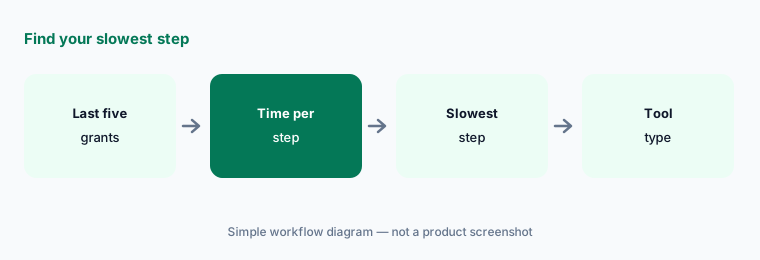
Map your last five grants:
List the last five grants you submitted. For each one, write where the funder was found, where the draft was written, and who checked it. Have the grants manager circle the one step that took longest before you buy any AI grant tool.
2. Find funders with a grant database
What it is: Instrumentl's pricing page lists Discover at $299 per month billed annually ($349 monthly) for 3 users, Pre-Award at $499 ($579 monthly) for 5 users, and Full Lifecycle at $999 ($1,159 monthly) for 15 users, with a 14-day trial and no card required; its AI prospecting assistant is labelled beta. Candid's funder database is compared in our Instrumentl vs Candid.
A grant database is worth it when finding new funders is your bottleneck, not when you already apply to the same 20 foundations every year.
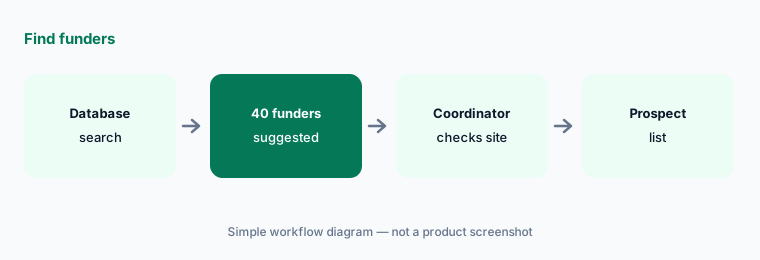
Test the search on your programs:
Run a trial search for your three main programs and have the grants coordinator check each suggested funder's own site and latest filing before it goes on your prospect list.
3. Draft with a grant writer or a general assistant
What it is: Grantable's pricing page lists Free (5 chat messages a day), Starter at $50 per month (50 a day), and Pro at $150 per month (200 a day), with 17% off billed annually and no per-seat fees. General assistants cost $8 per user per month on nonprofit plans (Claude, ChatGPT); see Claude vs ChatGPT for grant writing.
A grant-specific tool stores your past proposals and boilerplate; a general assistant also helps with reports, emails, and board memos. Small teams rarely need both.
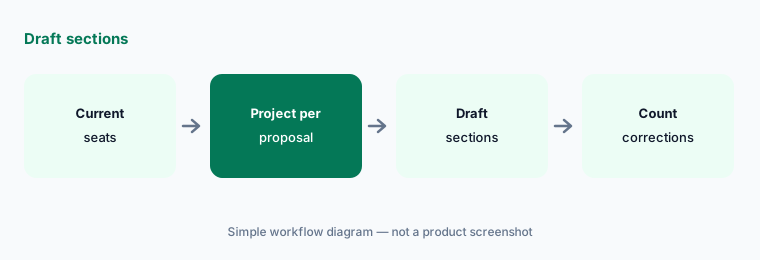
Count corrections before you buy:
Draft your next two proposal sections in a tool you already pay for and have the grants manager count every fact she corrects before you add another subscription.
4. Build a checked boilerplate library
What it is: Both grant-specific and general tools draft from documents you give them; Claude and ChatGPT keep them in Projects (Claude vs ChatGPT for grant writing), and Grantable AI review covers Grantable's approach.
AI repeats whatever you feed it, including last year's outdated numbers. A small library checked once a year saves fixing the same error in every draft.
Date every number:
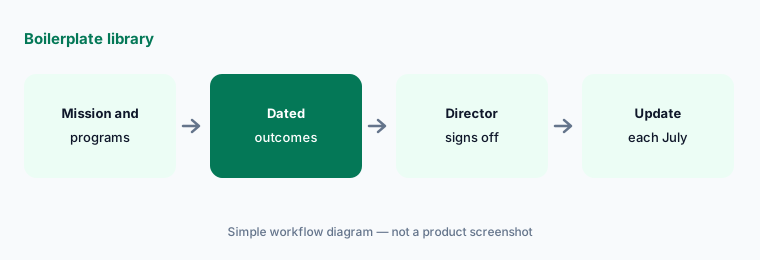
Put your mission, programs, and outcomes in one boilerplate file with a date and source on every number, and have the program director sign it off before any AI tool uses it.
5. Track deadlines and reports in one place
What it is: Instrumentl's Pre-Award and Full Lifecycle plans add grant tracking and reporting to funder search (pricing page). Many small teams track the same work in a spreadsheet.
Missed reports damage funder relationships more than weak proposals do. A deadline list is only as good as the person who updates it every week.
Start with a weekly review:
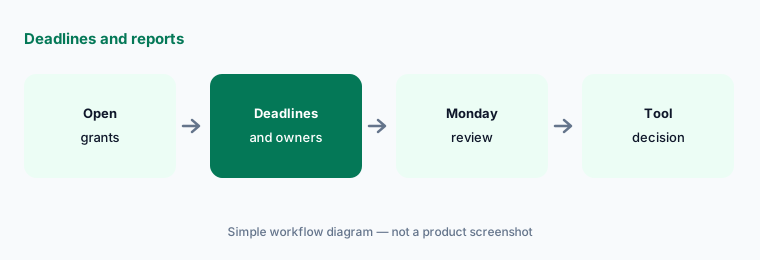
List every open grant with its next deadline, report due date, and owner, and have the grants manager review it every Monday before you pay for a tracking tool.
6. If you are the funder, use application software
What it is: Community foundations and corporate giving teams that receive applications use different tools, such as Submittable (Submittable AI review). These manage intake and review, not writing.
If you both apply for and make grants, keep the two jobs and their data separate.
Keep reviewers reading:
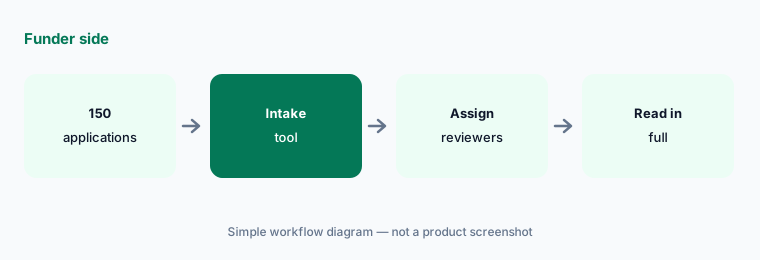
If you make grants, write down that AI summaries never replace a reviewer reading the full application, and have the program officer check that every application was read.
Pricing context (October 2026)
Instrumentl (pricing page, checked 31 October 2026): Discover $299 per month billed annually or $349 monthly (3 users); Pre-Award $499 billed annually or $579 month-to-month (5 users); Full Lifecycle $999 or $1,159 (15 users); Enterprise custom. 14-day trial, no card required. The AI prospecting assistant is labelled beta.
Grantable (pricing page, checked 26 October 2026): Free $0 (5 chat messages a day); Starter $50 per month (50 a day); Pro $150 per month (200 a day); 17% off billed annually; Agency Hub add-on $300 per month; no per-seat fees.
Claude and ChatGPT (Claude nonprofit page, OpenAI nonprofit help article, checked 26 October 2026): Claude Team $8 per user per month for nonprofits ($3 in low- or middle-income countries); ChatGPT Business Standard $8 per user per month billed annually or $10 monthly. Candid and Submittable prices are in our Instrumentl vs Candid and Submittable AI review.
Uncertainty: We did not test these tools on a live grant. Prices come from vendor pages as read on 26 Oct 2026 and can change. Instrumentl's AI prospecting assistant is labelled beta. Message limits and features change often; check the pricing page on the day you buy. No tool guarantees accurate funder facts.
When it’s useful (honest take)
Useful when your team writes at least five proposals a year, you can name your slowest step, and the grants manager will check every AI draft against a source.
Less useful when you apply to the same few funders with the same proposal each year, or nobody has time to check AI drafts; then start with Claude vs ChatGPT for grant writing on a tool you already pay for, or read Grantable AI review for a free plan.
Paying for grant writing tools and a few other AI tools? The $9 AI toolkit spreadsheet lists every AI subscription you have, what each one costs, and how fast it pays for itself, so you can see which ones are worth the money.
Want someone to do it for you? AI toolkit audit — $19
Related options (educational)
| Need | Better home | Why |
|---|---|---|
| Which grant tools to combine | AI grant writing tools (this page) | Map your last five grants |
| General assistant for proposals and reports | Claude vs ChatGPT for grant writing | Compare |
| Grant-specific drafting tool | Grantable AI review | See review |
| Funder database and grant pipeline | Instrumentl vs Candid | Compare |
| Running a grant program as a funder | Submittable AI review | See review |
| Claude nonprofit plans | Claude for nonprofits | See review |
FAQ
What is the best AI tool for grant writing?
It depends on your slowest step. Grant databases such as Instrumentl help you find funders; Grantable and general assistants such as Claude and ChatGPT help you draft. List your last five grants and buy for the step that took longest.
How much do AI grant writing tools cost?
As checked 26 October 2026 (Instrumentl rechecked 31 October 2026): Instrumentl $299, $499, or $999 per month billed annually; Grantable Free, $50, or $150 per month; Claude and ChatGPT nonprofit seats $8 per user per month. Check each pricing page on the day you buy.
Can I use ChatGPT or Claude instead of a grant tool?
Often, yes, for drafting. Put each proposal's files in a Project and have the grants manager count corrections. A grant database still helps if finding funders is your bottleneck.
Is it safe to put donor data into AI grant tools?
Keep donor names, gift amounts, and client details out unless your written policy and the vendor's terms allow it. Use paid business plans for confidential budgets.
Who should check AI-written grant proposals?
The grants manager checks every fact, number, and promise; the finance lead checks the budget; the executive director approves what is submitted.
Optional next step (if seats overlap)
If you pay for a grant database, a grant writer, and general AI seats that all draft the same need statements, map that overlap before the next renewal. Map the overlap with the $19 AI toolkit audit or the $9 AI toolkit spreadsheet. Email Audit $19 or Toolkit spreadsheet $9.
Checkout is live via Stripe. After you pay, we email delivery (spreadsheet) or intake next steps (audit).