Role guide · Nonprofits · Microsoft 365 · Oct 2026
Microsoft 365 Copilot for nonprofits (Oct 2026): nonprofit Copilot pricing, the free Copilot Chat in the Business Basic grant, and board-report drafts your development team checks
Nonprofit role guide — Microsoft gives eligible nonprofits up to 300 free Microsoft 365 Business Basic licenses, and those include Copilot Chat, Microsoft's secure AI chat, at no extra charge. The paid add-on that puts Copilot inside Word, Excel, Outlook, and Teams is Microsoft 365 Copilot at $25.50 per user per month, paid yearly, and it needs a qualifying Microsoft 365 plan underneath. Microsoft Learn says the old Business Premium grant has been discontinued, so check what your licenses renew into. This page covers prices, who qualifies, and six jobs where Copilot drafts and your development team checks every total and claim before anything reaches the board, a donor, or a funder. Donor names, gift amounts, and anything confidential stay out of prompts unless your data policy allows it. Product deep-dive: Microsoft 365 Copilot.
Who this guide is for
Development directors, grants managers, finance leads, and executive directors at a nonprofit that already runs on Outlook, Teams, Word, and Excel, or is deciding whether to, and wants AI help with board reports, appeals, meeting notes, and grant drafts. Microsoft's eligibility page (read 24 October 2026) says the person registering must be an employee or strategic volunteer of the nonprofit, not a third-party IT provider, and that beneficiaries, donors, and members are not eligible for nonprofit offers.
Donor data stays out by default. Microsoft describes Copilot Chat as secure AI chat, and the paid Copilot works with the files and email your account can already reach. Those are vendor descriptions, not a decision about your donors. Your data policy, donor privacy promises, and contracts decide what may go in; this guide keeps donor names, addresses, and confidential notes out of prompts and files, and it is not legal, tax, or gift-acceptance advice.
Ground rules for every section below: Copilot drafts and summarizes; it does not decide who to ask, how much to ask for, or what to promise a funder, and a named person owns every donor-facing message, gift record, ask amount, and funder submission: the development director owns every board report, appeal, and ask amount, the database manager every gift record, the grants manager every proposal, and the executive director every license purchase and funder submission.
Major features (with how someone uses them)
Examples at a glance: each feature has a concrete example from a real job plus a short Try this you can run this week.
1. A board development report drafted in Word (primary)
What it is: Export this quarter's gift summary from your donor database as totals by fund, appeal, and month, with donor names removed. In Word, open Copilot and ask for a two-page board development report that uses that spreadsheet and last quarter's report as sources, with a short table of totals and a list of anything the data does not explain. Microsoft's AI for nonprofits page says the paid Copilot helps with “drafting documents and messages, generating insights from data, and summarizing meetings and emails” across Word, Excel, PowerPoint, Outlook, and Teams.
A clean draft is not a checked report. Copilot can carry an old number forward from last quarter's file, round a total the wrong way, or describe a program result the spreadsheet never mentions. The development director checks every figure against the gift records, not against the draft.
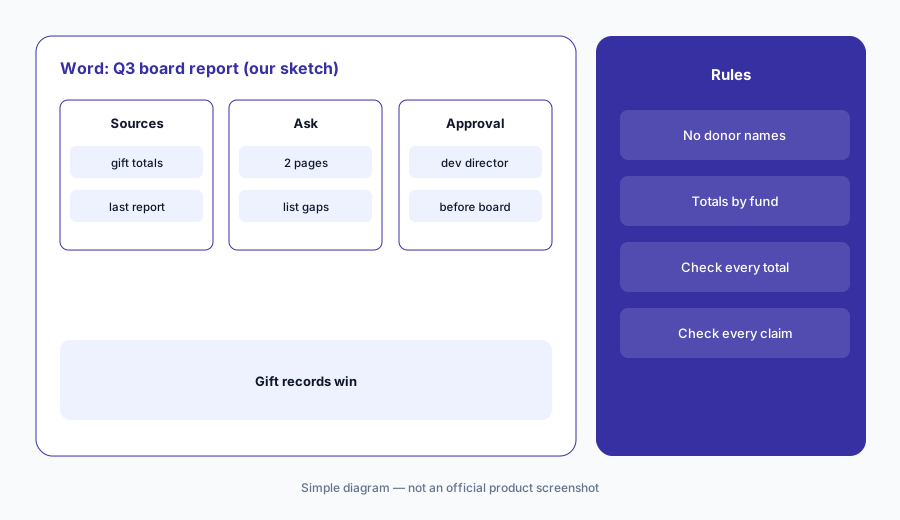
Primary workflow:
Ask Copilot in Word to draft this quarter's board development report from your gift summary spreadsheet with donor names removed. Have the development director check every total and every program claim against the gift records before the report goes to the board.
2. The free grant, the discounted plans, and the Copilot add-on
What it is: Microsoft's offers page lists Business Basic as free for up to 300 users, with web and mobile versions of Outlook, Teams, Word, Excel, and PowerPoint, Copilot Chat, and 1 TB of storage per user. Business Premium is $5.50 per user per month, paid yearly, with desktop apps and stronger security. Microsoft's nonprofit plans page lists Business Standard at $3.50 per user per month, paid yearly. The Microsoft 365 Copilot add-on is $25.50 per user per month, paid yearly, and Microsoft says a qualifying Microsoft 365 plan is required to buy it.
Most small teams only need the paid Copilot for the few people who write reports and appeals every week. Price it per person who needs it, not for the whole staff, and add the plan underneath it.
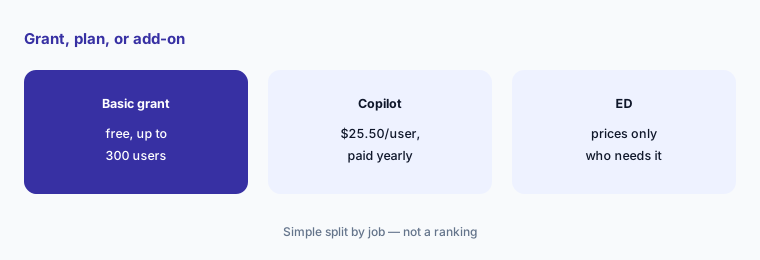
Price per person:
List the people who would use Copilot inside Word or Outlook every week. Have the executive director price the $25.50 add-on for only those people and confirm the plan underneath qualifies before buying.
3. Check what your grant renews into
What it is: Microsoft Learn's nonprofit updates page says “The Microsoft 365 Business Premium grant has been discontinued. Your licenses will expire on your next renewal date and will not renew.” It says the Office 365 E1 grant was also discontinued, and that Microsoft continues to provide up to 300 granted licenses of Business Basic, with discounts of up to 75 percent on many nonprofit offers. License moves have to be made by hand in the Microsoft 365 admin center.
If your team still uses desktop Word and Excel on an old Premium grant, those licenses will not renew on their own. Moving users to Business Basic means web and mobile apps only, unless you buy a paid plan.
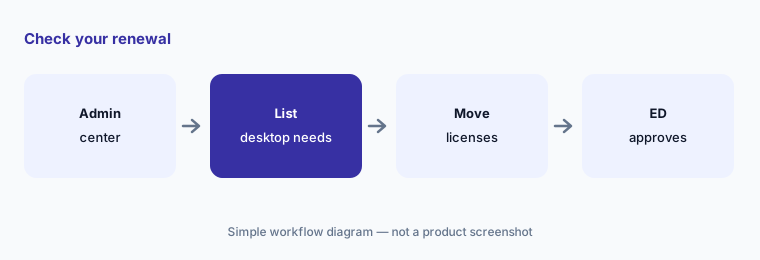
Check your renewal date:
Have the operations manager check which grant every user is on and the renewal date in the Microsoft 365 admin center, and list who needs desktop apps, before the executive director approves any paid plan.
4. Copilot Chat on the free grant, and what it does not do
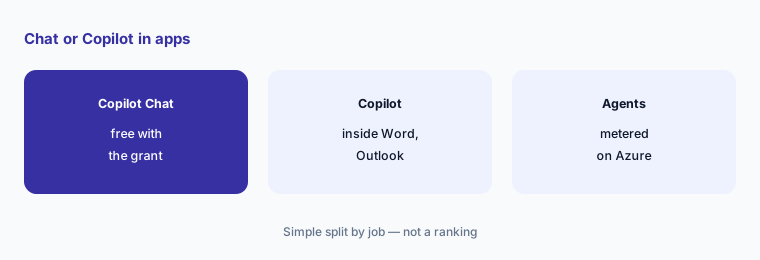
What it is: Microsoft's AI for nonprofits page says Copilot Chat “provides secure AI chat and is included in your Microsoft 365 subscription at no extra charge,” with file upload, image generation, and Copilot Pages for saving and sharing content. The paid Copilot is the version built into the Microsoft 365 apps themselves. Microsoft's plans page adds that “an Azure subscription is required to use agents and is priced on a metered basis.”
Copilot Chat is a good place to start: draft a thank-you template, rewrite a program description in plain language, or brainstorm event names, all with no donor data. Agents are a separate cost you meter and watch.
Start with Copilot Chat:
Have the communications lead draft one newsletter piece in Copilot Chat with no donor or client names, and the development director check every number against your records before it goes out.
5. Teams meeting recaps for development meetings
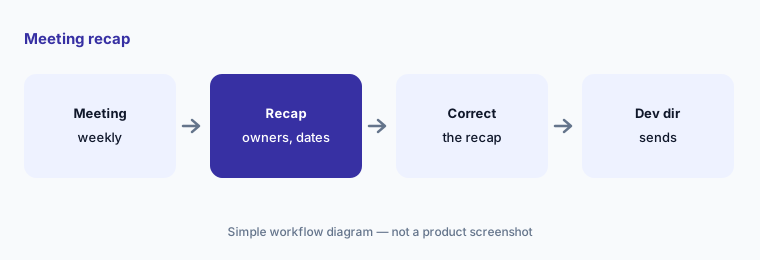
What it is: Microsoft's AI for nonprofits page lists summarizing meetings and emails among what the paid Copilot does in Teams and Outlook. For a weekly development meeting, ask Copilot in Teams for a recap with decisions, owners, and due dates, then turn that into the follow-up email.
A recap reflects what was said, including things said in confidence about a donor. Decide which meetings Copilot recaps, and keep major-donor strategy meetings out unless your policy allows it.
Check the recap:
After one development meeting, ask Copilot in Teams for decisions, owners, and due dates. Have the person who ran the meeting correct the recap before anyone sends it.
6. Copilot Studio and agents: ask before you build
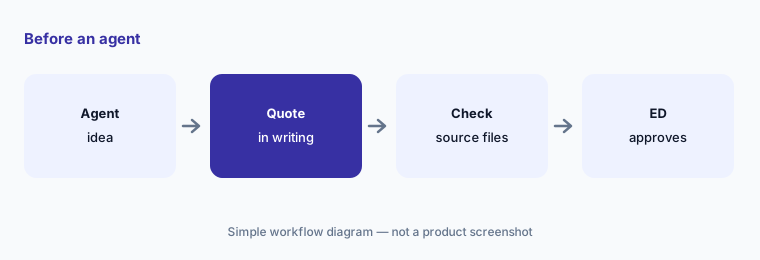
What it is: Microsoft's AI for nonprofits page names Copilot Studio for custom agents, with examples such as helping volunteers find the resources they need. The nonprofit pages we read on 24 October 2026 print no nonprofit price for Copilot Studio, and agent use needs a metered Azure subscription. Ask Microsoft or your partner for a written quote. Microsoft also offers free Copilot QuickStart Training and a Prompt Gallery for staff.
An agent that answers volunteers answers them all, every time, from whatever files it was given. If a file is out of date, every volunteer gets the old answer.
Get a written quote:
Before building any Copilot Studio agent, have the operations manager get a written monthly cost estimate from Microsoft or a partner, and the executive director approve a test with a cost limit.
Pricing context (October 2026)
As listed on Microsoft's offers for nonprofits page and nonprofit plans page (checked 24 October 2026): Microsoft 365 Business Basic free for up to 300 users (web and mobile apps, Copilot Chat, 1 TB per user); Business Standard $3.50 per user per month, paid yearly; Business Premium $5.50 per user per month, paid yearly; Microsoft 365 Copilot add-on $25.50 per user per month, paid yearly, which needs a qualifying Microsoft 365 plan. Microsoft says Copilot may not be available in all markets and languages.
Copilot Chat is included in Microsoft 365 subscriptions at no extra charge. Agents need an Azure subscription priced on a metered basis, and no nonprofit Copilot Studio price is printed on the pages we read; ask Microsoft or a partner for a quote. Microsoft Learn's updates page says the Business Premium and Office 365 E1 grants have been discontinued. Granted licenses carry a rule to keep at least 85% of them in active use (eligibility page).
Uncertainty: Microsoft's nonprofit offers, prices, and grant terms change; use the live offers page and your admin center. Prices are in USD as read on 24 Oct 2026, and two Microsoft pages blocked automated reading, so we read them through a fetch tool. We did not test Copilot on a live nonprofit account. Whether Business Basic counts as a qualifying plan for the add-on on your account is a question for Microsoft or your partner. Whether donor data may go into any tool is a decision for your organization, its counsel, and the contract, not this page.
When it’s useful (honest take)
Useful when your nonprofit already works in Outlook, Teams, Word, and Excel, a few people write board reports, appeals, and grant drafts every week, and a named person checks every draft — the development director for board reports and appeals, the grants manager for proposals, the executive director for license purchases.
Less useful when your team runs on Gmail and Google Drive (Gemini for nonprofits), your donor CRM already drafts appeals with data inside it (Bloomerang AI, Blackbaud AI), or one or two people want a chat tool rather than Copilot inside Office (Claude for nonprofits, ChatGPT for nonprofits).
Paying for Microsoft 365 Copilot and a few other AI tools? The $9 AI toolkit spreadsheet lists every AI subscription you have, what each one costs, and how fast it pays for itself, so you can see which ones are worth the money.
Want someone to do it for you? AI toolkit audit — $19
Related options (educational)
| Need | Better home | Why |
|---|---|---|
| Copilot inside Word, Excel, Outlook, Teams | Microsoft 365 Copilot (this page) | $25.50/user/month paid yearly, plus a qualifying plan |
| Secure AI chat on the free grant | Copilot Chat | Included with Business Basic (free up to 300 users) |
| Gemini app and notebook on Google's $0 plan | Gemini for nonprofits | $0 plan; Business Standard $3.50 |
| Long drafts and analysis in a chat tool | Claude for nonprofits | See guide |
| Chat seats for a small team | ChatGPT for nonprofits | See guide |
| Custom agents in Microsoft's stack | Copilot Studio | Quote; agents metered on Azure |
FAQ
How much is Microsoft 365 Copilot for nonprofits?
Microsoft's nonprofit offers page, checked 24 October 2026, lists the Microsoft 365 Copilot add-on at $25.50 (USD) per user per month, paid yearly. A separate license for a qualifying Microsoft 365 plan is required, and Microsoft says Copilot may not be available in all markets and languages.
Is Copilot free for nonprofits?
Copilot Chat is included in Microsoft 365 subscriptions at no extra charge, including the Business Basic grant that is free for up to 300 users. The paid Microsoft 365 Copilot that works inside Word, Excel, Outlook, and Teams is the $25.50 add-on. Agents need a metered Azure subscription.
Is the Business Premium grant still available?
No. Microsoft Learn's nonprofit updates page says the Microsoft 365 Business Premium grant has been discontinued and existing licenses will not renew. Business Premium is still offered at a discount: $5.50 per user per month, paid yearly, as listed on 24 October 2026.
Can we put donor records into Copilot?
This guide says keep donor names, addresses, and confidential notes out of prompts and files by default. Microsoft describes Copilot Chat as secure AI chat, but your data policy, donor promises, and contracts decide what goes in. This is not legal, tax, or gift-acceptance advice.
Who approves outputs?
The development director for every board report, appeal, and ask amount, the database manager for every gift record, the grants manager for every proposal, and the executive director for every license purchase, agent, and funder submission.
Optional next step (if seats overlap)
If your organization pays for Microsoft 365 plans, Copilot add-ons, a donor CRM with built-in AI, and other chat seats that all draft the same reports, map that overlap before adding another seat. Map the overlap with the $19 AI toolkit audit or the $9 AI toolkit spreadsheet. Email Audit $19 or Toolkit spreadsheet $9.
Checkout is live via Stripe. After you pay, we email delivery (spreadsheet) or intake next steps (audit).