Role guide · Insurance ops · Gemini · Workspace · Oct 2026
Gemini for insurance ops (Oct 2026): Gmail, Sheets, and Docs help for renewal lists, loss-run summaries, and carrier email drafts in Google Workspace agencies
Insurance ops role guide for account managers, CSRs, and producers whose agency runs on Google Workspace — Gemini summarises a sanitized loss run in Sheets, turns a renewal export into a 90/60/30-day list, drafts carrier and client emails in Gmail, outlines a proposal in Docs from approved sources, and answers SOP questions from a Gemini Notebook. The account manager checks every total against the carrier's own loss run, signs every client email, and the producer signs every proposal. Nothing here is coverage advice. Companion to ChatGPT for insurance ops and Stack map for insurance ops.
Who this guide is for
Account managers, CSRs, producers, and agency operations managers — the person who turns a carrier's loss run into a renewal submission, keeps the renewal list, answers carrier and client email, and writes the proposal — at an agency or MGA that already pays for Google Workspace. If your agency management system already does the job, start there: Applied Epic AI and Vertafore AI work inside the system of record, and Zywave AI prepares renewal intelligence for producers. If your team drafts in ChatGPT instead, see ChatGPT for insurance ops.
What Google documents (its Gemini in Sheets, Gemini in Docs, and Help me write help pages and its pricing page, read 18 October 2026): in Sheets, Ask Gemini opens a side panel that can summarise and analyse data, build charts, and take actions such as pivot tables, conditional formatting, filters, and inserting or deleting rows, and Undo reverses an action. In Docs, Gemini shows suggestions you accept or reject, and you can add files as Sources. In Gmail, Help me write drafts or refines a message and can pull details from your other emails and Drive files — Sources shows what it used. Google's pricing page lists Gemini in Gmail on every Business plan, and Gemini in Docs and Sheets on Business Standard and above.
Ground rules for every section below: Gemini never sends a carrier, client, or claimant email, never binds, endorses, or cancels a policy, never issues a certificate, and never decides coverage. It lists, drafts, and suggests; a licensed account manager or producer makes each decision and sends each email. Work from sanitized exports — line of business, policy year, cause of loss, counts, paid and reserved totals — with no insured or claimant names, no policy or claim numbers, no Social Security or driver's license numbers, no medical details from injury claims, and no bank account details. This page is not coverage, claims, or legal advice.
Major features (with how someone uses them)
Examples at a glance: each feature has a concrete example from a real job plus a short Try this you can run this week.
1. Loss-run summary in Sheets (primary)
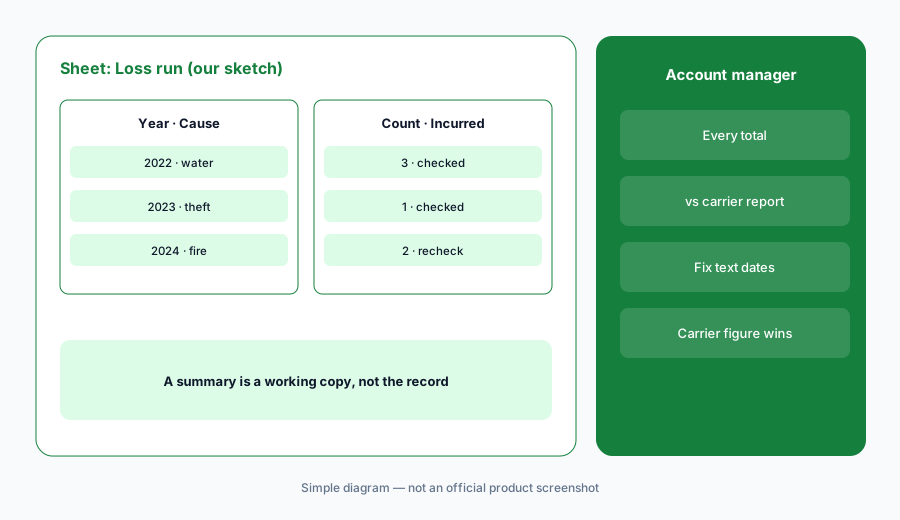
What it is: Copy the carrier's loss run into a native Google Sheet (Google says Gemini works best with native Sheets files, so save an .xlsx as a Google Sheet first) and keep only policy year, line, date of loss, cause of loss, status, paid, reserved, and incurred — no claimant names, claim numbers, or injury descriptions. Open Ask Gemini and ask for a summary by policy year and cause of loss with claim counts and incurred totals, showing the formula it used. Before any number goes into a renewal submission, the account manager checks every total against the carrier's loss run.
A summary is only as good as the export. Loss runs differ by carrier: some report incurred as paid plus reserve, some list expenses separately, and a valuation date matters. The account manager decides which carrier figure goes in the submission — the Sheet is a working copy, not the record.
Primary workflow:
Ask Gemini in Sheets to summarise a sanitized loss run by year and cause. Have the account manager check every total against the carrier's loss run before it goes into a renewal submission.
2. Renewal list with a decision column
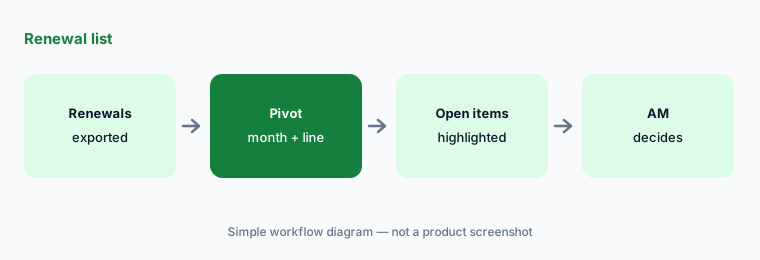
What it is: Export next quarter's renewals from your agency management system with line, renewal date, carrier type, premium band, and open items — no insured names or policy numbers if the Sheet is shared outside the account team. Ask Gemini for a pivot table by renewal month and line, then for conditional formatting that highlights anything renewing within 90 days with open items. Add an Account manager decision column yourself. Google says the side-panel history is lost when you reload the browser, so insert anything you want to keep, and use Undo if an action touched the wrong rows.
The list is a work queue, not a priority call. Which accounts get remarketed, which get an early producer call, and which carriers see a submission are decisions for the account manager and producer.
Pivot, then decide:
On a copy of next quarter's renewal export, ask Gemini for a pivot by renewal month and line and highlight renewals within 90 days that still have open items. Add an Account manager decision column and fill it in as a team.
3. Carrier and client email drafts in Gmail
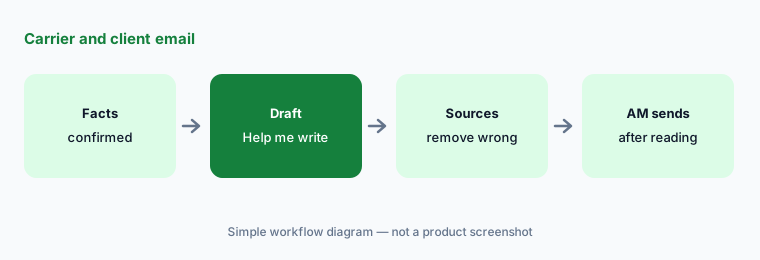
What it is: For a carrier follow-up on a submission, a request for a loss run, or a client reminder about renewal information, draft with Help me write from facts you already confirmed — not from pasted applications or claim files. Google says Help me write can pull details from your other emails and Drive files, so open Sources and remove anything it pulled from the wrong thread (another client's renewal, an old quote). The account manager reads the draft and sends it; nothing in an email confirms coverage, binds, or promises a premium unless that person has checked it.
Gemini drafts; licensed people send. A client email that says “you're covered” or “your premium won't change” is advice — the account manager writes that sentence, or it doesn't go.
You send:
Draft one carrier follow-up and one client reminder with Help me write from confirmed facts only. Open Sources, remove anything pulled from another client's thread, and have the account manager read and send each one.
4. Proposal outlines in Docs from approved sources
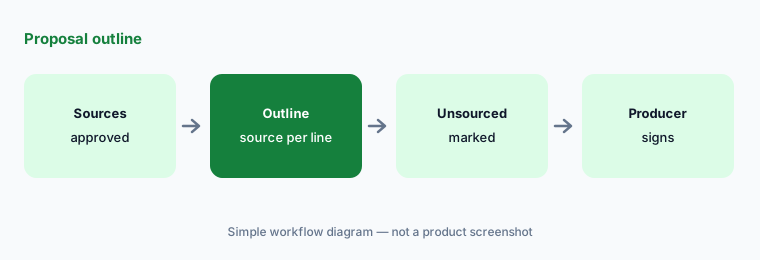
What it is: In Docs, add the approved sources — the checked loss-run Sheet, the carrier's quote summary, your agency's proposal template — as Sources, and ask Gemini for a proposal outline: the client's operations as described in the application, the coverages quoted with limits and deductibles as shown, the loss history summary, and questions for the client, with the source named under each line and anything the sources do not cover marked Not in sources. Review each suggestion before you accept it.
The proposal is the producer's document. Coverage descriptions come from the quote and the forms, not from a summary, and any recommendation is the producer's to write and sign.
Source every line:
Add the checked loss-run Sheet and the carrier's quote summary as Sources in Docs and ask Gemini for a proposal outline that names the source under every line. Have the producer reject every line marked not in sources before writing the proposal.
5. Agency SOPs in Gemini Notebook
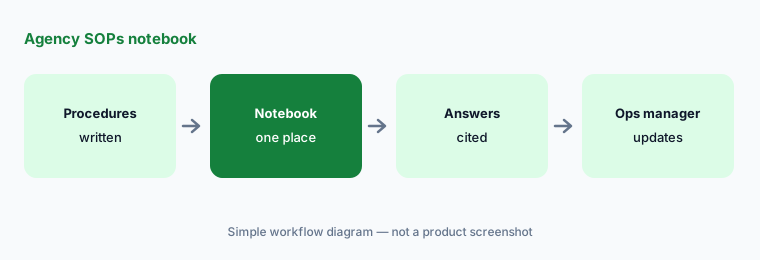
What it is: Google renamed NotebookLM to Gemini Notebook on 16 July 2026; it remains a standalone research tool, and Google's product page says it is included in all Workspace plans (expanded features on Business Standard and above). Put the agency's written procedures in one notebook — the renewal workflow, the certificate procedure, the new-business checklist, E&O documentation rules — and have CSRs ask questions there, with answers cited to the source documents. In September Google added admin controls for external notebook sharing; the setting is off by default.
A notebook only knows what you upload. The agency operations manager owns the sources, replaces a procedure the day it changes, and keeps carrier contracts and client files out of it.
Procedures only:
Create one Gemini Notebook with your agency's written procedures only — no client files. Ask it five questions your CSRs asked last month, have the operations manager check each cited answer against the procedure, and confirm with your admin that external notebook sharing is off.
6. Which Workspace plan includes Gemini in Sheets, and privacy
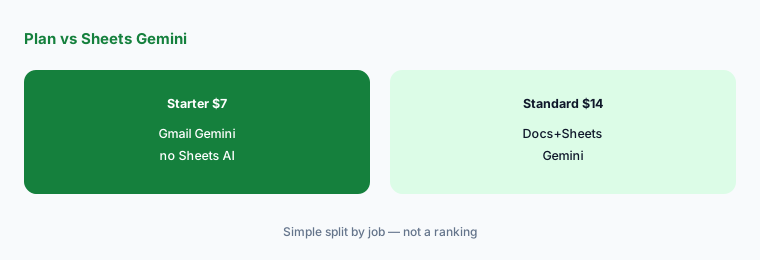
What it is: As checked on 18 October 2026, Google's pricing page shows Business Starter at $7 per user per month, Business Standard at $14, and Business Plus at $22 (with a one-year commitment, before tax). It also shows a limited-time discount for new customers: 20% off Starter and Standard and 50% off Plus for three months, with price details running Nov 1, 2026 – Feb 1, 2027, for the first 20 users. Gemini in Docs and Sheets is on Business Standard and above; Gemini in Gmail is on all Business plans. Starter, Standard, and Plus top out at 300 users; Enterprise is via sales. Google's generative AI privacy page says Workspace data is not reviewed by humans or otherwise used for generative AI model training outside your domain without permission — which does not make it safe to paste client PII or a claim file.
If your CSRs are on Business Starter, the Sheets and Docs workflows above need an upgrade or another tool — check before you promise them. If someone pastes a policy number list or injury details into a prompt, delete the copy, tell whoever owns that data, and re-export a sanitized file.
Check the plan grid:
Have the operations manager open workspace.google.com/pricing and the admin console and confirm whether your account managers and producers are on Business Standard or above before you standardize on Sheets and Docs Gemini workflows.
Pricing context (October 2026)
As checked on 18 October 2026 at workspace.google.com/pricing (Oct 2026): Business Starter $7, Business Standard $14, Business Plus $22 per user per month (one-year commitment, before tax). Gemini in Docs/Sheets requires Business Standard or above; Gemini in Gmail is on all Business plans; Gemini Notebook is included in all Workspace plans, with expanded features from Standard.
A limited-time three-month discount for new customers appears on the pricing page (20% off Starter and Standard, 50% off Plus; price details Nov 1, 2026 – Feb 1, 2027; first 20 users). The Plus discount and dates differ from what the page showed on 17 October, so budget from your invoice and the plan grid, not from memory.
Uncertainty: Workspace list prices and discount bands change, and the page shows prices for your region. Confirm the live pricing page and your admin console before budgeting. Gemini Notebook's name and limits are new since July 2026 and menu names may keep moving. Gemini suggests; it does not send carrier or client mail, bind or endorse policies, issue certificates, or decide coverage. Feature availability can vary by language and admin settings.
When it’s useful (honest take)
Useful when your agency already works in Google Workspace on Business Standard or above and the account manager will check every figure against the carrier's documents before it reaches a carrier or client.
Less useful when your agency management system already prepares renewals and checks policies (Applied Epic AI, Vertafore AI), your producers use a renewal intelligence tool (Zywave AI), or the team is on Business Starter without Sheets Gemini.
Paying for Gemini and a few other AI tools? The $9 AI toolkit spreadsheet lists every AI subscription you have, what each one costs, and how fast it pays for itself, so you can see which ones are worth the money.
Want someone to do it for you? AI toolkit audit — $19
Related options (educational)
| Need | Better home | Why |
|---|---|---|
| Loss-run summaries in Sheets | Gemini for insurance ops (this page) | Business Standard $14+ |
| Renewal checklists in a Project | ChatGPT for insurance ops | Business seats |
| Renewal intelligence for producers | Zywave AI | Quote-only |
| Policy intake and checks in the agency system | Vertafore AI | Quote-only |
| Logistics twin guide | Gemini for logistics ops | Workspace Standard+ |
FAQ
How should an agency start with Gemini?
Start with a sanitized loss run in a native Google Sheet: policy year, line, cause of loss, status, paid, reserved, and incurred — no claimant names or claim numbers. Ask Gemini for a summary by year and cause, and have the account manager check every total against the carrier's loss run before anything goes into a submission.
Can Gemini email clients or carriers for us?
Not in this guide. Gemini drafts with Help me write; the account manager checks the facts, opens Sources, reads the email, and sends it. Nothing in an email confirms coverage or binds a policy unless that licensed person has checked it.
Which Workspace plan do we need for Gemini in Sheets?
As checked on 18 October 2026, Google's pricing page shows Gemini in Docs and Sheets on Business Standard ($14 per user per month), Business Plus ($22), and Enterprise, but not on Business Starter ($7), which gets Gemini in Gmail. Check workspace.google.com/pricing before budgeting.
What happened to NotebookLM?
Google renamed it Gemini Notebook on 16 July 2026. It is still a standalone research tool, existing notebooks redirect, and Google says it is included in all Workspace plans. Admins gained external sharing controls in September 2026, off by default.
Is our client data used to train Gemini?
Google's privacy page says Workspace data is not reviewed by humans or otherwise used for generative AI model training outside your domain without permission. That covers the company account; personal accounts have different terms. Still never paste client PII, policy numbers, claimant names, medical details, or bank details.
Optional next step (if seats overlap)
If insurance ops pays for Gemini, a chat assistant, an agency management system with its own agents, and a renewal tool that answer the same renewal questions, fix that overlap before adding another seat. Map the overlap with the $19 AI toolkit audit or the $9 AI toolkit spreadsheet. Email Audit $19 or Toolkit spreadsheet $9.
Checkout is live via Stripe. After you pay, we email delivery (spreadsheet) or intake next steps (audit).