Tool · Insurance ops · Five Sigma · Oct 2026
Five Sigma AI review (Oct 2026): Clive multi-agent claims expert, Claim Conductor, and the Adjuster's Cockpit for P&C claims
Five Sigma sells a cloud claims management system with Clive, a set of AI agents for claims, built in, and also sells Clive on its own to run on top of an existing claims system. In September 2026 it added Clive Claim Conductor, which moves a claim forward when a stage is complete, and the Adjuster’s Cockpit, which shows adjusters what is waiting for them. This page explains each part, where the guardrails sit, and who signs off. Each section has a Try this.
What this Five Sigma page covers
This page is for claims leaders, adjusters, claims QA managers, and claims operations teams at P&C insurers, MGAs, third-party administrators, and self-insured organizations. The question it answers: which claim steps Clive can draft or carry out, which settings decide what runs without a person, and who must approve each kind of output.
Sources are Five Sigma’s own pages, read on 18 October 2026: its home page, its Clive page, its press list, and its release of 28 September 2026 on Adjuster’s Cockpit and Clive Claim Conductor. Five Sigma calls Clive the industry’s first multi-agent AI claims expert; that is its description. It says Clive is built on Google Cloud’s Vertex AI and Gemini without training on customer data.
Two ways to buy: Five Sigma’s claims system with Clive built in, for a carrier replacing its claims system, or Clive added to an existing claims system, with the workflows needed to act on its recommendations. Dated 2026 releases also cover n8n workflow automation inside the platform (March) and native reporting (April), plus customer go-lives including Starr (January) and Loadsure (February).
Ground rules: the adjuster approves every coverage position, payment, and policyholder message; the claims operations lead decides which actions run automatically; the SIU lead decides every fraud referral; and the claims QA manager owns compliance reviews. Five Sigma’s results figures are its claims, not our measurement. This page explains features. It is not coverage, claims, or legal advice.
Major features (with how someone uses them)
Examples at a glance: each feature has a concrete example from a real job plus a short Try this you can run this week.
1. Clive Coverage: coverage summaries checked against the policy (primary)
What it is: On Five Sigma’s Clive page, Clive Coverage validates a claim against policy data, pulling policy terms and endorsements from the policy administration system, to give faster, consistent coverage answers. Five Sigma says it can cut human error in policy checks by up to 70%. Clive works with the other agents, so a coverage summary can feed the claim plan and the letters that follow.
A coverage position is a legal statement to a policyholder. A draft that misses an endorsement or exclusion can create a dispute, so the adjuster should read the policy wording behind every summary.
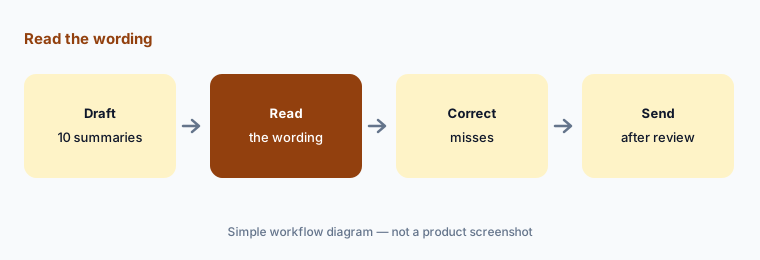
Primary workflow:
Let Clive draft the coverage summary on ten new claims. Have the adjuster check each against the policy wording before any coverage position goes to a policyholder.
2. Clive Intake and Triage: from first notice to the right adjuster
What it is: Clive Intake pulls incident details from unstructured messages and documents, fetches policy details, and builds the first notice of loss report, fully automated or with a human check. Clive Triage sets priority by severity, urgency, and complexity and assigns claims to the right expertise. Five Sigma cites up to 75% faster claim setup and up to 35% fewer delays and reassignments.
Early mistakes travel. A wrong date of loss or policy at intake affects coverage and reserves later, so the human check at intake should stay on until the error rate is known.
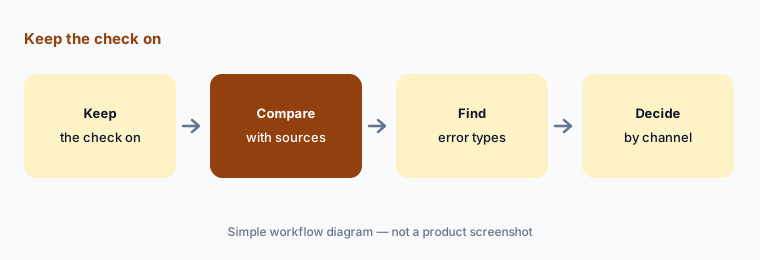
Keep the check on:
Have the intake supervisor keep Clive Intake’s human check on for two weeks and compare each report with its source. Turn it off only for channels with no errors.
3. Clive Claim Conductor: what may run without a person
What it is: Unveiled 28 September 2026, Clive Claim Conductor knows where a claim is in its lifecycle, does the work for that stage, and can move the claim on when the stage goal is met. Five Sigma says insurers decide which actions execute automatically and use guardrails to stop those that need a person, configurable by action, sub-organization, and line of business.
Every action switched to automatic is a decision made without an adjuster. The claims operations lead should list them in writing and widen them one at a time.
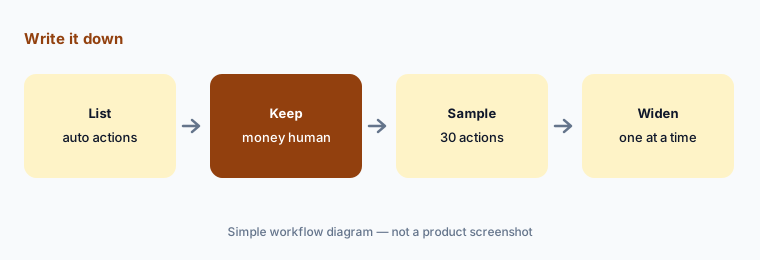
Write it down:
Have the claims operations lead write every action Conductor may take automatically. Keep payments and coverage letters with adjusters, and sample thirty automatic actions before adding any.
4. Adjuster’s Cockpit: the queue of decisions waiting for a person
What it is: The Adjuster’s Cockpit, unveiled with Conductor in the same release, gives claims teams a cross-claim view of automated claims: where each one is, and which are waiting for human input or blocked. When a person is needed, the adjuster sees Clive’s recommendation, its confidence, and the explanation, then executes, edits, or dismisses it. (Five Sigma’s home page spells it “Adjuster Cockpit”.)
A queue only works if someone owns it. Blocked claims that sit for days are a service problem even when every individual decision is right.
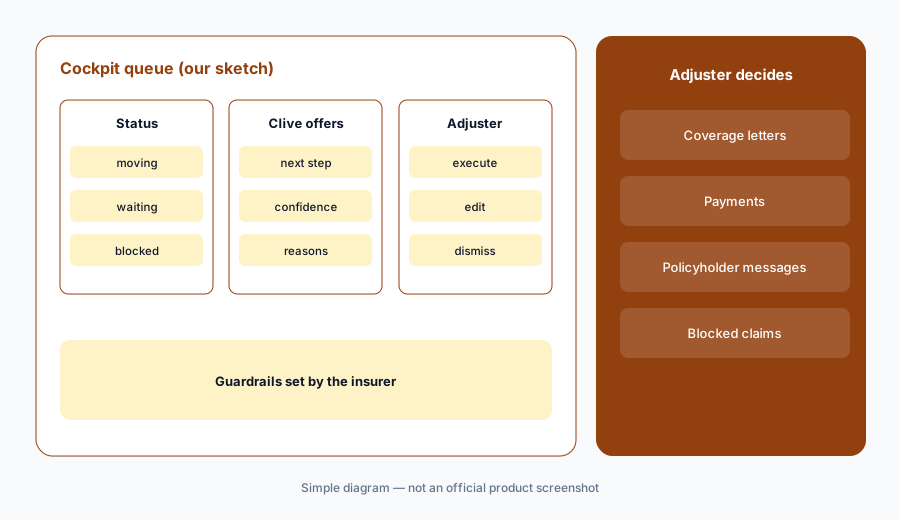
Own the queue:
Have the claims team leader review every claim blocked in the Cockpit for more than two days, plus ten dismissed recommendations a week, before widening any automation.
5. Clive Comm and Liability: drafted messages and responsibility calls
What it is: Clive Comm summarizes and classifies emails, calls, texts, and chats, links each to the right claim, and drafts adjuster-ready replies that follow the insurer’s procedures. Clive Liability reviews documents, police reports, and communications to assess responsibility, flags inconsistencies, and recommends next steps. Five Sigma cites 50% less email handling time and up to 10% lower indemnity and litigation exposure.
A drafted reply or liability view is a starting point. Anything that tells a policyholder or claimant where they stand should be read and sent by the adjuster.
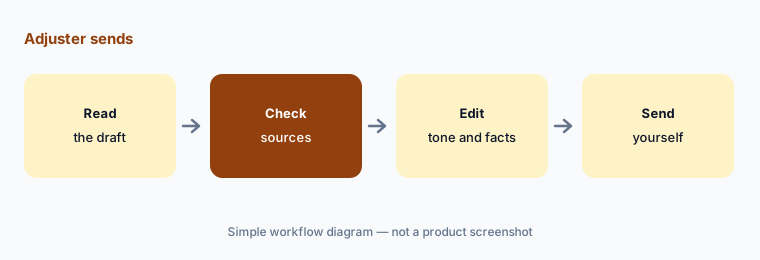
Adjuster sends:
Have the adjuster review Clive’s liability notes on fifteen claims against police reports. Read and edit every drafted message yourself before it reaches a policyholder or claimant.
6. Clive Risk and Inspection: fraud signals and claim file QA
What it is: Clive Risk looks for inconsistencies within and across documents, checks metadata, image forensics, and claim patterns, and flags suspicious activity for further investigation. Clive Inspection reviews open and closed claims against procedures, documentation, and regulatory rules, fills in QA checklists, and flags missing notes or inconsistent reserves. Five Sigma cites 40–50% less QA review time with every file checked.
A fraud flag is not a finding, and a QA flag is not a compliance breach. The SIU lead and the claims QA manager should own what happens next.
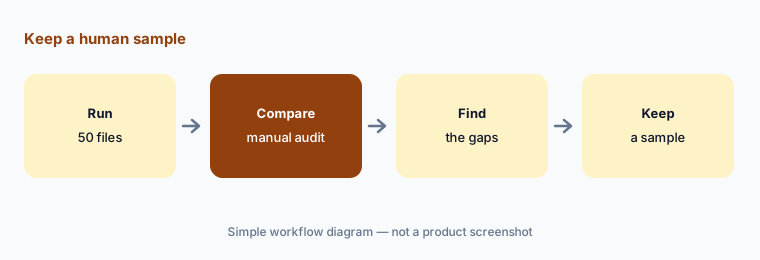
Keep a human sample:
Have the claims QA manager compare Clive Inspection with a manual audit of fifty closed files. Send every Clive Risk flag to the SIU lead, not straight to a denial.
Pricing context (October 2026)
Five Sigma does not publish prices; its /pricing address redirects to a demo request. Pricing is quote-only as of 18 Oct 2026. Ask whether Clive agents are priced one by one or as a suite, how pricing differs between Clive on your claims system and Five Sigma’s full claims system, and whether Conductor and the Cockpit are included.
Five Sigma cites a 33% increase in adjuster productivity, 92% accuracy, 70% fewer errors, and a seven-month time to return on investment, plus agent-level figures such as up to 75% faster claim setup. These are vendor claims, not our measurement.
Uncertainty: We read Five Sigma’s own pages and its September 2026 release. The release describes Conductor and the Cockpit as unveiled at a conference; we found no general-availability date or edition list. Five Sigma spells the product both “Adjuster’s Cockpit” and “Adjuster Cockpit”. Results figures are vendor claims. We could not confirm prices, and we did not test Five Sigma ourselves.
When it’s useful (honest take)
Useful when you are replacing a claims system or want AI agents across intake, coverage, liability, and communications on your current one, and a named claims operations lead will decide what runs without a person.
Less useful when you only need fraud screening (see FRISS AI), casualty severity signals (see CLARA Analytics AI), or a carrier core suite covering policy and billing too (see Guidewire vs Duck Creek).
Paying for Five Sigma AI and a few other AI tools? The $9 AI toolkit spreadsheet lists every AI subscription you have, what each one costs, and how fast it pays for itself, so you can see which ones are worth the money.
Want someone to do it for you? AI toolkit audit — $19
Related options (educational)
| Need | Better home | Why |
|---|---|---|
| Claims system or add-on with multi-agent AI, Conductor, and Cockpit | Five Sigma AI (this page) | Quote only |
| Insurance AI agents for claims documents on your systems | Bevaya AI | Public per-agent price |
| Agentic FNOL and claim summaries inside a carrier core | Guidewire AI or Duck Creek AI | Quote only; several items early or restricted access |
| Casualty severity and litigation signals | CLARA Analytics AI | Quote only |
| Fraud signals and SIU case management | FRISS AI | Quote only |
FAQ
What is Clive?
Five Sigma’s set of AI agents for claims, covering intake, triage, coverage, liability, documents, planning, chat, communications, fraud signals, QA, and portfolio views. It runs inside Five Sigma’s claims system or on top of an existing one.
What are Clive Claim Conductor and the Adjuster’s Cockpit?
Features Five Sigma unveiled on 28 September 2026. Conductor moves a claim forward when a stage is complete, within guardrails the insurer sets; the Cockpit shows adjusters which claims are waiting for them or blocked.
Can Five Sigma run without an adjuster?
Five Sigma says insurers choose which actions run automatically by action, sub-organization, and line of business. Coverage positions, payments, and policyholder messages should stay with an adjuster until you have evidence.
How much does Five Sigma cost in October 2026?
Five Sigma does not publish prices. Treat it as quote-only and ask how agents and claims are counted.
Who should approve Five Sigma output?
The adjuster for every coverage position, payment, and policyholder message; the claims operations lead for automatic actions; the SIU lead for fraud referrals; and the claims QA manager for compliance findings.
Optional next step (if seats overlap)
If your claims team pays for a claims system, an AI agent add-on, a communications tool, and chat seats that all draft the same letters, that overlap is worth mapping. Map the overlap with the $19 AI toolkit audit or the $9 AI toolkit spreadsheet. Email Audit $19 or Toolkit spreadsheet $9.
Checkout is live via Stripe. After you pay, we email delivery (spreadsheet) or intake next steps (audit).