Tool · Insurance ops · Hi Marley · Oct 2026
Hi Marley AI review (Oct 2026): AI-assisted claims texting, Unite for service providers, Quiet Hours, and message redaction for P&C insurers
Hi Marley is a texting and messaging platform built for P&C insurance claims, founded in 2017 in Boston. Adjusters, policyholders, and now repair, rental, and payment partners talk in one claim conversation. In 2026 it added Quiet Hours for automated texts, more AI assistance inside the conversation, wider redaction of sensitive data, and Unite, which brings service providers into the same thread. This page explains each feature and who should approve what it sends. Each section has a Try this.
What this Hi Marley page covers
This page is for claims leaders, claims team leaders, adjusters, and compliance staff at P&C carriers that text policyholders during claims, or plan to. The question it answers: what Hi Marley’s AI and automation do inside a claim conversation, which messages go out without a person, and who signs off before automation widens.
Sources are Hi Marley’s own pages, read on 18 October 2026: its home page, AI & Automation, Conversational Network, Security & Compliance and Claims Automation pages, its FAQ, its Unite launch release (4 August 2026), and help-center articles on Quiet Hours and release notes 2.83, 2.84 and 2.87.
Hi Marley says it has more than 130 customers, including 13 of the top 30 P&C carriers (its Unite release puts it as 4 of the top 10). Its home page cites 35–50% fewer inbound calls, 60–90% fewer voicemails, and 30% shorter cycle times, and notes that these figures come from certain carriers and results vary.
Ground rules: the adjuster approves every AI-suggested message before it is sent; the claims supervisor reviews every urgent override of Quiet Hours and every auto-close setting; the carrier’s compliance or legal team decides the sending hours; and a claims operations manager approves each Unite partner’s message templates. Hi Marley’s results figures are its claims, not our measurement. This page explains features. It is not coverage, claims, or legal advice.
Major features (with how someone uses them)
Examples at a glance: each feature has a concrete example from a real job plus a short Try this you can run this week.
1. Quiet Hours: holding automated texts until local active hours (primary)
What it is: Hi Marley’s Quiet Hours holds automated and system-triggered messages (welcome messages, reassignment notices, surveys, API and partner messages) until the policyholder’s next active window, based on the primary contact’s zip or postal code, and releases them in order over about ten minutes. Customer-started conversations and opt-out replies still go immediately. Adjusters see a warning on manual messages and can schedule or send now; carrier systems can bypass it per message through the API. It reached production on 14 July 2026 (release 2.87).
Every send-now override and every API bypass is a judgement that a message could not wait. If overrides become routine, the quiet window stops protecting anyone, so someone should look at them.
Primary workflow:
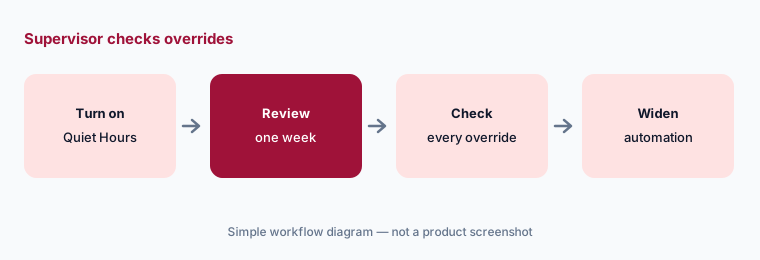
Turn on Quiet Hours and review one week of queued automated texts. Have the claims supervisor check that every urgent override was really urgent before widening any automation.
2. AI summaries, writing help, and suggested replies
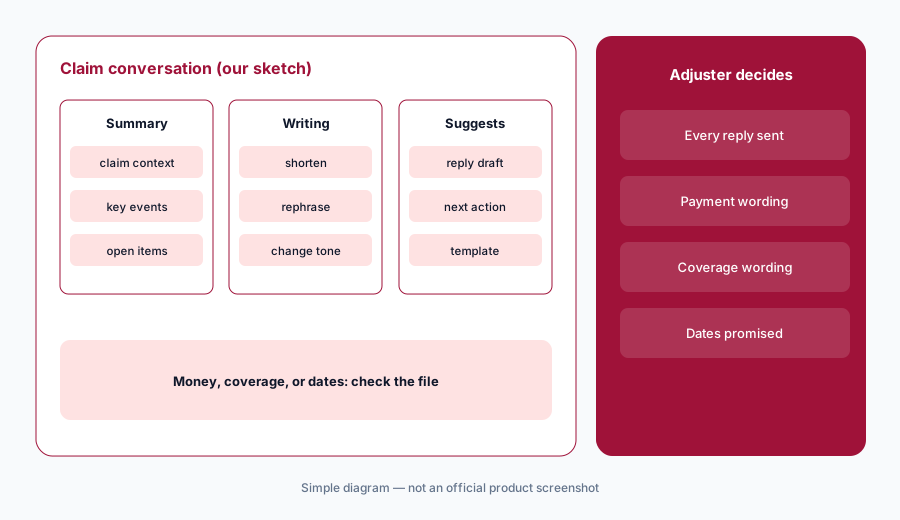
What it is: Hi Marley’s AI & Automation page lists embedded AI that works from the claim conversation: an AI Summary of claim context, key events, current status, and outstanding items; Writing Assistance that can expand, shorten, rephrase, or change the tone of a draft, plus suggested responses and message templates; and a suggested next best action (its example: schedule an adjuster inspection). The page also describes AI summaries of voicemails.
A suggested reply reads like it came from the adjuster, and the policyholder will treat it that way. A promise about timing or payment in a suggested reply is still the carrier’s promise.
Adjuster approves:
Have each adjuster log for one week which AI-suggested replies they send unchanged, edit, or discard. Have the claims team leader read every reply that mentions payment, coverage, or dates.
3. Message Intelligence and redaction, including Canadian PII
What it is: Hi Marley’s Message Intelligence sorts conversations that signal negative sentiment, delays, litigation risk, or policyholder questions, and redacts sensitive data such as Social Security numbers, bank details, credit cards, and license numbers; its FAQ says only people with permission can view them. Release 2.84 (14 April 2026) added a feature flag that redacts Canadian Social Insurance Numbers, IBANs, and Canadian health numbers, and picks a sender number matching the policyholder’s country.
Redaction is a pattern match. A policy number typed in an unusual format or a photo of a document may slip through, so the carrier should test its own common formats.
Test your formats:
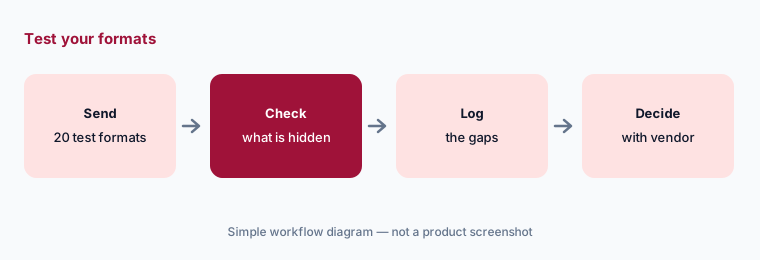
Have the compliance officer send twenty test messages with your policyholders’ real sensitive-data formats. Record which ones Hi Marley does not redact before relying on redaction.
4. Unite: service providers in the policyholder’s claim conversation
What it is: Hi Marley launched Unite on 4 August 2026 as a conversational network that brings service providers into the claim thread the policyholder already uses. Launch partners named include CCC Intelligent Solutions, Plnar, Hover, Sedgwick Auto, Enterprise Mobility, Agero, and One Inc. Hi Marley says carriers decide which partners to turn on, what messages are sent, and what policyholders and adjusters see, and that partner events (appointments scheduled, work completed) can trigger automatic updates. It is part of its Claims Enhanced Collaboration offering.
An automatic partner update speaks for the carrier in the carrier’s thread. A wrong repair date from a partner system reaches the policyholder as if the adjuster had said it.
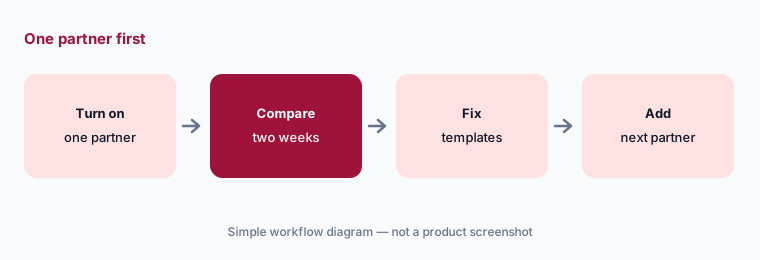
One partner first:
Turn on one Unite partner. Have the claims operations manager compare two weeks of its automatic updates with the partner’s own records before adding another partner.
5. Translation in 25 languages and voicemail summaries
What it is: Hi Marley translates conversations as messages are sent and received across 25 supported languages, so adjusters and policyholders each read the thread in their own language; its FAQ says transcripts include the translation. Visual Voicemail keeps the audio and transcription in the case with an AI summary, so the adjuster can answer with context.
Machine translation is useful for status updates, but a misread word about coverage, a deductible, or a payment can matter. Carriers often have rules for when a qualified interpreter is needed.
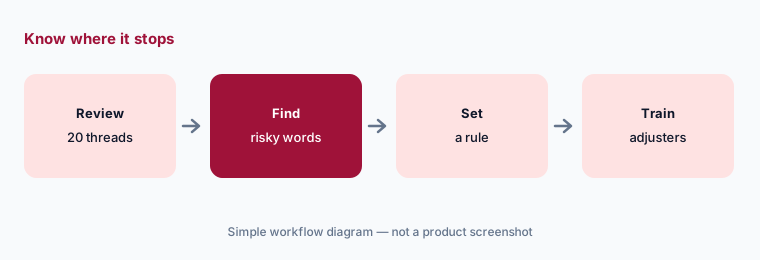
Know where it stops:
Have a bilingual adjuster review twenty translated conversations with the claims team leader. Write down which message types need the carrier’s language service before relying on translation for them.
6. Claims AI solutions and auto-close: what runs without a person
What it is: Hi Marley’s claims solutions include Conversational FNOL (loss reports by voice and messaging, with handoff to an adjuster), Claims Triage Assist, Workflow Assist (connected to Verisk XactAnalysis for property claims), Total Loss Assist (through the Copart Seller Portal), and Claims Inquiry Assist for routine inbound questions. Release 2.83 (10 March 2026) added Auto-Close Inactive Cases, which closes a case after a set period with no inbound message, by case type or line of business, and reopens it if the policyholder writes again.
Each automation decides something on the carrier’s behalf: that a question was routine, or that a quiet case is finished. Hi Marley’s own guidance asks admins to agree auto-close settings with claims leadership.
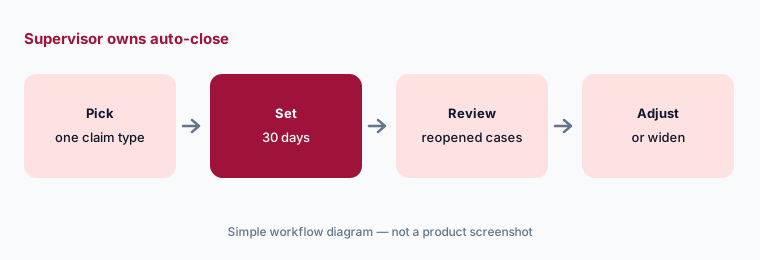
Supervisor owns it:
Have the claims supervisor turn on auto-close for one simple claim type. Review every case that reopened after one month before applying it to other claim types.
Pricing context (October 2026)
Hi Marley does not publish prices; its /pricing address returns “not found”. Its FAQ describes modular pricing: start with the core messaging platform, then add AI or translation modules. Its Unite release says Unite is part of the Claims Enhanced Collaboration offering. Pricing is quote-only as of 18 Oct 2026. Ask which features in this page sit in which module, how Unite partners are charged, and whether volume of texts or users drives the price.
Hi Marley cites 35–50% fewer inbound calls, 60–90% fewer voicemails, and 30% shorter cycle times (from certain carriers), $15–$20 saved per completed Conversational FNOL, and, for its service product, about 20% of inbound calls moved to text. Its 24 September 2026 research says 85% of 550 insurance leaders believe AI will strengthen customer trust, against 40% of 2,000 policyholders. These are vendor claims and survey answers, not our measurement.
Uncertainty: We read Hi Marley’s own site and help center. Its help center blocks simple downloads, so we read those articles with a page reader; release 2.83 we read only through a search excerpt. Release 2.87 labels Quiet Hours “Open Beta”, while the current Quiet Hours article says it is available to all customers but that availability may vary during the Open Beta period. Hi Marley does not say which AI features belong to which paid module. Customer counts are phrased differently across its pages. We did not test Hi Marley ourselves.
When it’s useful (honest take)
Useful when your adjusters already text policyholders or want to, you need consent, redaction, and transcripts handled for you, you work with many repair, rental, and payment partners, and a named claims supervisor will own Quiet Hours overrides and auto-close settings.
Less useful when you want a full claims system with AI drafting built in (see Five Sigma AI), your gap is photo estimating (see Tractable vs CCC), or you need document intake rather than conversation (see Indico Data AI).
Paying for Hi Marley AI and a few other AI tools? The $9 AI toolkit spreadsheet lists every AI subscription you have, what each one costs, and how fast it pays for itself, so you can see which ones are worth the money.
Want someone to do it for you? AI toolkit audit — $19
Related options (educational)
| Need | Better home | Why |
|---|---|---|
| Claims texting with AI help, Quiet Hours, and partner updates | Hi Marley AI (this page) | Quote only; modular |
| Claims system with AI-drafted policyholder messages | Five Sigma AI | Quote only |
| Photo capture and estimate start inside the repair network | CCC AI | Quote only |
| Voice FNOL inside the core claims system | Guidewire AI or Duck Creek AI | Quote only; early or restricted access |
| Document intake for claims and underwriting | Indico Data AI or Bevaya AI | Indico quote only; Bevaya from $4,000 per agent per month |
FAQ
What is Hi Marley Quiet Hours?
A setting that holds automated texts until the policyholder’s local active hours, while customer-started conversations continue. It reached production on 14 July 2026; adjusters can schedule or override for urgent messages.
What does Hi Marley’s AI do?
Hi Marley lists AI summaries of the claim conversation, writing help and suggested replies, a suggested next action, Message Intelligence sorting, translation in 25 languages, voicemail summaries, and AI claims solutions such as Conversational FNOL.
What is Hi Marley Unite?
A conversational network launched on 4 August 2026 that brings service providers such as rental, towing, repair, and payment partners into the policyholder’s claim conversation, with the carrier choosing partners and messages.
How much does Hi Marley cost in October 2026?
Hi Marley does not publish prices. Its FAQ describes modular pricing, starting with core messaging and adding AI or translation modules. Quote-only (checked 18 Oct 2026).
Who should approve Hi Marley messages?
The adjuster for every AI-suggested message, the claims supervisor for Quiet Hours overrides and auto-close settings, compliance or legal for sending hours, and a claims operations manager for each Unite partner’s templates.
Optional next step (if seats overlap)
If your claims team pays for a texting platform, a translation service, a voicemail tool, and chat seats that all touch the same policyholder conversation, that overlap is worth mapping. Map the overlap with the $19 AI toolkit audit or the $9 AI toolkit spreadsheet. Email Audit $19 or Toolkit spreadsheet $9.
Checkout is live via Stripe. After you pay, we email delivery (spreadsheet) or intake next steps (audit).