How-to · Insurance claims · Hi Marley · Oct 20, 2026
Turn on Hi Marley’s AI suggested replies with Quiet Hours, and have the adjuster approve every suggested message
Hi Marley’s AI writes summaries and suggested replies inside the claim text thread, and Quiet Hours holds automated texts until the policyholder’s local active hours. A suggested reply reads like it came from the adjuster, and a promise about timing or payment in it is still the carrier’s promise. This page shows how to turn both on with the adjuster approving every suggested message.
Who this is for
Claims leaders, claims team leaders, adjusters, and compliance staff at P&C carriers that text policyholders during claims. The job here is AI-suggested message approval with Quiet Hours protecting policyholders from late automated texts.
How to do it
This is a how-to, not a ranking of messaging tools. Per the Hi Marley AI review, Quiet Hours reached production on 14 July 2026 (release 2.87 labels it Open Beta, and Hi Marley’s Quiet Hours article says availability may vary during the Open Beta period); Message Intelligence redacts sensitive data such as Social Security numbers, bank details, and card numbers; and translation covers 25 languages. The ground rule: the adjuster approves every AI-suggested message, and the claims supervisor reviews every Quiet Hours override.

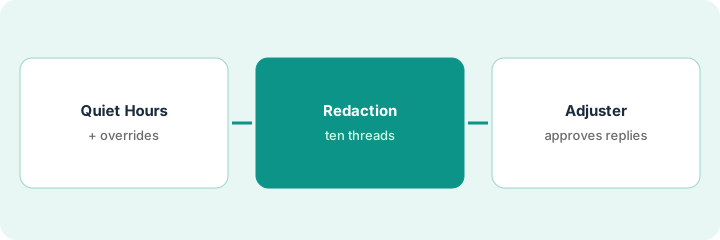
1. Set Quiet Hours and review the overrides
What it is: Quiet Hours holds automated and system-triggered messages until the policyholder’s next active window, based on the primary contact’s zip or postal code. Customer-started conversations and opt-out replies still go immediately. Adjusters see a warning on manual messages and can schedule or send now.
- Have compliance or legal decide the sending hours.
- Turn Quiet Hours on and confirm it is available to your account during the Open Beta period.
- List which carrier systems bypass it through the API, and why.
- After one week, have the claims supervisor review every send-now override.
- Coach anyone sending routine updates late at night.
A claims supervisor at a personal lines carrier reviews one week of overrides: fourteen messages sent anyway. Nine replied to policyholders who wrote in that evening, three were real emergencies, and two were routine updates sent late at night. She coaches the two adjusters.
After one week of Quiet Hours, list every send-now override and mark it urgent or routine. Talk to anyone whose overrides were routine.
2. Check redaction on ten threads
What it is: Before AI summaries and suggestions read live threads, test that redaction catches your policyholders’ real sensitive-data formats.
- Send ten test threads with the sensitive-data formats your policyholders actually use.
- Include bank details, card numbers, and license numbers; add Canadian formats only if you write in Canada and have turned on that flag.
- Record every format that was not redacted.
- Confirm only people with permission can view sensitive conversations.
- Ask Hi Marley whether missed formats can be added.
A compliance officer sends ten test threads with her policyholders’ real formats. Most are caught; one license number format and one bank detail typed with spaces are not. She documents both and asks Hi Marley whether the rules can be extended.
Send ten test threads with your real sensitive-data formats and write down every one Hi Marley did not redact.
3. Adjuster approves or edits every suggestion; review translated threads
What it is: The adjuster reads every suggested reply before it sends, and checks anything about money, coverage, or dates against the claim file. A bilingual adjuster reviews a sample of translated threads.
- Log for one week: sent unchanged, edited, or discarded.
- Read every suggestion that mentions payment, coverage, or dates against the file.
- Never send a suggested timeframe the file does not support.
- Have a bilingual adjuster review twenty translated threads with the team leader.
- Route coverage and payment details through the carrier’s language service where your rules require it.
Five adjusters log a week of suggestions. Most unchanged ones are status updates. Three suggested a payment timeframe that did not match the file and were edited. A bilingual review finds two deductible messages where the translated word could mean excess or fee, so those go through the language service.
For one week, log every AI-suggested reply as sent, edited, or discarded, and read every one about payment, coverage, or dates against the file first.
Pricing context (October 2026)
This how-to isn’t a price sheet. Per the Hi Marley AI review, Hi Marley does not publish prices. When we checked on Oct 20, 2026, himarley.com/pricing returned not found, and its FAQ still described modular pricing: core messaging first, then AI or translation modules. Treat it as quote-only and ask which features sit in which module. Dated October 2026.
Checked Oct 20, 2026 on the vendor’s own site: Hi Marley publishes no prices; himarley.com/pricing returned not found, and Hi Marley’s FAQ describes modular pricing (core messaging first, then AI or translation modules). This page quotes no Hi Marley dollar figure; ask Hi Marley for a written quote and see our review for what is known.
Uncertainty: The only prices this site sells here are the optional $9 AI toolkit spreadsheet and $19 AI toolkit audit.
When this helps (honest take)
Useful when your adjusters already text policyholders, you need redaction and transcripts handled, and a named claims supervisor will own Quiet Hours overrides.
Not useful when you want suggested replies to send without an adjuster, you need document intake rather than conversation, or your gap is photo estimating.
Related options (educational)
| Need | Where to look | Why |
|---|---|---|
| Claims texting with suggested replies | Hi Marley AI | Primary path; quote only; modular |
| Claims system with drafted messages | Five Sigma AI | Different layer |
| Photo capture and repair network | CCC AI | Unite launch partner |
| Where claims communication fits | Stack map: insurance ops | Broader map |
FAQ
Is Quiet Hours generally available?
Per our review, it reached production on 14 July 2026, but release 2.87 labels it Open Beta and Hi Marley says availability may vary during that period.
Do customer-started conversations wait for Quiet Hours?
No. Per our review, customer-started conversations and opt-out replies still go immediately.
How much does Hi Marley cost?
Hi Marley does not publish prices. Its FAQ describes modular pricing. Treat it as quote-only (checked Oct 20, 2026).
Optional next step
If you want a one-page toolkit map for the tools you already pay for, use the optional $9 AI toolkit spreadsheet. If you want a short review of seat waste and unused tools, use the optional $19 AI toolkit audit. Neither is required to follow this how-to.