Tool · Insurance ops · Indico Data · Oct 2026
Indico Data AI review (Oct 2026): submission ingestion agents, intelligent intake, validation rules, and headless routing for insurers
Indico Data sells what it calls an Intake and Orchestration Platform for insurers: AI agents that read broker emails and attachments, pull out the data, check it against rules, and route clean work into underwriting, claims, and servicing systems. Carriers can use its screens or run it headless behind their own tools. This page explains how its agents and review queues work, what the published customer stories say, and who should approve each step. Each section has a Try this.
What this Indico Data page covers
This page is for underwriting operations, claims intake, and servicing leads at carriers, MGAs, and London market firms who handle large volumes of broker submissions and documents. The question it answers: what Indico’s agents do with a submission, when a person reviews the result, and who decides how much passes without review.
Sources are Indico’s own pages, read on 18 October 2026: its home page, platform, underwriting, claims intake, mid-term adjustments and broker reconciliation pages, its security and architecture page, its customer stories, its developer documentation on reviewing submissions and Auto Review, and its notice of a data security incident. Indico has no pricing page.
Indico’s customer stories name Allstate, Markel, and Convex, plus an unnamed global specialty carrier that processes about 10,000 submissions a month across more than 30 lines of business. Its figures — such as Allstate’s document review going from seven days to under 15 minutes, and Markel processing up to 1,200 submissions a day — are its customers’ and its own claims, not our measurement.
Ground rules: the intake lead sets the confidence rules and reviews every low-confidence field; the underwriting operations lead approves each agent version before it handles live submissions; the claims supervisor owns claims routing rules; and the vendor risk manager reviews security before onboarding. This page explains features. It is not coverage, underwriting, or legal advice.
Major features (with how someone uses them)
Examples at a glance: each feature has a concrete example from a real job plus a short Try this you can run this week.
1. Confidence levels, review queues, and exceptions (primary)
What it is: Indico attaches a confidence level and source trace to extracted fields, and its architecture page says business rules and guidelines drive human-in-the-loop validation, with an audit trail of every review action. Its developer docs describe Auto Review: the carrier’s own rules can accept labels with very high model confidence and send others to the Review queue, or reject a submission to the Exceptions queue. Skipping review entirely is possible but marked “NOT RECOMMENDED”. We found no single threshold switch; the threshold is whatever your review rules say.
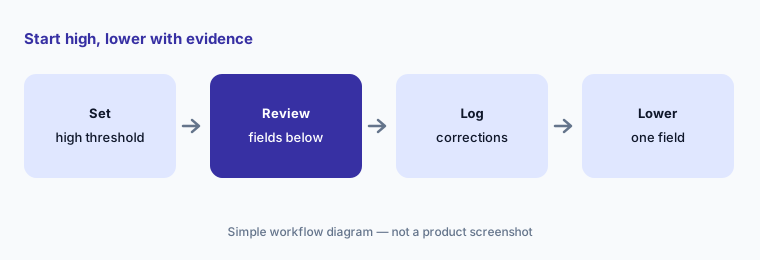
The threshold decides how much a person never sees. Starting high and lowering it only with evidence keeps errors in front of a reviewer while you learn where the agents are weak.
Primary workflow:
Set Indico's confidence threshold high for one line of business. Have the intake lead review every field below it for two weeks before lowering the threshold.
2. Submission ingestion agents: emails, SOVs, loss runs, and ACORDs
What it is: On its underwriting page, Indico describes three kinds of agent: Extraction Agents that unbundle submissions from emails, attachments, statements of values, and loss runs; Enrichment Agents that fill gaps and classify details; and Orchestration Agents that route complete, validated work to the right team or system. Its platform page lists insurance documents such as ACORD forms, MRCs, and exposure schedules. Convex, a specialty carrier, says median SOV and loss-run processing fell from hours to under 30 seconds.
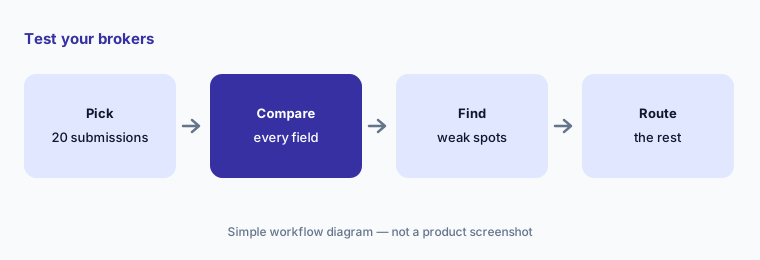
Speed matters only if the fields are right. The most useful check is a field-by-field comparison on your own brokers’ messiest submissions, not the vendor’s samples.
Test your brokers:
Have the underwriting operations lead run twenty of your own brokers’ submissions through Indico. Compare every extracted field with the documents before any submission skips review.
3. Agent Gallery and Agent Studio: building and versioning agents
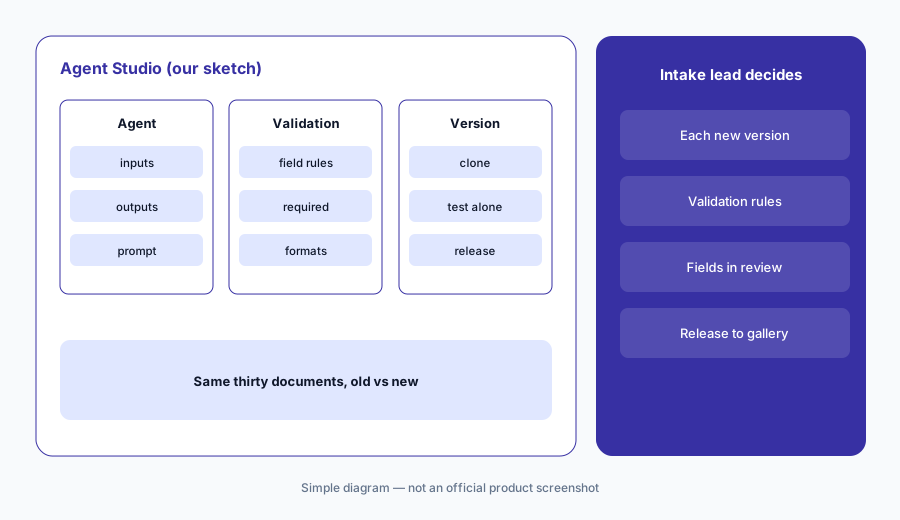
What it is: Indico’s platform page describes an Agent Gallery of what it calls hundreds of ready-made agents and workflows for insurance documents, and Agent Studio, where teams define agent behaviour, model inputs and outputs, and field-level validation logic. Agents can be cloned to experiment without touching the production version, and versioned agents can be tested on their own before being released to the gallery for wider use.
A cloned agent with a changed prompt or validation rule is a new agent. Without a named approver for each version, small edits can reach production without anyone checking a sample.
Approve each version:
Have the intake lead run every new agent version and the current one on the same thirty documents and compare every field before approving the new version.
4. Workflow Canvas and routing for claims, endorsements, and remittances
What it is: Indico’s Agentic Workflow Canvas lets teams sequence agents, set conditional logic, and control where data goes. Its claims intake page describes loss notices extracted (date of loss, cause, location, coverage indicators) and routed to the right team; its mid-term adjustments page routes endorsements, cancellations, and certificate requests by urgency, complexity, or line of business; and its broker reconciliation page matches remittances to billing and policy data and surfaces exceptions.
A routing rule decides who sees a claim or an endorsement first. A rule that misreads urgency can leave a large loss in a general queue, so each rule needs an owner.
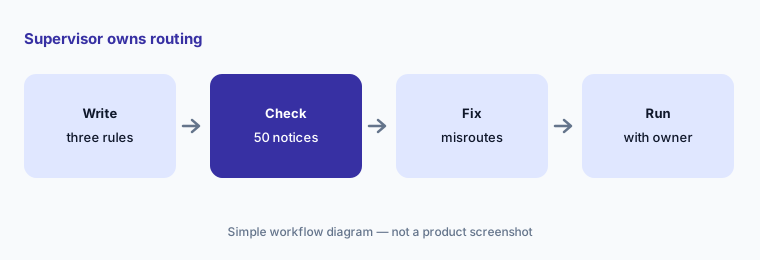
Supervisor owns routing:
Have the claims supervisor check fifty loss notices Indico routed against where an experienced handler would have sent them. Fix every misroute before routing runs without review.
5. Headless delivery: Indico behind your own screens
What it is: Indico’s architecture page describes an API-first platform with REST and GraphQL endpoints, headless deployment options, webhooks, and a standalone option that returns a JSON payload with the audit trail and confidence levels, or a spreadsheet. In a customer story, a global specialty carrier with about 10,000 submissions a month across more than 30 lines runs Indico headless inside its own validation interface, with output shaped to its own data schema.
Headless means your team builds and owns the review screen. The confidence levels and audit trail Indico sends only help if your screen shows them to the reviewer.
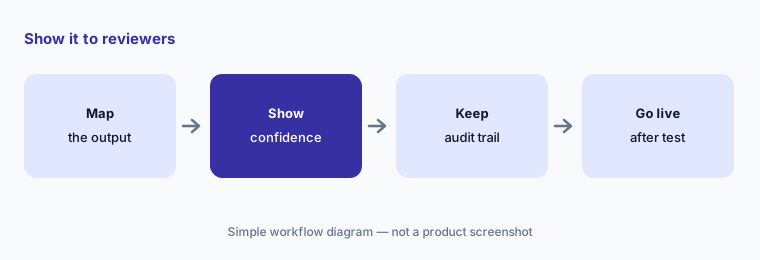
Show it to reviewers:
If you run Indico headless, have the head of underwriting technology confirm that reviewers see every field’s confidence level and that each correction reaches the audit trail before go-live.
6. Security, audit, and the May 2026 incident notice
What it is: Indico’s security page lists SOC 2 Type II, single-tenant deployment on AWS, role-based access, no use of customer data to train models, audit trails, agent monitoring, and rollback through versioning. Its site also carries a notice of a data security incident: Indico says that on 7 May 2026 it determined it had suffered a cybersecurity incident that may have involved unauthorized access to online repositories containing corporate customer information, that affected data may include names, addresses, and Social Security numbers, and that it has since rotated credentials, added monitoring, and tightened access controls.
Submissions and claims carry personal data. Any vendor that handles them should be asked what happened in past incidents and what changed, in writing, as part of normal vendor review.
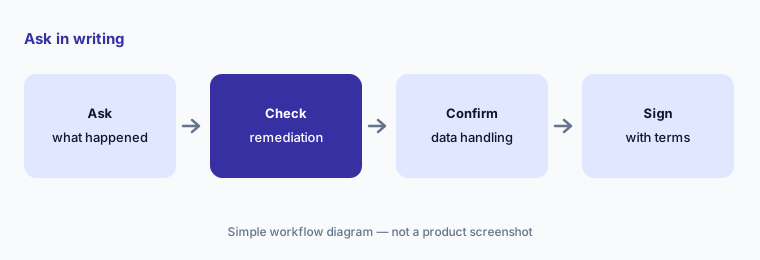
Ask in writing:
Have the vendor risk manager ask Indico for its May 2026 incident summary, remediation steps, and current SOC 2 report, and confirm data storage and retention in writing before signing.
Pricing context (October 2026)
Indico does not publish prices; its /pricing address sends visitors to the home page, and its pages offer a demo. Pricing is quote-only as of 18 Oct 2026. Ask whether pricing is by document, page, submission, or platform fee; whether ready-made agents and Agent Studio are included; and what a headless setup or a new line of business costs to add.
Indico and its customers cite 90% faster SOV and loss-run cycle time, four times the processing capacity, Allstate’s document review cut from seven days to under 15 minutes, Markel processing up to 1,200 submissions a day and an extra $30 million in underwriting premium per quarter, Convex at under 30 seconds per SOV or loss run, and an 85% cut in processing time at a large US commercial insurer. These are vendor and customer claims, not our measurement.
Uncertainty: We read Indico’s own pages and public developer documentation. We found no single confidence-threshold setting described; the Auto Review documentation leaves the accept and reject criteria to the customer’s own rules. Indico’s incident notice says its review of affected data was ongoing; we do not know which customers were affected. Customer-story figures are Indico’s and its customers’. We could not confirm prices, and we did not test Indico ourselves.
When it’s useful (honest take)
Useful when your underwriting, claims, or servicing teams rekey large volumes of broker emails and attachments, you want intake to feed the systems you already run (or your own screens, headless), and a named intake lead will own the confidence rules and every low-confidence field.
Less useful when you want underwriting recommendations rather than clean data (see Sixfold vs Federato), you prefer a published per-agent price (see Bevaya AI), or your main gap is policyholder messaging (see Hi Marley AI).
Paying for Indico Data AI and a few other AI tools? The $9 AI toolkit spreadsheet lists every AI subscription you have, what each one costs, and how fast it pays for itself, so you can see which ones are worth the money.
Want someone to do it for you? AI toolkit audit — $19
Related options (educational)
| Need | Better home | Why |
|---|---|---|
| Intake and orchestration agents for submissions, claims, and servicing | Indico Data AI (this page) | Quote only |
| Insurance AI agents with a published price | Bevaya AI | From $4,000 per agent per month, billed annually |
| Submission data plus an underwriting recommendation | Sixfold AI | Quote only |
| Submission triage inside an AI-native core | Federato AI | Quote only |
| Agency document extraction inside the agency system | Applied Epic AI or Vertafore AI | Quote only |
FAQ
What does Indico Data do for insurers?
Indico’s agents read broker emails and attachments, extract and enrich the data, check it against rules, and route clean work into underwriting, claims, and servicing systems, with review queues for uncertain items.
Does Indico have a confidence threshold?
Indico attaches confidence levels to extracted fields. Its Auto Review documentation lets the customer’s own rules accept high-confidence labels and send others to review or exceptions; we found no single threshold switch.
Can Indico run headless?
Yes. Indico describes headless deployment through REST and GraphQL APIs and webhooks, and a customer story describes a global specialty carrier running it inside its own validation interface.
How much does Indico Data cost in October 2026?
Indico does not publish prices. Quote-only (checked 18 Oct 2026).
Did Indico have a security incident?
Indico’s site carries a notice saying that on 7 May 2026 it determined it had suffered a cybersecurity incident that may have involved corporate customer information, and lists the steps it took afterwards. Ask Indico for details during vendor review.
Optional next step (if seats overlap)
If your operations team pays for an intake platform, an offshore keying service, a document tool inside your core system, and chat seats that all read the same submissions, that overlap is worth mapping. Map the overlap with the $19 AI toolkit audit or the $9 AI toolkit spreadsheet. Email Audit $19 or Toolkit spreadsheet $9.
Checkout is live via Stripe. After you pay, we email delivery (spreadsheet) or intake next steps (audit).