How-to · Insurance intake · Indico Data · Oct 20, 2026
Run Indico’s submission ingestion on emails, SOVs, loss runs and ACORDs, and review every low-confidence field
Indico’s agents read broker emails, statements of values (SOVs), loss runs, and ACORD forms, attach a confidence level to each extracted field, and route clean work onward. The confidence rules decide how much a person never sees. This page shows how to test with your own brokers’ submissions and keep every low-confidence field in front of an intake lead.
Who this is for
Underwriting operations, claims intake, and servicing leads at carriers and MGAs (managing general agents) who rekey large volumes of broker submissions. The job here is intake accuracy: which fields need a person, and who owns the confidence rules. For clearance, triage, and the underwriter’s bind or decline call after intake — a different job — see Kalepa submission clearance underwriter approval.
How to do it
This is a how-to, not a ranking of intake tools. Per the Indico Data AI review, Indico describes Extraction, Enrichment, and Orchestration agents, confidence levels and source traces on extracted fields, and Auto Review rules that can send items to a Review queue or an Exceptions queue. Skipping review entirely is possible but Indico’s docs mark it “NOT RECOMMENDED”, and we found no single threshold switch. The ground rule: the intake lead reviews every low-confidence field.

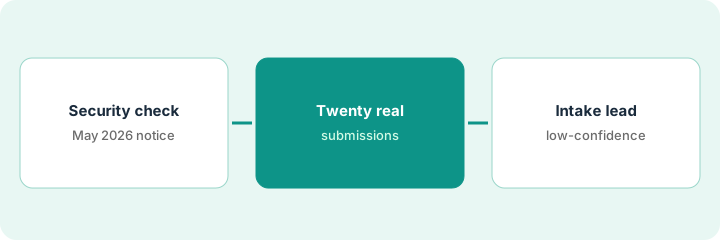
1. Read the security section, including the May 2026 notice
What it is: Submissions carry personal data. Before any live submission goes in, the vendor risk manager reads Indico’s security page and its notice of a data security incident and asks follow-up questions in writing.
- Per our review, Indico lists SOC 2 Type II, a deployment on AWS that is not shared with other customers, role-based access, and no use of customer data to train models.
- Indico’s notice says that on 7 May 2026 it determined it had suffered a cybersecurity incident that may have involved unauthorized access to online repositories containing corporate customer information, and that affected data may include names, addresses, and Social Security numbers.
- The notice says Indico has since rotated credentials, added monitoring, and tightened access controls.
- Ask for the incident summary, remediation steps, whether your data was in scope, and the current SOC 2 report.
- Confirm where your data would be stored and for how long.
A vendor risk manager at a regional carrier adds Indico’s May 2026 notice to her review. She asks for the incident summary and current SOC 2 report and gets data storage and retention confirmed in writing before the pilot contract is signed.
Send Indico one written list: incident summary, remediation steps, whether your data was in scope, current SOC 2 report, storage location, retention. Wait for answers before loading submissions.
2. Feed twenty of your own brokers’ submissions
What it is: Vendor samples are clean. Your brokers’ submissions are not. Pick twenty recent ones from your busiest brokers and compare every extracted field with the documents.
- Include at least two long, scanned SOVs and a few loss runs.
- Include ACORD forms from more than one broker.
- Have an underwriting assistant compare every field with the source document.
- Note each field’s confidence level next to whether it was right.
- Set a high confidence rule for one line of business to start.
An underwriting operations lead picks twenty submissions from five brokers, including two 300-line SOVs. Simple ACORDs come through clean; two scanned SOVs have shifted columns. Total insured values are the field that changes most.
Run twenty real submissions and fill a sheet: field, confidence level, right or wrong. Do not change any review rule until the sheet is full.
3. Work the exception queue and track which fields fail
What it is: The intake lead works every item in the Review and Exceptions queues for two weeks, logs each correction, and only then lowers the bar for fields that are always right.
- Review every field below your confidence rule.
- Log each correction by field type and broker.
- Lower the rule only for field types with no corrections over two weeks.
- Keep scanned schedules and values in review until the log says otherwise.
- Have the underwriting operations lead approve any change to the review rules in writing.
After two weeks, insured names and addresses were almost never corrected, while values from scanned schedules were changed often. The intake lead lowers the rule for names and addresses and keeps values in review, with the operations lead’s written approval.
Keep a correction log by field type for two weeks, then change one review rule at a time with written approval.
Pricing context (October 2026)
This how-to isn’t a price sheet. Per the Indico Data AI review, Indico does not publish prices and has no pricing page. When we checked on Oct 20, 2026, indicodata.ai/pricing sent us to the home page, which offers a demo. Treat it as quote-only and ask whether pricing is by document, page, submission, or platform fee. Dated October 2026.
Checked Oct 20, 2026 on the vendor’s own site: Indico publishes no prices; indicodata.ai/pricing sent us to Indico’s home page, which lists no prices and offers a demo. This page quotes no Indico dollar figure; ask Indico for a written quote and see our review for what is known.
Uncertainty: The only prices this site sells here are the optional $9 AI toolkit spreadsheet and $19 AI toolkit audit.
When this helps (honest take)
Useful when your teams rekey large volumes of broker emails and attachments and a named intake lead will own the confidence rules and every low-confidence field.
Not useful when you want underwriting recommendations rather than clean data, you want to skip review entirely, or you need a published price.
Related options (educational)
| Need | Where to look | Why |
|---|---|---|
| Submission intake and review queues | Indico Data AI | Primary path; quote only |
| Clearance and bind or decline after intake | Kalepa submission clearance underwriter approval | A different job |
| Underwriting recommendations | Sixfold vs Federato | What happens after intake |
| Where intake fits | Stack map: insurance ops | Broader map |
FAQ
Does Indico have a single confidence threshold setting?
Per our review, we found no single switch. Its Auto Review documentation leaves accept and reject criteria to the customer’s own rules.
What was the May 2026 incident?
Indico’s notice says that on 7 May 2026 it determined it had suffered a cybersecurity incident that may have involved corporate customer information. Ask Indico for details during vendor review.
How much does Indico cost?
Indico does not publish prices. Treat it as quote-only (checked Oct 20, 2026).
Optional next step
If you want a one-page toolkit map for the tools you already pay for, use the optional $9 AI toolkit spreadsheet. If you want a short review of seat waste and unused tools, use the optional $19 AI toolkit audit. Neither is required to follow this how-to.