Role guide · Insurance ops · ChatGPT Business · Oct 2026
ChatGPT for insurance ops (Oct 2026): renewal prep, coverage-comparison drafts, certificate request triage, and claim-file summaries without putting client data at risk
Insurance ops role guide — a shared Agency Renewals project in a ChatGPT Business workspace that turns a sanitized renewal list into a prep checklist per account, lines up a sanitized expiring dec page against a renewal quote, sorts certificate requests by what they actually ask for, and turns sanitized claim notes into a dated timeline. ChatGPT drafts; a licensed account manager, CSR lead, or claims supervisor checks every line against the policy, the file, and your own workflow before anyone uses it. Nothing here is coverage, claims, or legal advice, and no client-facing word goes out unsigned. Use Projects, not new custom GPTs — OpenAI says custom GPTs are scheduled to retire on December 11, 2026. If your agency management system already does the job, start there: see Applied Epic AI or Vertafore AI.
Who this guide is for
Account managers, CSRs, and producers at an independent agency or brokerage, underwriting assistants at a carrier or MGA, and claims staff — the person who preps next month's renewals, explains what changed between the expiring policy and the renewal quote, answers certificate requests, and keeps a claim file's story straight — at a company that already pays for ChatGPT Business or Enterprise. If your agency management system or claims system already does the job, use it first: Applied Epic AI and Vertafore AI both check policies against quotes inside the system of record, Guidewire AI writes claim summaries inside the claims system, and Hi Marley AI keeps policyholder texts with the claim. Product deep-dive: ChatGPT.
Use Projects, not new custom GPTs. OpenAI's custom GPT retirement FAQ (re-read 18 October 2026) says custom GPTs are scheduled to retire on December 11, 2026 (February 11, 2027 for Enterprise workspaces with an approved deferral), that the change affects all ChatGPT plans, and that creators will migrate GPTs to plugins. For affected Enterprise workspaces it lists October 26, 2026 (planned) as the end of new custom GPT creation. A project keeps related chats, files, and instructions together, and OpenAI's Projects help article says project instructions apply only inside that project.
Ground rules for every section below: never paste client PII — insured names, home addresses, dates of birth, driver's license numbers, Social Security numbers — and never paste policy numbers, claim numbers, claimant names, medical records or injury details, or bank account and payment card details. Work from sanitized material: the agency's written renewal workflow, a dec page with identifiers removed, a request with the certificate holder's details stripped, claim notes with names and numbers replaced by roles. ChatGPT does not bind, endorse, cancel, or issue a certificate; it does not decide coverage, set a reserve, or pay a claim; and it does not send anything to a client, carrier, or claimant. The licensed account manager or producer owns every client-facing word, the CSR lead every certificate, and the claims supervisor every reserve and coverage call. This page is not coverage, claims, or legal advice.
Major features (with how someone uses them)
Examples at a glance: each feature has a concrete example from a real job plus a short Try this you can run this week.
1. Project Agency Renewals: renewal prep checklists (primary)
What it is: Select New project in the sidebar and name it Agency Renewals. Upload your agency's written renewal workflow (when the account manager orders loss runs, when the producer calls, when remarketing starts, what goes in the renewal file) and a sanitized renewal list: line of business, renewal month, carrier type, premium band, and open items — no insured names and no policy numbers. In Project settings, add instructions: draft only from the uploaded files; follow the workflow's wording; mark any step you could not source. Then ask for a renewal prep checklist per account. OpenAI says Business projects support up to 40 files.
The mismatches are the useful part. If a checklist skips ordering loss runs for a commercial package or tells the CSR to “confirm coverage is unchanged”, that is a workflow gap or a coverage question for the account manager — not a writing improvement.
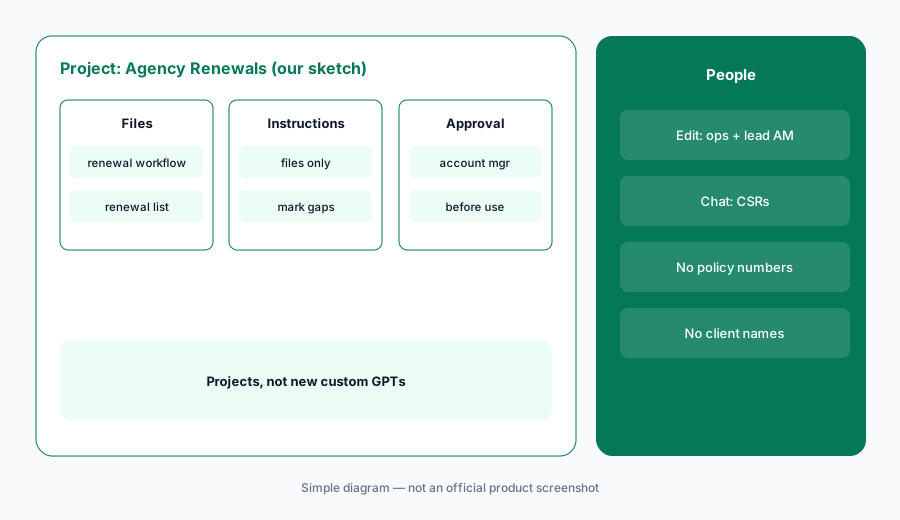
Primary workflow:
Paste a sanitized renewal list (no names, no policy numbers) into a ChatGPT project and ask for a renewal prep checklist per account. Have the account manager check every item against the agency's own renewal workflow before anyone uses it.
2. Coverage-comparison drafts from sanitized dec pages
What it is: Clients ask what changed at renewal. Remove the insured's name, address, and the policy number from the expiring declarations page and the renewal quote summary, upload both, and ask for a side-by-side table: limits, deductibles or retentions, listed forms and endorsements, and premium by coverage part — with every cell it could not find marked Not found rather than guessed. ChatGPT lines the documents up; it does not say whether a coverage is adequate, whether a form is broader or narrower, or what the client should buy.
A dec page lists forms; the forms decide coverage. Any row where the endorsement list changed goes to the licensed account manager, who reads the actual forms before a comparison reaches the client — and the client-facing version is written and signed by that person.
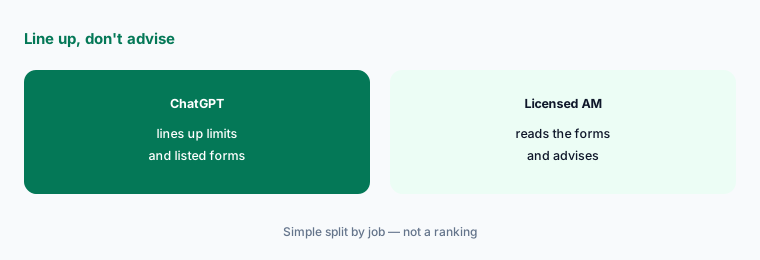
Line up, don't advise:
Upload a sanitized expiring dec page and renewal quote summary (no insured name, address, or policy number) and ask for a side-by-side table of limits, deductibles, and listed endorsements, marking every cell it could not find. Have the licensed account manager check every row against the policy forms before any comparison reaches a client.
3. Certificate request triage
What it is: Certificate requests arrive as emails, contract excerpts, and portal notices. Strip the certificate holder's and insured's details, paste the request text into the project with your agency's written certificate procedure, and ask ChatGPT to sort each request: a standard certificate of insurance, an additional insured request, a waiver of subrogation, primary and non-contributory wording, a specific limit, or a notice-of-cancellation clause — and to list what each one needs checked. A certificate only reports coverage that exists; additional insured status and waivers come from endorsements on the policy, which a person confirms.
Triage, not issuance. ChatGPT never issues, edits, or promises a certificate. The CSR lead checks every request that asks for more than a standard certificate against the policy and its endorsements, and anything the policy does not support goes to the account manager.
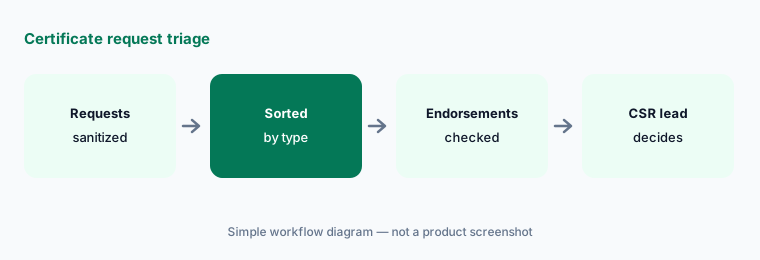
Sort, then check endorsements:
Paste ten sanitized certificate requests and your written certificate procedure into the project and ask ChatGPT to sort them by what each asks for. Have the CSR lead check every additional insured, waiver, or notice request against the policy endorsements before any certificate is issued.
4. Claim-file timeline summaries
What it is: Long claim files lose the thread. Export the adjuster or claim-advocate notes, replace claimant and insured names with roles (claimant, insured, contractor), remove claim and policy numbers, and leave out medical records, injury details, and bank information entirely. Upload the sanitized notes and ask for a dated timeline — first notice, inspections, estimates, documents requested and received, payments noted — plus a list of open items and of any entries that conflict. ChatGPT summarizes; it does not decide coverage, recommend a reserve, or suggest a settlement.
OpenAI says business associate agreements and other sales-led terms need a contracted offering, not self-serve ChatGPT Business, so health information from a bodily injury or workers' comp file stays out of a Business project. The claims supervisor reads the timeline against the file before anyone relies on it for a reserve or coverage call.
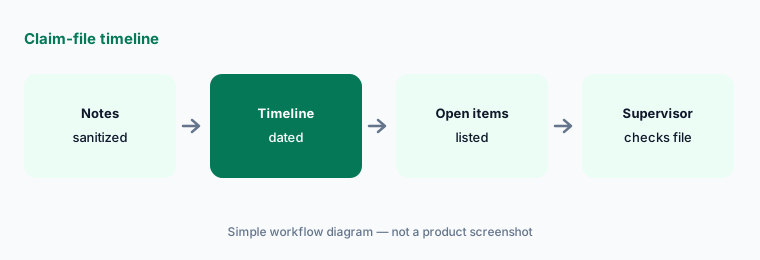
Timeline, then the file:
Upload sanitized notes from one closed claim (names replaced by roles, no claim numbers, no medical details) and ask for a dated timeline with open items and conflicting entries. Have the claims supervisor check every date against the file before using this on an open claim.
5. Who can see the project
What it is: OpenAI's Projects help article says Business users can share a project with individuals or workspace groups at Edit or Chat access. Edit lets members update instructions, upload or remove files, and invite others; Chat lets them see and use the project's chats, files, and instructions. A workspace project can include up to 100 collaborators, shared projects automatically use project-only memory, and all members can view and download files added to the project — so anything uploaded is visible to everyone you add.
Give edit access to the people who own the procedures (agency operations manager, lead account manager). Give CSRs chat access. Keep claims material in a separate project from renewals so a CSR never sees a claim file they don't work on.
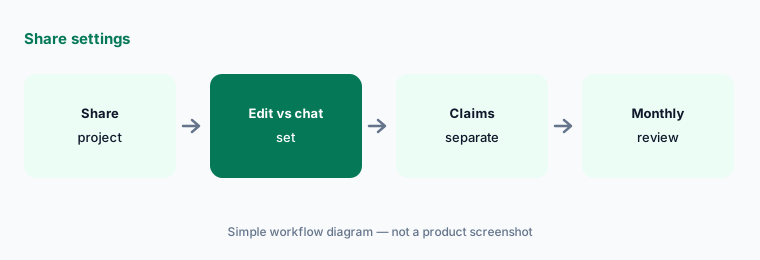
Two editors, separate claims:
Open Share on Agency Renewals. Give edit access to the operations manager and lead account manager and chat access to CSRs, keep claim notes in a separate project, and list who can see each project's files.
6. Plan the move before December 11, 2026
What it is: OpenAI says existing custom GPTs remain usable until retirement on December 11, 2026, that migration is to plugins, that custom actions do not transfer automatically, and that existing GPT conversations stay accessible. If your agency already has a custom GPT for certificate replies or renewal letters, save a few requests it handles well, put its instructions into a project, and compare results before anyone switches. Do not use the new-custom-GPT flow for agency work — use a project. See OpenAI's retirement FAQ.
Write the comparison down: five familiar requests, the old answer, the project answer, and the lines the account manager had to fix. A GPT that called your agency management system through a custom action needs a separate plan — that connection does not move on its own.
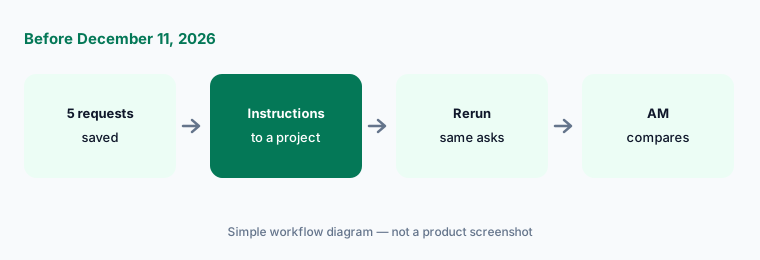
Compare before you switch:
Before December 11, 2026, save five renewal or certificate requests your agency's GPT already handled. Move its instructions into a project, rerun them, and compare every line the account manager marks before anyone switches.
Pricing context (October 2026)
As listed on openai.com/business/pricing and OpenAI's ChatGPT Business overview (checked 18 October 2026): ChatGPT Business Standard seat $20 per user per month billed annually, $25 billed monthly; Premium seat $100 per month billed annually, $125 billed monthly. Business is for teams of 2–200, and a workspace needs at least two seats. OpenAI notes pricing may vary by country and currency. Enterprise is custom pricing through sales. The pricing grid lists Projects and shared projects on Business with no separate line item.
OpenAI's overview also says business associate agreements, purchase orders, and other sales-led options need a contracted offering rather than self-serve Business — relevant if anyone hopes to put claim files with health information into a workspace. Budget from your invoice, and never use a personal ChatGPT account for client or claim work.
Uncertainty: OpenAI list prices and seat types change; use the live pricing page and your invoice. We read OpenAI's pages through a reader on 18 Oct 2026 because they block plain downloads. Custom GPT retirement dates follow the help center FAQ re-read 18 Oct 2026 (Dec 11, 2026 standard; Feb 11, 2027 approved Enterprise deferral; Oct 26, 2026 planned creation cutoff for affected Enterprise workspaces) — OpenAI says the Enterprise dates are subject to change and your in-product notice wins. OpenAI's Business overview still lists GPTs among Standard seat features; the retirement FAQ is the newer and more specific page.
When it’s useful (honest take)
Useful when your agency or claims team already pays for ChatGPT Business and needs renewal checklists, comparison drafts, certificate triage, and claim timelines with a licensed account manager, CSR lead, or claims supervisor checking every line.
Less useful when your agency management system already checks policies against quotes and reconciles statements (Applied Epic AI, Vertafore AI), your claims system already writes summaries (Guidewire AI), or nobody will mark the lines that do not match the policy or the workflow.
Paying for ChatGPT and a few other AI tools? The $9 AI toolkit spreadsheet lists every AI subscription you have, what each one costs, and how fast it pays for itself, so you can see which ones are worth the money.
Want someone to do it for you? AI toolkit audit — $19
Related options (educational)
| Need | Better home | Why |
|---|---|---|
| Renewal checklists + comparison drafts in a Project | ChatGPT for insurance ops (this page) | Business seats |
| Loss-run tables in Sheets, carrier emails in Gmail | Gemini for insurance ops | Workspace Standard+ |
| Policy checks inside the agency system | Applied vs Vertafore | Quote-only |
| Claim summaries inside the claims system | Guidewire AI | Quote-only |
| Logistics twin guide | ChatGPT for logistics ops | Business seats |
FAQ
Should we build a custom GPT for renewals or certificates?
Not a new one. OpenAI says custom GPTs are scheduled to retire on December 11, 2026 (February 11, 2027 for Enterprise workspaces with an approved deferral) and plans migration to plugins. Use a project instead; if you already have a GPT, save test requests and compare the replacement before switching. See OpenAI's retirement FAQ.
Can ChatGPT tell a client whether they are covered?
No. Nothing in this guide is coverage advice. ChatGPT can line up a sanitized dec page against a renewal quote and mark what changed; the licensed account manager or producer reads the policy forms, decides what to tell the client, and signs every client-facing word.
Can ChatGPT issue certificates or request endorsements?
Not in this guide. It sorts sanitized requests by type and lists what to check. The CSR lead checks every additional insured, waiver, or notice request against the policy endorsements, and certificates are issued from your agency management system by a person.
What goes in the projects?
Sanitized material only: the written renewal and certificate procedures, dec pages and quote summaries with names, addresses, and policy numbers removed, request text with holder details stripped, and claim notes with names replaced by roles. No Social Security numbers, driver's license numbers, claim numbers, medical records, or bank account details. Every member you share with can see the files.
Who approves outputs?
The licensed account manager for every renewal checklist, comparison, and client message; the CSR lead for every certificate; the claims supervisor for anything that touches a reserve, coverage position, or payment; and the agency operations manager for project access.
Optional next step (if seats overlap)
If insurance ops pays for ChatGPT, Gemini, an agency management system with its own AI agents, and a claims tool that all draft the same summaries, map that overlap before adding another seat. Map the overlap with the $19 AI toolkit audit or the $9 AI toolkit spreadsheet. Email Audit $19 or Toolkit spreadsheet $9.
Checkout is live via Stripe. After you pay, we email delivery (spreadsheet) or intake next steps (audit).