Role guide · Healthcare ops · ChatGPT Business · Oct 2026
ChatGPT for healthcare ops (Oct 2026): sanitized denial themes, prior-auth checklist drafts, and shift-huddle summaries without PHI
Healthcare ops role guide — a shared Denials & Auth project in a ChatGPT Business workspace that turns a sanitized denial-reason table into themes, drafts prior-auth checklists from public payer rules, and builds shift-huddle agendas from ops numbers. ChatGPT drafts; the billing supervisor, prior-auth lead, or practice manager checks every line against the payer codes, the payer’s own policy, and your workflow before anyone uses it. No PHI goes in: OpenAI says it does not offer a business associate agreement for ChatGPT Business. Nothing here is medical, coding, billing, or coverage advice. If your EHR or RCM platform already does the job, start there: see athenahealth AI or Waystar AI.
Who this guide is for
Practice managers, revenue-cycle analysts, prior-authorization coordinators, front-desk leads, and clinic operations managers — the person who explains why denials went up, keeps the prior-auth checklist current, and runs the morning huddle — at a clinic, medical group, or billing office that already pays for ChatGPT Business. If your EHR or RCM platform already does the job, use it first: Waystar AI and Akasa AI work on claims and coding inside the revenue cycle, Notable AI and Innovaccer AI run prior-auth agents, and athenahealth AI builds AI into the practice EHR. Product deep-dive: ChatGPT.
No PHI in ChatGPT Business. OpenAI’s BAA help article (read 19 October 2026) says: “We do not offer a BAA for ChatGPT Business,” and its Business overview says BAAs need a contracted offering instead of self-serve Business. For work that must include patient information, OpenAI points health systems to ChatGPT for Healthcare — an enterprise plan with a BAA available, priced through sales. This guide stays on Business and keeps every prompt free of PHI.
Ground rules for every section below: strip patient names, medical record numbers, dates of birth, addresses, phone numbers, member IDs, claim numbers, and exact dates of service before anything is pasted — use payer, denial reason code, CPT family, month, and counts instead. ChatGPT does not code a chart, submit a claim, file an appeal, or request an authorization; it does not decide medical necessity or coverage; and it does not send anything to a patient or payer. The billing supervisor owns every denial conclusion, the prior-auth lead every checklist, and the practice manager every huddle message. Use Projects, not new custom GPTs — OpenAI says custom GPTs are scheduled to retire on December 11, 2026 (retirement FAQ).
Major features (with how someone uses them)
Examples at a glance: each feature has a concrete example from a real job plus a short Try this you can run this week.
1. Project Denials & Auth: sanitized denial themes (primary)
What it is: Select New project in the sidebar and name it Denials & Auth. Upload a sanitized denial-reason table — payer, CARC/RARC codes, CPT family, month, count, and dollars — with no patient identifiers, plus your own denial-category list. In Project settings, add instructions: work only from the uploaded files; group by the codes as written; list which rows support each theme; mark anything you could not trace to a code. Then ask for the top five themes. OpenAI says project instructions apply only inside that project and Business projects support up to 40 files (Projects help article).
The useful output is the list of rows behind each theme, not the theme names. If a theme cites a code that is not in the table, or merges two payers’ rules into one, that is something for the billing supervisor to fix before anyone shares it.
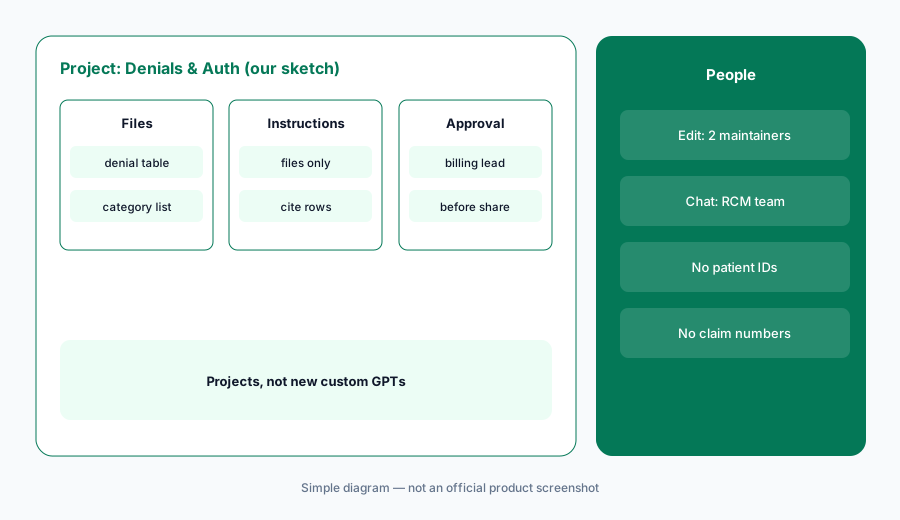
Primary workflow:
Paste a sanitized denial-reason table (no patient IDs) into a ChatGPT project and ask for the top five themes. Have the billing supervisor check every theme against the raw payer codes before sharing with the team.
2. Prior-auth checklist drafts from public payer rules
What it is: Download a payer’s public prior-authorization list or policy for one service line and upload it to the project with your current internal checklist. Ask ChatGPT to draft a checklist per service — what documentation the payer lists, which form or portal it names, and the policy’s effective date — quoting the policy section for each line. The checklist is a reading aid for staff; it does not decide whether a patient meets criteria.
Payer policies change often. Keep the policy’s effective date at the top of every draft, and have the prior-auth lead compare each line with the payer’s current page before the checklist replaces the old one.
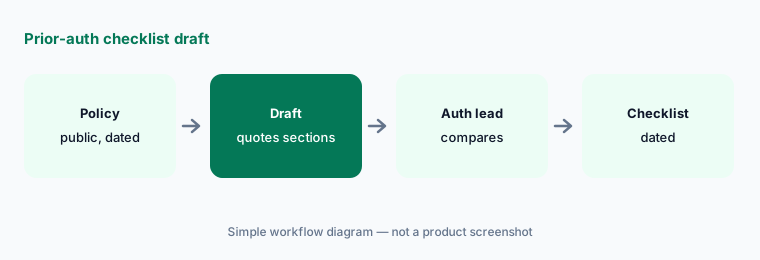
Quote the policy:
Upload one payer’s public prior-auth policy and your current checklist, and ask for a draft that quotes the policy section for every line. Have the prior-auth lead compare each line with the payer’s live page before it replaces the old checklist.
3. Shift-huddle summaries and agendas
What it is: Paste yesterday’s ops numbers — visits scheduled and seen, no-show count, open prior auths by age, denial count by category, phone abandonment — as totals, no patients. Ask for a five-minute huddle agenda: three numbers that moved, one question for each team, and one thing to watch today. The practice manager edits and runs the huddle; ChatGPT does not assign work or contact staff.
Huddle agendas go wrong when the AI explains a number it cannot see the cause of. Instruct the project to state the change and ask the question, not to guess why.
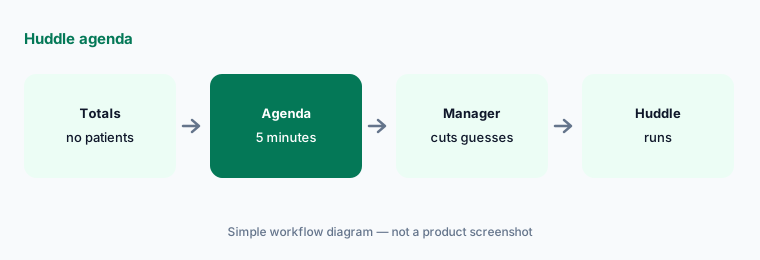
No guessing:
Paste yesterday’s ops totals (no patient details) and ask for a five-minute huddle agenda that names changes and questions but no causes. Have the practice manager remove any guessed cause before the huddle.
4. Sanitize exports before they reach the project
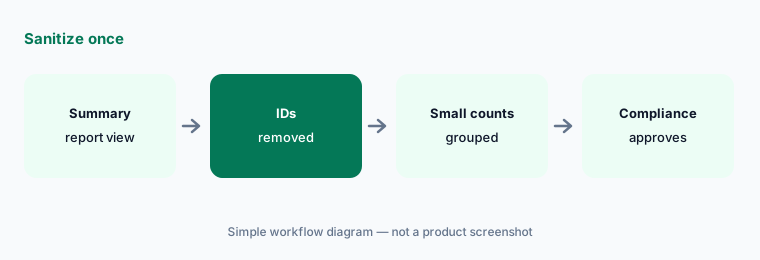
What it is: Build one sanitized export per report and reuse it: drop names, MRNs, dates of birth, addresses, phone numbers, member and claim numbers; turn exact dates of service into month; group small counts so a rare diagnosis in a small clinic cannot point to one person. Write the steps down so every analyst sanitizes the same way, and have the privacy or compliance officer approve the template once.
Sanitizing is a habit, not a feature of ChatGPT. The safest export is one built from the report’s summary view, not a row-per-patient file with columns deleted.
Approve one template:
Build one sanitized denial export from a summary report (no names, MRNs, DOBs, member or claim numbers; month instead of date). Have the compliance officer approve the template before anyone uploads a file.
5. Share settings and project memory
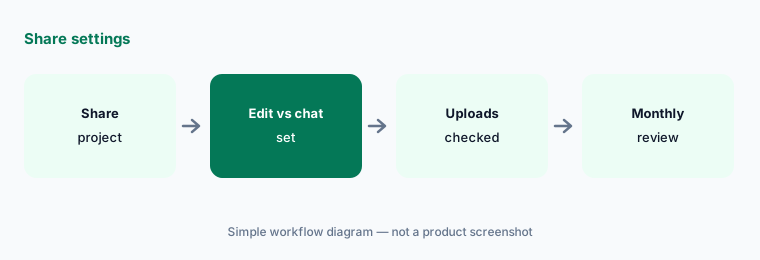
What it is: Share the project with the billing and prior-auth team. OpenAI says invitees get edit or chat access, every member can view and download project files, and shared projects automatically use project-only memory (Projects help article). Give edit access to the people who maintain instructions and templates, chat access to everyone else, and review the member list monthly.
Because every member can download the files, the sanitized-only rule matters even more in a shared project. Keep payer-contract documents out unless everyone on the list may see them.
Review monthly:
Share the project with edit access for two maintainers and chat access for everyone else. Have the operations manager review the member list and every upload once a month and delete anything that is not sanitized.
6. When work needs PHI: Business vs ChatGPT for Healthcare
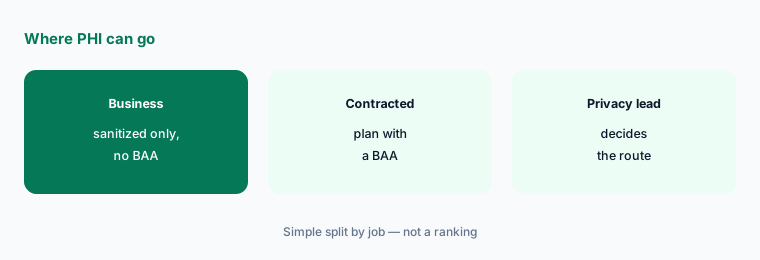
What it is: Some jobs cannot be sanitized — drafting a prior-auth letter from a specific chart, for example. OpenAI says it does not offer a BAA for ChatGPT Business. It describes ChatGPT for Healthcare as an enterprise version with a BAA available, admin controls, and templates for tasks such as prior authorizations, with pricing based on ChatGPT Enterprise through sales. Until a contracted plan and your compliance team say yes, chart-specific work stays in your EHR or a vendor tool that already has a BAA with you.
A BAA alone does not make a workflow compliant; OpenAI’s own help pages say the customer still has to configure and govern its use. That decision belongs to your privacy officer, not the person writing prompts.
Route PHI work:
List every task your team wants ChatGPT for and mark which need patient details. Have the privacy officer route those to a tool with a signed BAA and keep only sanitized tasks in ChatGPT Business.
Pricing context (October 2026)
As listed on openai.com/business/pricing and OpenAI’s ChatGPT Business overview (checked 19 October 2026): ChatGPT Business Standard seat $20 per user per month billed annually, $25 billed monthly; Premium seat $100 per month billed annually, $125 billed monthly. Business is for teams of 2–200, and a workspace needs at least two seats. OpenAI notes pricing may vary by country and currency. Projects and shared projects are listed on Business with no separate line item.
ChatGPT for Healthcare and Enterprise do not have public prices — OpenAI says ChatGPT for Healthcare pricing is based on ChatGPT Enterprise and set through sales (quote-only). Budget Business from your invoice, and never use a personal ChatGPT account for clinic work.
Uncertainty: OpenAI list prices and seat types change; use the live pricing page and your invoice. We read OpenAI’s pages through a reader on 19 Oct 2026 because they block plain downloads. Custom GPT retirement dates follow the help center FAQ re-read 19 Oct 2026 (Dec 11, 2026 standard; Feb 11, 2027 approved Enterprise deferral). Whether any plan suits PHI is a decision for your privacy officer and contract, not this page.
When it’s useful (honest take)
Useful when your clinic or billing office already pays for ChatGPT Business and wants denial themes, prior-auth checklist drafts, and huddle agendas from sanitized data, with a billing supervisor, prior-auth lead, or practice manager checking every line.
Less useful when the work needs patient details (use a tool with a signed BAA), your RCM platform already explains denials (Waystar AI), a prior-auth agent already does the job (Notable AI, Innovaccer AI), or nobody will check the output against the payer codes.
Paying for ChatGPT and a few other AI tools? The $9 AI toolkit spreadsheet lists every AI subscription you have, what each one costs, and how fast it pays for itself, so you can see which ones are worth the money.
Want someone to do it for you? AI toolkit audit — $19
Related options (educational)
| Need | Better home | Why |
|---|---|---|
| Sanitized denial themes and checklists in a Project | ChatGPT for healthcare ops (this page) | Business seats |
| Denial trackers in Sheets, payer emails in Gmail | Gemini for healthcare ops | Workspace Standard+ |
| Denial resubmission and analytics in the RCM platform | Waystar vs Akasa | Quote-only |
| Prior-auth agents with payer connections | Notable AI | Quote-only |
| Insurance twin guide | ChatGPT for insurance ops | Business seats |
FAQ
Can we put patient information into ChatGPT Business?
No. OpenAI says it does not offer a BAA for ChatGPT Business. Keep prompts and files free of names, MRNs, dates of birth, member and claim numbers, and exact dates of service. For chart-specific work, use a tool your organization has a signed BAA with.
Can ChatGPT tell us how to code a visit or whether a patient meets prior-auth criteria?
No. Nothing in this guide is medical, coding, billing, or coverage advice. ChatGPT can group sanitized denial codes and quote a public payer policy; certified coders, the prior-auth lead, and clinicians make those decisions.
What goes in the project?
Sanitized summaries only: denial tables by payer, reason code, CPT family, and month; public payer policies; your internal checklists and category lists; ops totals for huddles. Every member of a shared project can view and download the files.
Should we build a custom GPT for denials?
Not a new one. OpenAI says custom GPTs are scheduled to retire on December 11, 2026 and plans migration to plugins. Use a project instead.
Who approves outputs?
The billing supervisor for every denial theme, the prior-auth lead for every checklist, the practice manager for every huddle message, and the privacy or compliance officer for the sanitizing template and any PHI decision.
Optional next step (if seats overlap)
If your clinic pays for ChatGPT, Gemini, an EHR with AI features, and an RCM platform that all draft the same denial summaries, map that overlap before adding another seat. Map the overlap with the $19 AI toolkit audit or the $9 AI toolkit spreadsheet. Email Audit $19 or Toolkit spreadsheet $9.
Checkout is live via Stripe. After you pay, we email delivery (spreadsheet) or intake next steps (audit).