Tool · Healthcare ops · Phreesia · Oct 2026
Phreesia AI review (Oct 2026): VoiceAI scheduling and triage, intake automation, eligibility checks, and payment collection
Phreesia runs patient intake and access for practices and health systems: pre-visit registration, check-in, eligibility checks, payments, scheduling, and — since its AI push — VoiceAI, a phone agent that answers and makes calls for scheduling, refills, billing questions, and routing urgent concerns to clinicians. This page is about using it for front-desk busywork while the front-desk lead owns every VoiceAI intent that can book or cancel an appointment. Each section has a Try this.
What this Phreesia page covers
This page is for a front-desk lead, practice manager, or patient-access director at a practice or health system that uses Phreesia or is weighing it. It is not medical, billing, or legal advice.
Phreesia describes itself as powering “everything around the visit — from scheduling and registration to payments and communication — all through AI-enabled workflows,” and says it serves 4,700+ healthcare organizations and “1 in 6 U.S. patient visits” (phreesia.com). It integrates natively with 16+ PM/EHR systems and through HL7, FHIR, and CCD, and lists HITRUST CSF, SOC 2 Type 2, and PCI Level 1 certifications (platform page). Those are its figures.
Ground rules: the front-desk lead owns every VoiceAI intent that can book, cancel, or reschedule; a nurse supervisor owns which symptom calls route straight to a clinician; the billing lead checks eligibility flags and copay estimates before patients see them; and Phreesia’s call, collection, and no-show figures are its claims, not our measurement.
Major features (with how someone uses them)
Examples at a glance: each feature has a concrete example from a real job plus a short Try this you can run this week.
1. VoiceAI book, cancel, and reschedule intents (primary)
What it is: Phreesia VoiceAI answers inbound calls with no phone menu, confirms identity by matching name and date of birth against your records, works out the reason for the call, and then books, cancels, answers, or routes based on your workflows — writing the result back to the chart with a time-stamped audit trail. It also runs outbound calls for reminders, recalls, refills, and collections. Phreesia says “80% of calls are handled end-to-end” and that it can go live in five days; those are its claims.
Every intent that changes the schedule is a rule someone has to own. A wrong cancel is a patient who doesn’t get seen.
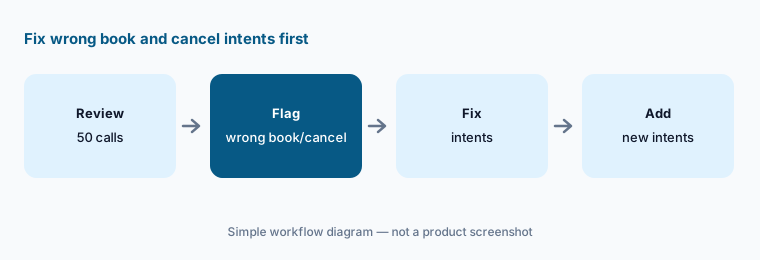
Primary workflow:
Review fifty VoiceAI conversations from last week. Have the front-desk lead flag every wrong book/cancel and fix those intents before adding new ones.
2. Pre-visit intake, registration, and check-in
What it is: Phreesia sends patients a secure link (no portal password) to fill in registration, insurance and demographic updates, consents, and intake questionnaires before the visit, and supports in-office check-in too (front-desk page). Bidirectional PM/EHR integration writes the answers into your system so staff don’t re-type them. Phreesia also says its AI turns intake data into “accurate data” and completed screenings before the provider walks in.
Self-entered data is only as good as the mapping into your PM/EHR. Check that fields land where staff expect before removing the paper or tablet fallback.
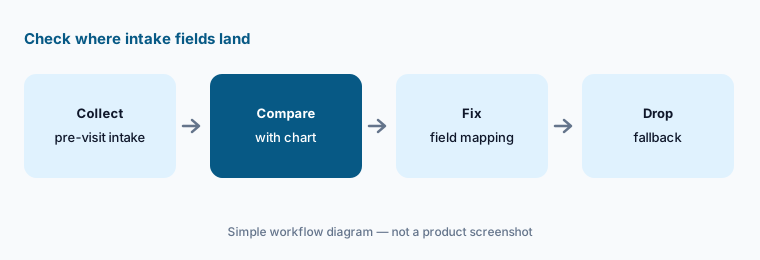
Check the mapping:
Have the front-desk lead compare twenty completed pre-visit intakes with the patient chart before turning off the paper or tablet fallback.
3. Real-time eligibility and benefits checks
What it is: Phreesia says it runs “unlimited, automated eligibility and benefits checks in real time — every patient, every visit,” catching inactive plans, expired authorizations, and missing referrals before the visit (revenue page). It claims that nearly one in four denied claims traces back to a registration or eligibility error — its framing.
An eligibility flag is a reason to call the payer or the patient, not a coverage decision. Someone in billing should confirm before a patient is told they aren’t covered.
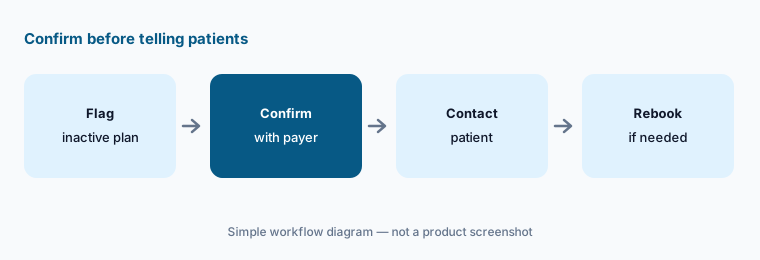
Confirm before telling patients:
Have the billing lead pull ten flagged eligibility issues and confirm each with the payer before staff tell any patient their coverage is inactive.
4. Copay estimates, card on file, and text-to-pay
What it is: At check-in Phreesia estimates what the patient owes and collects copays and balances with card on file, text-to-pay, and self-service payment plans; it also offers integrated merchant processing (revenue page). Phreesia claims an 80% copay collection rate versus a 56% industry average and a 73% average increase in time-of-service collections within six months (homepage) — vendor figures.
Asking for money before the visit works only if the estimate is right. A wrong estimate becomes a refund, a call, and an unhappy patient.
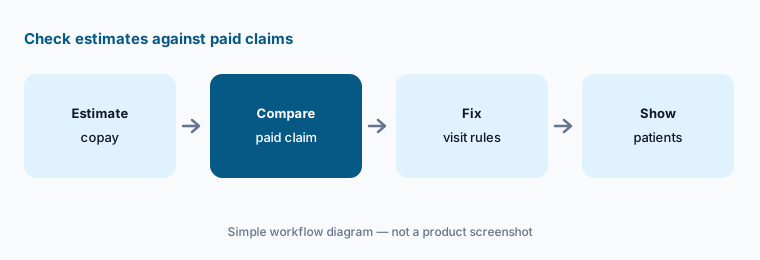
Check estimates first:
Have the billing supervisor compare twenty copay estimates with the paid claims before showing estimates to patients at check-in.
5. Appointment Accelerator waitlist, self-scheduling, and referrals
What it is: Phreesia’s Appointment Accelerator contacts eligible patients when an appointment is cancelled and says it refills the opening “in under five minutes” (revenue page). Self-scheduling follows rules you set by provider, location, and visit type, and referral management digitizes faxed referrals and reaches out to referred patients (see-more-patients page). Phreesia says referred patients become three times more likely to book — its figure.
A filled opening with the wrong visit type is worse than an empty one. Check the rules before turning the waitlist loose on every provider.
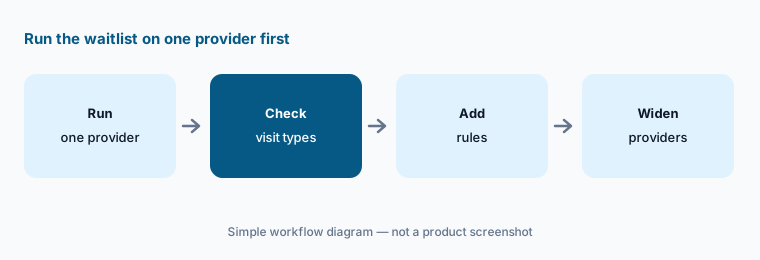
One provider first:
Run Appointment Accelerator on one provider’s cancellations for two weeks. Have the scheduling lead confirm each filled appointment used the right visit type before adding providers.
6. Clinical call routing and PhreesiaOnCall after hours
What it is: Phreesia says VoiceAI “listens, understands the patient’s concern and routes urgent issues to the right clinical team immediately,” and that urgent after-hours calls go to the on-call provider by mobile alert with a time-stamped record written back to the chart (VoiceAI page). PhreesiaOnCall is the after-hours piece: it triages, routes, and records calls, gives the provider the recording and transcript in an app, and lets them call or text back from the practice number. Phreesia markets PhreesiaOnCall as “included at no cost” and says 30% of after-hours calls are resolved without waking a provider — its figures.
Routing rules decide who hears about a symptom and when. A nurse leader, not the vendor, should own which words and call types go straight to a clinician.
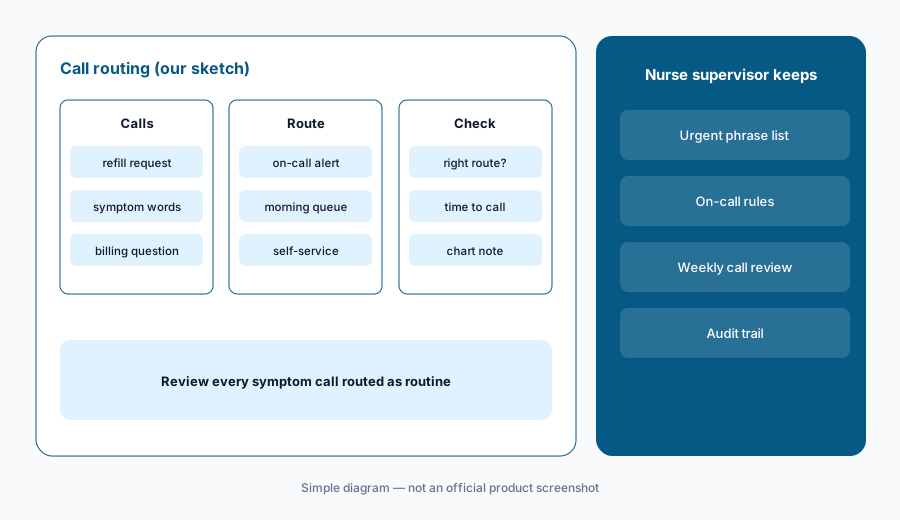
Review urgent routes:
Have a nurse supervisor listen to every VoiceAI call routed as non-urgent that mentioned a symptom last week before widening after-hours automation.
Pricing context (October 2026)
Phreesia publishes no price list. Its pricing page (checked 19 Oct 2026) says pricing after any promotion is “customized to your organization” with a tailored quote and “no surprise fees or per-message charges.” Treat ongoing pricing as quote-only.
The same page currently advertises free access to the full Phreesia Intake platform until spring 2027 — “standard pricing begins May 1, 2027,” while its FAQ says the offer runs “through May 31, 2027.” PhreesiaOnCall after-hours triage is marketed as “included at no cost.” Ask in writing whether VoiceAI, payments, and merchant processing are part of “every Intake product,” which end date applies, and what the price is from that date.
Uncertainty: We did not test Phreesia. VoiceAI’s 80% end-to-end figure, the 87% call-volume reduction, collection rates, no-show reductions, and hours saved are Phreesia or customer claims. The free-access offer has two different end dates on the same page, and it is not stated whether VoiceAI is included. Confirm BAA, call-recording consent rules in your state, and data handling with Phreesia.
When it’s useful (honest take)
Useful when phones and paper intake swamp your front desk, your PM/EHR is on Phreesia’s integration list, and a front-desk lead will own VoiceAI intents and review conversations every week.
Less useful when your EHR already bundles a contact center you plan to use (eClinicalWorks AI has healow Genie; athenahealth AI has Patient Conversations), you are a health system standardizing on Epic Systems EHR AI patient tools, or your real gap is denials and claims (Waystar AI).
Paying for Phreesia AI and a few other AI tools? The $9 AI toolkit spreadsheet lists every AI subscription you have, what each one costs, and how fast it pays for itself, so you can see which ones are worth the money.
Want someone to do it for you? AI toolkit audit — $19
Related options (educational)
| Need | Better home | Why |
|---|---|---|
| Phone agent, intake, eligibility, payments across many PM/EHRs | Phreesia AI (this page) | Quote only; Intake free until spring 2027 per Phreesia |
| AI contact center inside eClinicalWorks | eClinicalWorks AI | EHR from $499/provider/mo; Genie quote only |
| Patient messaging AI inside athenaOne | athenahealth AI | Quote only |
| Patient AI in MyChart and text for health systems | Epic Systems EHR AI | Quote only |
| Front-office call agent inside NextGen | NextGen Healthcare AI | Quote only |
| General chat on sanitized call scripts | Claude (sanitized) | No PHI, no EHR access |
FAQ
What is Phreesia VoiceAI?
Phreesia’s AI phone agent. It answers patient calls, confirms identity, books or changes appointments, handles refills, billing, and records requests, routes urgent concerns to clinicians, and runs outbound reminder and recall calls, writing results back to the chart.
Does Phreesia work with my EHR?
Phreesia says it integrates natively with 16+ PM/EHR systems and through HL7, FHIR, CCD, and CSV. Ask for your exact system and version, and test where intake fields land before going live.
How much does Phreesia cost in October 2026?
There is no public price list; pricing is a custom quote. Phreesia currently advertises free access to its full Intake platform until spring 2027 (May 1 or May 31, 2027 — the page gives both) and markets PhreesiaOnCall as included at no cost. Ask whether VoiceAI is included.
Can VoiceAI handle medical questions?
Phreesia says it captures clinical concerns and routes urgent ones to the clinical team or on-call provider. It should not give medical advice; a nurse supervisor should own which symptom calls go straight to a clinician.
Who should check Phreesia AI output?
The front-desk lead for every intent that books, cancels, or reschedules; a nurse supervisor for symptom routing; the billing lead for eligibility flags and copay estimates; the scheduling lead for waitlist rules.
Optional next step (if seats overlap)
If you pay for Phreesia, an answering service, an EHR contact-center add-on, and a separate payments tool that all touch the same patient calls, that overlap is worth mapping. Map the overlap with the $19 AI toolkit audit or the $9 AI toolkit spreadsheet. Email Audit $19 or Toolkit spreadsheet $9.
Checkout is live via Stripe. After you pay, we email delivery (spreadsheet) or intake next steps (audit).