Tool · Healthcare ops · Elation Health · Oct 2026
Elation Health AI review (Oct 2026): Note Assist ambient documentation, Actions, AI Billing, and chart Q&A for primary care
Elation Health makes a clinical-first EHR and billing platform for independent primary care. Its AI layer includes Note Assist, an ambient scribe inside the EHR, and Actions, which listens for clinical intent and queues prescriptions, labs, referrals, and patient messages; plus Clinical Insights (cited chart summaries you can ask for), AI billing that codes from the signed note, and Wordsmith letters. This page is about using them for documentation and billing busywork while the physician owns every Action that touches a prescription. Each section has a Try this.
What this Elation Health page covers
This page is for a primary-care physician, nurse practitioner, practice manager, or biller at an independent or direct primary care practice on Elation, or one weighing it. It is not medical, coding, or billing advice.
Elation’s clinical-first AI page lists Smart Intake, Clinical Insights, Intelligent Documentation (Note Assist and Actions), Wordsmith, and Elation Analyst. Its platform release dated 5 August 2025 says the clinical-first AI is “available to customers for no additional cost.” Recent dated billing updates are the fast-lane release (dated 5 March 2026) and automated payment posting (15 October 2026). Elation says, in a 2024 survey of its users, clinicians reported saving 13 minutes of documentation per visit with Note Assist — its figure.
Ground rules: the physician checks every Action — prescription, lab, referral, or message — before anything is ordered or sent; the physician reads every Note Assist draft before signing; the biller samples AI codes and sets the fast-lane threshold; and Elation’s time-saved and claim figures are its claims, not our measurement.
Major features (with how someone uses them)
Examples at a glance: each feature has a concrete example from a real job plus a short Try this you can run this week.
1. Note Assist notes and Actions for Rx, labs, and referrals (primary)
What it is: Note Assist captures the visit inside Elation’s EHR and drafts a structured note using the patient’s existing diagnoses and your own templates, in 14 languages. Actions “listens for your clinical intent, such as ordering prescriptions, labs, and referrals or messaging patients,” and builds a checklist; Elation says it automates their execution “without taking control — like drafting prescriptions, ordering labs, or sending referrals.”
An Action that drafts a prescription from what you said is only as good as what it heard. Check each one before it becomes an order.
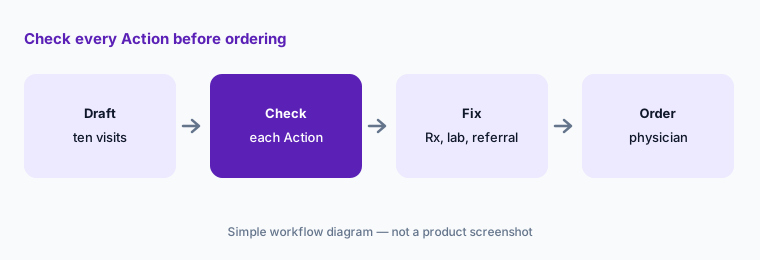
Primary workflow:
Let Note Assist draft ten visits. Have the physician check every Action (Rx, lab, referral) against what she said before anything is ordered.
2. Clinical Insights: cited chart summaries you can ask for
What it is: Elation’s Clinical Insights summarizes problem lists, medications, recent notes, labs, vitals, and immunizations into short summaries “with clear citations back to the chart.” Clinicians can use Quick Action buttons such as “summarize last three visits” and custom instructions. Elation says Claude, Anthropic’s model, now powers Clinical Insights, with 61% faster time to first insight, and that it is included at no additional charge (Elation and Anthropic announcement) — Elation’s figures.
A summary only knows what is in the chart. Outside results that never arrived will be missing.
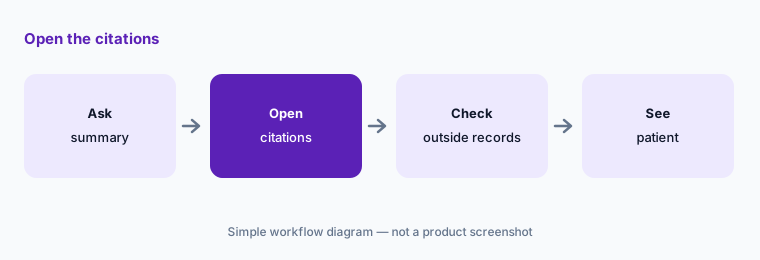
Open the citations:
Have one clinician compare five Clinical Insights summaries with the full chart, opening each citation, before relying on summaries for complex patients.
3. AI coding from the signed note and the touchless fast lane
What it is: Elation says its billing AI drafts procedure and diagnosis codes “from the signed note, informed by how the practice has coded similar visits” (15 Oct 2026 release). Its earlier fast-lane release says claims that meet “a pre-defined confidence threshold set by the practice” go straight to submission while exceptions are flagged, and that in pilot practices 72% of eligible claims were created touchlessly (release dated 5 Mar 2026) — Elation’s figures.
Learning from your own coding history also learns your old mistakes. Set the threshold after a sample, not before.
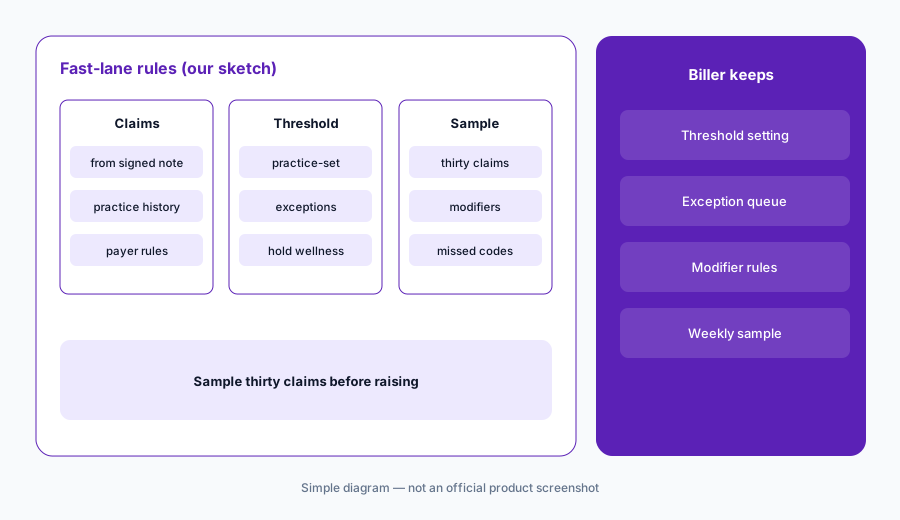
Sample before raising:
Have the biller sample thirty fast-lane claims against the signed notes before raising the practice’s confidence threshold.
4. Claim review rules and automated payment posting
What it is: Elation’s 15 October 2026 release says every claim is checked for eligibility, coding edits, and payer rules before it goes out, with practice rules to automate, stop, or flag claims, and that partial payments, complex transactions, and denials go to a person “with the rationale and a recommended next step.” Automated payment posting is in beta and available to new customers starting November 1, 2026; Elation says its approach has cut manual work per claim by more than 70% since March 2026 (release).
Posted payments feed what patients are billed next. Reconcile automated posting against the remittances before trusting it.
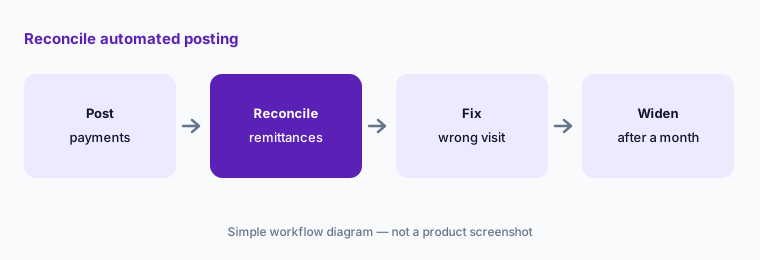
Reconcile first:
For the first month of automated payment posting, have the biller reconcile every posted payment against the remittance before patient statements go out.
5. Wordsmith letters and referrals
What it is: Wordsmith “intelligently drafts letters and referrals based on chart details, with customizable settings for tone, style, and structure” (clinical-first AI page). Elation’s 2025 platform release lists referrals, provider letters, and patient letters.
A letter to another doctor or a patient goes out under your name. Facts from the chart can still be stale.
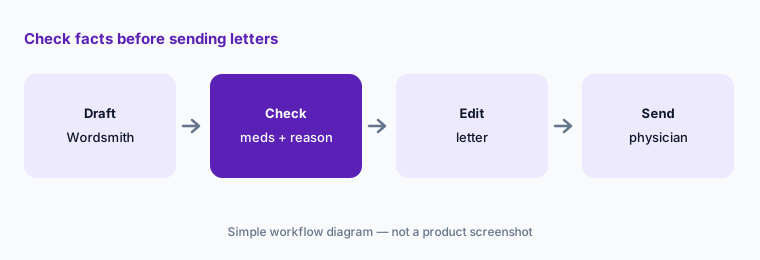
Check facts before sending:
Have the physician read the medication list and reason for referral in ten Wordsmith letters before any are sent.
6. Smart Intake forms and Elation Analyst reporting
What it is: Smart Intake turns images of your existing form templates into digital forms and extracts data from scanned, completed forms into discrete EHR fields. Elation Analyst lets staff ask questions of practice data in plain language instead of waiting on reports (clinical-first AI page).
Extracted fields and plain-language reports can both be confidently wrong. Spot-check against the source before acting on them.
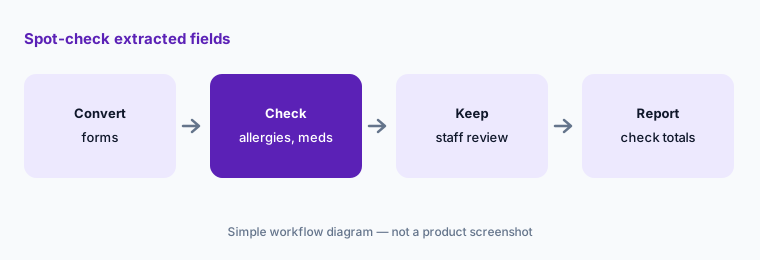
Spot-check extraction:
Have the practice manager compare twenty Smart Intake extractions with the scanned forms, especially allergies and medications, before turning off staff review.
Pricing context (October 2026)
Elation publishes no price list. Its pricing page (checked 19 Oct 2026) says “See EHR Pricing: Now With Free, Native-AI Solutions Included” and asks you to request personalized pricing. Treat the EHR and Billing subscriptions as quote-only.
Elation says its clinical-first AI (Elation Note, Clinical Insights, Wordsmith, AI forms) is included at no additional cost, and that Clinical Insights is included at no additional charge. Its pages do not say whether Note Assist and Actions are included; a customer story mentions a free trial and a testimonial calls it “worth the investment.” Ask in writing what Note Assist and AI Billing cost for your practice.
Uncertainty: We did not test Elation. Minutes saved per visit, the 72% touchless claim figure, the 70% reduction in manual work, and Clinical Insights speed are Elation claims. Two Elation press releases carry different dates in their listing and body (we use the body date). Payment posting is in beta. Confirm BAA and AI data handling with Elation.
When it’s useful (honest take)
Useful when you run an independent or direct primary care practice on Elation (or are choosing a primary-care EHR), the physician is also close to billing, and someone will check every Action and sample AI codes.
Less useful when you are a multi-specialty or hospital-affiliated group (athenahealth AI, NextGen Healthcare AI, or Oracle Health vs athenahealth), want an ambient scribe across many EHRs (Suki AI), or need front-desk phone automation (Phreesia AI).
Paying for Elation Health AI and a few other AI tools? The $9 AI toolkit spreadsheet lists every AI subscription you have, what each one costs, and how fast it pays for itself, so you can see which ones are worth the money.
Want someone to do it for you? AI toolkit audit — $19
Related options (educational)
| Need | Better home | Why |
|---|---|---|
| Primary-care EHR with Note Assist, Actions, AI billing | Elation Health AI (this page) | Quote only; native AI included per Elation |
| Ambulatory EHR with athenaAmbient | athenahealth AI | Quote only |
| Ambient SOAP notes on NextGen | NextGen Healthcare AI | Quote only |
| Ambulatory EHR with Sunoh and Genie | eClinicalWorks AI | EHR from $499/provider/mo |
| Ambient scribe across several EHRs | Suki AI | Quote only |
| General chat on sanitized notes and letters | Claude (sanitized) | No PHI, no EHR access |
FAQ
What are Elation Note Assist and Actions?
Note Assist is Elation’s ambient scribe inside its EHR; it drafts structured notes using the patient’s chart and your templates. Actions listens for clinical intent and queues prescriptions, labs, referrals, and patient messages for the clinician to check.
Does Elation have chart Q&A?
Elation calls it Clinical Insights: cited summaries of the chart, with Quick Action buttons such as “summarize last three visits” and custom instructions. Elation says it is powered by Anthropic’s Claude.
How much does Elation cost in October 2026?
Elation has no public price list; pricing is personalized. It says its native AI is included at no additional cost, but does not state whether Note Assist and Actions are included. Ask for a written quote.
Can Elation AI bill claims without anyone checking?
Elation’s fast lane submits claims that meet a confidence threshold the practice sets and flags exceptions. A biller should sample fast-lane claims before raising the threshold and reconcile automated payment posting.
Who should check Elation AI output?
The physician for every note and every Action that touches a prescription, lab, or referral; the biller for AI codes, the fast-lane threshold, and payment posting; the practice manager for Smart Intake extractions and Analyst reports.
Optional next step (if seats overlap)
If you pay for Elation, a separate ambient scribe, and an outside billing service that all touch the same visits, that overlap is worth mapping. Map the overlap with the $19 AI toolkit audit or the $9 AI toolkit spreadsheet. Email Audit $19 or Toolkit spreadsheet $9.
Checkout is live via Stripe. After you pay, we email delivery (spreadsheet) or intake next steps (audit).