Tool · Healthcare ops · Akasa · Oct 2026
Akasa AI review (Oct 2026): autonomous inpatient coding, CDI Optimizer, AI Advisor, and GenAI for revenue cycle
Akasa builds generative AI for the hospital mid-cycle — the step where clinical documentation turns into codes. On 2 October 2026 it launched autonomous inpatient coding and CDI, adding to its prebill Coding Optimizer and CDI Optimizer and its AI Advisor research assistant for prior auth and denials. This page is about using those tools to take load off coders and CDI specialists while the coding manager still sets every autonomy threshold and reviews samples. Each section has a Try this.
What this Akasa page covers
This page is for an inpatient coding manager, CDI director, or revenue-cycle leader at a hospital or health system. It is not coding, billing, or compliance advice.
Akasa’s 2 October 2026 release says its customers account for more than $180 billion in net patient revenue and roughly 1 in 10 U.S. inpatient discharges, that its autonomous technology is designed to fully code complex inpatient cases across all specialties, and that outpatient facility encounters are coming soon. Akasa says it trains a custom model per health system on that system’s documentation, case mix, and coding decisions. All of those are Akasa’s statements.
Ground rules: the coding manager sets every autonomy threshold and approves each increase after a sample; coders validate Coding Optimizer suggestions; CDI specialists decide every physician query; a named person approves every appeal or auth letter AI Advisor helps draft; and Akasa’s accuracy and speed figures are its claims, not our measurement.
Major features (with how someone uses them)
Examples at a glance: each feature has a concrete example from a real job plus a short Try this you can run this week.
1. Autonomous inpatient coding (primary)
What it is: Akasa’s autonomous inpatient coding reads the complete chart — discharge summaries, operative and progress notes, consults, labs, imaging, medications — and assigns the full code set, including principal diagnosis, MS-DRG, and present-on-admission indicators. Akasa says a blinded third-party evaluation on encounters representing 65% to 85% of inpatient volume found it matched or exceeded expert coders on key accuracy measures, and that coding can finish in under 90 seconds after discharge versus 30–60 minutes for a coder. Those are Akasa’s results, not ours.
“Matched or exceeded” on average still allows individual misses. Compare against bills you already trust before letting any encounter go out uncoded by a person.
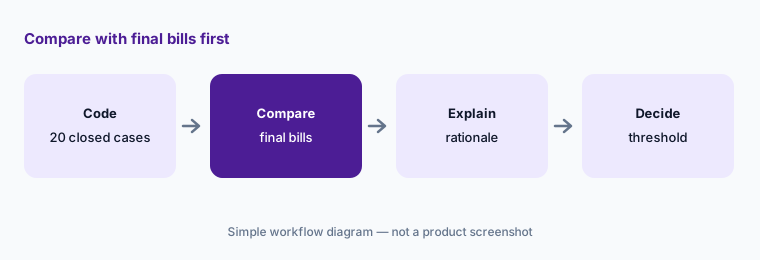
Primary workflow:
Have Akasa code twenty closed inpatient encounters that already have a final coded bill. Have the coding manager compare every code and rationale with the final bill before raising the autonomy threshold.
2. Evidence and rationale behind every code
What it is: Akasa says every code links to the exact chart language that supports it, with the rationale and its confidence level, so “validation takes seconds, and the audit trail is already built” (Akasa). The same evidence view appears in Coding Optimizer and CDI Optimizer.
A quote from the chart proves the words exist, not that they meet coding guidelines. Coders still judge whether the documentation supports the code.
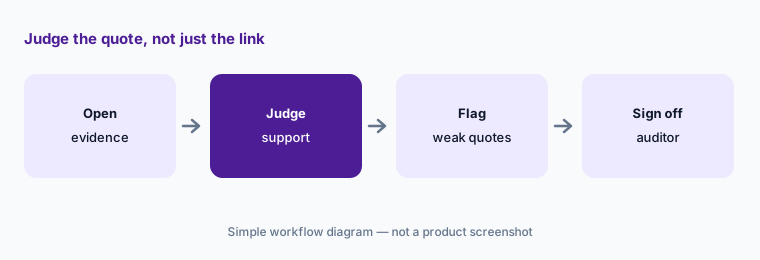
Judge the quote:
Have a coding auditor open the evidence link for every code on twenty-five encounters and flag any quote that is a differential or copied-forward text.
3. Autonomy thresholds, service-line rules, and audit sampling
What it is: Akasa says “you define thresholds, service line rules, payer mix, and audit sampling” and that it “codes only what you’ve approved it to code” (autonomous coding page). Its launch release says Akasa will work with each health system on a deployment plan to scale autonomous volume.
Raising a threshold is a compliance decision, not a software setting. Write down who can change it and what sample size justifies each step.
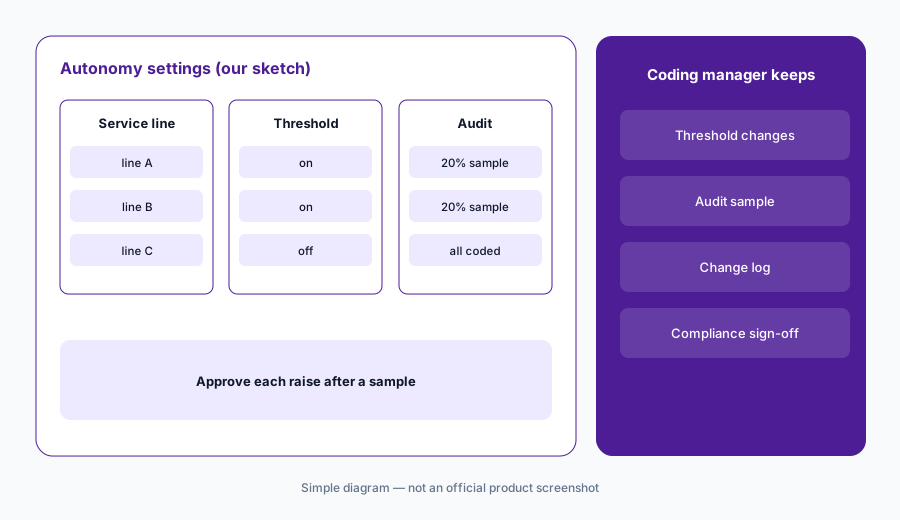
Raise in steps:
Have the coding manager set autonomy on one or two service lines with a written audit sample, and approve each threshold change in writing after reviewing that sample.
4. Coding Optimizer prebill review
What it is: Coding Optimizer reviews already-coded inpatient encounters before billing for missed diagnoses, quality indicators, and denial or compliance risks, and presents suggestions with justifications and direct quotes for coders to validate and approve. Akasa cites a CMI gain and revenue impact for one $1B NPR health system — its own case figures.
Suggestions that add codes deserve the same scrutiny as suggestions that remove them. Watch for one-way patterns.
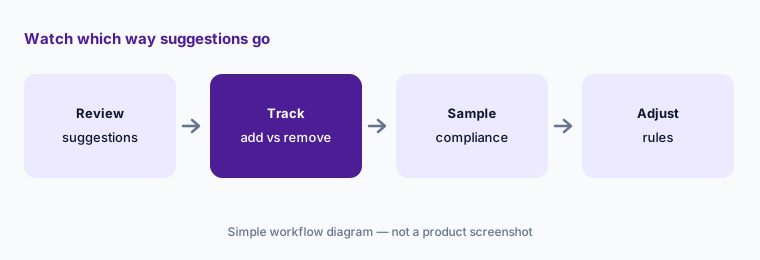
Watch the direction:
Track two weeks of Coding Optimizer suggestions. Have the coding supervisor count additions versus removals and send a sample of accepted additions to compliance.
5. CDI Optimizer documentation gaps
What it is: CDI Optimizer reviews every inpatient encounter post-discharge and prebill, prioritizes likely documentation gaps by DRG and quality impact, and shows the clinical evidence for each query opportunity. CDI specialists validate suggestions, engage providers, and update cases.
A query is a question to a physician, not a request for a particular answer. Keep queries compliant and non-leading.
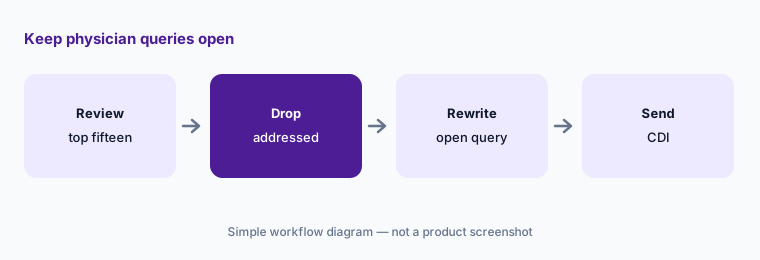
Keep queries open:
Have the CDI director review the fifteen highest-ranked CDI Optimizer opportunities and rewrite any leading query as an open-ended question before it goes to a physician.
6. AI Advisor for prior auth, denials, and peer-to-peer prep
What it is: AI Advisor is a GenAI research assistant for non-clinical revenue-cycle staff: it searches the chart, summarizes records, gives cited answers, and helps draft letters for prior authorization, denials, peer-to-peer prep, and clinical validation. Akasa also lists Auth Status and Claim Status automation.
A drafted appeal letter goes to a payer in your organization’s name. A named person reads it against the chart before it is sent.
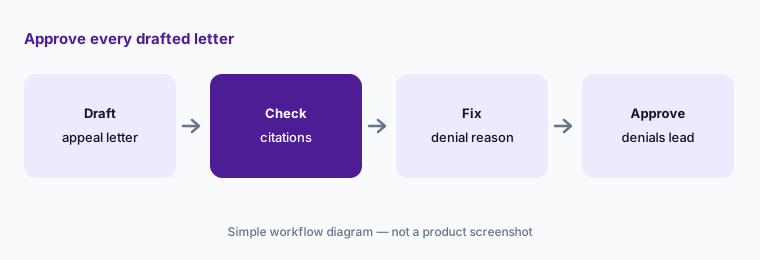
Approve every letter:
Draft eight appeal letters with AI Advisor. Have the denials lead check each citation and the payer’s denial reason against the chart before any letter is sent.
Pricing context (October 2026)
Akasa does not publish a price list as of 19 Oct 2026. For its Prebill Optimization Suite it describes performance-based pricing — “no upfront fees,” and Akasa “only invoices after measurable financial improvement is realized” — and Coding Optimizer mentions “zero-risk pricing.” We found no stated pricing model for autonomous coding or AI Advisor, so treat those as quote-only.
Ask how “measurable financial improvement” is defined and audited, whether autonomous coding is priced per encounter or by outcome, and whether outpatient facility encounters will be priced separately when they arrive.
Uncertainty: We did not test Akasa. Autonomous inpatient coding launched on 2 October 2026; outpatient facility encounters are described as coming soon. Accuracy comparisons, the under-90-second figure, customer counts, and revenue figures are Akasa’s claims. Akasa says its technology is designed to code with no human intervention — whether your organization allows that is a compliance decision for your coding manager and compliance officer.
When it’s useful (honest take)
Useful when you run inpatient coding at a hospital or health system, have a coding backlog or DNFC pressure, and a coding manager will set thresholds and sample output before raising them.
Less useful when you are an ambulatory practice (see eClinicalWorks AI or athenahealth AI), your gap is claim resubmission and payer responses (Waystar AI), or you want coding inside your EHR vendor’s own AI (Epic Systems EHR AI Penny).
Paying for Akasa AI and a few other AI tools? The $9 AI toolkit spreadsheet lists every AI subscription you have, what each one costs, and how fast it pays for itself, so you can see which ones are worth the money.
Want someone to do it for you? AI toolkit audit — $19
Related options (educational)
| Need | Better home | Why |
|---|---|---|
| Autonomous inpatient coding + CDI + prebill review | Akasa AI (this page) | No price list; performance-based prebill |
| Agentic claim resubmission and RCM analytics | Waystar AI | Quote only |
| Penny coding and appeals inside Epic Systems | Epic Systems EHR AI | Quote only |
| Coding suggestions on Foundation EHR | Oracle Health AI | Quote only |
| Ambulatory coding suggestions at the visit | Suki AI | Quote only |
| General chat on sanitized denial lists | ChatGPT for finance (sanitized) | No chart access |
FAQ
What did Akasa launch in October 2026?
On 2 October 2026 Akasa launched an autonomous AI platform for the mid-cycle covering inpatient medical coding and CDI, adding to its prebill Coding Optimizer and CDI Optimizer. Outpatient facility encounters are described as coming soon.
Does Akasa code without coders?
Akasa says its technology is designed to fully code complex inpatient cases with no human intervention, within thresholds the health system sets. Your coding manager should decide thresholds and keep audit samples.
How much does Akasa cost in October 2026?
There is no public price list. Akasa describes performance-based pricing for its prebill suite (no upfront fees; invoices after measurable financial improvement). Treat autonomous coding and AI Advisor as quote-only.
How do coders check Akasa’s codes?
Akasa links every code to the supporting chart language with a rationale and a confidence level. Coders and auditors should still judge whether the documentation meets coding guidelines.
Who should check Akasa output?
The coding manager for thresholds and samples; coders for Coding Optimizer suggestions; CDI specialists for queries; the denials lead for any AI Advisor appeal or auth letter.
Optional next step (if seats overlap)
If you pay for Akasa, an RCM agent platform, your EHR vendor’s coding AI, and a CDI tool that all review the same encounters, that overlap is worth mapping. Map the overlap with the $19 AI toolkit audit or the $9 AI toolkit spreadsheet. Email Audit $19 or Toolkit spreadsheet $9.
Checkout is live via Stripe. After you pay, we email delivery (spreadsheet) or intake next steps (audit).