Tool · Healthcare ops · Suki · Oct 2026
Suki AI review (Oct 2026): ambient clinical notes, dictation APIs, and EHR write-back for specialty practices
Suki sells what it calls Ambient Clinical Intelligence: it listens to the visit, drafts a structured, specialty-specific note, stages orders and codes for review, and sends the finished note back to the EHR. It also offers Suki Dictation (Aug 2026), an Ask assistant backed by UpToDate content (Oct 2026), and APIs/SDKs that other health-tech vendors — athenahealth among them — embed. This page is about using those drafts for documentation busywork while a licensed clinician still owns every signed note. Each section has a Try this.
What this Suki page covers
This page is for a clinician, CMIO, practice manager, or coding lead weighing an ambient assistant that works across several EHRs. It is not medical, coding, or billing advice.
Suki for Clinicians covers pre-visit patient summaries, ambient documentation, order staging, coding, multiple ambient sessions per visit, and multilingual patient instructions. Suki lists deep integrations with Epic, Oracle Health, athenahealth, and MEDITECH (EHR integrations), supports 100+ specialties on web, Chrome extension, iOS, and Android, and says it is SOC 2 Type 2 certified and HIPAA compliant. Its 13 October 2026 funding release says Suki serves more than 450 healthcare organizations and 30+ technology partners (the homepage still says 400+) — Suki’s figures.
Ground rules: the clinician reads every section before the note is written back to the EHR; nothing staged as an order is placed without the clinician approving it; the coding lead samples coding suggestions; and Suki’s time-saved, burnout, and revenue figures are its claims, not our measurement.
Major features (with how someone uses them)
Examples at a glance: each feature has a concrete example from a real job plus a short Try this you can run this week.
1. Ambient notes and EHR write-back after review (primary)
What it is: Suki captures the patient conversation and generates a structured, specialty-specific note — plus patient instructions and staged orders — that the clinician edits by typing or voice (Suki solutions). Once the clinician is done, the note is sent back to the EHR and Suki updates the relevant sections (EHR integrations). Suki also supports problem-based charting and several ambient sessions for one patient, such as after labs come back.
Write-back is the point of no return for a tidy draft. Read each section before you tap send, not after it lands in the chart.
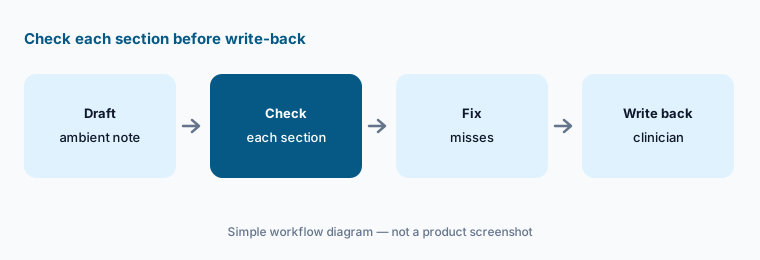
Primary workflow:
Generate ten ambient notes in Suki. Have the clinician check each section against the visit before the note is written back to the EHR.
2. Order staging from the conversation
What it is: Suki says it can stage orders directly from the patient conversation for the clinician to review and approve, and its clinician page describes automatic order capture that stages orders in the EHR. Suki’s 5 October 2026 blog discusses what clinicians taught it about ambient order staging.
A staged order is a proposal. Confirm allergies, refusals, and orders already pending before you approve anything.
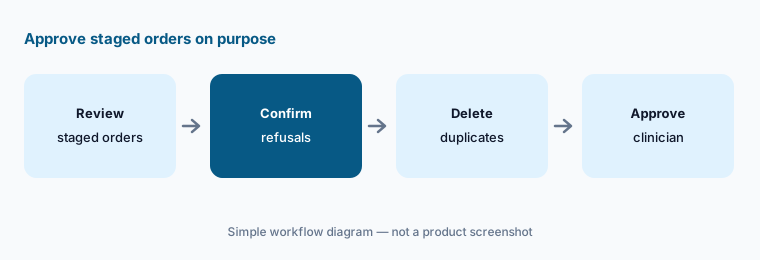
Approve on purpose:
Review fifteen visits with Suki-staged orders. Have the clinician confirm every order against refusals and pending results before approving any.
3. ICD-10, HCC, CPT, and E/M coding suggestions
What it is: Under what Suki calls Assisted Revenue Cycle, Suki says it captures diagnoses during the encounter and adds relevant ICD-10 codes, with HCC, CPT, and E/M coding alongside. Suki’s homepage attributes a 48% reduction in amended encounters and a $1,688 average monthly revenue increase per user to its customers — Suki’s figures, not ours.
A suggested code is a starting point. Specificity, modifiers, and payer rules still need a coder or billing lead.
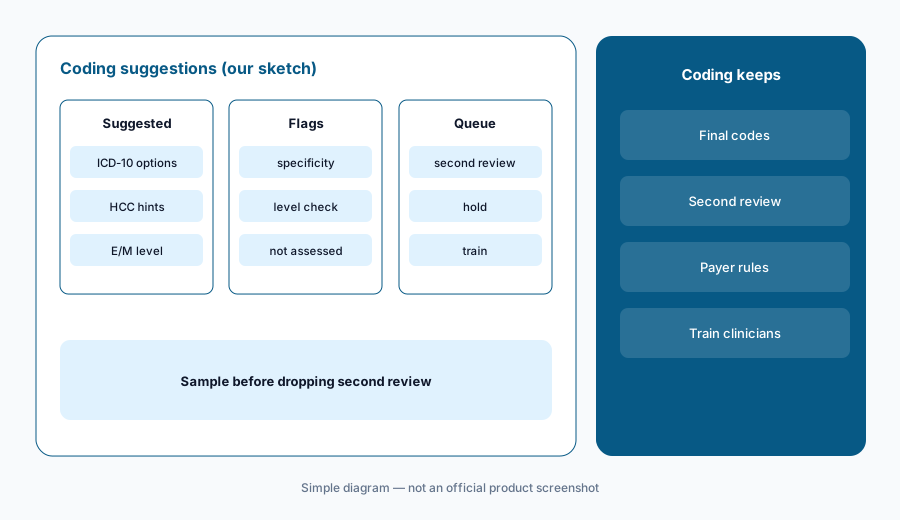
Sample before trust:
Sample thirty Suki-coded visits. Have the coding lead compare each ICD-10, HCC, and E/M suggestion with the final claim before dropping second review.
4. Suki Dictation, standalone or with ambient
What it is: Suki’s 25 August 2026 release introduced Suki Dictation, an AI dictation product built natively inside Epic and MEDITECH that can be bought on its own or with ambient documentation. Suki says it learns each clinician’s vocabulary, removes filler words, supports professional microphones such as PowerMic and Philips, and offers voice commands and auto-texts.
Dictation is verbatim by design. It helps where wording must be exact, such as procedure notes, but it still needs the author to proofread drug names and doses.
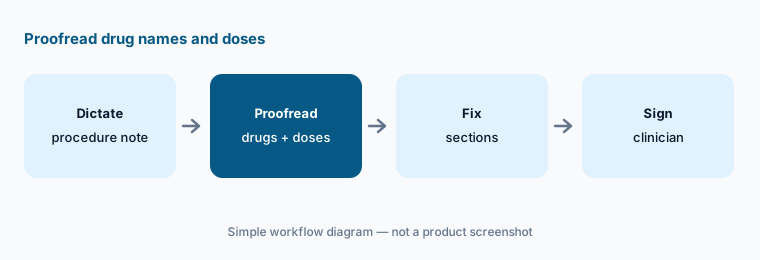
Proofread names:
Dictate five procedure notes with Suki Dictation. Have the clinician proofread every drug name and dose before signing.
5. Ask and pre-visit patient summaries
What it is: Suki’s 8 October 2026 release made Ask available across Epic, Oracle Health, athenahealth, and MEDITECH: clinicians ask spoken or typed questions such as a last A1C or current medications, and clinicians with UpToDate access can get answers grounded in Wolters Kluwer UpToDate Expert AI with sources shown. Pre-visit patient summaries give an overview of history before the visit.
Ask retrieves and summarises; it does not make the clinical decision. If the chart is missing outside records, the answer will be missing them too.
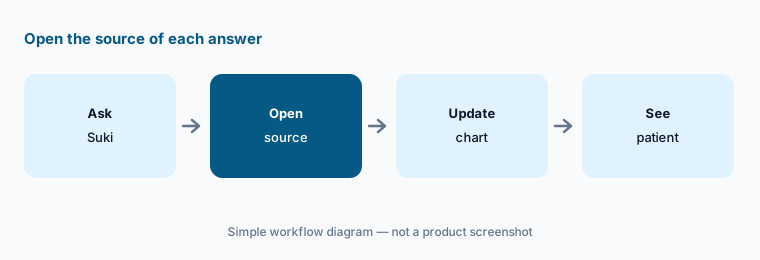
Open the source:
Ask Suki three pre-visit questions on one complex patient. Have the clinician open the source of each answer before relying on it in the room.
6. APIs, SDKs, and Suki inside partner products
What it is: Suki’s partner toolkit offers SDKs with pre-built UI and APIs for note generation and submission, retrieval, and personalization, plus diarization and problem-based charting. Partner stories listed include athenahealth, HealthEdge, Sevocity, Zoom, WellSky, and Azalea Health — so a practice may meet Suki inside another vendor’s product, such as an athenaOne Ambient Notes option (see athenahealth AI).
When Suki runs inside another product, ask who supports which part: the host vendor, Suki, or both.
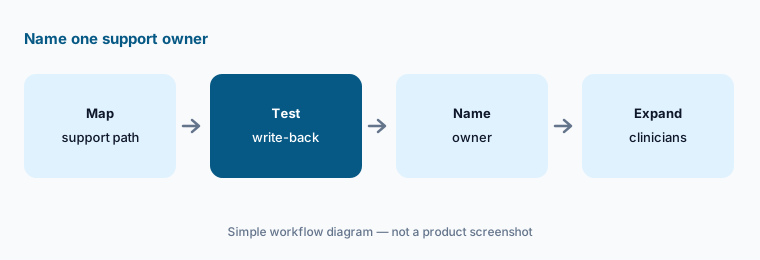
Name the owner:
Before adding clinicians, have the IT lead write down who supports note capture, write-back, and login when Suki runs inside a partner product.
Pricing context (October 2026)
Suki does not publish prices as of 19 Oct 2026. Its solutions FAQ says it offers “various pricing models based on organization size and use cases,” and the Suki Dictation FAQ sends buyers to sales for pricing. Treat Suki as quote-only.
Ask whether ambient, coding, Ask, and Dictation are priced together or separately; whether Ask needs your own UpToDate subscription; and, if you use Suki inside a partner EHR, whether you pay Suki or the partner.
Uncertainty: We did not test Suki. Integration depth differs by EHR and by product (Suki Dictation launched natively in Epic and MEDITECH; Ask in four EHRs). Organization counts (450+ in the October release, 400+ on the homepage) and outcome figures are Suki’s claims. Suki’s pages describe structured, specialty-specific notes; we found no claim about LOINC coding of notes, so do not assume it. Confirm BAA, retention, and audio storage with your compliance team.
When it’s useful (honest take)
Useful when you run more than one EHR (or a partner EHR that embeds Suki), want ambient notes, dictation, and coding suggestions from one vendor, and someone will read every section before write-back.
Less useful when you want a sentence-to-audio audit trail as the main feature (Abridge AI), you are standardized on Microsoft’s Dragon stack (Microsoft Dragon Copilot AI), or your EHR’s own ambient scribe is already included in your contract (athenahealth AI, Epic Systems EHR AI).
Paying for Suki AI and a few other AI tools? The $9 AI toolkit spreadsheet lists every AI subscription you have, what each one costs, and how fast it pays for itself, so you can see which ones are worth the money.
Want someone to do it for you? AI toolkit audit — $19
Related options (educational)
| Need | Better home | Why |
|---|---|---|
| Ambient + dictation + coding across several EHRs | Suki AI (this page) | Quote only |
| Ambient notes with Linked Evidence | Abridge AI | Quote only |
| Ambient DAX + Dragon Medical dictation | Microsoft Dragon Copilot AI | Quote only |
| Native ambient inside athenaOne | athenahealth AI | athenaAmbient “no additional cost” per athena |
| Sunoh ambient inside eClinicalWorks | eClinicalWorks AI | Sunoh from $149/user/mo (limited-time) |
| Autonomous inpatient coding | Akasa AI | No public price list |
FAQ
What does Suki do?
Suki listens to the visit and drafts a structured, specialty-specific note, stages orders, suggests ICD-10, HCC, CPT, and E/M codes, and writes the note back to the EHR after the clinician reviews it. It also offers dictation, Ask, and APIs/SDKs for partners.
Which EHRs does Suki work with?
Suki lists deep integrations with Epic, Oracle Health, athenahealth, and MEDITECH, and says it works with other EHRs through partners and its Suki Compose app. Confirm your EHR version with Suki.
How much does Suki cost in October 2026?
Suki does not publish prices. It says it offers various pricing models by organization size and use case. Treat it as quote-only.
Can Suki write notes into the EHR without the clinician?
Do not set it up that way. The clinician should check each section and send the note back to the EHR only after reviewing it.
Who should check Suki output?
The clinician for notes, staged orders, and Ask answers; the coding lead for coding suggestions; IT for write-back and partner support paths.
Optional next step (if seats overlap)
If you pay for Suki, your EHR’s own ambient scribe, a dictation license, and a coding tool that all touch the same visit, that overlap is worth mapping. Map the overlap with the $19 AI toolkit audit or the $9 AI toolkit spreadsheet. Email Audit $19 or Toolkit spreadsheet $9.
Checkout is live via Stripe. After you pay, we email delivery (spreadsheet) or intake next steps (audit).