How-to · Clinical notes · Suki · Oct 20, 2026
Let Suki stage orders and coding suggestions from an ambient note, and have the clinician review each before EHR write-back
Suki drafts a specialty-specific note from the visit, stages orders and codes for review, and writes the finished note back to the EHR. A staged order is a proposal, and write-back is the point of no return for a tidy draft. This page shows how to start in one clinic with the clinician owning every order and every signed note.
Who this is for
Clinicians, chief medical information officers (CMIOs), and coding leads using Suki in one or more EHRs. The job here is order staging and coding review before write-back. For opening Abridge Linked Evidence on each key sentence before signing — a different job — see Abridge Linked Evidence clinician verification.
How to do it
This is a how-to, not a ranking of ambient scribes. Per the Suki AI review, Suki lists deep integrations with Epic, Oracle Health, athenahealth, and MEDITECH; says it can stage orders from the conversation for the clinician to review and approve; and suggests ICD-10, HCC, CPT, and E/M codes under what it calls Assisted Revenue Cycle. Suki’s outcome figures are its claims, not our measurement. The ground rule: nothing staged as an order is placed without the clinician approving it, and the clinician reads every section before write-back.

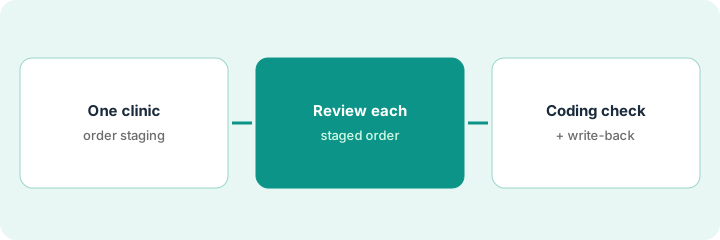
1. Turn on order staging for one clinic
What it is: Start with one clinic and a handful of clinicians, and confirm write-back works in your EHR before adding anyone.
- Pick one clinic and specialty.
- Confirm with IT how write-back works in your EHR and who supports it if Suki runs inside a partner product.
- Tell clinicians that staged orders are proposals.
- List the checks every clinician runs: allergies, refusals, orders already placed or results already back.
- Name the coding lead who samples suggestions.
A clinic lead turns on order staging for four family physicians. IT writes one support path for write-back failures after finding two notes that never reached the EHR in testing.
Write the clinic, clinicians, write-back support owner, and the three checks every staged order gets.
2. Clinician reviews each staged order
What it is: For each visit, the clinician compares staged orders with the plan they actually made and with what is already in the chart.
- Check each staged order against the plan discussed.
- Delete orders for tests already drawn or ruled out in the visit.
- Add any order said aloud but not staged.
- Check allergies before approving medications.
- Approve on purpose; no bulk approve.
A family physician reviews fifteen visits with staged orders. Twelve match her plan. One stages a lipid panel drawn two weeks ago, one stages an antibiotic she discussed and ruled out, and one misses a referral she said aloud. She deletes two, adds one, and approves the rest.
For your next fifteen visits, compare every staged order with your plan and the chart before approving any.
3. Coding lead checks suggestions; confirm write-back
What it is: The coding lead samples coded visits against final claims. The clinician reads every note section before write-back and confirms the note landed correctly.
- Sample thirty coded visits against final claims: ICD-10 specificity, HCC capture, E/M level.
- Keep second review on E/M levels if any are higher than documentation supports.
- Clinician reads every section, including laterality and plan, before sending.
- After write-back, open the chart and confirm the right sections updated.
- Add clinicians only after a clean month.
The coding lead samples thirty visits: twenty-five match, three need a more specific ICD-10 code, one E/M level is higher than the documentation supports, and one HCC is missing because the problem was discussed but not assessed. Second review on E/M stays on for another month.
Have the coding lead compare thirty Suki-coded visits with final claims, and have each clinician open the chart after write-back to confirm the note landed.
Pricing context (October 2026)
This how-to isn’t a price sheet. Per the Suki AI review, Suki does not publish prices. When we checked on Oct 20, 2026, suki.ai/pricing returned not found. Treat it as quote-only and ask whether ambient notes, coding, Ask, and Dictation are priced together or separately. Dated October 2026.
Checked Oct 20, 2026 on the vendor’s own site: Suki publishes no prices; suki.ai/pricing returned not found and Suki’s site lists no prices. This page quotes no Suki dollar figure; ask Suki for a written quote and see our review for what is known.
Uncertainty: The only prices this site sells here are the optional $9 AI toolkit spreadsheet and $19 AI toolkit audit.
When this helps (honest take)
Useful when you want ambient notes, order staging, and coding suggestions from one vendor across your EHRs, and clinicians will review every order before write-back.
Not useful when you want orders placed automatically, nobody will sample coding, or your EHR’s own ambient scribe is already in your contract.
Related options (educational)
| Need | Where to look | Why |
|---|---|---|
| Order staging and coding before write-back | Suki AI | Primary path; quote only |
| Linked Evidence before signing | Abridge Linked Evidence clinician verification | A different job |
| Choosing between ambient tools | Abridge vs Dragon Copilot | Side-by-side explainer |
| Where clinical notes fit | Stack map: healthcare ops | Broader map |
FAQ
Does Suki place orders on its own?
Per our review, Suki stages orders for the clinician to review and approve. Do not set it up to place them without approval.
Which EHRs does Suki work with?
Per our review, Suki lists deep integrations with Epic, Oracle Health, athenahealth, and MEDITECH. Confirm your EHR version.
How much does Suki cost?
Suki does not publish prices. Treat it as quote-only (checked Oct 20, 2026).
Optional next step
If you want a one-page toolkit map for the tools you already pay for, use the optional $9 AI toolkit spreadsheet. If you want a short review of seat waste and unused tools, use the optional $19 AI toolkit audit. Neither is required to follow this how-to.