Tool · Healthcare ops · Notable · Oct 2026
Notable AI review (Oct 2026): prior authorization Sidekick, eligibility agents, denials automation, and Optum Real API hooks
Notable sells an AI platform for health systems that automates work across patient access, revenue cycle, and care operations. For revenue-cycle teams that means an Authorizations AI Agent, the Sidekick co-pilot that helps staff assemble prior-auth submissions, eligibility checks that can use Optum Real APIs, denials and appeals work, and AI chart review — all built and monitored in Notable’s Flow tools. This page is about using them while the authorization lead owns every automated submission rule. Each section has a Try this.
What this Notable page covers
This page is for an authorization manager, revenue-cycle director, registration lead, coder, or digital operations lead at a health system or large medical group using or considering Notable. It is not medical, coding, coverage, or billing advice.
Notable’s revenue cycle page says its agents submit and status prior authorizations, clean up work queues, appeal denials, verify eligibility, and run chart reviews for coding and documentation. Its Optum Real APIs post (listed 11 Feb 2026) says those agents can use real-time eligibility, claim status, and remittance data. Notable’s newest item is Flow Compass (19 Oct 2026). Notable says it returns more than 3.2 million hours a year to healthcare teams — its figure.
Ground rules: an authorization specialist compares automated packets with what a person would have sent before dual entry stops; the registration lead spot-checks eligibility answers; a billing supervisor reads appeals; a coder decides on every chart-review flag; and Notable’s figures are its claims, not our measurement.
Major features (with how someone uses them)
Examples at a glance: each feature has a concrete example from a real job plus a short Try this you can run this week.
1. Prior auth with the Authorizations AI Agent and Sidekick (primary)
What it is: Notable’s Authorizations AI Agent handles non-clinical authorizations end to end through APIs, 278 transactions, payer portals, and faxes, and for clinical auths it pulls structured and unstructured data into a documentation packet for staff to submit. Sidekick, Notable’s built-in AI co-pilot, gives “cited, high-quality recommendations” with a human-in-the-loop design; Notable says it turns “20–30 minute tasks into 7-minute workflows for prior authorization submissions” — Notable’s figure.
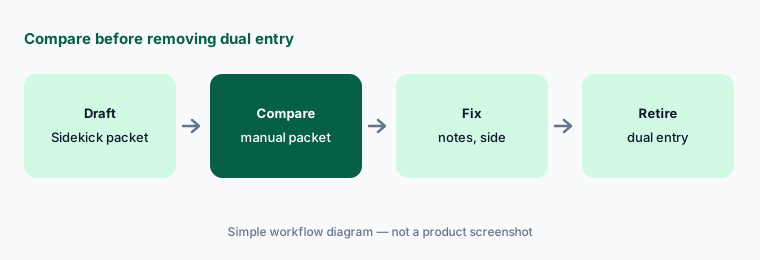
Dual entry is the safety net while you learn what the agent gets wrong. Retire it only after a side-by-side comparison.
Primary workflow:
Process twenty prior auths with Notable Sidekick. Have the authorization specialist compare each packet with the last manual packet before removing dual entry.
2. Eligibility checks and Optum Real APIs
What it is: Notable says its agents automate “digital intake, triage, scheduling, and eligibility verification” (revenue cycle page). Through its Connector Hub, Notable connects to Optum Real APIs for real-time eligibility, claim submission, claim status, and remittance data, plus UnitedHealthcare-specific items such as digital member ID card data and pre-submission claim checks.
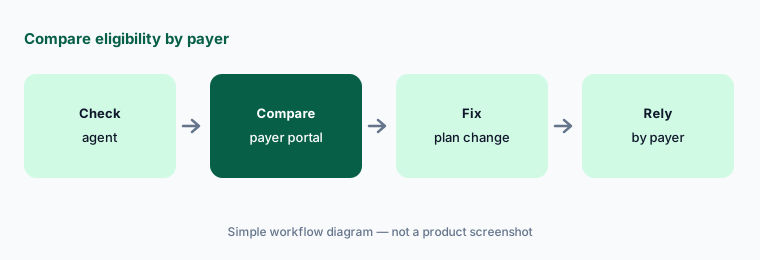
Payer-specific data helps for one payer. Check whether the same quality of answer holds for your other payers.
Compare by payer:
Have the registration lead compare thirty automated eligibility checks with the payer portal, split by payer, before relying on them for cost estimates.
3. Denials and appeals automation
What it is: Notable lists denials and appeals management among its revenue-cycle agents: it “submits and statuses prior authorizations, cleans up work queues, and appeals denials” (revenue cycle page). Notable says customers using its Authorizations Agent cut auth-related denials by 25–50% (authorizations post) — its figure.
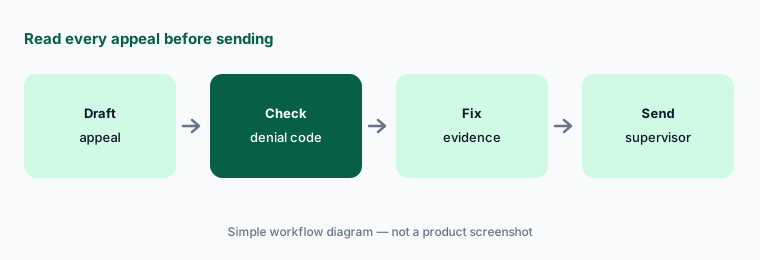
An appeal goes to a payer under your organization’s name. The reason and evidence have to match the denial.
Read every appeal:
Have the billing supervisor read fifteen automated appeals against the denial code and the chart before any are sent.
4. Chart review for coding and documentation gaps
What it is: Notable’s documentation and coding agents “automate chart reviews for accurate coding, HCC suspecting, and pre-claim documentation audits,” and it says they catch missed diagnoses and documentation gaps (revenue cycle page).
A flag is a question for a coder, not a code. Only what the provider documented can be billed.
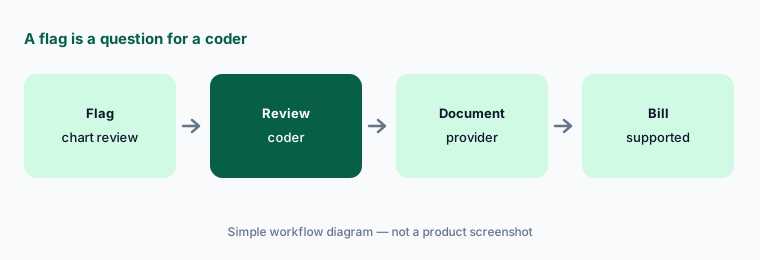
Coder decides:
Have a coder review twenty-five charts the agent flagged and record which flags the chart truly supports before any flag changes a claim.
5. Intake, registration, and care-gap outreach
What it is: In Notable’s MUSC Health customer story, automated care-gap outreach let women overdue for a mammogram book from a text or email; 147 appointments were booked the first evening and more than 1,100 were scheduled without staff, and digital registration reached about 110,000 a month — MUSC and Notable’s figures.
Self-scheduled care-gap visits still need the right order and location. Watch the first wave closely.
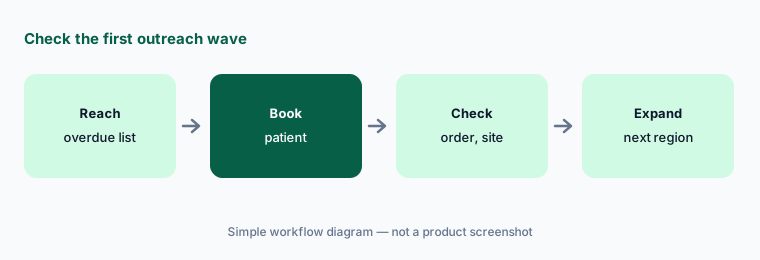
Check the first wave:
Have the access manager review the first forty self-scheduled visits from any new outreach campaign before sending it to the next region.
6. Flow Builder, Flow AI, and Flow Compass for running the agents
What it is: Notable’s Flow Builder is a low-code design tool and Flow AI an in-platform assistant for building automations. On 19 October 2026 Notable announced Flow Compass, which lets operators ask in plain language what is working in their automations and what is at risk, run readiness reviews, generate test cases, and document each workflow’s ownership before go-live. Notable says Flow Compass works within each user’s role-based access, keeps an audit trail, cites its sources, and that “only the health system’s team can publish workflows or flow changes.” It is available in Flow Studio.
A dashboard that explains your automations is still reporting on itself. Someone outside the build team should read the readiness review.
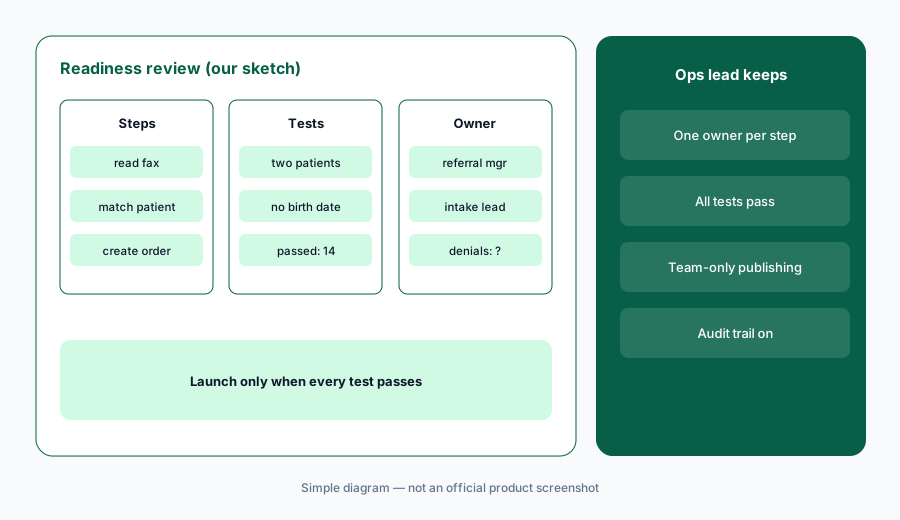
Review before launch:
Before any new flow goes live, have the operations lead run a readiness review and name one owner for each step, and launch only when every test case passes.
Pricing context (October 2026)
Notable publishes no price list. When we checked on 19 Oct 2026, notablehealth.com/pricing returned a not-found page, and its pages ask you to request a demo. Treat it as quote-only.
Ask in writing whether pricing is per workflow, per transaction, or per agent; whether Sidekick, Flow Compass, and Connector Hub integrations (including Optum Real APIs) are included; and what implementation services cost.
Uncertainty: We did not test Notable. Sidekick time savings, denial reductions, hours returned, and MUSC results are Notable or customer claims. The Authorizations Agent post dates from July 2025; ask what has changed since. Flow Compass was announced the day we checked. Confirm BAA, payer-portal access terms, and how the agent logs each submission.
When it’s useful (honest take)
Useful when you are a health system with high prior-auth and registration volume across several payers, you want one platform for access and revenue-cycle automation, and an authorization lead will own every automated submission rule.
Less useful when you need a full data platform with population-health agents (Innovaccer AI), autonomous claim resubmission at a clearinghouse (Waystar AI), inpatient autonomous coding (Akasa AI), or patient billing conversations (Cedar AI).
Paying for Notable AI and a few other AI tools? The $9 AI toolkit spreadsheet lists every AI subscription you have, what each one costs, and how fast it pays for itself, so you can see which ones are worth the money.
Want someone to do it for you? AI toolkit audit — $19
Related options (educational)
| Need | Better home | Why |
|---|---|---|
| Prior auth, eligibility, denials, and access automation | Notable AI (this page) | Quote only |
| Data platform with prior-auth and care-gap agents | Innovaccer AI | Quote only |
| Clearinghouse with autonomous claim resubmission | Waystar AI | Quote only |
| Autonomous inpatient coding and AI Advisor appeals | Akasa AI | Quote only |
| Front-desk intake and eligibility for practices | Phreesia AI | Quote only; intake free until spring 2027 per Phreesia |
| General chat on sanitized payer rules | Claude (sanitized) | No PHI, no payer access |
FAQ
What is Notable Sidekick?
Sidekick is Notable’s built-in AI co-pilot. It helps staff with prior-auth submissions, fax labeling, and call transcripts, giving cited recommendations for a person to review. End-to-end submission of non-clinical auths is handled by Notable’s Authorizations AI Agent.
Does Notable connect to Optum?
Notable says its AI Platform connects to Optum Real APIs through its Connector Hub, for real-time eligibility, claim submission, claim status, and remittance data, plus some UnitedHealthcare-specific items such as member ID card data and pre-submission claim checks.
How much does Notable cost in October 2026?
Notable publishes no prices; its pricing URL returned a not-found page when we checked on 19 Oct 2026. Ask for a written quote covering the platform, each workflow, and implementation.
Can Notable submit prior authorizations without staff?
Notable says its Authorizations AI Agent can handle non-clinical auths end to end, while clinical auths get an AI-built packet for staff to submit. Keep dual entry and compare packets until an authorization specialist is satisfied.
Who should check Notable output?
An authorization specialist for packets; the registration lead for eligibility answers; a billing supervisor for appeals; a coder for every chart-review flag; and the operations lead for readiness reviews before each new flow goes live.
Optional next step (if seats overlap)
If you pay for Notable, a separate prior-auth vendor, and a clearinghouse that all touch the same authorizations, that overlap is worth mapping. Map the overlap with the $19 AI toolkit audit or the $9 AI toolkit spreadsheet. Email Audit $19 or Toolkit spreadsheet $9.
Checkout is live via Stripe. After you pay, we email delivery (spreadsheet) or intake next steps (audit).