How-to · Prior authorization · Notable · Oct 21, 2026
Run Notable’s Authorizations AI Agent on one service line, and have the auth lead approve every submission
Notable’s Authorizations AI Agent handles non-clinical authorizations end to end and, for clinical authorizations, assembles a documentation packet for staff to submit. Sidekick, Notable’s co-pilot, gives cited recommendations along the way. A packet that leaves out the latest note, or names the wrong ordering provider, is still sent in your organization’s name. This page shows how to run the agent on one service line while the authorization lead approves every submission.
Who this is for
Authorization managers, revenue-cycle directors, and registration leads at health systems and large medical groups using or considering Notable. The job here is prior authorization on one service line, before the claim exists. This is an operations how-to, not medical, coverage, or billing advice. For R1 Phare Flow on claim follow-up and denials — a different job after the claim is sent — see R1 Phare Flow denials supervisor approval.
How to do it
This is a how-to, not a ranking of revenue-cycle tools. Per the Notable AI review, the Authorizations AI Agent works through APIs, 278 transactions, payer portals, and faxes; Sidekick gives “cited, high-quality recommendations” with a human-in-the-loop design; eligibility checks can use Optum Real APIs through Notable’s Connector Hub; and Notable lists denials and appeals among its agents. Flow Compass (19 October 2026) adds readiness reviews before a workflow goes live. Notable’s time and denial figures are its claims. The ground rule: the authorization lead approves every submission during the pilot, and clinical justification comes only from what the ordering clinician documented and signed.

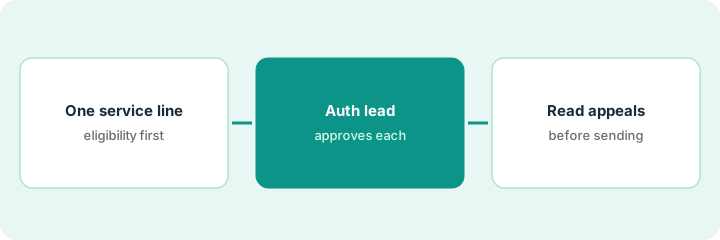
1. Pick one service line, and check eligibility first
What it is: Start with one service line, such as outpatient imaging, and confirm the eligibility answers are right before any authorization depends on them.
- Pick one service line with steady volume.
- Name the authorization lead as owner and the registration lead for eligibility.
- Have the registration lead compare thirty automated eligibility checks with the payer portal, split by payer.
- Note payers where answers are weaker than the Optum-connected ones.
- Run Flow Compass’s readiness review and name one owner per step before go-live.
The registration lead compares thirty eligibility checks with payer portals. Answers match for the large national payers. Two regional plans show an outdated deductible. She marks those payers for manual verification during the pilot.
Pick one service line, and have the registration lead compare thirty automated eligibility checks with payer portals, by payer, before any authorization runs.
2. Authorization lead approves every submission
What it is: For the pilot, every packet the agent or Sidekick prepares goes to the authorization lead before submission. Dual entry stays on until a side-by-side comparison is clean.
- Process twenty prior authorizations through the agent and Sidekick.
- Compare each packet with the last manual packet for the same kind of request.
- Check the most recent signed clinic note from the ordering clinician is attached.
- Check the ordering provider, service, units, and dates.
- Keep dual entry until the authorization lead signs off on the comparison.
Of twenty packets, seventeen match the manual packets. Two miss the most recent clinic note from the ordering physician, and one names the wrong ordering provider. The authorization lead fixes all three before submission and keeps dual entry on for another month.
Run twenty authorizations on one service line, and have the authorization lead compare every packet with a manual one before anything is submitted.
3. Read every denial appeal before it is sent
What it is: When a request is denied, the agent can draft an appeal. A billing supervisor reads each one against the denial and the chart before it goes to the payer.
- Read fifteen automated appeals against the denial code.
- Check every cited note against the chart.
- Send clinical questions to the ordering clinician, who decides what to add to the record.
- Never let an appeal state clinical facts the clinician did not document.
- Record which appeals needed changes.
The billing supervisor reads fifteen draft appeals. Twelve are ready. Two cite a note from a different visit, and one argues a reason the payer did not give. She fixes all three and keeps reading every appeal.
Have the billing supervisor read fifteen automated appeals against the denial code and the chart before any are sent.
Pricing context (October 2026)
This how-to isn’t a price sheet. Per the Notable AI review, Notable publishes no price list. When we checked on Oct 21, 2026, notablehealth.com/pricing returned not found and the site lists no prices. Treat it as quote-only and ask whether pricing is per workflow, per transaction, or per agent, and whether Sidekick and Flow Compass are included. Dated October 2026.
Checked Oct 21, 2026 on the vendor’s own site: Notable publishes no prices; notablehealth.com/pricing returned not found and Notable’s site lists no prices. This page quotes no Notable dollar figure; ask Notable for a written quote and see our review for what is known.
Uncertainty: The only prices this site sells here are the optional $9 AI toolkit spreadsheet and $19 AI toolkit audit.
When this helps (honest take)
Useful when you run prior authorization at volume, one service line dominates the backlog, and an authorization lead will approve every submission during the pilot.
Not useful when nobody will keep dual entry during the comparison, your gap is claim follow-up after submission, or you expect the agent to write clinical justification.
Related options (educational)
| Need | Where to look | Why |
|---|---|---|
| Prior auth, eligibility, denials, Flow Compass | Notable AI | Primary path; quote only |
| Claim follow-up and denial appeals after submission | R1 Phare Flow denials supervisor approval | A different job |
| Inpatient coding thresholds | Akasa autonomy threshold | A different job |
| Where revenue cycle fits | Stack map: healthcare ops | Broader map |
FAQ
What is Notable Sidekick?
Per our review, Notable’s built-in AI co-pilot. It helps staff with prior-auth submissions, giving cited recommendations for a person to review.
Can Notable submit authorizations without staff?
Per our review, Notable says the agent can handle non-clinical authorizations end to end, while clinical ones get an AI-built packet for staff to submit. During a pilot, keep the authorization lead approving every submission.
How much does Notable cost?
Notable publishes no prices. Treat it as quote-only (checked Oct 21, 2026).
Optional next step
If you want a one-page toolkit map for the tools you already pay for, use the optional $9 AI toolkit spreadsheet. If you want a short review of seat waste and unused tools, use the optional $19 AI toolkit audit. Neither is required to follow this how-to.