Role guide · Security ops · ChatGPT Business · Oct 2026
ChatGPT for security ops (Oct 2026): questionnaire drafts, policy summaries, and vendor review notes
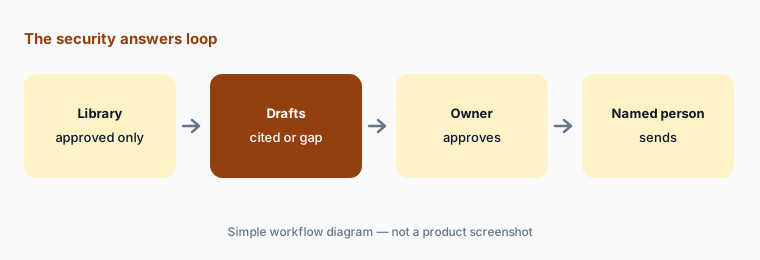
Security ops role guide — a shared Security answers project in a ChatGPT Business workspace that drafts questionnaire answers only from your approved answer library and marks anything it can’t source, plus policy summaries with section references and vendor review notes from public documents. ChatGPT drafts; control owners approve every answer, and a named person sends. Use Projects, not new custom GPTs — OpenAI is retiring custom GPTs on December 11, 2026. Companion to Claude for security ops.
Who this guide is for
Security and compliance ops people — the person who fields security questionnaires for sales, keeps the policy set current, or writes up vendor reviews — whose company already has ChatGPT Business (formerly ChatGPT Team; OpenAI renamed it on August 29, 2025) or Enterprise. If your team works in Claude, see Claude for security ops. If questionnaires are a large, constant flow, a dedicated tool such as Conveyor AI or Loopio AI may fit better; if evidence already lives in a compliance platform, see Vanta AI or Drata AI. Product deep-dive: ChatGPT.
Use Projects, not new custom GPTs. OpenAI’s help center (read 10 October 2026) says custom GPTs are scheduled to retire on December 11, 2026 (February 11, 2027 for Enterprise workspaces with an approved deferral), that the change affects all ChatGPT plans, and that it plans to help creators migrate GPTs to plugins. For affected Enterprise workspaces it lists October 26, 2026 (planned) as the end of new custom GPT creation. Building a new GPT now means migrating it within weeks, so this guide puts the instructions and the answer library in a project, which OpenAI says keeps related chats, files, and instructions together and costs nothing extra on qualifying plans.
Ground rules: ChatGPT never invents a control, a certification, a date, or a number — the instructions say to answer only from uploaded, approved content and to mark everything else. It never sends an answer to a customer or approves a vendor; the control owner approves each answer, and a named person sends. Never paste secrets, tokens, passwords, internal hostnames, customer data, or audit reports received under NDA; use sanitized, approved material only. A drafted answer doesn’t make anyone compliant — auditors attest, and the answer has to match the evidence.
Major features (with how someone uses them)
Examples at a glance: each feature has a concrete example from a real job plus a short Try this you can run this week.
1. Project Security answers: questionnaire drafts (primary)
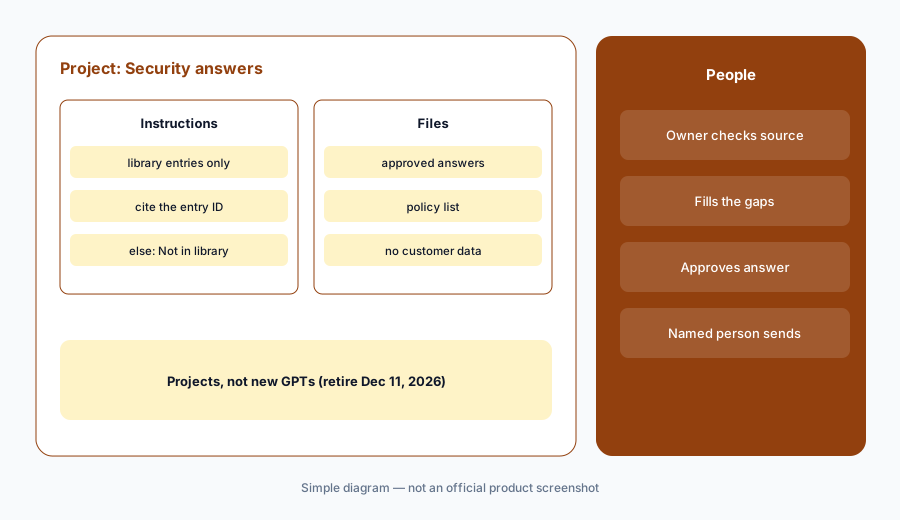
What it is: Select New project in the sidebar and name it Security answers. Upload your approved answer library — the answers your security lead has signed off, exported with an entry ID and owner for each — and your current policy list. In Project settings, add instructions: answer only from the uploaded library; quote the entry ID after each answer; if no entry covers the question, write “Not in library — needs owner” and stop; never state a control, certification, date, percentage, or tool name that isn’t in an entry; never say the company is compliant or certified. OpenAI says project instructions apply only within that project and override your global custom instructions, and Business projects support up to 40 files.
The value is the “Not in library” lines. Five new questions that come back with two sourced drafts and three gaps tell you exactly which owners to ask — which is more useful than five confident answers, one of which promises encryption you don’t run.
Primary workflow:
Project security answers. Upload your approved answer library. Ask it to draft answers to five new questions and mark anything it can’t source.
2. Policy summaries with section references
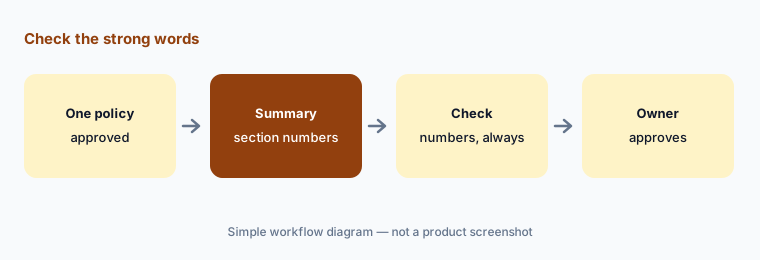
What it is: Upload one approved policy — access control, incident response, acceptable use — and ask for a plain-language summary for employees or for a customer’s reviewer, with the section number after every sentence. Tell ChatGPT to quote the policy for anything that sounds like a commitment (“within 24 hours,” “quarterly,” “all production systems”) and to write “The policy doesn’t say” where a reader would expect detail. The policy owner reads the summary against the policy before anyone shares it.
Summaries go wrong in one predictable way: they make the policy sound stronger than it is. Search the summary for every number and every “all,” “always,” or “never,” and check each against the cited section.
Check the strong words:
Ask for a summary of one approved policy with a section number after every sentence. Check every number and every “all,” “always,” or “never” against the cited section.
3. Vendor review notes from public documents
What it is: For a new vendor, upload what the vendor publishes — its security page, trust center overview, privacy policy, and subprocessor list — plus your own sanitized intake answers. Ask for review notes in your template: what the vendor states, with the document and section for each claim; what your intake says the vendor will access; and open questions where the documents are silent. Don’t upload a SOC 2 report or penetration test received under NDA to a general chat tool; read those in your vendor risk process. The risk owner decides; ChatGPT only drafts the notes.
The open questions are the useful output. A list of eight things the vendor’s public documents don’t say becomes your follow-up questionnaire, and the risk owner can see at a glance what the decision rests on. For structured vendor reviews at volume, see Whistic AI or UpGuard AI.
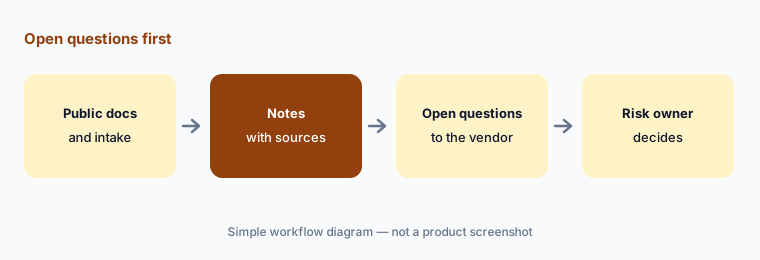
Open questions first:
Upload one vendor’s public security page, privacy policy, and subprocessor list. Ask for notes with a source for every claim and a list of what the documents don’t say.
4. Who can see the project
What it is: OpenAI says you can share a project with people or workspace groups and give each edit access (update instructions, upload or remove files, invite others) or chat access (use the project’s chats, files, and instructions). All members can view and download the project’s files. Shared projects automatically use project-only memory and can’t draw on members’ memories or chats outside the project. Workspace owners can control who may create and share projects. A workspace project can include up to 100 collaborators.
Give edit access to the one or two people who own the library and the instructions; give everyone else chat access. Otherwise a well-meaning salesperson can upload last year’s answers and the project will start quoting them.
Two editors, everyone else chat:
Open Share on your security project. Give edit access to the library owners only and chat access to everyone else, then list who can download the files.
5. What never goes in
What it is: OpenAI says it doesn’t train on ChatGPT Business, Enterprise, or Edu workspace data by default, and its Business pricing page lists SAML SSO, MFA, an admin console, and SOC 2 Type 2 compliance. That doesn’t make a project the right place for everything. Keep out secrets, tokens, passwords, internal hostnames and IP ranges, customer data, incident details you wouldn’t email, and audit or penetration test reports received under NDA. Business lacks the Compliance API logs platform, SCIM, role-based access controls, and data residency, which the pricing page lists for Enterprise. Before a connected app searches outside the project, OpenAI says ChatGPT may ask you to confirm.
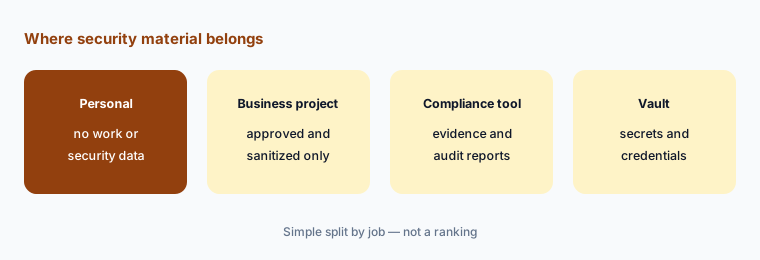
Write the three rules:
Write three rules for your security project — what may go in, what never goes in, and who approves anything that leaves — and paste them at the top of the project instructions.
6. If you already have a security GPT
What it is: OpenAI says existing custom GPTs keep working until retirement, that migration is to plugins (My GPTs → Migrate to plugin when it reaches your account), and that the GPT’s instructions become a skill and its knowledge files become reference files. The selected model, custom actions, and sharing settings don’t carry over; migration uses the latest published version; the original becomes read-only; and the new plugin starts private. Chats created with a GPT can’t be moved into a project. Existing conversations stay accessible after retirement. OpenAI recommends saving familiar prompts and comparing the replacement before switching.
For a questionnaire GPT, the simplest move is often a project: copy its instructions into Project settings and upload the same library. Either way, test with the same questions and check that the “Not in library” rule survived — a replacement that starts answering from memory is worse than the GPT it replaced.
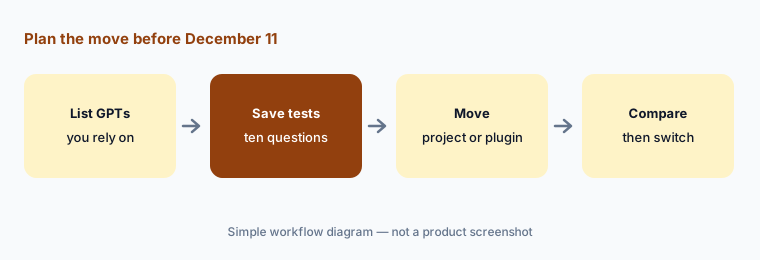
Test the replacement:
Before December 11, 2026, save ten questions your security GPT already handled. Move its instructions into a project, rerun them, and compare every “Not in library” line before anyone switches.
Pricing context (October 2026)
OpenAI’s Business pricing page and its ChatGPT Business help article (as listed 10 Oct 2026, USD for most countries): Standard seat $20 per user per month billed annually or $25 billed monthly; Premium seat $100 per user per month billed annually or $125 billed monthly, with 5x the usage of Standard and no 5-hour limit. Seat types can be mixed; a Business workspace needs at least two seats and is for teams of 2 to 200. Workspace credits can extend usage, and API usage is billed separately. Enterprise is priced through sales.
OpenAI’s Projects help article says projects cost nothing extra on qualifying plans; model and tool usage counts the same as in regular chats. Pricing may vary by country and currency. Full dated notes are on the ChatGPT deep-dive.
Uncertainty: OpenAI says its retirement dates are subject to change, that migration may reach accounts at different times, and that restrictions on creating GPTs are separate from retirement; the October 26 creation cutoff is listed for affected Enterprise workspaces. Project limits (40 files, 100 collaborators on Business) and memory behaviour come from the help center and can change. Skills is labelled beta on the pricing page.
When it’s useful (honest take)
Useful when your company already pays for ChatGPT Business or Enterprise, you have an approved answer library and named control owners, questionnaires arrive a few at a time, and someone owns the project’s instructions and files.
Useful when policy owners want plain-language summaries with section references, and vendor reviewers want notes and open questions from public documents.
Less useful when questionnaires are a constant, high-volume flow better served by a dedicated tool, there’s no approved library to draft from, the team can’t keep secrets and customer data out, or anyone expects ChatGPT to decide whether a control exists.
Paying for ChatGPT and a few other AI tools? The $9 AI toolkit spreadsheet lists every AI subscription you have, what each one costs, and how fast it pays for itself, so you can see which ones are worth the money.
Want someone to do it for you? AI toolkit audit — $19
Related options (educational)
| Need | Better home | Why |
|---|---|---|
| Drafts from uploaded files in Claude | Claude for security ops | Projects, cite the file or Unknown |
| High-volume questionnaires and trust centers | Conveyor AI or Loopio AI | Answer libraries with SME review |
| Answers next to your evidence | Vanta AI or Drata AI | Compliance platform questionnaires |
| Structured vendor reviews | Whistic AI or UpGuard AI | Vendor documents and signals |
| Alert triage and response automation | Tines AI or Torq AI | Workflows and agents, not chat |
| Internal how-tos in ChatGPT | ChatGPT for knowledge | Keep policy drafts separate |
FAQ
How should a security ops team set up ChatGPT?
In a Business or Enterprise workspace, create a project (for example, Security answers), upload your approved answer library, and add project instructions: answer only from the library, cite the entry, mark anything else “Not in library,” and never state a control or certification that isn’t there. Share it at chat access and have control owners approve every answer.
Should we build a custom GPT for security questionnaires?
Not a new one. OpenAI says custom GPTs are scheduled to retire on December 11, 2026 (February 11, 2027 for Enterprise workspaces with an approved deferral) and plans migration to plugins. Use a project instead; if you already have a GPT, save test questions and compare the replacement before switching. See OpenAI’s retirement FAQ.
Can we paste our SOC 2 report or customer data into ChatGPT?
Don’t paste audit or penetration test reports received under NDA, customer data, secrets, tokens, or internal hostnames into a general chat tool. OpenAI says Business workspace data isn’t used for training by default, but the safer rule is sanitized, approved material only.
Who can see files in a shared project?
OpenAI says all project members can view and download the project’s files; edit access lets members change instructions and files and invite others, while chat access lets them use the project. Shared projects use project-only memory. See Projects in ChatGPT.
What does ChatGPT Business cost in October 2026?
As listed on 10 October 2026: Standard seats $20 per user per month billed annually or $25 monthly, and Premium seats $100 annually or $125 monthly with 5x the usage, for teams of 2 to 200. Projects cost nothing extra. See openai.com/business/pricing.
Optional next step (if seats overlap)
If security ops pays for ChatGPT, Claude, a questionnaire tool, and a compliance platform’s AI that all draft the same answers from different copies of your library, fix that overlap before adding another seat. Map the overlap with the $19 AI toolkit audit or the $9 AI toolkit spreadsheet. Email Audit $19 or Toolkit spreadsheet $9.
Checkout is live via Stripe. After you pay, we email delivery (spreadsheet) or intake next steps (audit).