Role · Ops & automation · ChatGPT · Oct 2026
ChatGPT for knowledge ops (Oct 2026): Team GPTs for recurring wiki cadences
A role guide for teams that already pay for ChatGPT and want a custom GPT to draft internal how-tos on a cadence. The canonical page still lives in GitBook, Confluence AI, or Guru AI. Publishing is human.
What this page covers
ChatGPT Team custom GPTs are a reasonable place to reuse instructions: tone, “never invent a step,” and a reminder to cite the source the user pasted. They are a bad place to be the only copy of a procedure. We do not restate OpenAI’s prices. Check the current Team plan. October 2026. Do not upload secrets or customer exports into a GPT.
Major features (with how someone uses them)
Examples at a glance: each feature has a concrete ops example plus a short Try this.
1. Instructions that forbid invented steps (primary)
What it is: Custom GPT name: Knowledge draft. Instructions: use only the text the user pastes; if a step is not in the paste, write Unknown; never invent owners, links, or tool menus. Run it on one real wiki page.
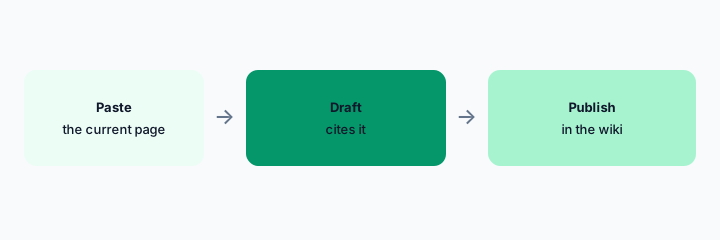
Primary workflow:
Custom GPT Knowledge draft. Instructions: never invent a step. Run it on one pasted wiki page.
2. Publish in the library, not in the chat
What it is: The chat transcript is not the procedure. Paste the edited text into GitBook, Confluence, Notion, or Guru. Link the GPT instructions at the team, not as the source of truth.
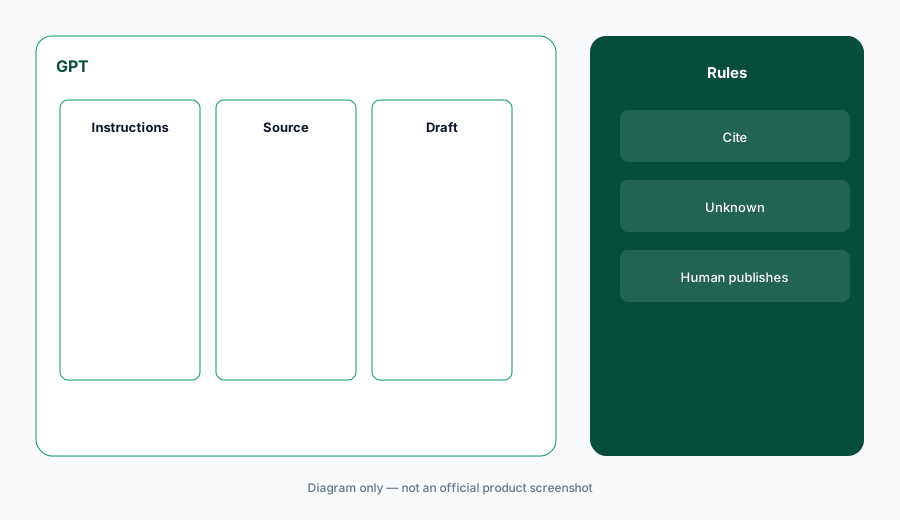
Publish check:
After a draft is approved, paste the URL of the canonical page into the thread. If there is no URL, it is not approved.
3. What you may paste
What it is: Internal procedures that are already widely visible to the Team workspace: yes, if your policy says so. Customer data, credentials, and security exploit details: no. A custom GPT’s knowledge files are shared with people who can use the GPT. Read that list.
Paste check:
Write three content types that are forbidden in this GPT. Put them in the instructions.
4. Versus Claude and the stack map
What it is: If the company standard is Claude, use Claude for security ops only for security files, not for every how-to. Do not run two GPTs and two Projects on the same page. The stack map is where overlap gets written down.
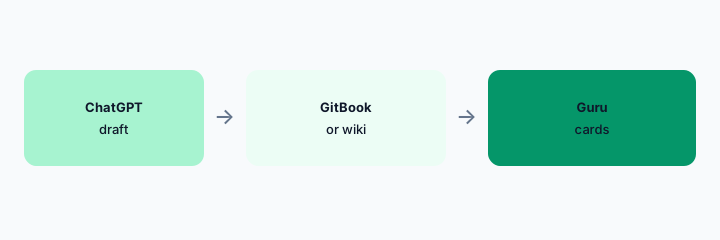
Seat check:
Count drafting seats aimed at the wiki. Keep one.
Pricing context (October 2026)
OpenAI’s Team and Enterprise prices change. This page does not quote them. Check OpenAI’s pricing and your invoice. October 2026.
The GPT does not add a second license to GitBook or Confluence. Those are separate bills.
Uncertainty: Workspace retention, whether chats train models, and GPT sharing are admin settings we did not read for your tenant. Confirm them.
When it’s useful (honest take)
Useful when a Team workspace already exists and the GPT is forced to cite a paste, then a human publishes to the real wiki. Less useful if the chat is the wiki. Less useful if you upload data the team should not see.
Paying for ChatGPT and a few other AI tools? The $9 AI toolkit spreadsheet lists every AI subscription you have, what each one costs, and how fast it pays for itself, so you can see which ones are worth the money.
Want someone to do it for you? AI toolkit audit — $19
Related options (educational)
| Need | Better home | Why |
|---|---|---|
| Draft from a paste | ChatGPT Team GPT (this page) | Instructions forbid new steps |
| Docs site | GitBook AI | Canonical if that is the site |
| Wiki | Confluence AI | Canonical if that is the wiki |
| Cards | Guru AI | If verification is the point |
FAQ
Can the GPT be the procedure?
No. Publish to the library.
How much is ChatGPT Team?
We do not quote it here. Check OpenAI.
May we upload customers?
No.
Claude or ChatGPT?
The one your team already pays for and can administer. Not both for the same page.
Optional next step (if seats overlap)
If two AI seats would answer the same question, map the overlap with the $19 AI toolkit audit or the $9 AI toolkit spreadsheet. Email Audit $19 or Toolkit spreadsheet $9.
Checkout is live via Stripe. After you pay, we email delivery (spreadsheet) or intake next steps (audit).