Role · Ops & automation · Claude · Oct 2026
Claude for security ops (Oct 2026): control drafts and evidence notes with Projects
A role guide for security and compliance ops who draft in Claude Projects from files they uploaded. The evidence system, if you have one, stays Vanta AI. Contracts stay in Ironclad AI. This is not legal advice and not an audit opinion.
What this page covers
Claude is a writing tool with Projects and file context. For security ops the safe use is a draft: a control description rewritten from a policy you uploaded, a list of evidence you still need, a questionnaire row marked Unknown. It does not submit to a customer and it does not know your tenant. We do not restate Claude’s prices on this page. Check Anthropic’s current plans. October 2026.
Major features (with how someone uses them)
Examples at a glance: each feature has a concrete ops example plus a short Try this.
1. Upload the file you want cited (primary)
What it is: Create a Project named Security ops. Upload the policy or the last questionnaire export you are allowed to upload. Ask for a draft that quotes the file or says the file is silent. Do not ask it to recall your SOC report from the public internet.
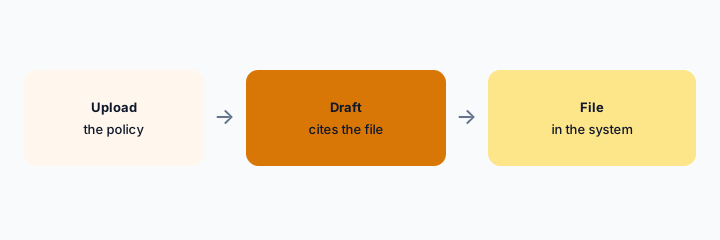
Primary workflow:
Project Security ops. Upload one policy. Draft a control note. Every claim must point at a sentence in the file or say Unknown.
2. Do not submit from the chat
What it is: Copy the approved paragraph into Vanta or your evidence folder. The chat is not the record. A customer does not receive Claude’s output directly. Certification words need a document you can open.
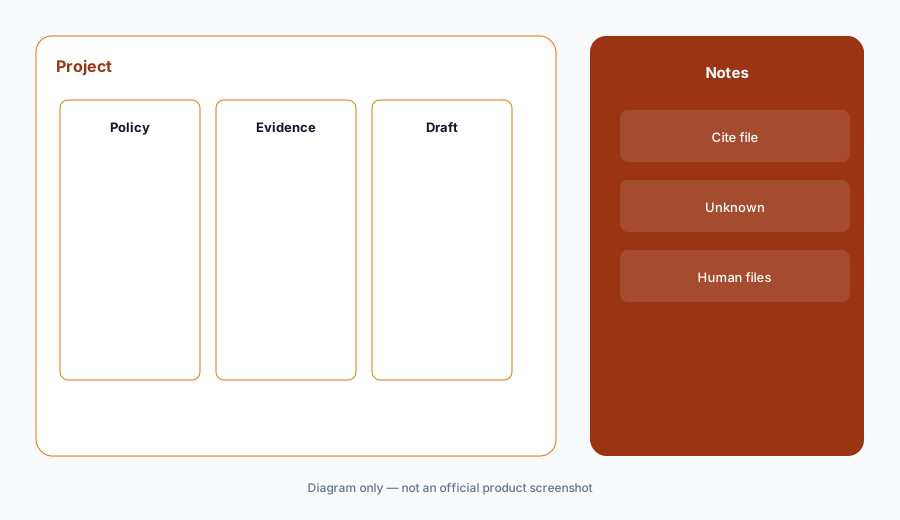
Submit check:
Write the system where the final answer lives. If the answer is “the chat,” stop.
4. Versus Vanta and a Team GPT
What it is: Vanta if that is the queue. Claude if you are rewriting from a file. ChatGPT for knowledge ops if the team standardized on ChatGPT for internal how-tos. Do not run the same policy rewrite in both chats. One project, one record.
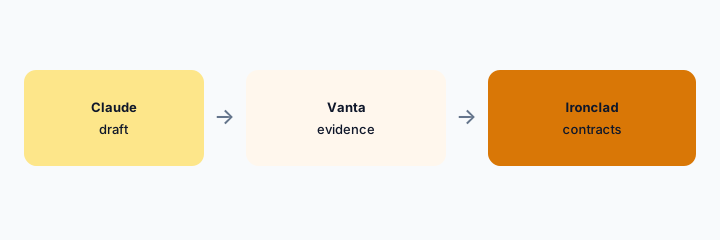
Home for the job:
One sentence: where drafts happen, where the official answer is stored.
Pricing context (October 2026)
Claude’s plan prices change and were not copied into this page. Check Anthropic’s pricing and your workspace admin. October 2026. This role guide is not a compliance product and has no seat price of its own.
Do not infer a Vanta or audit price from a Claude invoice.
Uncertainty: We did not re-check Anthropic’s price table while writing this role guide. Project limits and data retention are admin settings. This is not legal, audit, or security advice.
When it’s useful (honest take)
Useful when a named person uploads a real policy and files the draft in the evidence system. Less useful if the chat becomes the only copy. Less useful if you wanted Claude to certify you. It cannot.
Paying for Claude and a few other AI tools? The $9 AI toolkit spreadsheet lists every AI subscription you have, what each one costs, and how fast it pays for itself, so you can see which ones are worth the money.
Want someone to do it for you? AI toolkit audit — $19
Related options (educational)
| Need | Better home | Why |
|---|---|---|
| Rewrite from a file you upload | Claude Project (this page) | Cite the file or Unknown |
| Questionnaire state | Vanta AI | If that is the queue |
| Contracts | Ironclad AI | Not this project |
| Internal how-tos in ChatGPT | ChatGPT for knowledge ops | Do not duplicate the policy work |
FAQ
Is this audit advice?
No.
Can Claude see our Vanta tenant?
Only if you uploaded a file. It does not log into Vanta from this guide.
Who may be in the Project?
People who may already read those policies.
Where is the official answer stored?
In the evidence system, not in the chat.
Optional next step (if seats overlap)
If two AI seats would answer the same question, map the overlap with the $19 AI toolkit audit or the $9 AI toolkit spreadsheet. Email Audit $19 or Toolkit spreadsheet $9.
Checkout is live via Stripe. After you pay, we email delivery (spreadsheet) or intake next steps (audit).