Tool · Vendor risk & attack surface · UpGuard · Oct 2026
UpGuard AI review (Oct 2026): AI for vendor risk assessments and attack-surface monitoring
UpGuard sells cyber risk software in five parts: Vendor Risk for third-party assessments, Breach Risk for your own attack surface, User Risk for shadow AI and SaaS in your workforce, Trust Exchange for answering questionnaires about yourself, and Risk Automations for routing what it finds. What sets it apart from document-only vendor tools is that it scans every monitored company from the outside, every day, and combines those findings with AI that reads vendors’ documents and maps them to control checks. This page explains the AI and the outside-in signals — and why a vendor’s posture grade is a signal to investigate, not a verdict. Each section has a Try this.
What this UpGuard page covers
This page is for a third-party risk analyst, a security manager who signs off on vendors, or an IT or security lead watching the company’s own internet-facing systems. The question it answers: what UpGuard’s AI does with vendor evidence, what its outside-in scanning can and can’t tell you, and where a person still decides.
UpGuard gives every monitored organization an external posture number out of 950, calculated by subtracting points for failed checks on internet-facing assets — email security, TLS, DNS, open ports, known vulnerabilities, and more — with a letter grade on its free instant check. Since September 2026, sanctions and geopolitical risks count toward that number too. On top of the scanning, its AI parses vendors’ SOC 2 reports and policies into a Security Profile, writes gap questionnaires and assessment reports, triages threats in Breach Risk, and spots unapproved AI tools through a browser extension in User Risk.
Ground rules: outside-in scanning sees what the internet sees — it can’t see a vendor’s internal controls, and a weak grade can come from a forgotten marketing site rather than the system that holds your data. Treat every finding as a question for the vendor, not an answer. A named risk owner decides on each vendor, and an analyst reads the cited evidence before accepting an AI result. Facts come from UpGuard’s website and release notes as read on 10 October 2026; its time-saved, accuracy, and customer-count figures are vendor claims and aren’t repeated here.
Major features (with how someone uses them)
Examples at a glance: each feature has a concrete example from a real job plus a short Try this you can run this week.
1. Outside-in findings vs what the vendor told you (primary)
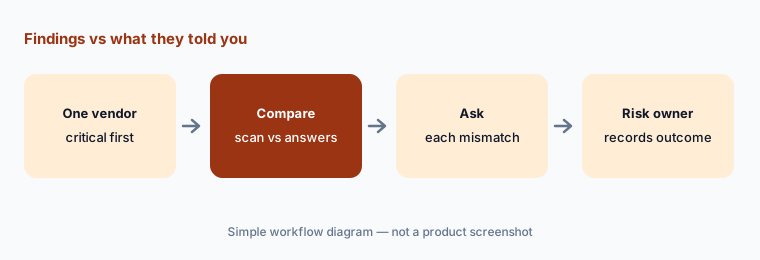
What it is: Vendor Risk continuously scans the internet-facing side of every vendor you monitor and alerts you to changes: exposed services, known vulnerabilities (UpGuard adds detections for new CVEs in its release notes), misconfigured email and certificates, and news of breaches and incidents. These appear next to the vendor’s posture number and in its Security Profile as attack-surface checks, with a timeline of actions such as remediation requests and waived risks. None of it requires the vendor’s cooperation, which is why it is useful as a cross-check on what the vendor says about itself.
The most useful comparison is the simplest: what the scanner sees today against what the vendor wrote in its last questionnaire. A vendor that answered “all external services require MFA” but shows an exposed admin login is a conversation to have, not an automatic fail — the asset may belong to a different business unit or be decommissioned. Write down each mismatch, ask the vendor, and record the answer.
Primary workflow:
Pick one critical vendor. Compare UpGuard’s external findings with what that vendor told you in its last questionnaire.
2. Security Profile: AI maps documents to control checks, with citations
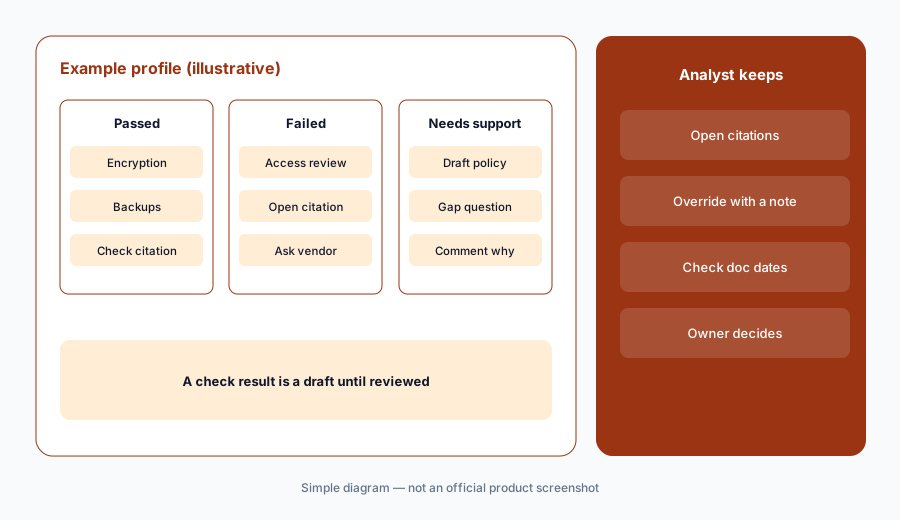
What it is: Upload a vendor’s SOC 2 report, ISO certificate, or policies and UpGuard’s AI maps what they say to control checks in a template — four built-in tiers by vendor criticality, or frameworks such as ISO 27001:2022, NIST CSF 2.0, NIST SP 800-53, CIS Controls, the Cloud Controls Matrix, and, since September 2026, NIST SP 800-171 Rev. 3. Each broad control is broken into specific checks marked passed, failed, or needing support. Citations show the evidence behind each result — and contradictions — and since 6 October 2026 they can include the SOC 2 control reference (such as CC 1.3). Analysts can exclude a citation, override a result, or add a comment, and a timeline records every change. UpGuard also pre-scans public documents for its most-monitored vendors.
The AI does the reading; the analyst does the accepting. Open the citations for every failed check and for any pass that rests on a single sentence or an old document. Overrides are healthy — the timeline exists so the next reviewer can see why you changed a result.
Open the citations:
Build a Security Profile for one vendor. Open the citation for every failed check and every pass that rests on one sentence, and override with a comment where the evidence doesn’t hold.
3. Gap questionnaires and the vendor’s side in Trust Exchange
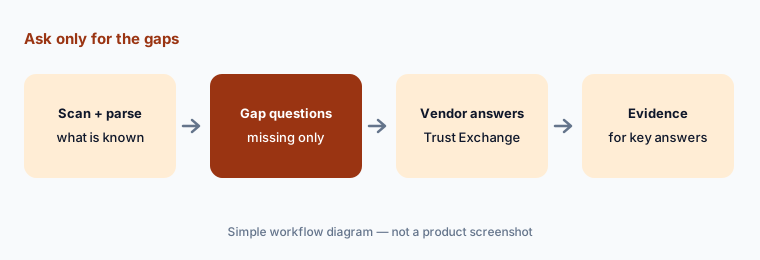
What it is: When checks remain unverified after scanning and document analysis, UpGuard builds a gap questionnaire that asks only for what is missing. Its library has 40+ pre-built questionnaires (ISO, NIST, SIG, DORA, HIPAA, and others) and a builder for your own. Since July 2026 you can also send a remediation request straight from a document citation, without a questionnaire. On the vendor’s side, Trust Exchange is free: vendors answer questionnaires there with Questionnaire AI, which drafts answers from their own documents and past questionnaires, and can publish a Trust Center. UpGuard says vendors should verify every AI-generated suggestion.
A gap questionnaire is shorter, but the answers you get back may themselves be AI drafts from the vendor’s side. Read them as statements to check, and where one matters — data location, encryption, incident notice — ask for the document behind it.
Gaps only, then evidence:
Send one vendor a gap questionnaire with only the unverified checks. For each answer about data location, encryption, or incident notice, ask for the document behind it.
4. AI-written assessment reports: the decision is still yours
What it is: UpGuard’s AI turns an assessment’s evidence, findings, and remediation work into a framework-aligned risk report, and you can add custom prompts to tailor it for the board, an auditor, or the business owner. A confirmed finding can trigger a remediation request or another risk action directly. UpGuard’s own line is “The report writes itself. The decision is still yours.” Reports can also go out on a schedule, and the Vendor Risk API — with more endpoints made generally available in August and October 2026 — lets you feed results into a GRC tool.
A fast report is easy to forward unread. Before it goes to anyone, have the analyst who did the review read it end to end and check that it says what was decided, by whom, and what conditions apply — not just what the AI found.
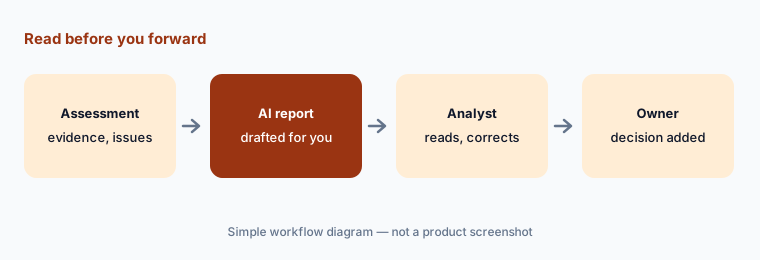
Read before you forward:
Generate an AI report for one assessed vendor. Have the analyst correct it and add the risk owner’s decision and review date before anyone else sees it.
5. Breach Risk: your own attack surface, with AI threat triage
What it is: Breach Risk points the same scanning at your own organization: it discovers internet-facing domains, IPs, services, and apps (including shadow IT and unsecured AI or LLM endpoints), prioritizes vulnerabilities using CVE severity, known-exploited lists, and exploit-prediction data, and benchmarks your external posture. Threat Monitoring watches for leaked credentials and brand impersonation; since September 2026 it scans the Apple App Store and Google Play for lookalike apps, with an AI Analyst dismissing listings it identifies as official. A Security Advisor now writes a weekly Threat Posture brief for executives, with each statement linked back to the underlying threats.
AI triage shrinks the queue; it doesn’t close it. Have a named person review what the AI dismissed as well as what it flagged, at least for the first month, and read the executive brief against the threats it cites before it goes to leadership.
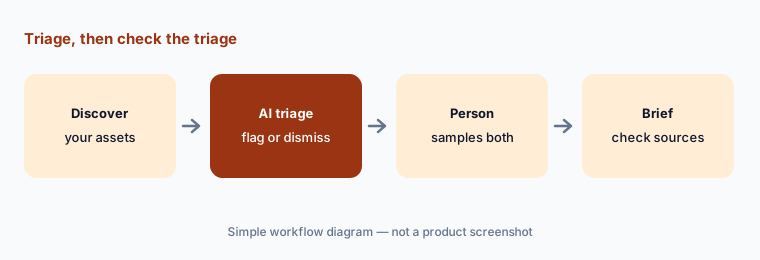
Check what the AI dismissed:
For one month, have a named person review a sample of the threats the AI dismissed, not just the ones it flagged, and note any it got wrong.
6. User Risk: shadow AI and SaaS in your own workforce
What it is: User Risk uses a browser extension to keep an inventory of the AI tools and SaaS apps employees actually use, audits OAuth connections that give third-party apps access to email and files, and rolls these signals up by user and team. Admins can set a usage policy per app — since September 2026 even before the extension detects it — and brand the extension’s nudges and blocks with the company’s name. UpGuard also offers a free AI policy generator. Risk Automations can then route findings to Jira, Slack, ServiceNow, and 100+ other tools, with human-in-the-loop checkpoints you add to each automation.
Discovery of employees’ AI use is a workforce decision as much as a security one. Tell employees what the extension sees before you roll it out, decide which apps are approved, and route anything else to the app’s requester for a reason rather than blocking it silently.
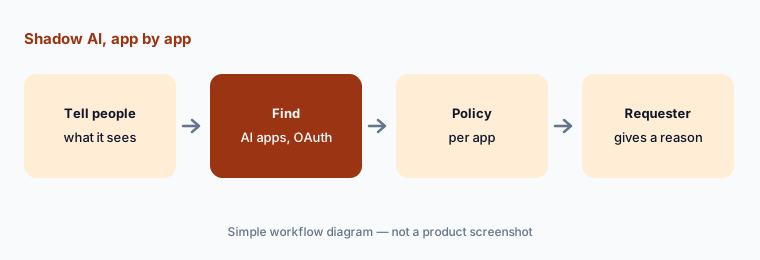
Policy per app:
Roll out the User Risk extension to one team after telling them what it records. For each AI tool found, set approved, ask for a reason, or revoke its access.
Pricing context (October 2026)
Vendor Risk is the one product with a published price (checked 10 Oct 2026; the page says “Pricing last updated: September 2026”): Standard $1,750/month, billed annually — about $21,000 a year — for 50 monitored vendors, 6 admin or general users, unlimited read-only users, SSO, API access, Security Profiles, and assessment and remediation workflows; additional vendors are listed at $79/month. Professional (150 vendors), Corporate (500 vendors, fourth parties, audit log), Enterprise, and Enterprise+ (unlimited vendors, multi-org) are “Contact sales.” See upguard.com/pricing.
Trust Exchange is free, with a paid tier that adds up to 15 questionnaire imports a month, custom domains, multiple Trust Centers, watermarked PDFs, and white labeling. The pricing page has tabs for Breach Risk, Trust Exchange, User Risk, and Risk Automations, but their prices didn’t load when we checked — confirm them with UpGuard. A free trial is offered.
Uncertainty: Only Vendor Risk Standard shows a price, and we couldn’t read prices for Breach Risk, User Risk, Risk Automations, or the paid Trust Exchange tier. Whether the “$79/month” for extra vendors is per vendor or per block isn’t spelled out. Outside-in scanning reflects internet-facing assets only, and how UpGuard maps assets to a vendor can be wrong; ask for the asset list behind any finding that matters. UpGuard’s accuracy, speed, and adoption figures are vendor claims.
When it’s useful (honest take)
Useful when you monitor dozens to hundreds of vendors and want an independent, outside-in signal between assessments, AI help reading SOC 2 reports into control checks, and short gap questionnaires — and you have analysts who will open citations and a risk owner who decides. Also useful if you want vendor risk, your own attack surface, and shadow AI in one place.
Less useful when you have a short vendor list your compliance platform already covers, you want a single number to approve or reject vendors on its own, or nobody will follow up on findings with vendors. The posture number is a prompt for questions, not a verdict.
Paying for UpGuard AI and a few other AI tools? The $9 AI toolkit spreadsheet lists every AI subscription you have, what each one costs, and how fast it pays for itself, so you can see which ones are worth the money.
Want someone to do it for you? AI toolkit audit — $19
Related options (educational)
| Need | Better home | Why |
|---|---|---|
| Outside-in scanning plus document AI | UpGuard AI (this page) | Security Profile, gap questionnaires |
| Document-first vendor assessments with agents | Whistic AI | Vendor Summary, AutoAssess |
| Shadow SaaS and AI app discovery | Nudge Security | Email-based discovery, nudges |
| Vendor reviews inside a compliance platform | Vanta AI or Drata AI | Vendor module next to your controls |
| SaaS spend and access management | Zluri or Torii AI | License and access reviews |
| Answering buyers’ questionnaires | Loopio vs Responsive | Response libraries and agents |
FAQ
What does UpGuard’s AI do?
It maps vendors’ documents to control checks in a Security Profile with citations, builds gap questionnaires for what is missing, writes assessment reports, triages threats in Breach Risk and writes a weekly Threat Posture brief, and helps vendors answer questionnaires through Questionnaire AI in Trust Exchange.
How much does UpGuard cost in October 2026?
Vendor Risk Standard is listed at $1,750 a month, billed annually, for 50 monitored vendors, with extra vendors at $79 a month (checked 10 October 2026). Higher Vendor Risk plans are by quote. Trust Exchange has a free tier. We couldn’t read prices for Breach Risk, User Risk, or Risk Automations.
Is a poor UpGuard grade a reason to reject a vendor?
Not on its own. The external posture number reflects what UpGuard can see on a vendor’s internet-facing assets, which may not include the systems that handle your data. Treat it as a reason to ask questions, check the findings behind it, and let the risk owner decide.
Can UpGuard read a SOC 2 report for me?
Its AI parses uploaded documents into control checks with citations, and since October 2026 citations can include the SOC 2 control reference. An analyst should still open the citations for failed checks and thin passes, and can override results with a comment.
Does UpGuard find shadow AI tools?
Yes, through User Risk: a browser extension inventories the AI tools and SaaS apps employees use and audits OAuth access. Tell employees what it records, and decide app by app what is approved.
Optional next step (if seats overlap)
If you pay for a vendor risk tool, an attack-surface scanner, a compliance platform’s vendor module, and a SaaS management tool that overlap on the same vendors and apps, that overlap is worth mapping. Map the overlap with the $19 AI toolkit audit or the $9 AI toolkit spreadsheet. Email Audit $19 or Toolkit spreadsheet $9.
Checkout is live via Stripe. After you pay, we email delivery (spreadsheet) or intake next steps (audit).