Compare · Questionnaires & RFPs · Response software · Oct 2026
Loopio vs Responsive (Oct 2026): AI for RFP and security questionnaire answers
Loopio and Responsive (formerly RFPIO) both sell response management software: a library of approved answers, projects for each RFP, DDQ, or security questionnaire, and AI that drafts answers from that library for subject-matter experts (SMEs) to review. The differences show up in how each one keeps the library current, how far its AI goes on its own — Loopio drafts with citations and confidence indicators, Responsive leans on agents and lets you build your own — and how each connects to outside AI tools. This page compares them by content model, AI drafting vs agents, integrations, and who reviews — not as a ranking — with a Try this for each.
What this comparison covers
This page is for a proposal manager, bid lead, or sales operations manager — or the security person who keeps getting tagged on questionnaires — who is choosing between Loopio and Responsive, or deciding at renewal whether the one they have still fits. The question it answers: which questions can each tool’s AI answer from your own content today, and who still has to read the answer before it goes to a buyer.
The short version: Loopio publishes no prices, keeps a Library of approved entries with a freshness measure and scheduled review cycles, and its AI — Response Intelligence — drafts Automated Answers with citations and Confidence Pulse indicators, but only after an admin turns generative AI on. Responsive publishes a starting price for its Emerging Edition, describes its AI as agents that shred, import, and draft, lets an admin limit drafting to library answers only, and offers Agent Studio for custom agents in early access. Both connect to outside AI tools through an MCP server: Loopio to Claude, Responsive to ChatGPT, Claude, and Microsoft Copilot.
Facts were read on each vendor’s website and help center on 10 October 2026, the same day as our Loopio AI and Responsive AI reviews. Ground rules: the SME who owns a topic approves every drafted answer and every change to the library; a citation shows where an answer came from, not that the source is still right; and win-rate, time-saved, or accuracy figures on either site are vendor claims, not repeated here.
| Question | Loopio | Responsive (formerly RFPIO) |
|---|---|---|
| Plans | Foundations, Enhanced, Enterprise; Foundations includes 10 seats | Emerging, Growth, and Enterprise Editions; an annual platform fee plus user licenses |
| Published prices | None; every plan is “Let’s Talk” | Emerging Edition “Starting from $10,000”; Growth and Enterprise by quote |
| Content model | A Library of approved entries with a freshness measure, review cycles, and permissions by Stack | A Content Library with collections and tags, plus connected sources such as SharePoint and Google Drive |
| AI drafting | Response Intelligence: Automated Answers with citations and Confidence Pulse indicators; off until an admin turns it on | Responsive AI agents that shred, import, and draft; AI Draft can be limited to library answers only; TRACE check on drafts |
| Custom agents | None listed; Recommended Experts suggests SMEs | Agent Studio for no-code custom agents (early access) |
| Who reviews | Recommended Experts route answering, review, and sign-off; multi-step reviews on Enhanced | Project owner assigns reviewers; Submit for Review and Complete Review per question or section |
| Outside AI tools | MCP server for Claude; writes need your confirmation | MCP server for ChatGPT, Claude, and Microsoft Copilot |
| Buyer portals | SmartScan imports and SmartFill exports approved answers | Portal Automation (beta) in Chrome and Edge |
Major features (with how someone uses them)
Examples at a glance: each feature has a concrete example from a real job plus a short Try this you can run this week.
1. Your last five RFPs and what your library can answer today (primary)
What it is: Both tools draft from content you already approved, so the useful comparison starts with your own recent work rather than a demo. Loopio’s Automated Answers pull from your Library and connected sources and show citations; you choose how much generation to allow, from SME-vetted answers used as written to tailored drafts. Responsive’s AI Draft has two modes an admin can set: library answers plus AI-drafted answers, or library answers only — in which case a question without a close match gets no answer at all. Either way, a question your library doesn’t cover gets a weak draft or none.
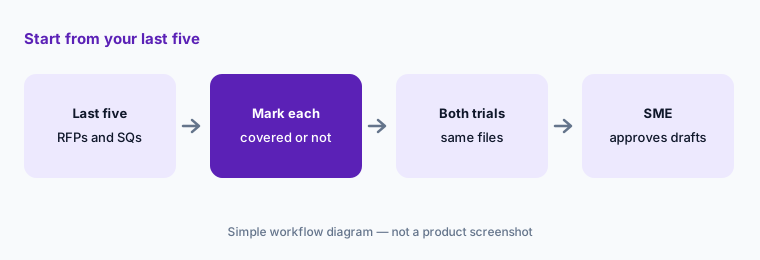
Pull the last five RFPs or questionnaires you actually answered. For each question, mark whether your current content answers it as written, answers it with edits, or doesn’t answer it. That list shows how much either tool’s AI can do for you on day one — and where the library work is, whichever tool you pick. Ask both vendors to run the same five documents in a trial and compare drafts against what you sent.
Primary workflow:
List the last five RFPs or questionnaires you answered. Note which questions each tool’s AI could answer from your library today.
2. Content model: Loopio’s Library hygiene vs Responsive’s collections and sources
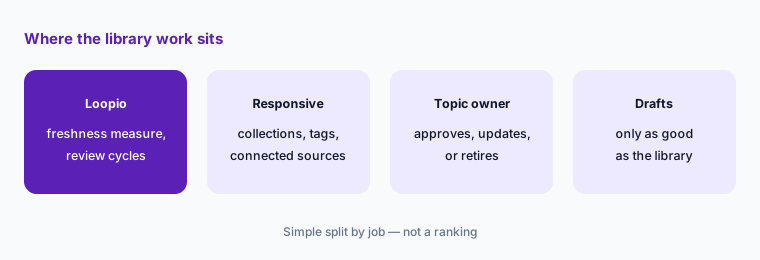
What it is: Loopio gives every Library entry a freshness measure that decays over time and rises when someone reviews or uses the entry. Its Library Report groups entries as Fresh, Needs Review, Out of Date, or Stale; Review Cycles put categories on a schedule with a named reviewer; and Stacks control who can see which content, so drafts only use entries a person may access. Responsive organizes its Content Library with collections and tags that can also limit what an agent reads, and connects outside sources such as SharePoint, Google Drive, and Confluence; its help center describes content moderation, and its AI Draft “library answers only” mode keeps drafting tied to approved entries.
The difference matters most for a team whose content goes stale fast. Loopio puts the aging signal on each entry; with Responsive, ask how stale content is found and who is told. Whichever you choose, the library needs an owner per topic — a tool can flag an old entry, but only the person who owns the topic knows whether it is still true.
Find the stale answers:
Ask each tool to list every security answer nobody has reviewed in a year. Assign each one to a named owner to approve, update, or retire.
3. AI drafting vs agents: Response Intelligence vs Responsive AI and Agent Studio
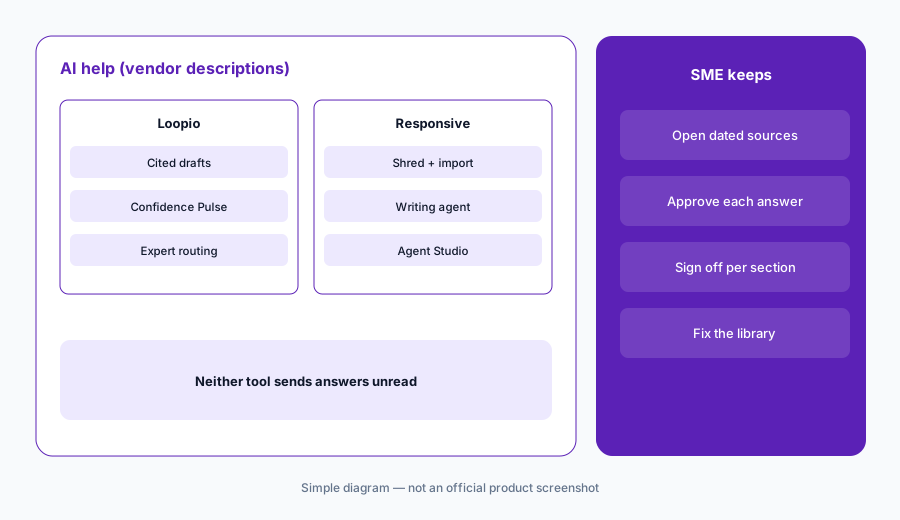
What it is: Loopio calls its AI Response Intelligence. It drafts Automated Answers with linked citations and a Confidence Pulse indicator of accuracy, trust, and completeness, maps incoming Word, Excel, PDF, and portal documents, writes a Proposal Summary for go/no-go calls, and suggests experts. Loopio says generative AI is never enabled automatically. Responsive describes its AI as agents across the response: one shreds RFPs, DDQs, and security questionnaires, an import agent formats documents, a writing agent produces first drafts, Ask answers questions in chat with citations, and a TRACE check looks at the accuracy, relevance, and traceability of AI drafts so problems show up before review. Agent Studio lets teams build their own no-code agents; its help article describes it as an early access program for select customers.
More agents means more work done before a person looks — and more places to check. With either tool, have the SME read drafts in order of risk, not order of confidence: anything naming a certification, a date, a number, or a contractual commitment gets its source opened, however confident the tool is.
Same questionnaire, both tools:
Run one security questionnaire through both trials. Open the source for every draft that names a date, a number, or a certification, whatever the tool’s confidence signal says.
4. Who reviews: experts and review cycles vs reviewers per section
What it is: Loopio’s Recommended Experts suggests SMEs from past contributions and routes content for answering, review, and sign-off; Review Cycles keep Library owners on a schedule, and multi-step reviews with reviewers in sequence are listed on the Enhanced plan. Responsive’s help center describes a project owner assigning reviewers, who mark questions or sections with Submit for Review and Complete Review; a reviewed question can’t be reverted, though a section can be reopened. Both put a person between the draft and the buyer — the tools differ in where the reviewer is chosen and how the sign-off is recorded.
Decide before the trial who signs off on each section — security, legal, product, finance — and write it on the project. Then check that the tool records that person’s approval, not just that someone clicked through.
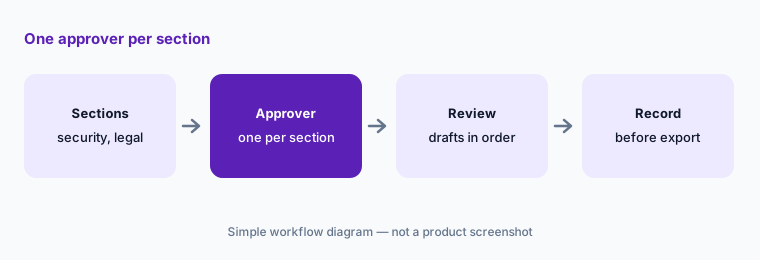
One approver per section:
Name one approver for each section of your next RFP. Check that each tool records that person’s sign-off before export.
5. Integrations and outside AI: MCP servers, connectors, and portals
What it is: Loopio lists integrations with Salesforce, Slack, Microsoft Teams, SharePoint, Google Drive, Confluence, Copilot, and Glean, SmartScan and SmartFill for buyer portals, and an MCP server that connects Claude to your Library; its help center says every write from Claude needs your confirmation and your Loopio permissions apply. Responsive lists more than 30 integrations, including Highspot, Seismic, Microsoft Word, and Google Sheets, an MCP server for ChatGPT, Claude, and Microsoft Copilot, and Portal Automation — announced in May 2026 as a beta for Chrome and Edge — that works inside third-party risk portals such as Whistic, OneTrust, and UpGuard.
An MCP connection means your approved answers can show up in someone’s general chat assistant. That is useful for a salesperson answering a quick question and risky if the chat answer is pasted into a contract without review. Decide who may connect, what they may read, and whether anyone may write back.
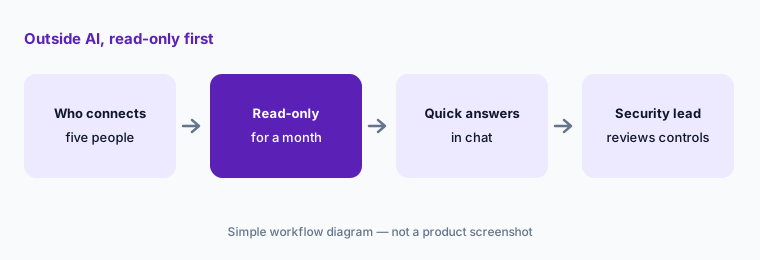
Read-only first:
Connect one outside AI tool to the library for five people, read-only, for a month. Send any answer about a control or a certification to the security lead before it goes to a customer.
6. Pricing and quotes: same scope to both vendors
What it is: Loopio publishes no prices: Foundations, Enhanced, and Enterprise are all quoted by sales, and the pricing FAQ says Foundations includes 10 seats; add-ons include project translations, onboarding packages, and industry integrations. Responsive lists its Emerging Edition as “Starting from $10,000” and its Growth and Enterprise Editions by quote, and describes pricing as an annual platform fee plus user licenses and add-ons. Neither page says which AI features, connectors, or agent counts are in a base quote.
Send both vendors the same one-page scope and compare like with like: number of responses a year, number of seats and SMEs who only review, the integrations you need, whether you want the MCP server, portals, and custom agents, and the languages you answer in. Ask for renewal terms in writing.
Quote the same scope:
Send both vendors the same scope: responses a year, writers and reviewers, integrations, MCP and portal needs, and languages. Ask which items are add-ons and what renewal looks like.
Pricing context (October 2026)
Loopio publishes no prices (checked 10 Oct 2026). Foundations, Enhanced, and Enterprise are “Let’s Talk”; the pricing FAQ says Foundations includes 10 seats; add-ons listed are project translations, onboarding packages, and industry integrations. See loopio.com/pricing.
Responsive lists the Emerging Edition “Starting from $10,000” and the Growth and Enterprise Editions by quote (checked 10 Oct 2026), priced as an annual platform fee plus user licenses and add-ons. See responsive.io/pricing.
Uncertainty: Only Responsive publishes a number, and it is a starting price without a stated term or list of inclusions; Loopio publishes none. Responsive’s Agent Studio is an early access program and Portal Automation a beta, and some of its help-center naming differs from its marketing pages. Loopio’s release notes need a customer login, and its MCP help article didn’t show a release-stage label. Accuracy and win-rate statements on both sites are vendor claims. Confirm everything on your quote.
When it’s useful (honest take)
Loopio is useful when your team’s main problem is keeping a large library current, you want AI drafts tied to cited entries with confidence indicators, generative AI switched on only when an admin decides, and an MCP connection for Claude users.
Responsive is useful when you run a large, multi-team response program, want agents that shred and draft and the option to build your own, need connections to ChatGPT, Claude, and Microsoft Copilot, or answer many questionnaires inside third-party risk portals — and you can live with early access and beta labels on some of it.
Less useful when (either one) you answer a handful of questionnaires a year that your compliance platform already covers, nobody will own the library, or you want answers to reach buyers without an SME reading them.
Still choosing between Loopio and Responsive? The $19 AI toolkit audit gives you a written plan for which tools to keep using and which to drop across your whole AI stack, including this pair.
Prefer to do it yourself? Spreadsheet — $9
Related options (educational)
| Need | Better home | Why |
|---|---|---|
| Library hygiene and cited drafts | Loopio AI | Freshness, review cycles, Confidence Pulse |
| Agents and custom agents for large programs | Responsive AI | AI Draft modes, Agent Studio |
| Security reviews plus a trust center | Conveyor AI | Knowledge Librarian, Slack approvals |
| Questionnaires inside the compliance platform | Vanta AI or Drata AI | Answers next to your evidence |
| Answering buyers from a trust profile | Whistic AI | Smart Response, Trust Center Exchange |
| Drafting from your own sanitized notes | Claude for security ops | No customer data in prompts |
FAQ
Is Loopio or Responsive better for RFPs?
Neither in general, and this page is not a ranking. Loopio leans on library hygiene and cited drafts with confidence indicators; Responsive leans on agents, custom agents, and broad AI connections. List your last five RFPs or questionnaires and check which questions each tool’s AI could answer from your library today.
How much do Loopio and Responsive cost in October 2026?
Loopio publishes no prices; its Foundations plan includes 10 seats. Responsive lists its Emerging Edition starting from $10,000, with Growth and Enterprise by quote (both checked 10 October 2026). Send both the same scope and compare like with like.
Is Responsive the same company as RFPIO?
Yes. RFPIO renamed itself Responsive; rfpio.com redirects to responsive.io, and its pricing page is titled “Responsive (formerly RFPIO)”.
Can either tool answer security questionnaires without a person checking?
Both can draft answers automatically, and both have settings that limit drafting to approved content, but neither should send answers to a buyer unread. Have the SME who owns each topic approve every answer that names a control, a date, or a certification.
Do Loopio and Responsive work with ChatGPT or Claude?
Loopio offers an MCP server for Claude, and writes from Claude need your confirmation. Responsive offers an MCP server for ChatGPT, Claude, and Microsoft Copilot. Start read-only and decide who may connect.
Optional next step (if seats overlap)
If you pay for a response tool, a compliance platform’s questionnaire module, and chat seats that all answer the same questions from different copies of your content, that overlap is worth mapping. Map the overlap with the $19 AI toolkit audit or the $9 AI toolkit spreadsheet. Email Audit $19 or Toolkit spreadsheet $9.
Checkout is live via Stripe. After you pay, we email delivery (spreadsheet) or intake next steps (audit).