Tool · Questionnaires & RFPs · Responsive · Oct 2026
Responsive AI review (Oct 2026): AI agents for RFPs, DDQs, and security questionnaires (formerly RFPIO)
Responsive — the company formerly called RFPIO; rfpio.com now redirects to responsive.io — sells what it calls a Strategic Response Management platform: a Content Library of approved answers, response projects for RFPs, DDQs, and security questionnaires, and reviewer workflows. Its AI, Responsive AI, is now packaged as agents: an import agent that structures incoming documents, a writing agent for first drafts, analysis agents for fit and executive summaries, Ask for cited answers on the desktop, a no-code Agent Studio, and, since May 2026, an MCP server for ChatGPT, Microsoft Copilot, and Claude. This page explains those features and where reviewers still have to sign off before anything is submitted. Each section has a Try this.
What this Responsive page covers
This page is for a proposal or bid manager, a sales or solutions consultant, or a security lead who answers DDQs and vendor security questionnaires, at a company that already runs (or is about to run) a shared content library. The question it answers: what Responsive’s AI agents draft and analyze, which settings control how much text they generate, and how to keep a named reviewer on every answer before submission.
Responsive describes Responsive AI as drawing on your best content “guided by subject-matter experts.” Its product pages describe agents across the pursuit lifecycle — shredding an RFP into requirements and a go/no-go summary, importing complex questionnaires with tables and dropdowns, drafting answers, and an Ask app with source citations — plus a Trust Center with licensed SIG and CAIQ templates. Its Spring 2026 release (13 May 2026) added the MCP server and a Portal Automation beta; its Fall 2025 release added Fit Analysis and Executive Summary agents and a reworked Agent Studio. In May 2025 Responsive acquired Bidhive, an Australian bid management company.
Ground rules: a first draft is a starting point, not a submission; every answer that goes to a buyer is approved by a named reviewer; and settings that limit AI to approved library content are worth using for regulated or security answers. Facts come from Responsive’s website, newsroom, and help center as read on 10 October 2026; its opportunity totals, ROI, and time-saved figures are vendor or customer claims and aren’t repeated here.
Major features (with how someone uses them)
Examples at a glance: each feature has a concrete example from a real job plus a short Try this you can run this week.
1. First pass on a real RFP: mark what needs an SME (primary)
What it is: Responsive’s import agent ingests an RFP, DDQ, or questionnaire and identifies its tables, dropdowns, and subsections; the writing agent — called AI Draft in the help center — generates responses from your Content Library and prior answers. A separate Auto-Respond feature matches questions to library Q&A pairs: you choose sections, set a match percentage with a slider, preview the matches, and apply them. Each AI-generated answer carries Responsive’s TRACE check, which it says evaluates accuracy, relevance, and traceability to sources.
The point of a first pass is to find where the people are needed. Before anyone polishes wording, go through the draft and mark every answer that makes a commitment — security controls, certifications, service levels, prices, contract terms, roadmap items — or that the TRACE check or your own reading says is thin. Those go to an SME with a deadline; the rest go to a proposal writer.
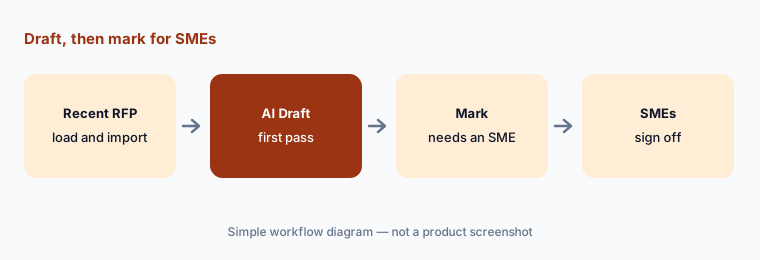
Primary workflow:
Load one recent RFP and let Responsive’s AI draft the first pass. Mark every answer that needs an SME before it ships.
2. AI Draft answer modes: library-only vs library plus AI
What it is: Responsive’s help center describes two AI Draft answer modes. “Content Library answers and AI drafted answers” uses library content first and generates new text when needed. “Content Library answers only” uses approved library answers and returns only exact matches — if there is no exact match, no answer comes back. A Super Admin sets the mode for the organization under Organization Settings → Responsive AI → Preferences; if the organization allows generation, users can pick library-only for a particular project or section on the AI Draft Instructions & Filters page. Responsive says library-only suits regulated, compliance-heavy, or brand-sensitive work.
This is the most useful control on the platform for security and due-diligence answers. A blank is honest; a fluent generated answer about a control you don’t run is not. Consider library-only for security questionnaires and DDQs, and library-plus-AI for narrative proposal sections where a writer will rework the text anyway.
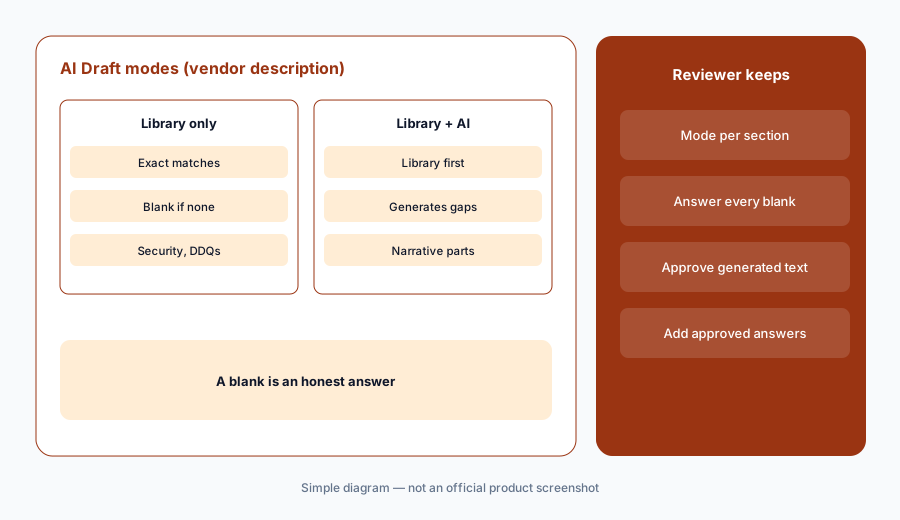
Library-only for security:
Run AI Draft on one security questionnaire section with Content Library answers only. Have the SME answer every blank from current evidence and add the approved answers to the library.
3. Reviewers, the TRACE check, and sign-off before export
What it is: In a response project, the owner assigns reviewers at the question or section level. Reviewers can edit answers and metadata, add comments, and post clarifications; when a section is submitted for review, questions needing review get a yellow border, the reviewer is emailed, and Complete Review (or the Reviewed toggle per question) turns them green. Responsive notes that a question can’t be set back once marked reviewed, though a completed section can be reopened. Its help article on auto-generated answers says the TRACE indicator disappears if you edit an answer by hand, and refreshes if you revise it with the AI Assistant.
Make review a gate, not a courtesy: no export until every section is green and every reviewer is a named person who owns that topic. Remember that a hand-edited answer loses its TRACE indicator — which is fine, because the reviewer’s name is the check that matters.
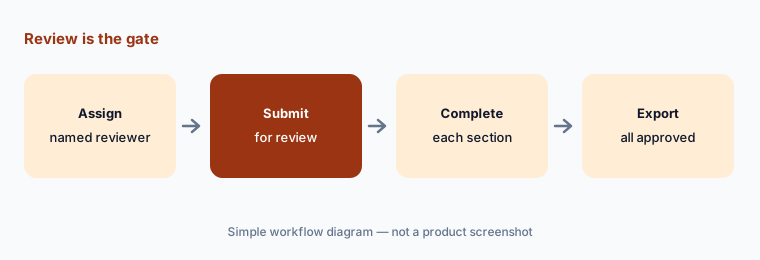
Make review the gate:
Assign a named reviewer to every section of one project and export only after every section shows Complete Review.
4. Agents: Fit Analysis, Executive Summary, and Agent Studio
What it is: Responsive’s Fall 2025 release added a Fit Analysis Agent that reviews an RFP for key requirements, risks, and red flags to help with go/no-go decisions, and an Executive Summary Agent that drafts summaries aligned to buyer priorities. Agent Studio is a no-code builder for custom agents: you describe the task, add input fields such as file uploads, and choose knowledge sources — your Content Library filtered by collections and tags, SharePoint, Google Drive, selected websites (up to ten), or all public websites. The help center (updated in mid-September 2026) says Agent Studio is in an Early Access Program for select customers, and that agents can’t yet make bulk updates to content or metadata.
A go/no-go agent can list requirements; it can’t know your capacity or strategy, so the bid owner still decides. For custom agents, the knowledge-source screen is where accuracy is won or lost: an agent allowed to use all public websites can mix a competitor’s blog into an answer about your product. Limit agents that draft buyer-facing text to approved library collections, and name an owner for each agent.
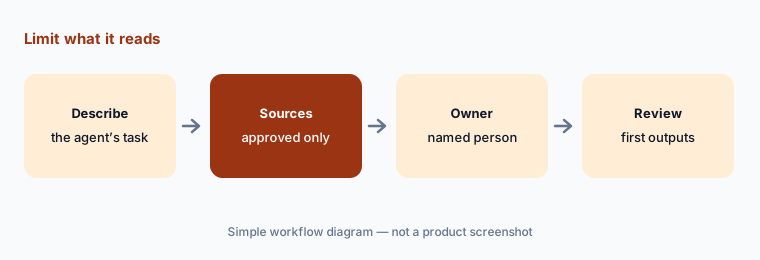
Limit the sources:
Build one Agent Studio agent limited to a single approved library collection, with public websites off. Name an owner and review its first five outputs.
5. Portal Automation and the Trust Center
What it is: Portal Automation, announced in the Spring 2026 release, completes third-party questionnaires in buyers’ portals, keeps collaboration and an audit trail inside Responsive, and syncs completed responses back to the portal. Responsive says it is in beta, works in Chrome and Microsoft Edge, and supports portals including Whistic, OneTrust, Coupa, Venminder, BitSight, Hologic, ProcessUnity, and UpGuard. The Trust Center publishes pre-approved security profiles and documents with NDA automation, access controls, and audit logs; Ask by Responsive answers visitors’ questions using only approved content with cited sources, and Responsive offers officially licensed SIG and CAIQ templates.
A synced portal answer is a submitted answer. Read the portal view before the final sync, the way the buyer’s risk team will. For the Trust Center, decide which documents sit behind the NDA and who reviews the questions visitors asked that Ask couldn’t answer.
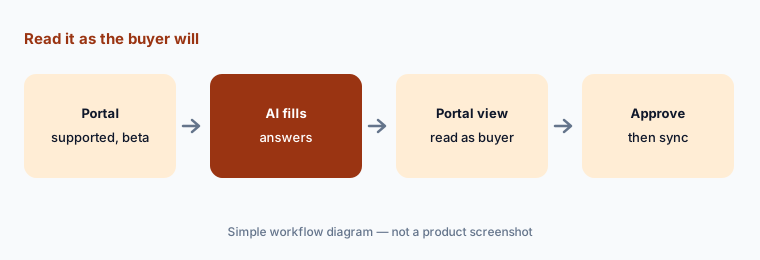
Read it as the buyer will:
On one supported portal, let Portal Automation fill the answers, then read every answer in the portal view and get the security lead’s approval before the final sync.
6. MCP server: Responsive in ChatGPT, Copilot, and Claude
What it is: The Responsive MCP Server, launched with the Spring 2026 release, connects ChatGPT, Microsoft Copilot, and Claude to your Content Library so sales and field teams can answer customer questions and draft emails, proposals, and presentations from vetted content without leaving their AI tool. Responsive says every response stays traceable to source content. Its AI product page also describes Ask, a desktop app that answers from the library with source citations and can be pointed at external sites such as your help center.
This moves approved answers into places with no reviewer workflow: a rep’s email draft is sent the moment they click send. Agree a simple rule — anything quoted to a customer must show a library source, and anything the assistant writes beyond that goes to the topic owner first — and spot-check what reps send in the first month.
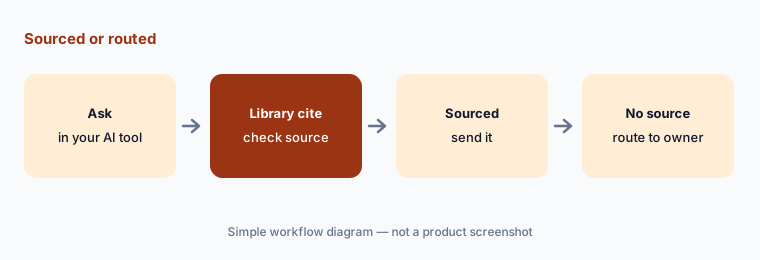
Sourced or routed:
Have one seller ask five real customer questions through the MCP connector. Send only answers that show a library source and route the rest to the topic owner.
Pricing context (October 2026)
Responsive’s pricing page (checked 10 Oct 2026) lists the Emerging Edition “Starting from $10,000” and the Growth and Enterprise editions by contact with sales. Emerging includes unlimited response projects, an AI and automation studio, unlimited content and collaboration, integrations and access control, and admin, reporting, and support; Growth adds intake requests, LookUp and eSignature, advanced integrations and access controls, and flexible hosting; Enterprise adds flexible custom AI, enterprise security and controls, advanced reporting, and premium connectors. See responsive.io/pricing.
The page says every deployment has three parts: a platform fee (an annual subscription), user licenses, and add-ons and services such as Professional Services, LookUp, and the Trust Center. The $10,000 figure is shown without a stated period or seat count, so treat it as a floor and ask what it covers.
Uncertainty: Only the Emerging Edition shows a figure, and the page doesn’t say what the $10,000 includes in seats or term; user licenses and add-ons are priced separately. Agent Studio is in an Early Access Program for select customers, Portal Automation is in beta, and Responsive’s product, news, and help pages use slightly different names for the same AI features (writing agent vs AI Draft, AI Assistant vs Responsive AI). The pricing FAQ answers didn’t load when we read the page. Customer ROI and time-saved figures on Responsive’s site are claims, not our measurement.
When it’s useful (honest take)
Useful when a proposal team answers a high volume of RFPs, DDQs, and security questionnaires, has (or will build) a maintained Content Library with owners, wants a reviewer gate on every section, and would use library-only mode for regulated answers.
Less useful when you answer a handful of questionnaires a year that your GRC platform already handles, the starting price is out of proportion to your volume, or you hope agents will make bid and disclosure decisions. Reviewers still sign off on every submission.
Paying for Responsive AI and a few other AI tools? The $9 AI toolkit spreadsheet lists every AI subscription you have, what each one costs, and how fast it pays for itself, so you can see which ones are worth the money.
Want someone to do it for you? AI toolkit audit — $19
Related options (educational)
| Need | Better home | Why |
|---|---|---|
| High-volume RFPs and DDQs with agents | Responsive AI (this page) | AI Draft modes, TRACE, Agent Studio |
| Proposal team with a library-first workflow | Loopio AI | Freshness, review cycles, Confidence Pulse |
| Security reviews plus a trust center | Conveyor AI | Knowledge Librarian, Slack approvals |
| Questionnaires inside the GRC platform | Drata AI or Vanta AI | SafeBase; Questionnaire Automation |
| Choosing a platform for a first audit | Secureframe vs Sprinto | Questionnaire allowances by plan |
| CRM-side drafting for sellers | Salesforce Einstein | Where the deal record lives |
FAQ
Is Responsive the same company as RFPIO?
Yes. Responsive is the company formerly called RFPIO; rfpio.com redirects to responsive.io, and Responsive’s own pricing page title says “formerly RFPIO.”
How much does Responsive cost in October 2026?
Responsive’s pricing page lists the Emerging Edition starting from $10,000, with Growth and Enterprise by quote (checked 10 October 2026). It says pricing combines an annual platform fee, user licenses, and add-ons and services.
What AI agents does Responsive have?
Its product pages describe an import agent, a writing agent (AI Draft in the help center), agents that shred RFPs for go/no-go decisions, a Fit Analysis Agent and an Executive Summary Agent (Fall 2025), Ask for cited answers, and Agent Studio for no-code custom agents, which is in an Early Access Program.
Can I stop Responsive AI from generating new text?
Yes. A Super Admin can set AI Draft to “Content Library answers only,” which returns only exact library matches and leaves the rest blank. If the organization allows generation, users can still choose library-only for a particular project or section.
Does Responsive work with ChatGPT, Copilot, or Claude?
Yes. The Responsive MCP Server, launched in the Spring 2026 release on 13 May 2026, connects ChatGPT, Microsoft Copilot, and Claude to your Content Library so teams can answer from vetted content inside those tools.
Optional next step (if seats overlap)
If you pay for an RFP platform, a GRC tool’s questionnaire module, a trust center, and chat seats that all answer the same buyer questions, that overlap is worth a look. Map the overlap with the $19 AI toolkit audit or the $9 AI toolkit spreadsheet. Email Audit $19 or Toolkit spreadsheet $9.
Checkout is live via Stripe. After you pay, we email delivery (spreadsheet) or intake next steps (audit).