Tool · Compliance & trust · Drata · Oct 2026
Drata AI review (Oct 2026): agentic trust management for compliance, questionnaires, and vendor risk
Drata is a compliance automation and “trust management” platform: it connects to your cloud, identity, and HR tools, monitors controls against frameworks such as SOC 2 and ISO 27001, collects evidence, and — since it brought in SafeBase — runs a Trust Center and security-questionnaire workflow too. Its AI layer, branded Drata AI, now reaches across that work: drafting questionnaire answers from your approved content, flagging stale Knowledge Base entries, running vendor security reviews through a TPRM Agent, explaining failing tests, and connecting AI assistants through the Drata MCP server. This page is about using those drafts and agents while a named control owner still approves what leaves the company. Each section has a Try this.
What this Drata page covers
This page is for a security or GRC lead, or the one engineer who “owns compliance” at a growing company, who answers security questionnaires for sales, reviews vendors, and keeps controls audit-ready. The question it answers: which parts of that work Drata’s AI drafts or runs for you, where it asks for approval, and where a person still has to check the evidence.
Drata describes itself as an “Agentic Trust Management Platform.” On its AI page (read 10 October 2026) it lists AI Questionnaire Assistance, an Agentic TPRM Assessment, and a newer AI Agent Governance product, plus smaller features such as AI policy-to-control mapping, AI vendor SOC 2 summaries, AI test-failure insights, AI-generated cloud tests, AI document parsing, Trust Center item descriptions, and answers to trust questions in Slack and Microsoft Teams. Drata’s help center records the SafeBase acquisition in February 2025, and its product-updates page shows SafeBase Trust Center changes through late September 2026.
Ground rules: an AI draft is not an answer until the control owner has checked it against current evidence; the TPRM Agent recommends, a named risk owner decides; nothing is published to a Trust Center without review; and audit reports shared under NDA stay inside Drata rather than general chat tools. A tool collects and organizes evidence — your auditor still does the attesting. Facts below come from Drata’s website, product updates, and help center as read on 10 October 2026; Drata’s customer statistics are not repeated here.
Major features (with how someone uses them)
Examples at a glance: each feature has a concrete example from a real job plus a short Try this you can run this week.
1. AI Questionnaire Assistance: drafts from approved content (primary)
What it is: AI Questionnaire Assistance (Drata calls it AIQA) drafts answers to inbound security questionnaires using your Knowledge Base — answers your subject-matter experts have written — and documents in your Trust Center. You control which sources it uses (controls, policies, past responses), and proposed answers are presented for review so users can approve, edit, or reject each one; Drata says the AI learns from edits and rejections. The product page lists document parsing for PDF and DOCX questionnaires, a Chrome extension that fills answers inside customer trust portals, assignment of subject-matter experts and question owners, and analytics such as AI completion rate. In a March 2026 blog post Drata previewed Agentic Questionnaire Response, which routes gaps to the right expert and sends reminders, as “coming soon.”
The risk with any questionnaire AI is a confident answer that was true last year. Pick the person who owns each control area and make them the approver for those questions, and ask them to open the evidence — the policy version, the last access review, the current pen-test date — rather than the old answer. If an answer can’t be backed by something current, it should say so. Our how-to on answering a questionnaire row with evidence or “Unknown” works the same way in Drata.
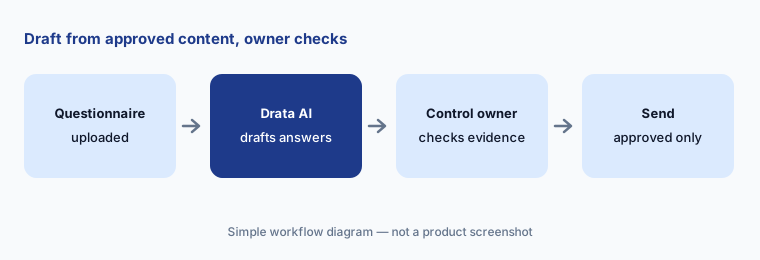
Primary workflow:
Pick one recent security questionnaire. Let Drata AI draft the answers, then have the control owner check each one against current evidence before it goes out.
2. Knowledge Base Potential Issues: clean the source
What it is: Questionnaire drafts are only as good as the Knowledge Base behind them. Drata’s Potential Issues feature (product update dated 11 April 2026) scans the Knowledge Base and flags invalid question-and-answer pairs, unclear answers, and contradictory entries; you can then edit or delete flagged entries in bulk after a required manual review, and Drata says no deletion happens without explicit confirmation. Generative AI has to be enabled for full detection — without it, only duplicate and similar-question matching runs — and Drata asks you to set auto-resolve preferences before you start.
Treat this as a monthly chore with an owner, not a one-time cleanup. Before you accept any bulk change, read the two conflicting answers side by side: one of them is usually the current truth and the other is an old commitment a salesperson may have relied on. Keep the auto-resolve settings conservative until you’ve seen a few rounds.
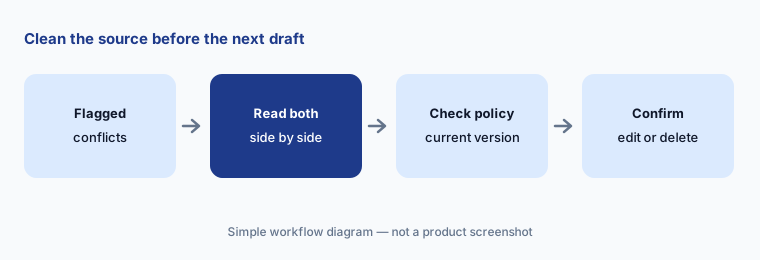
Clean the source first:
Open the Knowledge Base issues Drata flags this month. For every contradiction, check the current policy before you keep one answer and delete the other.
3. TPRM Agent: vendor reviews with approval cards
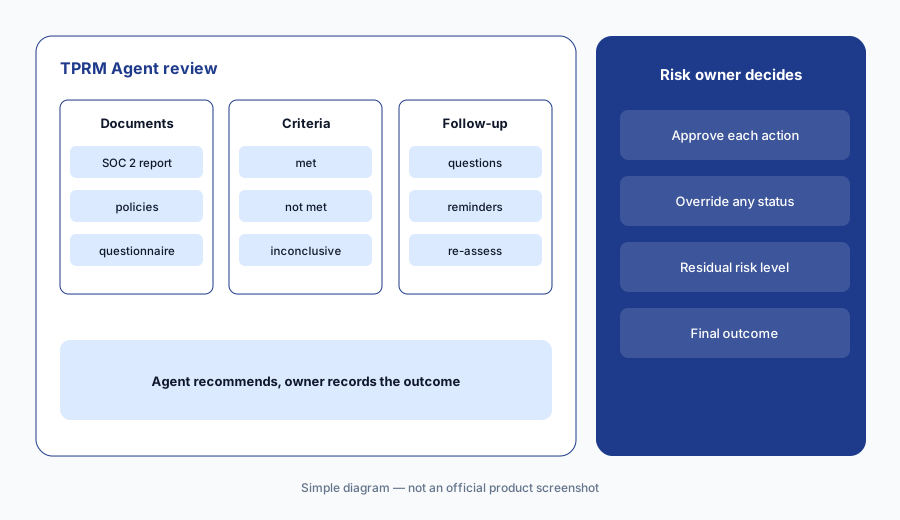
What it is: Drata’s TPRM Agent runs a vendor security review from the Drata AI chat panel. Per Drata’s help center, you ask it to start a review; it collects and processes the vendor’s documents, evaluates them against your criteria, recommends a residual risk level with its reasoning shown, and prepares a follow-up questionnaire, observations, and a final report. The agent asks for approval before it takes an action — an approval card shows exactly what it is about to do — and you can override any criterion status or decision. Criteria it can’t assess are marked inconclusive. When a follow-up questionnaire goes out, Drata sends the vendor a reminder every three days by default, and the agent re-runs the assessment when the vendor responds. Outcomes include approved and approved with conditions.
The agent is fast at reading a 90-page SOC 2 report; it isn’t the person accountable for letting a vendor touch customer data. Name a risk owner for each vendor tier, have them read the agent’s reasoning for every criterion it marked met on a critical vendor, and keep the final approval with them. Mark criteria not applicable before generating the follow-up questionnaire so vendors get fewer questions.
Compare with last year:
Run one review with the TPRM Agent on a vendor you reviewed by hand last year. Compare its criteria results with last year’s file before you accept any status.
4. Test-failure insights, cloud tests, and policy mapping
What it is: Inside the compliance side of Drata, the AI page lists AI Test Failure Insights (plain-language explanations of why a monitoring test failed), AI-Generated Cloud Tests for AWS, Azure, and GCP, AI Policy-to-Control Mapping from policy text, control suggestions for custom and modified policies, and AI Policy Version Comparison that summarizes what changed between policy versions for approvers and auditors.
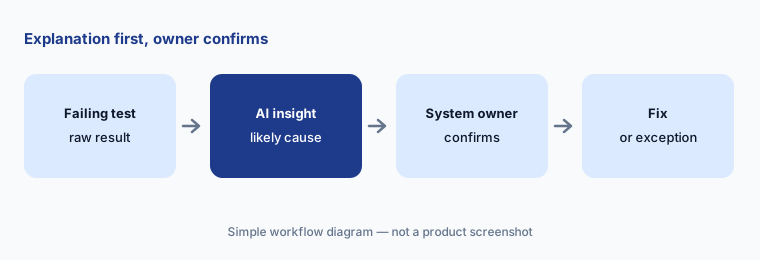
An explanation of a failing test is a hypothesis about your environment, not a finding. Have the engineer who owns the system confirm the cause before anyone changes a configuration, and treat AI-written cloud tests like code: someone reads the logic and checks it against a known-good and a known-bad resource before it counts as evidence. Mapping suggestions need the control owner’s yes.
Confirm the cause:
Pick one failing test and read Drata AI’s explanation next to the raw test result. Have the system owner confirm the cause before anyone changes the configuration.
5. Trust Center (SafeBase): AI descriptions and answers where people ask
What it is: Drata’s Trust Center work now runs through SafeBase. Drata’s AI page lists AI Trust Item Descriptions (externally facing descriptions generated for each item), AI search of the Trust Library, and AI Search for Collaboration Tools, which answers trust questions asked in Slack and Microsoft Teams. Drata’s product updates page shows SafeBase changes in late September 2026: a rich text editor for Trust Centers (28 September), notification settings for email, Slack, or Teams (28 September), and SafeBase for Salesforce v1.28, which lets reps submit portal-based questionnaires from Salesforce with a due date (25 September). Drata also previewed AI Trust Center Setup — drafting items from documents already in Drata for review before publishing — as coming soon in March 2026.
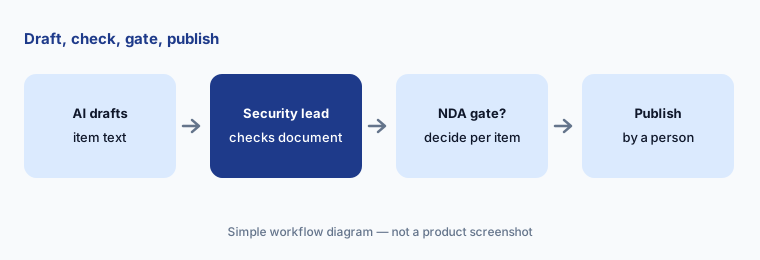
Anything on a Trust Center is a public statement to customers. Let the AI draft descriptions, but have the security lead edit each against its linked document, and decide which documents sit behind an NDA. If sales can ask trust questions in Slack, tell them the answer is a starting point and that commitments in a contract still go through security.
Draft, check, publish:
Ask Drata AI for descriptions of three Trust Center items. Have the security lead edit each one against the linked document before it’s published.
6. Drata MCP and AI Agent Governance: scoped access, then agents
What it is: The Drata MCP server lets AI assistants such as Claude, ChatGPT, Cursor, and Microsoft Copilot query and act on Drata data — controls, policies, risks, evidence, vendors, personnel, devices. Per Drata’s help center, an administrator first creates an MCP OAuth configuration with a name, an expiration date, and chosen scopes; each user then connects their client, and they can only do what both the scopes and their Drata role allow. Some scopes allow create, update, and delete, and Drata says to grant those deliberately. Separately, AI Agent Governance (announced in Limited Availability on 4 August 2026, Anthropic environments first, with OpenAI, Google Vertex AI, and AWS Bedrock coverage in development) discovers AI agents, evaluates their tool calls against policy through an MCP proxy, and logs evidence; Drata says policies can be tested against historical traffic before enforcement.
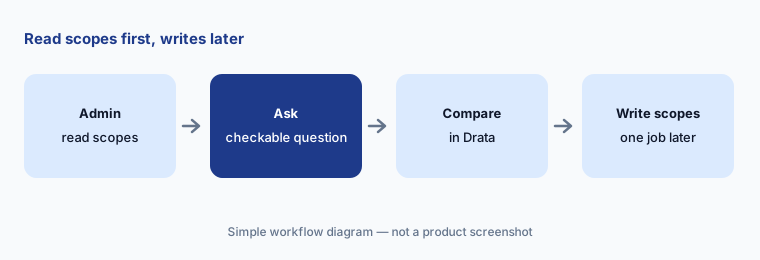
Start the MCP with read scopes only and a short expiry, and ask questions whose answers you can check in Drata. Add write scopes later for one named person and one job, such as uploading training evidence. If you’re evaluating Agent Governance, begin with discovery and simulation; turning on blocking is a decision for the security lead and the teams whose agents it affects. For drafting with your own sanitized notes, see Claude for security ops.
Read scopes first:
Set up the Drata MCP with read scopes only and an expiry date. Ask one question you can check in Drata, such as which controls are missing evidence.
Pricing context (October 2026)
Drata’s pricing page (read 10 Oct 2026) shows no published prices. It describes plans by stage — Startup, Growth, and Enterprise — and routes you to a conversation with sales. Drata doesn’t publish which AI features come with which package, so ask for AI Questionnaire Assistance, the TPRM Agent, SafeBase Trust Center, and MCP access by name in the quote.
AI Agent Governance is in Limited Availability for qualified enterprises running agents on Anthropic, per Drata’s 4 August 2026 announcement. For existing Drata customers moving to SafeBase’s Trust Center or AI Questionnaire Assistance, Drata’s help center refers to an “exclusive package” without prices.
Uncertainty: Drata publishes no prices, so the packaging of AI features is unconfirmed until you get a quote. Agentic Questionnaire Response and AI Trust Center Setup were described as “coming soon” in March 2026; check whether they’re live in your account. Help-center articles show relative update dates (“over a month ago”), so details such as the three-day reminder default may change. Drata’s own marketing statistics are not repeated here; read them as vendor claims.
When it’s useful (honest take)
Useful when a company already answers several security questionnaires a month, reviews a growing vendor list, and has control owners who will approve AI drafts in their area — and wants questionnaires, Trust Center, vendor reviews, and continuous monitoring in one place.
Less useful when you face one audit a year and almost no questionnaires (a lighter tool or a spreadsheet may do), nobody owns the Knowledge Base, or you hope the AI will make the compliance decisions. Tools don’t certify anyone; your auditor still tests the controls.
Paying for Drata AI and a few other AI tools? The $9 AI toolkit spreadsheet lists every AI subscription you have, what each one costs, and how fast it pays for itself, so you can see which ones are worth the money.
Want someone to do it for you? AI toolkit audit — $19
Related options (educational)
| Need | Better home | Why |
|---|---|---|
| Questionnaires, Trust Center, vendor reviews in one GRC platform | Drata AI (this page) | AIQA, TPRM Agent, SafeBase |
| Similar platform with AI evidence and questionnaire drafts | Vanta AI | Compare packaging and approvals |
| Remediation code for failing cloud tests | Secureframe AI | Comply AI for Remediation |
| Custom AI actions inside a GRC tool | Sprinto AI | AI Playground and Sprinto Assist |
| Drafting with your own sanitized notes | Claude for security ops | Projects, no vendor data |
| Finding SaaS and AI apps employees use | Zluri or Torii | Discovery before governance |
FAQ
What AI features does Drata have in October 2026?
Drata AI covers AI Questionnaire Assistance from your Knowledge Base and Trust Center, Knowledge Base Potential Issues, a TPRM Agent for vendor security reviews, test-failure insights, AI-generated cloud tests, policy-to-control mapping, Trust Center item descriptions, a Drata MCP server, and AI Agent Governance in Limited Availability.
How much does Drata cost?
Drata publishes no prices (checked 10 October 2026). Its pricing page describes Startup, Growth, and Enterprise stages and asks you to talk to sales, so confirm which AI features are included in your quote.
Does Drata send questionnaire answers automatically?
AI Questionnaire Assistance proposes answers for review; users approve, edit, or reject them. Keep a named control owner as approver for each section and check answers against current evidence before anything goes out.
Can the Drata TPRM Agent approve a vendor on its own?
Drata’s help center says the agent asks for approval before it takes an action and that you can override any status or decision it proposes. It recommends; a named risk owner should record the final outcome.
Is Drata the same company as SafeBase now?
Drata’s help center describes Drata and SafeBase coming together in an acquisition announced in February 2025. SafeBase now powers Drata’s Trust Center work, and Drata’s product updates list SafeBase changes alongside Drata ones.
Optional next step (if seats overlap)
If you pay for a GRC platform, a separate trust center or questionnaire tool, and chat seats that all draft the same security answers, that overlap is worth a look. Map the overlap with the $19 AI toolkit audit or the $9 AI toolkit spreadsheet. Email Audit $19 or Toolkit spreadsheet $9.
Checkout is live via Stripe. After you pay, we email delivery (spreadsheet) or intake next steps (audit).