Tool · Compliance & trust · Secureframe · Oct 2026
Secureframe AI review (Oct 2026): Comply AI for remediation, policies, and security questionnaires
Secureframe is a compliance automation platform: it connects to your cloud and SaaS tools, runs tests against frameworks such as SOC 2, ISO 27001, HIPAA, and CMMC, collects evidence, and adds a Trust Center and questionnaire workflow. Its AI layer, Comply AI, writes infrastructure-as-code fixes for failing cloud tests, checks uploaded evidence, drafts risk assessments, answers security questionnaires from your Knowledge Base with sources, reviews vendor documents, and helps edit policies. A hosted MCP server lets Claude or ChatGPT read and update Secureframe data. This page is about using those drafts while the engineer who owns each system — and the person who owns each answer — still decides. Each section has a Try this.
What this Secureframe page covers
This page is for a security or platform engineer, or a compliance manager, at a company working toward or keeping a SOC 2, ISO 27001, or similar certification. The question it answers: which of Secureframe’s AI features save real hours — fixing failing tests, checking evidence, answering questionnaires — and where a human has to read before anything changes in production or goes to a customer.
Secureframe’s help center article “Overview of AI Capabilities” (dated 16 July 2026) lists Comply AI for Remediation, Evidence Validation, Comply AI for Risk, questionnaire auto-answers, Trust AI answer refinement, Vendor Risk automated review, a Policy Writing Assistant, semantic Knowledge Base search, and access through an MCP server. Its AI page (read 10 October 2026) also lists Comply AI for TPRM and control mapping and carries a banner for a new Secureframe Risk AI. Secureframe says it uses OpenAI models through an API and doesn’t train its own.
Ground rules: AI-written remediation code is reviewed by the engineer who owns the system before anyone runs it; an evidence check is a second reader, not the auditor; questionnaire drafts go to named reviewers; and write access through MCP is limited to people who would make the same change by hand. Facts come from Secureframe’s website and help center as read on 10 October 2026.
Major features (with how someone uses them)
Examples at a glance: each feature has a concrete example from a real job plus a short Try this you can run this week.
1. Comply AI for Remediation: fix code for failing tests (primary)
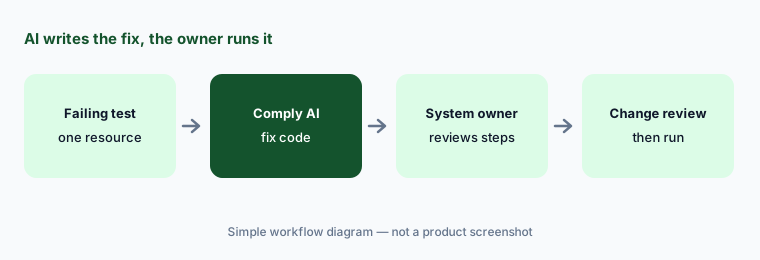
What it is: When a cloud test fails — an unencrypted volume, a public bucket, a missing log setting — Comply AI for Remediation generates step-by-step fix guidance from the test’s detail panel. You choose a method such as the CLI, Terraform, CloudFormation, or CDK, and it writes code tailored to the failing resource. It runs as a multi-turn chat, so you can ask follow-up questions, and you can give each answer a thumbs up or down. Per Secureframe’s AI and ML article, the feature sends OpenAI only the failing cloud resource ID, a username where needed, the failure message, and the test description.
Infrastructure-as-code generated in a chat window is still a change to production. Have the engineer who owns the system read every step, check it against how that resource is managed — if it lives in Terraform, a CLI fix will drift and get reverted — and run it through your normal review. Ask the chat what each step changes and what could break before anyone copies it.
Primary workflow:
Ask Comply AI for remediation steps on one failing test. Have the engineer who owns that system confirm each step before anyone runs it.
2. AI Evidence Validation: a second reader for uploads
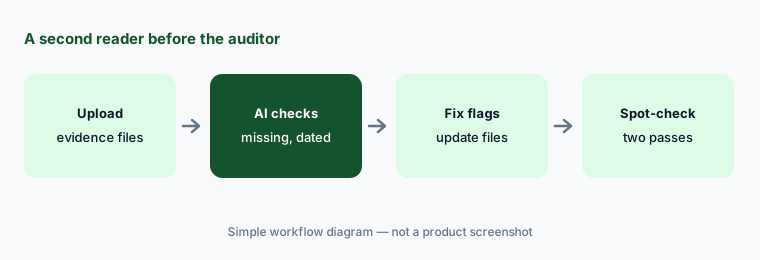
What it is: For tests that need uploaded evidence — a signed policy, a training record, a pen-test letter — AI Evidence Validation reviews the files against the test’s requirements. Secureframe says it checks for missing evidence, issues or inconsistencies in the documents, test-specific custom checks, and whether the evidence is dated within the last 12 months. It accepts PDFs and images up to 10 MB and 100 pages, and results appear as the files are processed. Secureframe launched it in July 2025.
Use it to catch the obvious misses — a document from 14 months ago, a missing signature page — before your auditor does. It doesn’t replace the control owner knowing what the evidence proves, and it can’t tell you a screenshot shows the wrong environment. Fix what it flags, and spot-check a few it passed.
Before the auditor:
Run AI Evidence Validation on one test’s uploads. Fix anything it flags, then open two files it passed and check them yourself.
3. Questionnaire auto-answer with sources and reviewers
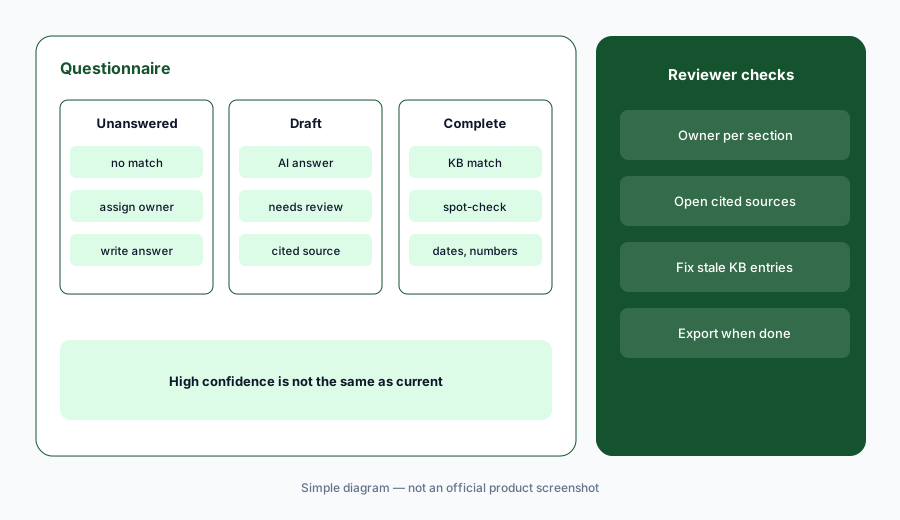
What it is: Upload a security questionnaire and Comply AI drafts answers from your Knowledge Base and policy documents. If there’s an exact Knowledge Base match it uses that answer; otherwise it writes a new one and stores the sources it used. Secureframe’s questionnaire guide (26 August 2026) sorts answers into Unanswered, Draft (needs human review), and Complete (high-confidence matches), lets you assign reviewers, and lets you set owners and review periods for Knowledge Base entries. Trust AI helps refine individual answers in the editing panel. Questionnaire AI requires an admin to authorize data sharing with OpenAI in settings. On the pricing page, Fundamentals includes 100 AI-answered questions a year and Complete includes 15,000.
“Complete” means the system found a strong match, not that the answer is still true. Assign a reviewer for each section, have them open the cited source for any answer about something that changed this year, and give every Knowledge Base entry an owner and a review period so stale answers stop recycling. Our how-to on answering a row with evidence or “Unknown” applies here too.
Check the sources:
Upload one questionnaire, assign a reviewer per section, and have them open the cited source for every answer marked Complete that mentions a date or a number.
4. Comply AI for Risk: a first draft of the assessment
What it is: In a risk’s assessment tab, Complete with Comply AI fills fields that are still empty: categories and departments, confidentiality-integrity-availability levels, a treatment decision, and impact and likelihood scores (plus residual scores) with written justifications. Because it only fills unset fields, Secureframe says it’s safe on partly completed assessments. Its product updates for March 2026 describe an enhanced version that asks for a risk description and owner first. Per the AI and ML article, only the risk description is sent to OpenAI for this feature. The Policy Writing Assistant works similarly inside the policy editor: summarize, simplify, expand, change tone, or translate selected text.
A risk score with a confident paragraph of justification is easy to accept and hard to defend if nobody actually thought about it. Have the risk owner write the description well, read each justification, and change any score they wouldn’t defend to an auditor. Policy edits from the assistant still go through your normal policy approval.
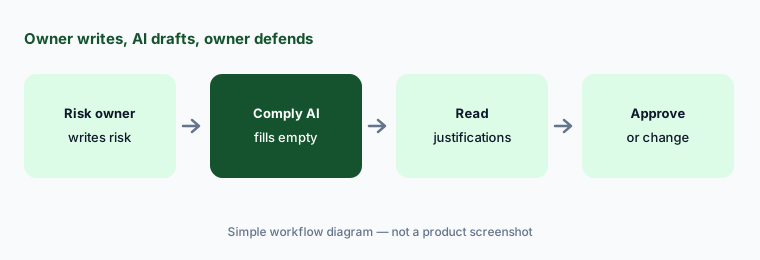
Defend every score:
Write one risk description yourself, then click Complete with Comply AI. Change any score you couldn’t defend to an auditor before you save it.
5. Vendor documents: answers with page citations
What it is: In vendor risk management, Comply AI reads a vendor’s uploaded security documents — a SOC 2 report, security policies — and answers your vendor review questions, with citations to the document and page. You can answer one question or bulk-generate answers for up to 50 at a time. Secureframe’s help center notes this “may be part of an upgraded plan,” and the pricing grid lists Comply AI for TPRM, vendor portal, and automatic vendor and shadow-IT detection under Complete, not Fundamentals. Secureframe says this feature creates temporary vector stores at OpenAI from the uploaded documents and deletes them after use.
Citations make checking faster, so use them: click through on every answer about data location, subprocessors, encryption, and incident notification. If a SOC 2 report has exceptions or carve-outs, read that section yourself — an answer can be correct about the control and still miss that the auditor found it not operating.
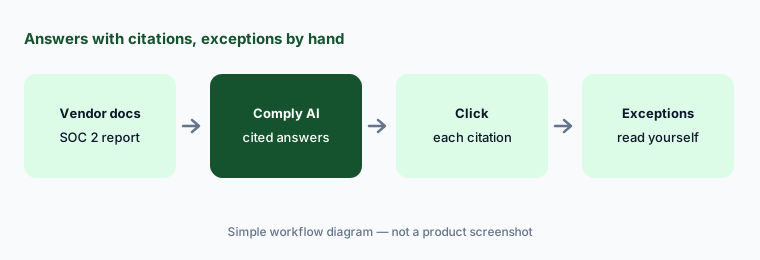
Click every citation:
Bulk-generate answers for one vendor review, then click the citation behind every answer about data location and encryption.
6. Secureframe MCP: read first, then scoped writes
What it is: Secureframe runs a hosted MCP server (blog post dated 5 August 2026), with US and UK endpoints, and you connect Claude, ChatGPT, or another MCP client with OAuth or an API key. Its help article (28 August 2026) describes more than 100 tools across 35+ categories with full read and write access — for example updating a test, adding test evidence, or creating a plan-of-action item — while its developer page lists 112 tools across 41 categories. The server acts as you, with your Secureframe permissions, and Secureframe advises reviewing what the assistant proposes before confirming updates or deletions. Its July 2025 public beta was read-only.
Start with read-only questions you can check in Secureframe, such as which tests are failing for one framework. Before anyone lets an assistant write, decide which changes it may make — attaching evidence is very different from marking a test passing — and have someone with exactly that permission do it, reading each confirmation. For sanitized drafting outside the platform, see Claude for security ops.
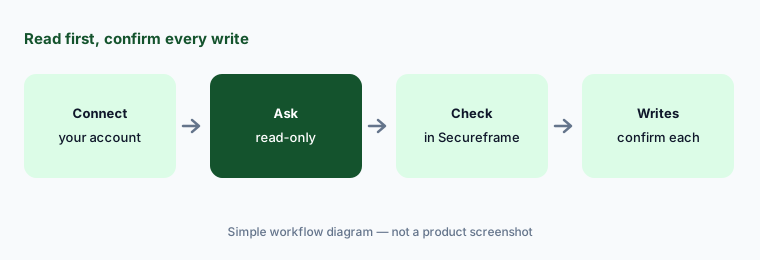
Read before write:
Connect the Secureframe MCP with your own account and ask which tests are failing for one framework. Check the list in Secureframe before you allow any write.
Pricing context (October 2026)
Secureframe’s pricing page (read 10 Oct 2026) lists Fundamentals starting at $7,500/year and Complete and Defense (for government and defense frameworks) by quote. Fundamentals includes one framework, Comply AI for policies, remediation, and risk, a Trust Center with 15 document requests a year, and 100 AI-answered questionnaire questions a year.
Complete adds Comply AI for TPRM, 15,000 AI-answered questions a year, unlimited Trust Center document requests, advanced user access reviews, SSO/SCIM, a vendor portal, and automatic vendor and shadow-IT detection. The grid shows one compliance framework on each plan and workspaces as an add-on; confirm the questionnaire allowance against how many you actually answer.
Uncertainty: Pricing above is only the published Fundamentals starting price; real quotes depend on frameworks, headcount, and add-ons. Secureframe’s own pages disagree slightly on the MCP tool count (100+ in the help article, 112 on the developer page), and the vendor-document feature “may be part of an upgraded plan.” The FAQ on the AI overview article looked mid-revision when we read it, so confirm data handling in your contract. Feature names change often in this category.
When it’s useful (honest take)
Useful when you run most of your infrastructure in AWS, Azure, or GCP with code, have engineers who will review generated fixes, and answer enough questionnaires that a reviewed Knowledge Base pays off.
Less useful when the 100-question Fundamentals allowance is far below your questionnaire volume and Complete is out of budget, nobody owns the fixes for failing tests, or you need the tool to make compliance judgments. Your auditor still tests the controls.
Paying for Secureframe AI and a few other AI tools? The $9 AI toolkit spreadsheet lists every AI subscription you have, what each one costs, and how fast it pays for itself, so you can see which ones are worth the money.
Want someone to do it for you? AI toolkit audit — $19
Related options (educational)
| Need | Better home | Why |
|---|---|---|
| Fix code for failing cloud tests plus questionnaires | Secureframe AI (this page) | Comply AI, Trust AI, MCP |
| Trust Center, questionnaires, TPRM Agent | Drata AI | Approval cards on vendor reviews |
| AI actions and a browser assistant for fixes | Sprinto AI | Sprinto Assist plans you confirm |
| Similar platform with AI evidence drafts | Vanta AI | Compare questionnaire allowances |
| Drafting with sanitized notes | Claude for security ops | No vendor data in chat |
| Device and identity changes | JumpCloud AI | Where some fixes actually happen |
FAQ
What is Comply AI in Secureframe?
Comply AI is Secureframe’s AI layer: remediation code for failing cloud tests, AI Evidence Validation, risk assessment drafts, vendor document answers with citations, and a policy writing assistant. Questionnaire drafting and Trust AI refinement sit alongside it.
How much does Secureframe cost in October 2026?
The pricing page lists Fundamentals starting at $7,500 a year; Complete and Defense are by quote (checked 10 October 2026). AI-answered questionnaire questions are capped at 100 a year on Fundamentals and 15,000 on Complete.
Does Secureframe train AI on my data?
Secureframe says it uses OpenAI models through an API, sends only the minimum data each feature needs, and doesn’t train, fine-tune, or host its own models. Admins can turn Comply AI off in Settings → Labs.
Can Comply AI fix my cloud environment automatically?
No. It writes remediation guidance and code (CLI, Terraform, CloudFormation, CDK) that a person runs. Have the engineer who owns the system review each step and run it through normal change review.
Can the Secureframe MCP server change data?
Yes. Secureframe’s help article describes read and write tools that act with your permissions, and advises reviewing before confirming updates or deletions. Start with read-only questions and add writes deliberately.
Optional next step (if seats overlap)
If your team pays for a compliance platform plus separate chat seats that rewrite the same remediation steps and questionnaire answers, that overlap is worth a look. Map the overlap with the $19 AI toolkit audit or the $9 AI toolkit spreadsheet. Email Audit $19 or Toolkit spreadsheet $9.
Checkout is live via Stripe. After you pay, we email delivery (spreadsheet) or intake next steps (audit).