Tool · Compliance & trust · Sprinto · Oct 2026
Sprinto AI review (Oct 2026): AI agents for compliance automation, vendor reviews, and questionnaires
Sprinto is a compliance automation platform for SOC 2, ISO 27001, HIPAA, GDPR and similar frameworks: it connects to your cloud, identity, HR, and code tools, runs automated monitors, collects evidence, manages vendors, and hosts a trust center. Sprinto AI now shows up across that work — reviewing vendor documents, drafting security questionnaire answers from your Knowledge Hub, running admin-built AI actions on records, and, through the Sprinto Assist Chrome extension, filling in customer portals and fixing failing monitors inside the AWS console. This page is about letting those agents do the clicking while a person still reads the plan, the evidence, and the answers. Each section has a Try this.
What this Sprinto page covers
This page is for the compliance owner at a SaaS company — often a founder, a head of engineering, or a first security hire — who has to get or keep a certification, review vendors, and answer customer security questionnaires without a big GRC team. The question it answers: what Sprinto’s AI does on its own, what it asks you to approve, and what you should read yourself.
Sprinto’s pricing page (read 10 October 2026) lists AI throughout its Foundation plan: AI-assisted policies and control mapping, AI-powered vendor document reviews, AI security questionnaire automation, custom AI agents, AI evidence gap analysis, and an AI systems inventory for AI governance frameworks. Its documentation describes Ask AI and an AI Playground for record-level AI actions, the Sprinto Assist browser extension, AI Nudges added in August 2026, and an MCP server.
Ground rules: an AI summary of a vendor’s audit report doesn’t replace reading its exceptions; questionnaire answers marked Not Evidenced stay that way until someone attaches evidence; Sprinto Assist acts with your own browser session, so read its plan before you confirm; and nothing is submitted to a customer portal unread. Facts come from Sprinto’s website and documentation as read on 10 October 2026.
Major features (with how someone uses them)
Examples at a glance: each feature has a concrete example from a real job plus a short Try this you can run this week.
1. AI vendor document reviews: summary first, exceptions by hand (primary)
What it is: Sprinto’s Vendors module handles vendor onboarding, risk assessments, discovery of apps from SSO logs, breach monitoring from public feeds, and vendor questionnaires. For due diligence, Sprinto’s documentation says you can “use Sprinto AI to analyse documents and generate findings,” and its pricing page lists AI-powered vendor document reviews in the Foundation plan. Since August 2026, contextual Review with AI banners appear on vendor profiles, vendor risk scoring, vendor document requests, and submitted vendor questionnaires, offering AI help where the gap is.
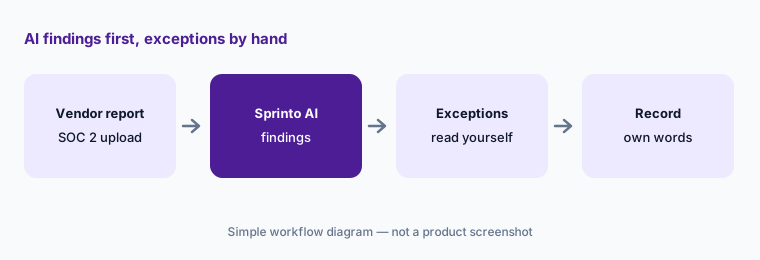
A SOC 2 Type II report’s most important pages are usually the auditor’s opinion and the exceptions — controls that weren’t operating as described. A summary can be accurate and still bury one exception that matters to you. Have the person who owns vendor risk read that section themselves, check the report period and the carved-out subservice organizations, and record findings in their own words.
Primary workflow:
Upload one vendor’s SOC 2 report and let Sprinto’s AI review it. Read the exceptions section yourself and compare it with the AI summary.
2. Security questionnaires: Not Evidenced is an answer
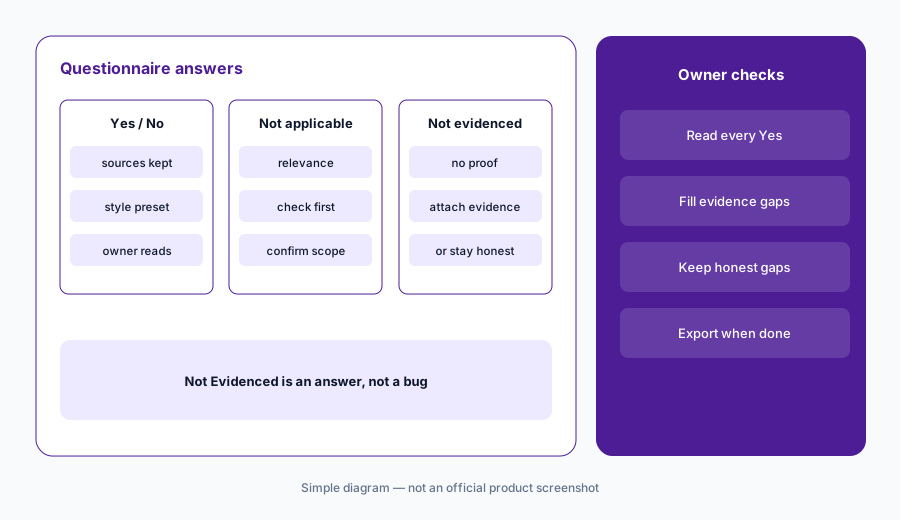
What it is: Sprinto’s questionnaires module imports spreadsheets, PDFs, and Word files and drafts answers from your Knowledge Hub. Its August 2026 update describes a rebuilt answer engine: it first checks whether a question applies to your business at all, searches several phrasings, then decides the answer direction — Yes, No, Not Applicable, or Not Evidenced — and runs a grounding check before writing, recording the source documents for every answer. You can set an answer style (concise, bullet points, formal, or your own instruction), which Sprinto says can’t change the Yes/No/N/A determination or add facts. The pricing page lists AI-powered security questionnaire automation on Foundation as “20/year.”
Not Evidenced is the most useful label here: it tells you where your Knowledge Hub has no proof. Don’t let anyone rewrite those as a confident Yes to close a deal. Have the control owner either attach evidence or leave it honest. Sprinto quotes its own benchmark results for the new engine; treat those as vendor claims and run your own spot-check. Our how-to on answering a row with evidence or “Unknown” covers the same idea.
Start with the gaps:
Generate answers for one questionnaire and filter for Not Evidenced. Have the control owner attach evidence or keep the honest answer before anyone exports it.
3. Sprinto Assist on customer portals: approve the plan, read before submit
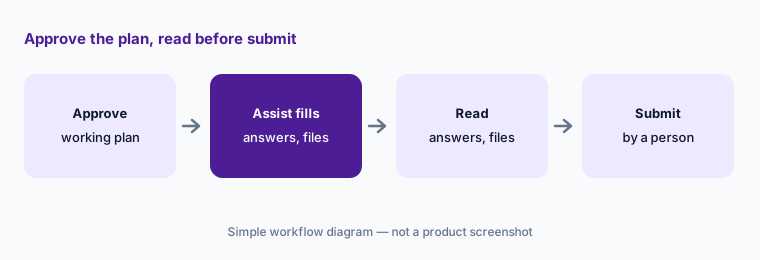
What it is: The Sprinto Assist Chrome extension can answer a security questionnaire hosted on a customer’s portal. You open the questionnaire, choose Get security questions answered, and Sprinto Assist shows a working plan — detect the questionnaire, extract the questions, create an internal record — which you Approve. It then generates answers from your compliance data, fills them into the portal, attaches evidence files, and saves a tracked copy in Sprinto. It needs Admin access to the Questionnaires module. Sprinto’s own instruction: “Review all generated responses before submitting the questionnaire.”
Two things deserve a look before submit: the answers, and the files it attached. A portal upload is a disclosure to another company, so check that nothing meant to sit behind an NDA — a full pen-test report, an internal policy — went somewhere it shouldn’t. Keep the submit click with the person who owns the customer relationship’s security answers.
Check the attachments:
On one customer portal, approve Sprinto Assist’s plan, then read every answer and every attached file before you click submit.
4. Sprinto Assist for failing monitors: it clicks as you
What it is: In a supported console such as AWS, Sprinto Assist detects the platform and lists failing monitors. For a single monitor you see the owner, step-by-step remediation instructions, and affected instances; Fix it for me lets Sprinto AI open tabs, navigate the steps, complete the actions, and pause when it needs your input. For several monitors it builds an execution plan you review and confirm, and you can pause running executions. Sprinto notes that it uses your existing browser session, so its actions are limited to — and include everything in — your own permissions, and that some monitors aren’t labelled AI Assisted because of accuracy limits.
An agent with your admin session can do anything you can. Try it first on a monitor in a test or staging account, follow the manual steps once so you know what the fix should look like, and read the whole execution plan before you confirm a batch. For changes your infrastructure code manages, fix them in the code instead, or the next apply will undo the console change.
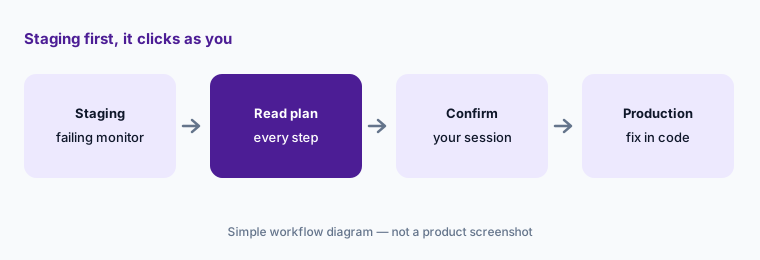
Staging first:
Use Fix it for me on one failing monitor in a staging account. Read the steps and the plan before you confirm anything.
5. Ask AI, AI Playground actions, and AI Nudges
What it is: Ask AI runs AI actions on a single record — a risk, a policy, a pen-test report — from a drawer; results aren’t kept after you close it. Admins build custom actions in the AI Playground, which Sprinto’s docs describe as a beta you enable through your customer success manager, and can toggle on more than 15 Sprinto-defined actions such as a risk summary generator, policy improvement suggestions, a policy approval assistant, and pen-test report analysis. Sprinto’s FAQ says AI actions don’t update records automatically yet: results are displayed for you to use. August 2026 added AI Nudges, including background matching of unmapped Okta, Google Workspace, or GitHub users to staff records, each with a reason you approve or dismiss.
Display-only actions are a sensible default: you copy what you agree with. Start with one Sprinto-defined action on a record you know well so you can judge the output. For the access-control matches, approve only the ones whose reason you can confirm in your identity provider; a wrong match hides an orphaned account.
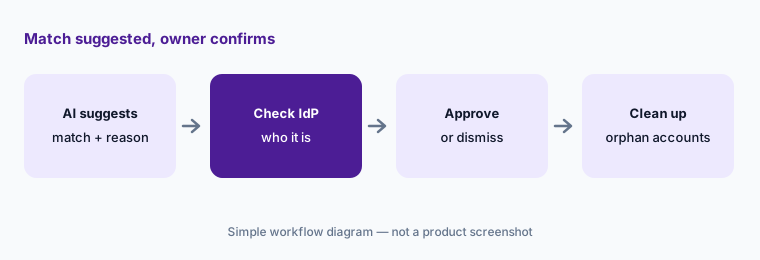
One action you can judge:
Turn on one Sprinto-defined action, such as the policy summary generator, and compare its output with the policy before you share it.
6. Sprinto MCP: your role, read before write
What it is: Sprinto’s MCP server connects Claude, ChatGPT, Cursor, or another MCP client to your Sprinto account through OAuth, with regional endpoints for the US, EU, India, and Australia. Sprinto’s docs describe read and write access across most entities — creating risks, updating policies, closing incidents, onboarding staff, and answering security questionnaires from your Knowledge Hub — always governed by your Sprinto role; you need admin or editor access. Separately, Sprinto’s AI Systems module (on request) inventories AI tools for frameworks such as ISO 42001, the EU AI Act, and the NIST AI RMF, including shadow AI.
Begin with questions whose answers you can check in Sprinto, such as which monitors are failing and who owns them. Because the connection carries your role, an editor’s assistant can close an incident or change a policy; decide which writes are allowed, and check each one in Sprinto afterward. For sanitized drafting outside the platform, see Claude for security ops.
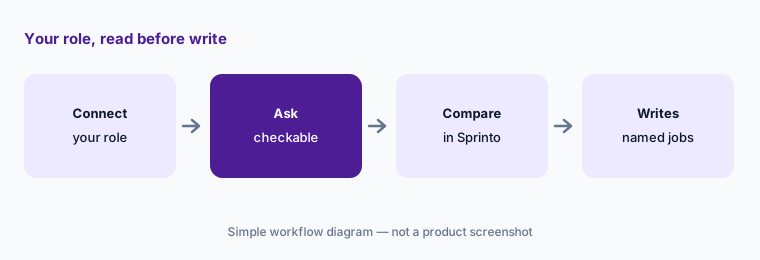
Read before write:
Connect the Sprinto MCP and ask which monitors are failing and who owns them. Check the list in Sprinto before you let it change anything.
Pricing context (October 2026)
Sprinto’s pricing page (read 10 Oct 2026) shows no published prices. It lists two plans — Foundation (for a first certification) and Growth (adds programmable monitors, custom workflows and API, role-based access, multi-step approvals, a dedicated success manager) — plus add-ons such as additional frameworks, enterprise risk, enterprise trust (an Ask AI assistant on the trust center and a browser extension), AI governance, and enterprise vendor risk.
Foundation lists AI-assisted policies and control mapping, AI vendor document reviews, AI-powered security questionnaire automation (listed as “20/year”), custom AI agents, and AI evidence gap analysis. Several features, including AI Playground, the AI Systems module, and live answer progress, are described in the docs as beta or on request; ask which are included in your quote.
Uncertainty: Sprinto publishes no prices. Its AI Playground documentation (marked as last updated a year ago) uses older plan names — Starter, Professional, Advanced, Enterprise — that don’t match today’s Foundation and Growth, and its FAQ says AI availability depends on your subscription, so confirm what your plan includes. Sprinto says AI actions don’t yet update records automatically; that may change. Benchmark numbers Sprinto publishes for its questionnaire engine are vendor claims.
When it’s useful (honest take)
Useful when a small team is getting its first or second certification, reviews a steady stream of vendors, and wants AI help inside the console and on customer portals — with someone who reads plans before confirming them.
Less useful when you need many questionnaires a year on the base plan (check the “20/year” questionnaire allowance on Foundation), most infrastructure is managed in code (console fixes may be undone), or no one has time to read vendor exceptions and AI plans. Tools don’t certify anyone; your auditor still tests controls.
Paying for Sprinto AI and a few other AI tools? The $9 AI toolkit spreadsheet lists every AI subscription you have, what each one costs, and how fast it pays for itself, so you can see which ones are worth the money.
Want someone to do it for you? AI toolkit audit — $19
Related options (educational)
| Need | Better home | Why |
|---|---|---|
| Browser agent for portals and console fixes | Sprinto AI (this page) | Sprinto Assist, AI Playground |
| Fix code for failing cloud tests | Secureframe AI | Terraform, CLI, CloudFormation |
| Trust Center plus TPRM Agent | Drata AI | Approval cards on vendor reviews |
| Similar platform, AI evidence and questionnaire drafts | Vanta AI | Compare allowances and add-ons |
| Drafting with sanitized notes | Claude for security ops | No vendor data in chat |
| Finding the SaaS apps you must review | Zluri or Torii | Discovery before vendor review |
FAQ
What does Sprinto AI do in October 2026?
Sprinto AI reviews vendor documents, drafts security questionnaire answers from your Knowledge Hub, runs Sprinto-defined and custom AI actions on records, suggests access-control matches, and powers Sprinto Assist for customer portals and failing monitors. An MCP server connects AI assistants.
How much does Sprinto cost?
Sprinto publishes no prices (checked 10 October 2026). Its pricing page lists Foundation and Growth plans plus add-ons and asks you to talk to sales; Foundation lists AI questionnaire automation at “20/year.”
Can Sprinto Assist change my AWS account?
Yes, with your input. Fix it for me navigates the console and completes remediation steps using your existing browser session and permissions, pausing when it needs you; batches run from an execution plan you confirm. Try it in a staging account first.
Does Sprinto submit questionnaires on customer portals by itself?
Sprinto Assist fills answers and attaches evidence after you approve its working plan. Sprinto’s documentation tells you to review all generated responses before submitting, so read the answers and the attached files first.
Do Sprinto AI actions update records automatically?
Not yet, per Sprinto’s FAQ: AI actions display results for you to use, with updating fields described as planned. Access-control match suggestions are approved or dismissed one at a time.
Optional next step (if seats overlap)
If a compliance platform, a browser extension, and separate chat seats are all drafting the same questionnaire answers, that overlap is worth a look. Map the overlap with the $19 AI toolkit audit or the $9 AI toolkit spreadsheet. Email Audit $19 or Toolkit spreadsheet $9.
Checkout is live via Stripe. After you pay, we email delivery (spreadsheet) or intake next steps (audit).