Tool · Questionnaires & RFPs · Loopio · Oct 2026
Loopio AI review (Oct 2026): AI drafting for RFPs and security questionnaires from a content library
Loopio is response management software for proposal teams: a content Library of approved answers, projects for each RFP, DDQ, or security questionnaire, and workflows that pull subject-matter experts (SMEs) in to write and review. Its AI, which Loopio calls Response Intelligence, drafts answers from that Library with citations and a Confidence Pulse indicator, maps incoming documents and portals, suggests the right experts, and now connects to Claude through an MCP server. Because every draft comes from the Library, the quality of the Library decides the quality of the answers. This page explains the AI features and the library hygiene behind them — and who still approves. Each section has a Try this.
What this Loopio page covers
This page is for a proposal manager, bid lead, sales operations manager, or the security person who keeps getting tagged on questionnaires, at a company that answers RFPs, DDQs, and security questionnaires from a shared library. The question it answers: what Loopio’s AI drafts, how Loopio helps you find content that has gone stale, and where an SME or library owner still has to approve.
Loopio says its generative AI is available to all customers but “never enabled automatically” — an admin turns it on in site settings — and that permissions apply at the instance, feature, role, and user level, so a person’s AI drafts only draw from content they are allowed to see. Its site lists Automated Answers, AI-powered import and mapping for Word, Excel, PDF, and portals, a Proposal Summary for go/no-go decisions, Recommended Experts, content connectors such as SharePoint and Confluence, and an MCP server. Loopio lists ISO 42001, ISO 27001, and SOC 2 Type II among its certifications.
Ground rules: an answer drafted from the Library is only as current as the entry it came from; a citation shows the source, not that the source is still right; and the SME who owns a topic approves both the answer and any change to the Library. Facts come from Loopio’s website and help center as read on 10 October 2026 (its release notes need a customer login); its ROI and time-saved figures are vendor claims and aren’t repeated here.
Major features (with how someone uses them)
Examples at a glance: each feature has a concrete example from a real job plus a short Try this you can run this week.
1. Library hygiene: find what’s outdated and let owners decide (primary)
What it is: Every Library entry carries a freshness measure from 0 to 100 that decays over time; reviewing an entry or using it in a project raises it, and Verify Now records a review on the spot. Loopio’s Library Report groups entries as Fresh, Needs Review, Out of Date, or Stale, and by when they were last used (within 180 days, 180–360 days, or longer). Confidence Pulse, Loopio says, flags entries that haven’t been reviewed recently or have lower confidence signals, and Detect Duplicates lists exact and possible duplicates — matched by meaning — so you can keep, delete, or merge them as alternate questions. Loopio’s Claude connector even suggests a prompt to review Library entries against your latest security policy and flag anything outdated.
Old content isn’t automatically wrong, and fresh content isn’t automatically right — freshness mostly tells you nobody has looked lately. The useful habit is small and regular: pull a handful of the oldest entries, let Loopio’s signals sort them, and put each in front of the person who owns that topic to approve as-is, update, or retire. Retiring is a good outcome; an entry that no longer describes how you work will keep resurfacing in drafts until someone removes it.
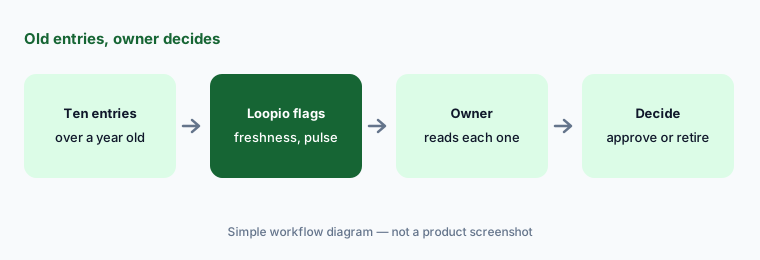
Primary workflow:
Pick ten library entries older than a year. Let Loopio’s AI flag what’s outdated and have the owner of each approve or retire it.
2. Automated Answers and Confidence Pulse: drafts with citations
What it is: Automated Answers populate a project from your Library and connected sources in a few clicks. Loopio says every answer draws from approved content and shows linked citations, and that you can choose how much generation to allow — from SME-vetted answers used verbatim to tailored drafts. Confidence Pulse shows Loopio’s view of each answer’s accuracy, trust, and completeness so reviewers can start with the medium- and low-confidence ones. Loopio’s FAQ says its search ranks entries by signals such as popularity, meaning, and keywords, only retrieves entries the user can access (via Stacks), and lets you add a strong generated answer back to the Library.
Confidence indicators help you order the review, not skip it. On a security questionnaire, have the SME open the citation for every answer that names a control, a date, a certification, or a number, whatever its confidence level. Be careful with “add back to Library”: a generated answer becomes an approved source for every future draft, so only the topic owner should promote one.
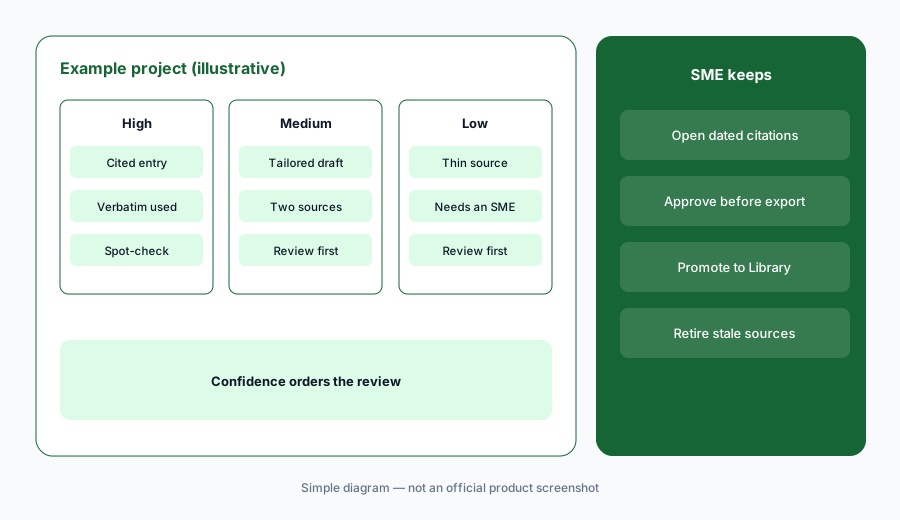
Review by risk, not just confidence:
Run Automated Answers on one questionnaire. Review medium and low confidence answers first, then open the citation for every answer that names a date, a number, or a certification.
3. Review cycles and Recommended Experts: owners on a schedule
What it is: Loopio offers two kinds of Library review: Review Now for a one-off check of an entry, and Review Cycles that recur on an entry, subcategory, or category with a frequency, start date, time to complete, and reviewer. Multi-step reviews — up to ten reviewers in sequence — are on select plans (the pricing page lists them on Enhanced). Category review cycles also set how fast freshness decays for that content. On projects, Recommended Experts suggests SMEs based on past contributions and routes content for answering, review, and sign-off; Loopio says SMEs can be reached in Slack and Teams.
A review cycle is a promise someone has to keep. Set short cycles on content that changes — security, product features, pricing language — and longer ones on company history. Assign a named person, not a team inbox, and check the User Workload report so one SME isn’t holding every review. Recommended Experts is a suggestion; the proposal manager confirms who signs off.
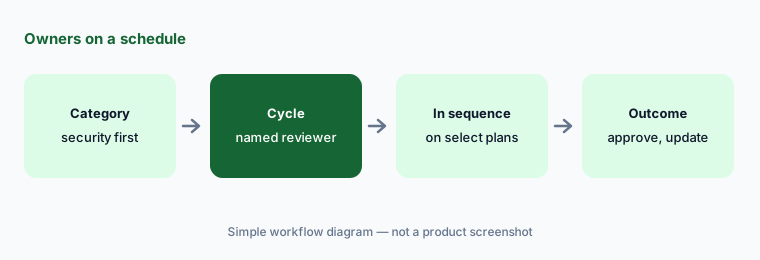
Put an owner on a schedule:
Set a quarterly review cycle on your security category with one named reviewer. Check after the first cycle how many entries they approved, updated, or retired.
4. SmartScan, SmartFill, and the Proposal Summary
What it is: Loopio’s AI-powered import maps questions out of Word, Excel, and PDF files, and SmartScan pulls questions from supported vendor-risk and procurement portals into a project; SmartFill exports SME-approved answers back into the portal, with a browser extension that works across many portals. The Proposal Summary turns an incoming RFP or questionnaire into a summary for prioritizing and go/no-go decisions, and the Proposal Checklist tracks the buyer’s must-haves. Loopio names SIG, CAIQ, and HECVAT among the security questionnaires it handles.
Mapping errors are quiet: a missed sub-question or a merged cell becomes an unanswered requirement nobody notices until the buyer does. Count the questions in the source before you start answering and compare with what landed in the project. Before SmartFill writes into a portal, read the answers as the buyer will see them — the portal submission is the disclosure.
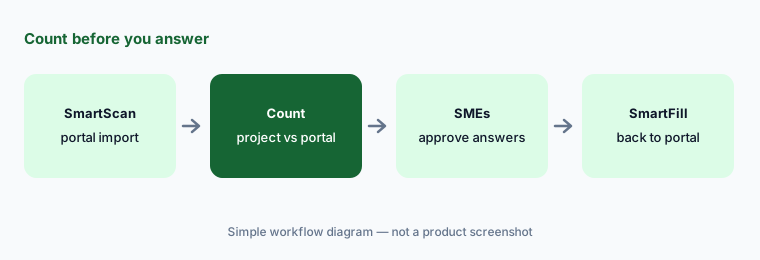
Count before you answer:
SmartScan one portal questionnaire and compare the number of questions in the project with the number in the portal before anyone starts answering.
5. Content connectors: SharePoint, websites, and Confluence
What it is: Beyond the Library, Loopio can draft from connected sources: SharePoint and other cloud storage, websites, and other document libraries. Its help center describes a Confluence MCP content connector (updated July 2026) that sends each question as a live query to Confluence when you generate an answer, so nothing is copied into Loopio and the answer reflects the current page, with a citation linking back. An admin connects it, and role permissions decide who can use Confluence as a source in Automated Answers.
Live sources are current, but they aren’t reviewed the way Library entries are. A Confluence page can be a draft, a meeting note, or an engineer’s plan for next quarter. Decide which spaces count as approved, limit the connector to them, and treat any answer cited to a live page as needing the page owner’s approval before it goes out.
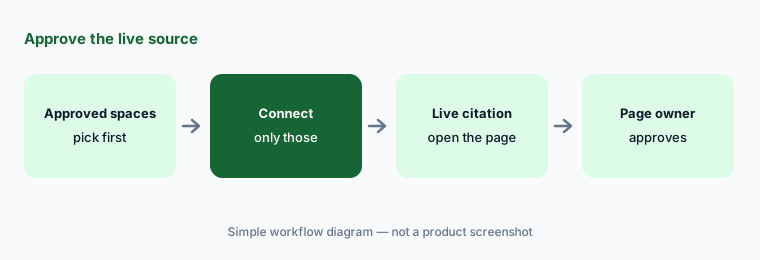
Approve the live source:
For one answer cited to a connected source such as Confluence or SharePoint, open the cited page and ask its owner whether it describes how you work today.
6. Loopio MCP server for Claude: confirm every write
What it is: Loopio’s help center (updated 9 October 2026) describes a Loopio MCP server that connects Claude to your Loopio account. You can search the Library for approved answers, list and review projects (including unanswered questions), create projects and entries, generate responses, update answers, and create or update Library entries. Loopio enables it per organization through your success manager; on Claude Team and Enterprise an organization owner adds the connector first. Your Loopio permissions apply, confidential projects aren’t reachable, and Loopio says every write action requires Claude to show the proposed change and get your confirmation. The server itself makes no AI model calls; Claude does the drafting under your company’s agreement with Anthropic. The release stage on the page wasn’t clearly labeled when we read it.
The connector is most useful for lookups — “find our latest answer on data encryption” — and for asking Claude to compare entries against a new policy. Keep Library writes with the entry owner: when Claude proposes an update, send it to them rather than confirming it yourself, and check the turn-off and per-tool approval settings in your Claude connector.
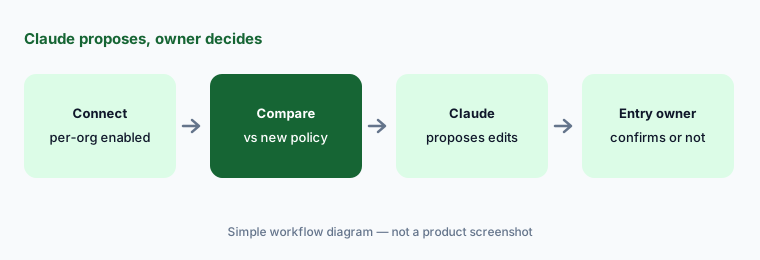
Lookups first:
Connect Loopio to Claude and ask it to compare ten Library entries with your latest security policy. Decline every proposed write and send the list to each entry’s owner.
Pricing context (October 2026)
Loopio publishes no prices (checked 10 Oct 2026). Its pricing page lists three plans, each “Let’s Talk”: Foundations for smaller or sales-led teams (unlimited projects and Library entries, generative AI, 10 themes), Enhanced for centralized teams (adds a multi-language Library, confidential projects, multi-step reviews, 15 themes), and Enterprise (separate business units, sandboxes, a custom number of seats, 20 themes, premium support). The pricing FAQ says Foundations includes 10 seats. See loopio.com/pricing.
Add-ons listed: project translations, onboarding packages, and industry integrations such as Salesforce and Highspot. Ask which content connectors and whether the MCP server are included in your plan.
Uncertainty: Loopio doesn’t publish prices, and its release notes need a customer login, so we couldn’t confirm the latest AI changes beyond its public site and help center. The Claude MCP server article was updated on 9 October 2026 but didn’t show a clear release-stage label, and it is enabled per organization. Help-center articles on freshness and Library reviews are from 2025 and may lag the product. Loopio’s “zero hallucinations,” ROI, and time-saved statements are vendor claims.
When it’s useful (honest take)
Useful when a proposal team answers a steady flow of RFPs, DDQs, and security questionnaires, already has (or will build) a shared Library, and has named SMEs who will keep review cycles and approve drafts — especially if buyers send portals and mixed file formats.
Less useful when you answer a few questionnaires a year that your GRC tool already handles, nobody will own the Library, or you want AI to write answers your SMEs never read. Drafts from a stale Library are confident and wrong.
Paying for Loopio AI and a few other AI tools? The $9 AI toolkit spreadsheet lists every AI subscription you have, what each one costs, and how fast it pays for itself, so you can see which ones are worth the money.
Want someone to do it for you? AI toolkit audit — $19
Related options (educational)
| Need | Better home | Why |
|---|---|---|
| Proposal team with a large approved library | Loopio AI (this page) | Freshness, review cycles, Confidence Pulse |
| Enterprise RFPs, DDQs, and custom agents | Responsive AI | AI Draft modes, TRACE, Agent Studio |
| Security reviews plus a trust center | Conveyor AI | Knowledge Librarian, Slack approvals |
| Questionnaires inside the GRC platform | Drata AI or Vanta AI | SafeBase; Questionnaire Automation |
| Choosing a platform for a first audit | Secureframe vs Sprinto | Questionnaire allowances by plan |
| Drafting from your own sanitized notes | Claude for security ops | Projects, no customer data |
FAQ
What is Loopio’s AI called?
Loopio calls its AI Response Intelligence. It powers Automated Answers (drafts from your Library with citations and Confidence Pulse indicators), AI-powered import and mapping, the Proposal Summary, and Recommended Experts. Loopio also offers an MCP server for Claude.
How much does Loopio cost in October 2026?
Loopio publishes no prices (checked 10 October 2026). Foundations, Enhanced, and Enterprise are all quoted by sales; the pricing FAQ says Foundations includes 10 seats. Add-ons include project translations, onboarding packages, and industry integrations.
Is Loopio’s generative AI on by default?
No. Loopio says generative AI is never enabled automatically; an admin turns it on in site settings, and permissions can be set by role and user. Drafts only draw from content each user is allowed to see.
How does Loopio show which Library content is outdated?
Each entry has a freshness measure that decays over time and rises when the entry is reviewed or used. The Library Report groups entries as Fresh, Needs Review, Out of Date, or Stale, Confidence Pulse flags entries not reviewed recently, and Detect Duplicates finds overlapping entries. The topic owner decides whether to approve, update, or retire each.
Can Claude change our Loopio Library?
Only with confirmation. Loopio’s MCP server can create and update Library entries, but Loopio says every write requires Claude to show the proposed change and get your confirmation, and your Loopio permissions apply. Keep those confirmations with each entry’s owner.
Optional next step (if seats overlap)
If you pay for an RFP tool, a GRC platform’s questionnaire module, and chat seats that all answer the same questions from different copies of your content, that overlap is worth mapping. Map the overlap with the $19 AI toolkit audit or the $9 AI toolkit spreadsheet. Email Audit $19 or Toolkit spreadsheet $9.
Checkout is live via Stripe. After you pay, we email delivery (spreadsheet) or intake next steps (audit).