Tool · Questionnaires & RFPs · Conveyor · Oct 2026
Conveyor AI review (Oct 2026): AI answers for security questionnaires, RFPs, and trust centers
Conveyor is built for the work that follows a security program: customer security questionnaires, RFPs, and the trust center buyers check before they sign. Its AI, ConveyorAI, answers questions from a knowledge base you connect — past questionnaires, policies, Google Drive, SharePoint, Confluence, your help center — and cites the source for each answer. Around that sit a Knowledge Librarian that flags stale or conflicting answers, Slack approvals for reviewers, an agentic answer engine for proposals, a Trust Center Agent for buyers, and an AI Connector for Claude, ChatGPT, and Gemini. This page explains those features and where a named subject-matter expert (SME) still has to approve before an answer leaves the company. Each section has a Try this.
What this Conveyor page covers
This page is for a security or GRC lead who answers customer security reviews, a sales engineer who owns RFP responses, or the person who runs the company’s trust center. The question it answers: what ConveyorAI does on its own, where Conveyor’s automation can return answers without anyone reading them, and how to keep a named SME as the approver for everything that goes out.
Conveyor calls itself a customer trust platform. Its site and changelog describe security questionnaire automation (intake from Slack, Salesforce, Jira, and portals; answers in the original file format), AI RFP responses rebuilt in September 2026 on the same knowledge base, an agentic Trust Center, AI knowledge management, a browser extension for portals, and an MCP-based AI Connector. Its pricing FAQ says it uses models from OpenAI, Anthropic, and Google, has zero-data-retention agreements with OpenAI and Anthropic, and doesn’t let third-party providers train on customer content.
Ground rules: an answer to a customer’s security question is a statement your company makes, so a named SME approves every one that leaves; a citation shows where an answer came from, not that the source is still true; and a trust center or AI agent can only be as accurate as the approved content behind it. Facts come from Conveyor’s website and changelog as read on 10 October 2026; its accuracy, hallucination, and time-saved figures are vendor claims and aren’t repeated here.
Major features (with how someone uses them)
Examples at a glance: each feature has a concrete example from a real job plus a short Try this you can run this week.
1. Test it on a questionnaire you already answered (primary)
What it is: ConveyorAI imports a questionnaire in almost any format — spreadsheet, Word, PDF, or a supported portal — maps the questions, and drafts each answer from your connected knowledge with a citation and a confidence flag that marks which answers need human review. Conveyor’s pricing page offers a trial built the same way: you send security documents and past questionnaires, Conveyor builds a test knowledge graph, and you stress-test it yourself. Inside the product, the Knowledge Explorer lets you test how ConveyorAI responds to a question before a customer sees it, and since 2 October 2026 Ask ConveyorAI (Cmd+K) shows its steps, matched sources, and reasoning under “How this answer was put together.”
The fastest honest test is one you already know the answers to. Take a questionnaire your team returned recently, remove the answers, and run it through ConveyorAI. Compare each draft with what you actually sent. Where they differ, the fix belongs in the knowledge base — a missing document, an outdated answer, a policy that changed — not in a one-off edit, or the same mistake comes back next week.
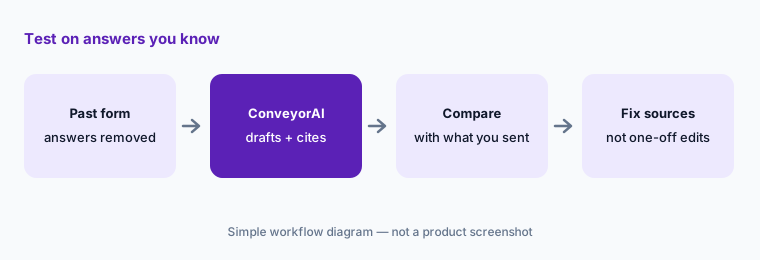
Primary workflow:
Run one past questionnaire through ConveyorAI. Compare its answers to what you actually sent and fix the knowledge base where they differ.
2. Approvals: Slack review, auto-return, and auto-export rules
What it is: Conveyor gives reviewers several ways to approve, and several ways for answers to leave without one. Since 3 September 2026, an assigned reviewer gets the draft answer in Slack with buttons to approve or edit (on by default for new customers; existing customers turn it on per program). Since August, Conveyor can auto-assign unanswered or flagged questions to the suggested SME group on every questionnaire. On the other side, its June 2026 changelog added auto-return: questionnaires that come in through the Intake workflow can go back to the source system automatically once they meet criteria you set, such as a minimum answered rate and no flagged questions; a July entry lets portal questionnaires that pass your auto-complete rules fill answers straight back into the portal. Admins can now edit these automation rules themselves.
Auto-return is a send. Before you turn it on, decide which questionnaires — if any — may leave without a person reading them: perhaps a short standard form from a known customer, never a first review for a large prospect. Write that rule down, name the SME who owns each topic, and check the automation rules page after every change. Slack approval makes review fast; it doesn’t make it optional.
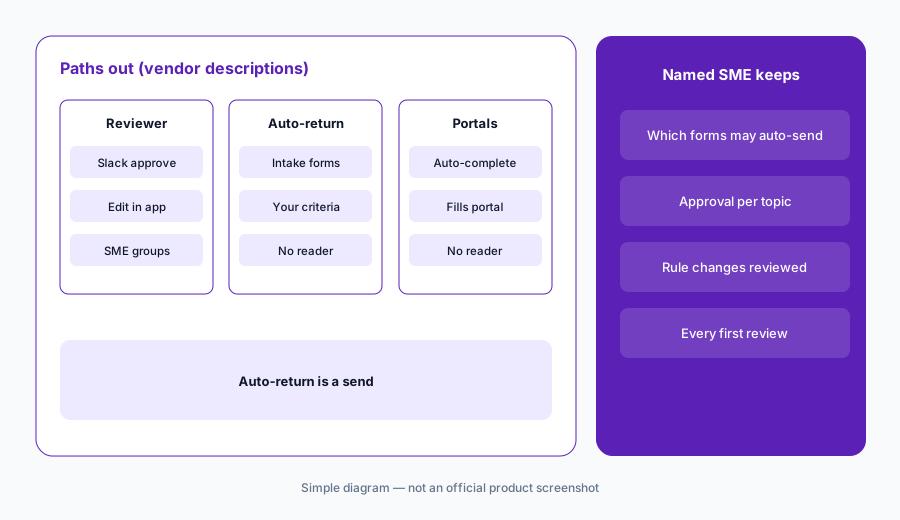
Find every automatic send:
Open your automation rules and list every one that can return a questionnaire or fill a portal without a person. Narrow or switch off each one until a named SME approves what leaves.
3. Knowledge Librarian and Topic Preferences: keep answers current
What it is: Conveyor’s knowledge management page says its Knowledge Librarian — a skill of the Conveyor Agent — audits your knowledge and flags expired or conflicting answers, identifies topic gaps, and syncs connected sources in the background, while “you decide what information gets added or retired.” Topic Preferences (June 2026) let Knowledge Editors and admins set rules for sensitive topics: answer this verbatim, use these sources, or flag whenever this comes up. Conveyor added SharePoint sync in August 2026 alongside Google Drive.
A flag only helps if someone owns it. Give each topic area — encryption, access control, incident response, subprocessors, data retention — a named owner who reviews the Librarian’s flags on a schedule. Use Topic Preferences for questions where a generated answer could create legal or contractual exposure: insurance, breach history, financial statements, certifications in progress.
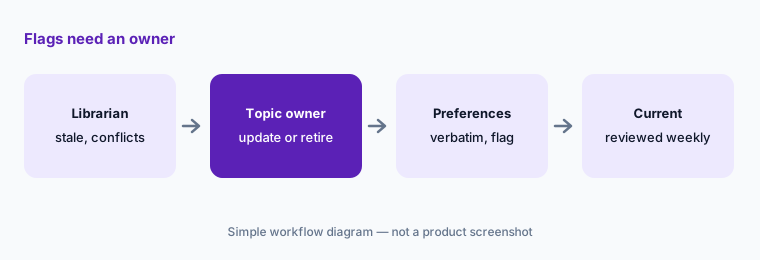
Guard the risky topics:
Create a Topic Preference that flags every question about breaches, insurance, or certifications in progress, and name the person who reviews those flags each week.
4. ConveyorAI for RFPs and the agentic answer engine
What it is: On 3 September 2026 Conveyor said it rebuilt how it handles RFPs: a new agentic answering engine, a new Word document experience, and a workspace for proposal work, all running on the same knowledge base as security questionnaires. Its homepage says ConveyorAI drafts RFP answers from the brief, the deal documents, and your win themes, and that your team reviews and sends. The Agentic Answer Engine is opt-in in Settings → Answering → Custom Instructions: it is the recommended setting for proposal questions, takes longer per question, and is still in Labs for security questionnaires, where Conveyor calls it less battle-tested. The legacy pipeline remains the faster, lighter option.
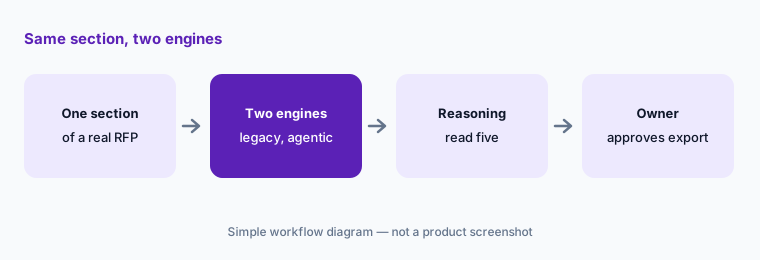
Proposal answers make promises — delivery dates, service levels, pricing language — that a security answer usually doesn’t. Run one RFP section through both pipelines, open the reasoning view for a few answers, and have the deal owner and the SME for each section approve before export. Keep the agentic engine in Labs-only use for security questionnaires until you have tested it on a past one.
Compare the pipelines:
Run one RFP section on both the legacy and agentic engines. Open the reasoning for five answers and have that section’s owner approve before export.
5. Trust Center, the Trust Center Agent, and buyers’ own AI agents
What it is: Conveyor’s Trust Center hosts security documents behind NDA gating and document-level permissions, with analytics on who views and downloads. A free plan covers a simple trust center. The Trust Center Agent answers buyers’ questions from your approved knowledge base, cites each answer, and can process whole questionnaires. Since August 2026 a Trust Center AI Connector (an MCP server) lets a visitor connect their own AI tool or agent to pull documents and get answers — Conveyor’s changelog says “with no human in the loop.” Recent additions include product lines on the access request form (September), Smart Documents that generate dated bridge letters on download (July), and an Ironclad integration that can auto-approve access requests matching a contract record and skip the NDA step when one is already signed (June).
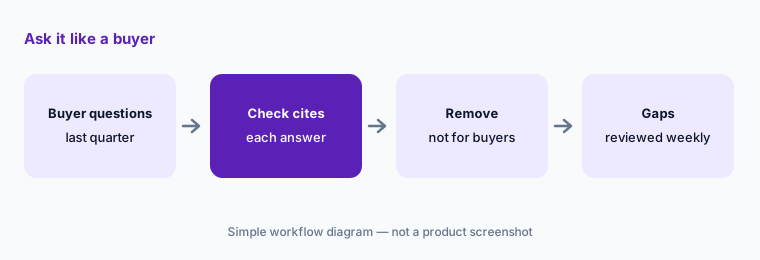
Everything the agent can say, a buyer’s AI can now ask for at scale. Before you switch on the agent or the connector, read the approved Q&As it draws from as if a competitor were reading them, check which documents sit behind the NDA gate, and decide who reviews the questions buyers asked that it couldn’t answer.
Ask it like a buyer:
Ask the Trust Center Agent ten questions buyers asked last quarter. Check every citation and remove any approved answer you wouldn’t want a competitor to read.
6. AI Connector and API: ConveyorAI inside Claude and ChatGPT
What it is: Conveyor’s AI Connector (July 2026) brings it into Claude, ChatGPT, Gemini, and other MCP-compatible assistants: people can get answers, pull analytics, and update knowledge without leaving their AI tool. It connects with OAuth, and each person’s existing Conveyor permissions carry over, so the assistant only sees what that user can see; some enterprise AI clients need an admin to register it once. The v2 questionnaires API (June 2026) can assign questions and write or update answers, with previous answers kept in edit history, and is available to AI agents through the same MCP route.
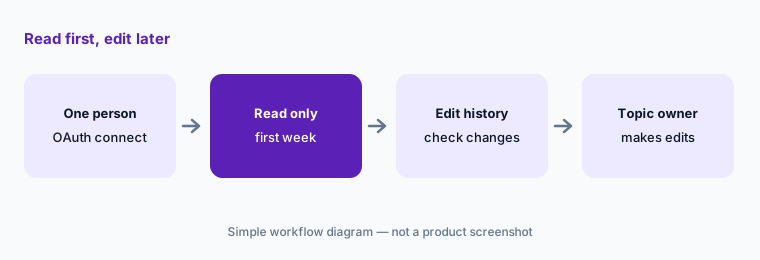
An assistant that can update knowledge can also put a wrong answer into the source every future questionnaire draws from. Start with one or two people, ask only read questions for the first week, and check the edit history for anything changed through the connector. Keep knowledge edits with the topic owner, wherever they type them.
Read first, edit later:
Connect the AI Connector for one person and use it only to look up approved answers for a week. Check the edit history before anyone is allowed to change knowledge through it.
Pricing context (October 2026)
Conveyor publishes no dollar prices (checked 10 Oct 2026). Its pricing page says it is “priced on usage, not access”: no per-user fees and no charges for integrations. A Free plan covers a simple trust center (10 Trust Center credits a month, up to 15 documents and Q&As, no questionnaire automation or integrations). Enterprise is custom: as many users as needed, the full platform, pay for what you use with volume discounts, integrations, analytics, enterprise settings, and dedicated support. See conveyor.com/pricing.
The pricing page also offers a free trial built from your own documents and past questionnaires. Ask how usage is counted — per questionnaire, per question, or per credit — and what a year of your volume would cost before you compare it with a seat-based tool.
Uncertainty: Conveyor doesn’t publish how usage is metered or priced, so the cost of a year’s questionnaires and RFPs only shows up in a quote. The agentic answer engine is live for proposal questions but in Labs for security questionnaires, and several features are opt-in or on by default only for new customers. Parts of the pricing page’s comparison grid didn’t render cleanly when we read it, so confirm plan limits with Conveyor. Accuracy and time-saved figures on its site are vendor claims.
When it’s useful (honest take)
Useful when security reviews and RFPs both land on a small team, your knowledge already lives in documents and past questionnaires you can connect, you want answers routed to SMEs in Slack, and you will write down which questionnaires — if any — may be returned automatically.
Less useful when your GRC platform’s built-in questionnaire tool already covers your volume, nobody owns the knowledge base, or you want the AI to decide what your company commits to. A cited answer is still a statement someone has to approve.
Paying for Conveyor AI and a few other AI tools? The $9 AI toolkit spreadsheet lists every AI subscription you have, what each one costs, and how fast it pays for itself, so you can see which ones are worth the money.
Want someone to do it for you? AI toolkit audit — $19
Related options (educational)
| Need | Better home | Why |
|---|---|---|
| Security reviews, RFPs, and a trust center on one knowledge base | Conveyor AI (this page) | ConveyorAI, Knowledge Librarian, AI Connector |
| Proposal teams with a large content library | Loopio AI | Freshness, review cycles, Confidence Pulse |
| Enterprise RFPs, DDQs, and agents | Responsive AI | AI Draft modes, TRACE, Agent Studio |
| Questionnaires inside the GRC platform | Drata AI or Vanta AI | SafeBase; Questionnaire Automation |
| Choosing a platform for a first audit | Secureframe vs Sprinto | Allowances differ by plan |
| Drafting from your own sanitized notes | Claude for security ops | Projects, no customer data |
FAQ
What is ConveyorAI?
ConveyorAI is Conveyor’s AI for answering security questionnaires, RFPs, and trust center questions from a knowledge base you connect, with a citation and a confidence flag on each answer. In September 2026 Conveyor renamed “AI Answers” to “Ask ConveyorAI” and rebuilt its RFP product on an agentic answering engine.
How much does Conveyor cost in October 2026?
Conveyor publishes no dollar prices (checked 10 October 2026). A free plan covers a simple trust center; Enterprise is custom and priced on usage, with no per-user fees and no integration charges. Ask how usage is counted for your volume.
Can Conveyor send questionnaire answers without a person?
It can if you set it up that way. Auto-return rules can send Intake questionnaires back to the source system once they meet your criteria, and portal answers can fill back automatically when they pass auto-complete rules. Decide which questionnaires, if any, may leave unread, and keep a named SME as approver for the rest.
Does Conveyor train AI models on our data?
Conveyor’s pricing FAQ says it uses OpenAI, Anthropic, and Google models, has zero-data-retention agreements with OpenAI and Anthropic, contractually prohibits third-party providers from using customer content, and uses only anonymized, aggregated data to improve ConveyorAI. Confirm the terms in your contract.
Does Conveyor work with Claude or ChatGPT?
Yes. The AI Connector, added in July 2026, connects Conveyor to Claude, ChatGPT, Gemini, and other MCP-compatible assistants with each user’s existing permissions. A separate Trust Center AI Connector lets buyers’ own AI tools pull documents and answers from your trust center.
Optional next step (if seats overlap)
If you pay for a GRC platform’s questionnaire module, a separate questionnaire or RFP tool, and chat seats that all answer the same security questions, that overlap is worth a look. Map the overlap with the $19 AI toolkit audit or the $9 AI toolkit spreadsheet. Email Audit $19 or Toolkit spreadsheet $9.
Checkout is live via Stripe. After you pay, we email delivery (spreadsheet) or intake next steps (audit).