How-to · Questionnaires and RFPs · Conveyor · Oct 18, 2026
Let ConveyorAI answer security questionnaires, and set Slack approvals and auto-return rules the security lead signs off on
ConveyorAI drafts security questionnaire answers from your knowledge base with citations, and reviewers can approve them in Slack. Conveyor can also return a questionnaire automatically once it meets rules you set — and auto-return is a send. This page shows how to write those rules down and have the security lead sign off before any questionnaire leaves unread.
Who this is for
Security and compliance leads who answer customer security reviews, and sales engineers who own questionnaire turnaround, on Conveyor. The job here is approval and auto-return rules. For drafting RFP answers with Loopio and sending low-confidence answers to a subject expert — a different job — see Loopio Automated Answers expert review. For a single row answered with evidence or Unknown, see Answer a questionnaire row with evidence or Unknown.
How to do it
This is a how-to, not a ranking of questionnaire tools. Per the Conveyor AI review, reviewers can approve drafts in Slack (on by default for new customers), auto-return can send Intake questionnaires back to the source system once they meet your criteria, portal answers can fill back automatically under auto-complete rules, and Topic Preferences set rules for sensitive topics. The agentic answer engine is still in Labs for security questionnaires and is not used here. The ground rule: a named subject expert approves every answer that leaves, unless the security lead has signed off on a written auto-return rule.

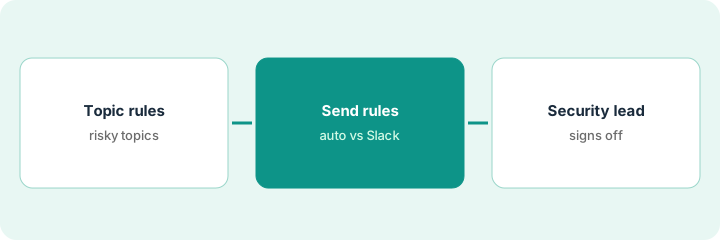
1. Set Topic Preferences for risky topics
What it is: Use Topic Preferences to make sensitive topics answer verbatim, use only named sources, or always flag for review.
- List the topics where a generated answer could create legal or contractual exposure: breaches, insurance, financial statements, certifications in progress.
- Set those to flag for review every time they come up.
- Set approved verbatim wording for questions such as whether you hold a certification that is still in progress.
- Name one owner per topic area.
- Review the Knowledge Librarian's expired and conflicting-answer flags weekly.
She creates a Topic Preference that flags every breach or incident question for her review, and another that answers the ISO 27001 question verbatim while certification is in progress.
Create one Topic Preference that flags breaches, insurance, and certifications in progress, and name its reviewer.
2. Define auto-return vs Slack-approval rules
What it is: Open the automation rules page and decide, rule by rule, which questionnaires may return automatically and which go to a reviewer in Slack.
- List every rule that can return a questionnaire or fill a portal without a person.
- Narrow auto-return to known, standard forms from existing customers — never a first review for a large prospect.
- Require Slack approval from the topic owner for everything else.
- Turn on auto-assignment of flagged questions to the suggested expert group.
- Write the rules in one short document.
A rule returns any Intake questionnaire with 95% answered and nothing flagged. She narrows it to one standard form used by existing customers and switches auto-return off for everything else.
Write down every automatic send path before you change any of them.
3. Security lead approves the rules, then reviews a week
What it is: The security lead signs off on the written rules, then reads a week of returned and approved answers to check the rules hold.
- The security lead approves the rules document by name and date.
- Check the automation rules page after every admin change.
- For one week, read every auto-returned questionnaire after it goes out.
- Sample Slack-approved answers for citations to stale documents.
- Fix the knowledge base, not one-off answers, when something is wrong.
The security lead signs the rules. In the week's review she finds two Slack-approved answers citing a 2024 encryption policy; the policy owner updates the knowledge base, and both topics move to verbatim answers.
Have the security lead sign the rules and read every auto-returned questionnaire for the first week.
Pricing context (October 2026)
This how-to isn't a price sheet. Per the Conveyor AI review and Conveyor's pricing page (checked Oct 18, 2026), Conveyor publishes no dollar prices for paid use: a Free plan covers a simple trust center with no questionnaire automation, and Enterprise is custom, priced on usage. Dated October 2026.
Checked Oct 18, 2026 on the vendor’s own pricing page: Conveyor’s pricing page says Conveyor is priced on usage, not access: a Free plan covers a simple trust center at $0 a year, and Enterprise is custom. This page quotes no Conveyor paid-plan dollar figure; confirm what your contract includes with Conveyor or your admin.
Uncertainty: The only prices this site sells here are the optional $9 AI toolkit spreadsheet and $19 AI toolkit audit.
When this helps (honest take)
Useful when security reviews land on a small team, your knowledge lives in documents you can connect, and you will write down which questionnaires may return automatically.
Not useful when your compliance platform's questionnaire tool already covers your volume, nobody owns the knowledge base, or you want the AI to decide what your company commits to.
Related options (educational)
| Need | Where to look | Why |
|---|---|---|
| Conveyor AI features | Conveyor AI | Primary path |
| Library-cited drafts with expert review | Loopio Automated Answers expert review | A different job |
| One questionnaire row with evidence | Answer a questionnaire row with evidence or Unknown | Existing how-to |
| Questionnaires inside a compliance platform | Vanta AI | Questionnaire Automation |
| IT ops stack map | Stack map: IT ops | Where Conveyor fits |
FAQ
Can Conveyor send questionnaire answers without a person?
It can if you set it up that way. Per our review, auto-return rules and portal auto-complete rules can send answers unread. Decide which questionnaires, if any, may do that.
Should we use the agentic answer engine for security questionnaires?
Not yet in this routine. Per our review, it is recommended for proposal questions but still in Labs for security questionnaires.
How much does Conveyor cost?
No dollar prices for paid use; Free covers a simple trust center and Enterprise is usage-priced by quote. See the pricing section.
Does Conveyor train AI models on our data?
Per our review, Conveyor’s pricing FAQ says it has zero-data-retention agreements with OpenAI and Anthropic and doesn’t let third-party providers train on customer content. Confirm in your contract.
Optional next step
If you want a one-page toolkit map for the tools you already pay for, use the optional $9 AI toolkit spreadsheet. If you want a short review of seat waste and unused tools, use the optional $19 AI toolkit audit. Neither is required to follow this how-to.