Sales · CRM · Ops / RevOps
HubSpot AI review (Nov 2026): features for small teams already paying HubSpot
Only if HubSpot is already the CRM — this page maps which AI features help ops and revops without buying a parallel stack: Breeze Assistant, Agent Hub patterns, credits honesty, and when a specialized tool still wins.
Who this page helps
Ops and revops leads on small teams already paying HubSpot who want AI for drafting, deal hygiene, and light agents inside the CRM — not another AI seat that invents a second source of truth. If HubSpot is not your CRM, this page is the wrong buy question; start with AI in your real system of record instead.
What HubSpot AI is
HubSpot AI (publicly framed under the Breeze / Agent Hub umbrella) is HubSpot’s native AI layer: an in-app assistant grounded on CRM context, ready-made and custom agents, and enrichment/intelligence features that bill through HubSpot Credits on many advanced actions. This review focuses on what a small team already on HubSpot can use week to week — without assuming you should migrate to HubSpot for AI alone.
Major features (with how someone uses them)
Examples at a glance: each feature has a concrete ops/revops example plus a Try this mini-workflow.
1. Breeze Assistant in the CRM
What it is: The in-app assistant (formerly framed as Copilot in older HubSpot copy) for drafting, summarizing, and asking questions grounded on HubSpot records. HubSpot’s Breeze Assistant page (checked Nov 4, 2026) says it is included with every HubSpot subscription at no additional cost, and it is not listed among the credit-metered features. Product names and metering change, so recheck before you budget.
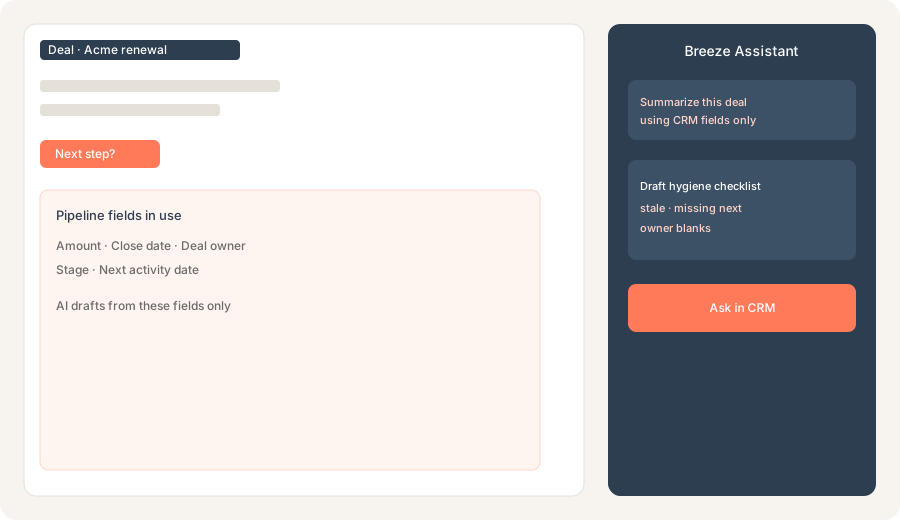
On one real deal you already own:
Using only fields we already have in HubSpot (list them), draft an AI-assisted weekly pipeline hygiene checklist: stale deals, missing next step, owner blanks.
2. Agent Hub patterns (ready-made + custom)
What it is: Agent Hub is HubSpot’s home for ready-made agents (content, prospecting, customer, data-style jobs) and custom agents built on CRM data. Public product pages say Agent Hub is available on Starter, Professional, and Enterprise — with many actions metering HubSpot Credits. Treat agent names and credit rates as moving targets; confirm on HubSpot’s AI and credits docs.
Before turning on any agent:
List three agent jobs that must stay human-approved on our team (owner changes, discount, delete). List two agent jobs that may draft only (email body, meeting summary). Do not enable write-backs for the first list.
3. Pipeline hygiene with existing fields
What it is: The high-ROI small-team pattern is not “buy AI” — it is using Assistant (and light agents) against fields you already trust: amount, stage, close date, deal owner, next activity. AI that invents stages or owners is noise; AI that surfaces blanks and stale dates is useful.
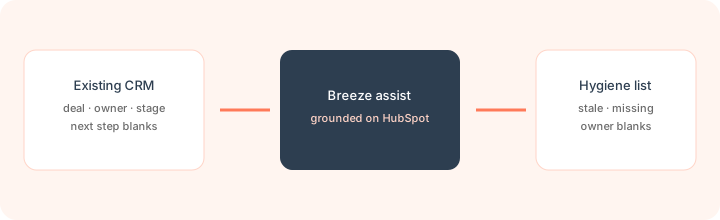
After listing your real properties:
Given only these HubSpot properties: [paste list]. Produce a Friday checklist with three buckets — Stale, Missing next step, Owner blank — and one example filter definition per bucket. Mark any property we did not list as Unknown.
4. Credits & plan gates
What it is: Advanced agents and many AI workflow actions consume HubSpot Credits. HubSpot’s credits page and Products & Services Catalog (checked Nov 4, 2026) price credits at $0.010 each: $10 per 1,000-credit monthly capacity pack for the rest of your term, or Pay-as-You-Go at the same rate. Some agents are priced per outcome, for example Customer agent (messaging) at 50 credits per resolution and Revenue agent at 500 credits per invoice. Only paid seats can use credits, and usage pauses when included credits run out unless you have bought more. This is the part that bites budgets, so set spend limits in Account & Billing.
Before enabling Agent Hub at scale:
Estimate monthly agent actions we expect (resolved chats, content pieces, prospecting recommendations). Convert with HubSpot’s published credit rates. If we cannot name a credit owner and a monthly ceiling, keep Assistant-only for 30 days.
Public pricing (November 2026)
HubSpot AI is not a single SKU — it rides on HubSpot edition + credits. Credit figures below come from HubSpot’s own credits page and Products & Services Catalog, checked Nov 4, 2026. Confirm on hubspot.com/pricing and HubSpot Credits docs.
- Breeze Assistant: included with every HubSpot subscription at no additional cost, per HubSpot’s product page, for drafting, summaries, and CRM questions.
- Agent Hub: public pages list availability on Starter / Professional / Enterprise; many agents and AI workflow actions use HubSpot Credits.
- HubSpot Credits: $0.010 per credit, sold as $10 / 1,000-credit monthly capacity packs or Pay-as-You-Go. Included monthly credits follow your single highest tier: 500 on Starter, 3,000 on Professional, 5,000 on Enterprise (Data Hub or Customer Platform: 500 / 5,000 / 10,000). Credits reset monthly and don’t roll over. Outcome-based agent rates are on HubSpot’s Credits Rate Sheet.
- HubSpot hubs themselves: Marketing/Sales/Service Professional and Enterprise seats are the real cost floor for many teams — AI does not replace hub pricing. Check live seat prices on HubSpot’s pricing configurator.
Uncertainty flags: Product names shifted (Copilot → Assistant; Agents → Agent Hub). Credit rates, included packs, and which beta agents are free can change with short notice. Never budget from a blog table alone — open your HubSpot credit settings and HubSpot’s Products & Services catalog.
When HubSpot AI is useful (honest take)
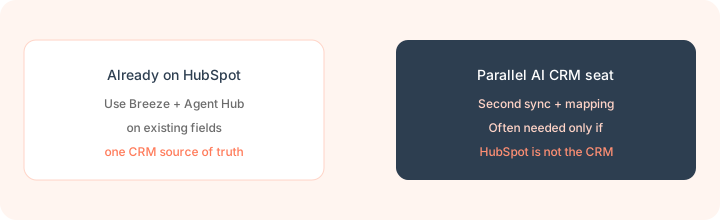
HubSpot AI tends to help when HubSpot is already the CRM, your fields are clean enough to trust, and you want drafting + hygiene + narrowly scoped agents without a second sync. It tends not to help when you hoped AI would fix a messy portal, when you need deep call coaching libraries, or when HubSpot is not where deals live. Buying HubSpot “for the AI” while keeping another CRM is usually the expensive parallel stack this page warns against.
Paying for HubSpot AI and a few other AI tools? The $9 AI toolkit spreadsheet lists every AI subscription you have, what each one costs, and how fast it pays for itself, so you can see which ones are worth the money.
Want someone to do it for you? AI toolkit audit — $19
Alternatives compared: stay native vs parallel tools
| Axis | HubSpot AI | Clay + CRM | Meeting AI → CRM | Sheets + LLM |
|---|---|---|---|---|
| Best when… | HubSpot is already system of record. | Enrichment / research tables before CRM write. | Call clips/notes must update CRM fields. | One-off hygiene without more SaaS. |
| Cost shape (Sep 2026) | Hub seats + credits; Assistant often included. | Clay plan + CRM seat. Confirm clay.com pricing. | Meeting tool + HubSpot seat. See tl;dv / Fireflies. | Near $0 tooling; human time is the cost. |
| Less useful when… | HubSpot is not the CRM. | You only need in-CRM drafting. | You only need pipeline hygiene prompts. | You need CRM-grounded multi-user agents. |
Also see Clay, tl;dv, Zapier, and the sales & marketing hub.
Same job, two products: HubSpot AI vs Clay.
Inventory seats by job on the stack map for sales ops.
FAQ
What is HubSpot AI (Breeze)?
HubSpot’s native AI layer: Assistant for CRM-grounded help, Agent Hub for agents, plus credit-metered intelligence features — built on HubSpot data, not a separate CRM.
How much does HubSpot AI cost in November 2026?
Breeze Assistant is included with every subscription. Agents and many AI actions use HubSpot Credits at $0.010 each ($10 per 1,000), with 500 / 3,000 / 5,000 included a month on Starter / Professional / Enterprise (checked Nov 4, 2026).
Should we buy HubSpot just for AI?
Rarely for this page’s job. Prefer AI inside the CRM you already run. HubSpot AI shines when HubSpot is already paid for and trusted.
Will AI fix a messy HubSpot portal?
No. Clean owners, stages, and next steps first — or AI will confidently draft from bad fields.
Optional next step (if seats overlap)
If HubSpot AI is one of several AI seats and you want a written pass across the whole list, the optional $19 AI toolkit audit produces a short memo. Prefer an editable grid? The $9 AI toolkit spreadsheet is a one-time CSV. Soft offer only — this deep-dive stands alone.
Checkout is live via Stripe. After you pay, we email delivery (spreadsheet) or intake next steps (audit).