Tool · SaaS & AI discovery · Nudge Security · Oct 2026
Nudge Security review (Oct 2026): SaaS and AI app discovery with employee nudges
Nudge Security finds the SaaS apps, AI tools, accounts, and OAuth connections your employees have set up — including the ones IT never approved — and then asks the right employee to do something about it. Discovery starts from a read-only connection to Microsoft 365 or Google Workspace email and can go back as far as your email archive; a browser extension adds live AI usage, logins, and file uploads. Instead of only blocking, it sends nudges — short prompts in Slack, Teams, email, or the browser — that ask for a reason, point to an approved tool, or walk someone through a fix. This page explains discovery, the AI features, and where IT still decides. Each section has a Try this.
What this Nudge Security page covers
This page is for an IT manager, a security lead, or a compliance owner at a company where people sign up for SaaS and AI tools faster than anyone can review them. The question it answers: what Nudge Security will find in your environment, what its AI features do, and how to turn a long list of discovered apps into decisions someone owns.
Nudge’s approach has three layers. Discovery connects to Microsoft 365 or Google Workspace email with read-only API access and, Nudge says, analyzes email metadata to detect SaaS and AI account creation, logins, and usage patterns — so it can find apps used off the network, on personal devices, and in the past. The browser extension adds real-time usage, login methods, AI tool activity, and file uploads. Nudges and playbooks turn findings into requests to specific employees, and every response is recorded. On top sit newer AI features: AI conversation monitoring, AI agent discovery, and Nudge’s own AI agents for OAuth grants and browser extensions.
Ground rules: IT or security approves every app decision — a nudge collects context from the employee, it doesn’t make the call. Nudge says plainly that no tool sees everything; accounts created with personal email addresses, for example, may not be discovered. Tell employees what is monitored before you turn on the browser extension or conversation monitoring. Facts come from Nudge Security’s website and changelog as read on 10 October 2026; its savings calculator, time-saved, and survey figures are vendor claims and aren’t repeated here.
Major features (with how someone uses them)
Examples at a glance: each feature has a concrete example from a real job plus a short Try this you can run this week.
1. A week of discovery: approve, review, or block each AI app (primary)
What it is: After the email connection, Nudge builds an inventory of apps, accounts, users, authentication methods, OAuth grants and scopes, and business owners, and keeps it updated as new sign-ups appear. It identifies technical and billing contacts for each app, alerts you when people start trying a new AI or SaaS tool, and can surface up to two years of historical SaaS spend. You set an approval status for each app, and the risk dashboard counts apps still missing one; for AI agents the statuses are Approved, Allowed, In Review, and Not Permitted. A risk dashboard and automatic app tiering, generally available since 30 September 2026, rank apps by how widely they are used and what kinds of data they appear to touch.
The first inventory is usually longer than anyone expects, and that’s the point of starting with a week rather than a year. Pull out the AI apps first, because they are the ones most likely to receive pasted company data. For each, find who uses it and who signed up first, then make one of three calls with that person: approve it, put it under review while you check terms and data handling, or block it and point to an approved alternative.
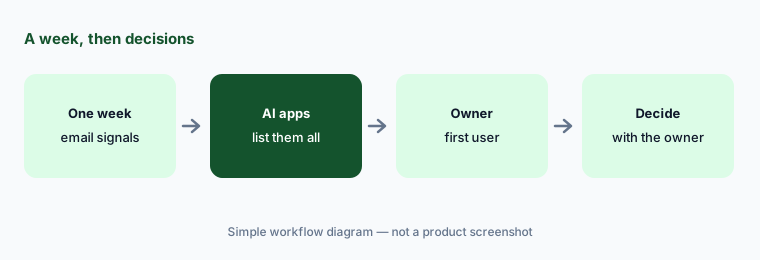
Primary workflow:
Run discovery for a week. List every AI app it found and decide approve, review, or block with the owner for each.
2. Browser extension: live AI usage, logins, and risky connections
What it is: The browser extension runs on Chromium-based browsers, Microsoft Edge, Firefox, and — since 8 September 2026 — Safari, and can be pushed silently through your device management tool. It records which SaaS and AI apps people sign in to and how (SSO, OAuth, passkeys, passwords), weak or reused passwords, shared logins, file uploads with their source, API keys copied and pasted, browser extensions installed, and remote MCP connections that give AI tools a direct path to company data. It is also where just-in-time browser nudges appear, such as an acceptable-use reminder when someone signs up for a new AI tool.
A browser extension that sees logins and uploads is powerful and personal. Write a one-paragraph note to employees saying what it records and why before it appears in their browser, start with one team, and review what it found with that team’s manager before widening it.
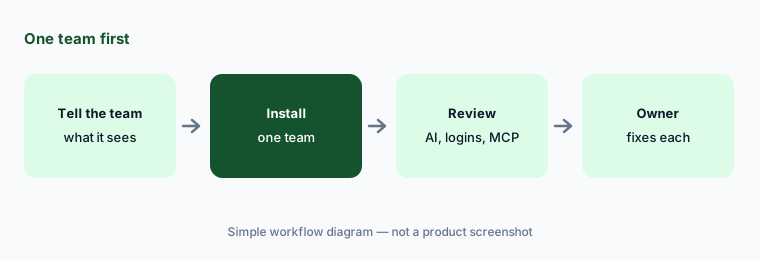
One team first:
Tell one team what the browser extension records, then turn it on for that team. Review its AI usage, login, and MCP findings with their manager after two weeks.
3. AI conversation monitoring: sensitive data into chatbots
What it is: AI conversation monitoring uses the browser extension to alert you when someone pastes or uploads sensitive data into supported AI chat tools such as ChatGPT, Claude, and Gemini. You choose which data types to watch for — secrets and credentials, personal data, health data, financial information — and whether detected data is masked or stored. Detection happens in the browser, alerts go to Slack, email, Microsoft Teams, or a webhook, and Nudge tracks where pasted or uploaded data came from. Nudge says it is not a keylogger: monitoring only runs on supported AI tools when the feature is on, and only for the data types you configure.
Decide in advance what happens after an alert, and who sees conversation details. A good default is a private nudge to the employee with the policy and the approved tool, and escalation only for secrets or regulated data — with the data masked so the alert itself doesn’t spread it further.
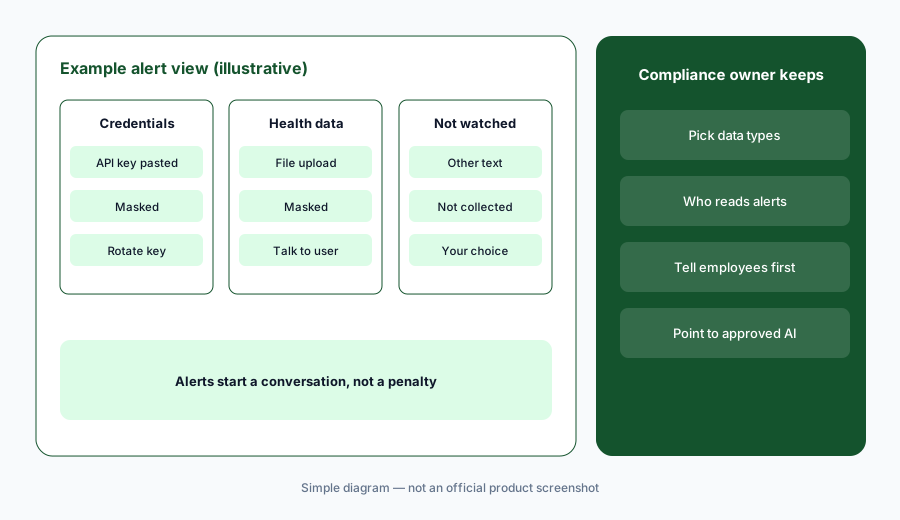
Narrow, masked, owned:
Turn on conversation monitoring for credentials and one regulated data type, with masking on. Write down who reads each alert and what happens next before the first one arrives.
4. Security nudges and playbooks: ask the right employee
What it is: A nudge is a short, pre-written request sent to the person who can act — in Slack, Microsoft Teams, email, or the browser — that they answer in one click: give a business reason, review who has access, turn on MFA, move a login to the approved password manager, or switch to a sanctioned app. Responses are recorded and some update the inventory automatically. Playbooks bundle nudges into workflows: rolling out an AI acceptable-use policy, offboarding a leaver’s SaaS accounts and OAuth grants, removing abandoned accounts, onboarding apps to SSO, and access reviews for SOC 2. In September 2026 Nudge added a batched password-manager nudge and an in-browser warning on OAuth device-code pages, a common phishing trick.
Nudges spread the work, not the decision. Keep the decision rules with IT — which answers approve an app, which send it to review — and read a sample of responses each week so a stream of “needed it for a project” replies doesn’t quietly become approval.
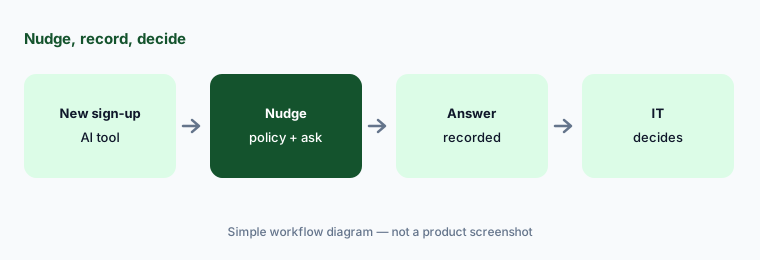
IT keeps the rules:
Run the AI acceptable-use playbook for a month. Read a sample of answers each week and decide from IT’s rules, not from the answers alone.
5. AI agent discovery (research preview): who built which agent
What it is: Nudge’s AI agent discovery, labeled a research preview, finds agents employees build. Through APIs it covers platforms such as Salesforce Agentforce, Microsoft Copilot Studio, Gemini for Google Workspace, ServiceNow, n8n, Tines, ChatGPT, and Workato; through the browser extension it covers others without good APIs, such as ChatGPT workspace agents, Atlassian Rovo, Zapier Agents, Retool, Cursor automations, and, since August 2026, Datadog and HubSpot. Each agent lands in one inventory with its creator, platform, approval status, and flags such as public access, write or destructive permissions, credentials or personal data in its instructions, unauthenticated MCP connections, dormancy, or a creator who has left.
An agent with broad permissions and no owner is the AI version of an orphaned admin account. For every flagged agent, name a technical owner — who may not be the person who built it — and nudge the creator to confirm what it is for.
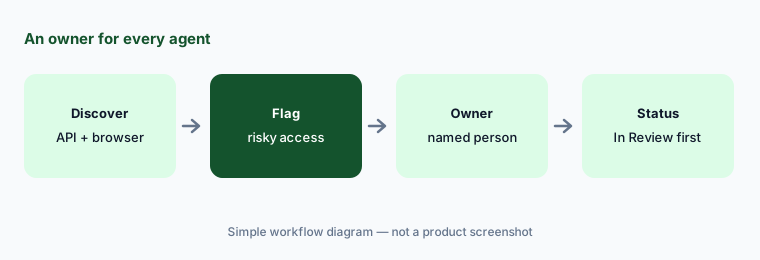
An owner per agent:
List every agent the preview finds with write access or company-wide visibility. Name an owner for each and set it to In Review until that person confirms its purpose.
6. Nudge AI agents: observe mode first, authority action by action
What it is: Live since 30 September 2026, Nudge’s own AI agents analyze risk as it appears. The OAuth Grant Risk Analyst reviews new OAuth grants and can revoke overly permissive ones or nudge the person who granted them; the Browser Extension Risk Analyst inspects installed extensions and flags ones that are malicious, compromised, or don’t do what they claim, then can run disable and uninstall workflows. Each verdict comes with plain-language reasoning and the evidence gaps it couldn’t confirm. Observe mode is on by default: the agent records what it would have done without doing it. You then grant authority action by action; Nudge says consequential actions go to your team for approval, while clearly safe verdicts can resolve on their own.
“Clearly safe” is a judgment the agent makes, so treat it like any new analyst. Keep observe mode on long enough to compare its verdicts with your own on real cases, grant one action at a time, and keep reading a sample of what it resolved without you.
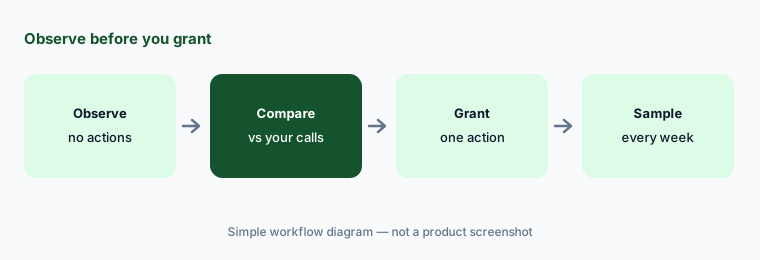
Observe, compare, then grant:
Keep one Nudge AI agent in observe mode for three weeks. Compare its verdicts with yours, then grant a single action and review a sample of what it resolves each week.
Pricing context (October 2026)
Nudge Security publishes prices (checked 10 Oct 2026), billed annually: Essential $750/month for up to 150 users; Growth $5/user/month for 150 to 1,500 users (its calculator shows $2,500/month at 500 users); and Enterprise, custom pricing for 1,500+ users. The page says all features are included, platform seats are unlimited, and there is a 14-day free trial. See nudgesecurity.com/pricing.
“Users” means active workspace users with a mailbox in Google Workspace or Microsoft 365 — including guest, contractor, and shared mailboxes, but not archived or suspended ones — and Nudge says organizations usually have more of these than employees. It also doesn’t normally let you monitor only part of a domain. Count mailboxes, not headcount, before you estimate.
Uncertainty: The pricing page says “all features included,” but its feature list marks configuration posture management, integration posture management, and AI agents with “($)”, which suggests they may cost extra — ask before you buy. AI agent discovery is a research preview that needs to be requested, and the risk dashboard was in open beta in August before going generally available on 30 September 2026. Discovery can miss accounts created with personal email. Nudge’s savings calculator and time-saved figures are vendor estimates.
When it’s useful (honest take)
Useful when people at your company adopt SaaS and AI tools faster than IT can review them, you use Google Workspace or Microsoft 365 email, and you want employees to supply context and fix simple problems themselves — with IT still deciding which apps are approved and who owns each one.
Less useful when your company is small enough that one spreadsheet of apps stays accurate, most tools are bought centrally through procurement, you can’t monitor every mailbox in the domain, or nobody will act on what discovery finds.
Paying for Nudge Security and a few other AI tools? The $9 AI toolkit spreadsheet lists every AI subscription you have, what each one costs, and how fast it pays for itself, so you can see which ones are worth the money.
Want someone to do it for you? AI toolkit audit — $19
Related options (educational)
| Need | Better home | Why |
|---|---|---|
| Shadow SaaS and AI discovery with nudges | Nudge Security (this page) | Email-based discovery, browser extension |
| SaaS spend, licenses, and access reviews | Zluri or Torii AI | Spend and license management |
| Shadow AI next to vendor risk and attack surface | UpGuard AI | User Risk browser extension |
| Device and identity management | JumpCloud AI | Directory, SSO, devices |
| Assessing the vendors behind approved apps | Whistic AI | Vendor Summary, Trust Center Exchange |
| Writing the AI policy itself | Claude for IT ops | Drafts from your own notes |
FAQ
How does Nudge Security discover SaaS and AI apps?
Mainly through a read-only API connection to Microsoft 365 or Google Workspace email, where it analyzes email metadata to detect account creation, logins, and usage, going back as far as your email archive. A browser extension adds live usage, logins, and AI activity. Nudge says accounts created with personal email addresses may not be found.
How much does Nudge Security cost in October 2026?
Billed annually: Essential is $750 a month for up to 150 users, Growth is $5 per user per month for 150 to 1,500 users, and Enterprise is custom (checked 10 October 2026). Users are counted as active workspace mailboxes, not employees, and some features are marked as possibly extra.
Does Nudge Security read employees’ emails?
Nudge describes its discovery as analyzing email metadata through a read-only API connection to detect SaaS and AI account creation, logins, and usage. AI conversation monitoring is a separate, opt-in feature that watches only supported AI tools for the data types you choose. Tell employees what is monitored either way.
Can Nudge Security block AI tools?
It can mark apps as not permitted, nudge people toward approved alternatives in the browser, and, with its AI agents, revoke OAuth grants or disable browser extensions once you grant that authority. IT decides the rules and approves consequential actions.
What is a security nudge?
A short, pre-written request sent to the employee who can act — in Slack, Teams, email, or the browser — asking for a business reason, an access review, or a simple fix like turning on MFA. Responses are recorded so you have an audit trail.
Optional next step (if seats overlap)
If you pay for a SaaS management tool, a shadow AI monitor, and a security platform that each keep their own list of the same apps, that overlap is worth mapping. Map the overlap with the $19 AI toolkit audit or the $9 AI toolkit spreadsheet. Email Audit $19 or Toolkit spreadsheet $9.
Checkout is live via Stripe. After you pay, we email delivery (spreadsheet) or intake next steps (audit).