Tool · Vendor risk & trust · Whistic · Oct 2026
Whistic AI review (Oct 2026): AI vendor assessments and trust profiles for third-party risk
Whistic sells third-party risk management (TPRM) software for security and risk teams: Assess for reviewing vendors, Vendor Monitoring for breach alerts, Compliance for testing your own controls, and a Trust Center where you publish your own security posture — the trust profile buyers read instead of sending you a questionnaire. Underneath sits Whistic AI, which reads vendor documents, maps them to your controls, and shows its sources and confidence, and since August 2026 an Automation Orchestrator that hands routine assessment steps to four agents. Whistic’s own line is “Automate the work. Own the decision.” This page explains each piece and where a risk owner still decides. Each section has a Try this.
What this Whistic page covers
This page is for a third-party risk analyst, a security or GRC manager who reviews vendors, or the person at a vendor who answers customers’ security questionnaires. The question it answers: what Whistic’s AI does with a vendor’s SOC 2 report, policies, and questionnaires, what the new agents automate, and where a person still makes the call.
A note on names, because they have moved. Whistic’s product pages now say Whistic AI for the shared AI layer, Vendor Summary, SOC 2 Summary, Smart Search, and Vendor Insights for its assessment features, and Trust Center Exchange for its network of published vendor profiles. Its pricing page, read the same day, still uses older names — Assessment Copilot, Whistic AI Copilot, and the Trust Catalog — and some customer quotes still say Whistic Profile. They describe the same family of features; use the current names when you talk to sales and ask them to map the old ones.
Ground rules: Whistic’s own FAQ says its AI doesn’t make vendor risk decisions and that people approve and finalize every assessment — keep it that way with a named risk owner per vendor. A summary of a SOC 2 report is not the report, and a citation shows where a finding came from, not that it was read correctly. Facts come from Whistic’s website and press releases as read on 10 October 2026; its accuracy, turnaround, and savings figures are vendor claims and aren’t repeated here.
Major features (with how someone uses them)
Examples at a glance: each feature has a concrete example from a real job plus a short Try this you can run this week.
1. Vendor Summary: AI reads one vendor’s documents (primary)
What it is: In Whistic Assess, Vendor Summary analyzes the evidence you have for a vendor — SOC 2 reports, ISO certificates, policies, completed questionnaires, Trust Center documents — and organizes findings around your assessment framework. Whistic says each AI answer shows a confidence indicator, an explanation, and prioritized sources you can open in context, and that when a questionnaire answer disagrees with a SOC 2 finding, the AI flags the contradiction instead of averaging it out. Reviewers can change a result when the evidence doesn’t support it, add notes, create an Issue, retry an unknown result, or ask the vendor for clarification.
The point of a first run isn’t to finish an assessment — it’s to learn how far you can trust the summary for your own framework. Pick a vendor you know well, run Vendor Summary, and open the source page for a few findings: one the AI marked as met, one it marked as a gap, and one with low confidence. If the source says something different, override it, note why, and keep a short list of the kinds of findings you will always check by hand.
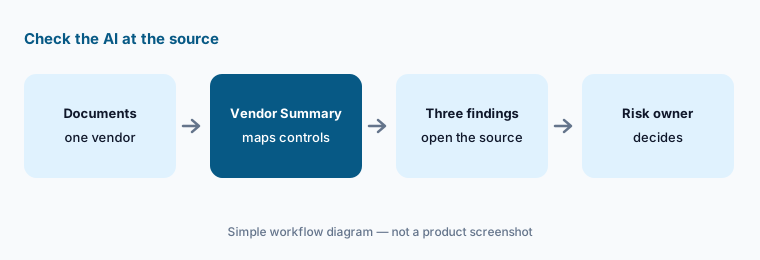
Primary workflow:
Run one vendor’s documents through Whistic’s AI assessment. Check three findings against the source pages before you rate the vendor.
2. SOC 2 Summary and Smart Search: reading long reports
What it is: SOC 2 Summary turns a SOC 2 report into a focused view of the controls, findings, and exceptions relevant to you, and Smart Search lets you ask questions across a vendor’s documents and jump to the evidence behind the answer. Vendor Insights sends bulk questions across your whole vendor inventory, or a subset, and highlights framework alignment, gaps, and areas needing follow-up. Whistic’s pricing page counts these per assessment: one license covers SOC 2 Summary, Vendor Summary, and Vendor Insights for an assessment and is used up when that assessment ends.
The part of a SOC 2 report that matters most is often the shortest: the auditor’s exceptions, the complementary user entity controls you are supposed to run yourself, the carve-outs for subservice organizations, and the report period. Use the summary to get there faster, then read those pages in the report itself.
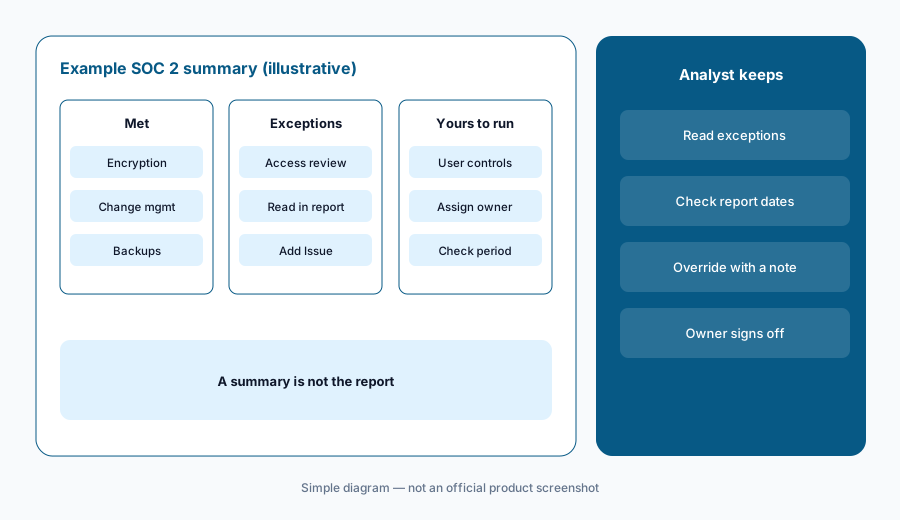
Exceptions first:
Run SOC 2 Summary on one vendor’s report. Read every exception in the report itself and note any the summary missed or softened.
3. Evidence first, questionnaire last: Trust Center Capture and the Exchange
What it is: Whistic’s Assess workflow runs Intake, Collect, Review, Finalize, and its stated aim is to make the questionnaire “the fallback, not the starting point.” At intake you record how the vendor will be used, what data it can reach, and how critical it is. Collection starts with what already exists: Trust Center Capture finds documents on a vendor’s public trust center, the Trust Center Exchange holds published profiles from thousands of vendors, and prior assessments and uploads count too. Only the gaps that remain become a document request or a targeted questionnaire. Whistic’s library includes 50+ standard questionnaires and frameworks, including AI-focused ones such as the NIST AI Risk Management Framework and ISO 42001.
Evidence-first saves vendors and analysts time, but it moves the judgment earlier: someone has to decide whether a published profile is current enough and covers your use of the vendor. Note the date of each document you rely on and the question it answers, and send a questionnaire only for what is still unanswered.
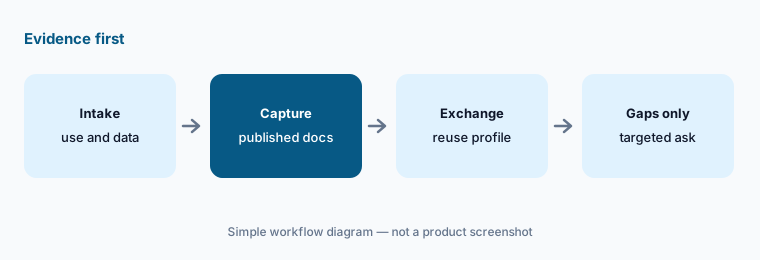
Ask only for the gaps:
For your next new vendor, start from captured documents and its Trust Center Exchange profile. Send a questionnaire only for the controls still unanswered, and note each document’s date.
4. Automation Orchestrator: four agents, and a person decides
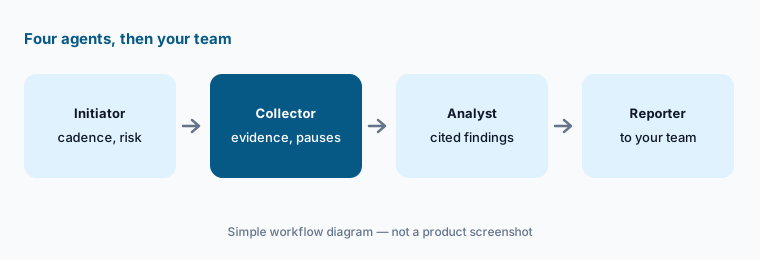
What it is: Announced as generally available on 18 August 2026, Automation Orchestrator coordinates agents across a workflow; its first workflow, AutoAssess, has four. The Initiator starts an assessment on a cadence or on risk criteria you configure; the Collector gathers evidence from trust centers, the web, and existing records and sends requests, pausing when something required can’t be found; the Analyst runs Vendor Summary and produces cited findings; the Reporter writes an executive summary and routes it to approvers. Agents can run one at a time or together as Full AutoAssess, with pause points and an activity history. Whistic’s FAQ is explicit: Full AutoAssess does not approve vendors. It is included for Assess customers with Whistic AI enabled, and an admin configures it.
Start with the agents that do the least judgment — starting assessments and collecting evidence — and keep analysis and the decision manual until you have compared a month of agent work with your own. Read the activity history for every paused assessment; a pause usually means the agent couldn’t find something a person needs to chase.
Least judgment first:
Turn on only the Initiator and Collector for one low-risk vendor tier. Keep analysis and the decision manual for a month, then compare the agents’ work with yours.
5. Vendor Monitoring: from breach alert to a decision
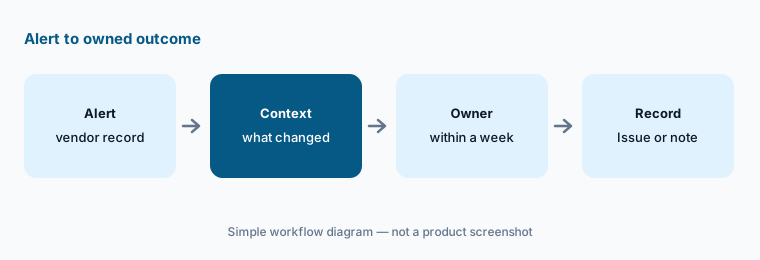
What it is: Vendor Monitoring, generally available since March 2026, watches for breach-related activity around your vendors — Whistic mentions public, dark web, and SEC sources — and puts each alert inside the vendor’s record, next to its assessment history. Whistic AI turns the event into structured context (what changed, severity, scope). From the alert you can update its status, create a tracked Issue, or launch a targeted assessment, and the response history stays with the vendor. Whistic sells it as a paid add-on or on its own. Its newer Compliance application, for testing your own controls with manual uploads, scheduled runs, or an AI Browser Agent, is also a paid add-on.
An alert is a signal, not a finding. The useful habit is a short, owned response: who looks at it, by when, and which of three outcomes they record — open an Issue, reassess, or note why no action is needed.
Owned response:
Pick your five most critical vendors. For each new alert, have the vendor owner choose within a week: open an Issue, reassess, or record why no action is needed.
6. Your own Trust Center and Smart Response
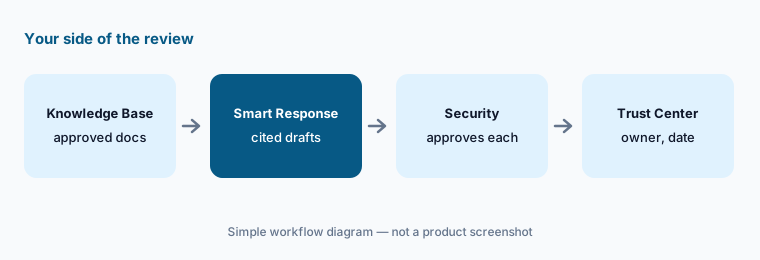
What it is: The other side of Whistic is for when you are the vendor. A Whistic Trust Center publishes your security documents, certifications, and self-assessments against 40+ standard questionnaires, with access controls, NDAs, and approvals, and can be listed on the Trust Center Exchange so buyers can review you without sending a questionnaire. Smart Response answers incoming questionnaires — including customized ones — from the documents and past answers in your Knowledge Base, and Whistic says each answer includes document citations, a confidence indicator, and its rationale. Knowledge Base Smart Search lets sales and other teams find approved security answers without routing every question to security; Salesforce and Slack integrations help sales share the Trust Center.
Your Trust Center is a public promise. Put an owner and a review date on every document in it, and have security approve Smart Response answers before they go out — especially any that describe a control, a date, or a certification.
Approve before it goes out:
Load your last three completed questionnaires into the Knowledge Base. Let Smart Response answer a fourth and have security approve each answer before it goes to the customer.
Pricing context (October 2026)
Whistic publishes no prices (checked 10 Oct 2026); its pricing page describes a “customized approach” and asks you to contact sales. It lists a Whistic Core package — unlimited vendors and users, 25 assessments, 5 Smart Responses, 5 Assessment Copilot uses, 5 Vendor Insights uses, and 1 Trust Center — plus Assess+ (custom questionnaire builder, intake forms, 125 additional assessments) and Trust+ (Smart Response with Knowledge Base, premium frameworks, more Trust Center profiles). See whistic.com/pricing.
How usage is counted: an assessment starts when its status moves from Initial Assessment to In Progress; one Assessment Copilot license covers SOC 2 Summary, Vendor Summary, and Vendor Insights for one assessment; extra Smart Responses are sold in blocks of 50. Automation Orchestrator is included for Assess customers with Whistic AI enabled. Vendor Monitoring and Compliance are paid add-ons or standalone products. The site also links to a free profile sign-up.
Uncertainty: Whistic doesn’t publish prices, and its pricing page uses older names (Assessment Copilot, Trust Catalog, Whistic Professional, Trust Center Pro) than its product pages (Whistic AI, Vendor Summary, Trust Center Exchange), so the package allowances above may be out of date. The Orchestrator roadmap — intake, issues, reassessment agents — is described as future work, not available. AI features can be switched on or off individually, so what you see depends on your admin. Whistic’s accuracy, turnaround, and savings figures are vendor claims.
When it’s useful (honest take)
Useful when a third-party risk team reviews a steady flow of vendors, most of which already have SOC 2 reports or published trust centers, and has named risk owners who will check AI findings at the source and make the call — or when your own company answers many security questionnaires and wants a trust profile buyers can read first.
Less useful when you review a handful of vendors a year, your compliance platform’s vendor module already covers them, nobody owns the vendor decisions, or you want the AI to approve vendors for you. Whistic says it won’t, and it shouldn’t.
Paying for Whistic AI and a few other AI tools? The $9 AI toolkit spreadsheet lists every AI subscription you have, what each one costs, and how fast it pays for itself, so you can see which ones are worth the money.
Want someone to do it for you? AI toolkit audit — $19
Related options (educational)
| Need | Better home | Why |
|---|---|---|
| AI vendor assessments from documents | Whistic AI (this page) | Vendor Summary, AutoAssess agents |
| External scanning plus document analysis | UpGuard AI | Outside-in findings, gap questionnaires |
| Finding the SaaS and AI apps people already use | Nudge Security | Discovery, employee nudges |
| Vendor reviews inside a compliance platform | Vanta AI or Drata AI | Vendor module next to your controls |
| Answering buyers’ questionnaires at scale | Loopio vs Responsive | Response libraries and agents |
| Security reviews plus a trust center | Conveyor AI | Trust Center Agent, approvals |
FAQ
What is Whistic AI?
Whistic AI is the shared AI layer across Whistic’s Assess, Vendor Monitoring, Compliance, and Trust Center products. In Assess it powers Vendor Summary, SOC 2 Summary, Smart Search, and Vendor Insights; older Whistic pages call these Assessment Copilot.
Does Whistic AI approve or reject vendors?
No. Whistic says its AI collects, interprets, and explains information, and that human reviewers and approvers make the final risk decision. Even Full AutoAssess, which runs all four agents, stops at an executive summary for your team to review.
How much does Whistic cost in October 2026?
Whistic publishes no prices (checked 10 October 2026). Its pricing page lists a Core package with set allowances of assessments, Smart Responses, and AI uses, plus Assess+ and Trust+ packages, all by quote. Automation Orchestrator is included for Assess customers with Whistic AI enabled; Vendor Monitoring and Compliance are paid add-ons.
What happened to the Whistic Trust Catalog?
Whistic’s product pages now call it the Trust Center Exchange: a network of published vendor trust profiles buyers can search and use to start an assessment without a questionnaire. The pricing page still uses the older Trust Catalog name.
Does Whistic use our data to train AI models?
Whistic says customer data is not used to train the underlying models, which it runs through AWS Bedrock, and that AI capabilities can be turned on or off individually. Confirm the details in your contract.
Optional next step (if seats overlap)
If you pay for a vendor risk tool, a compliance platform’s vendor module, and a separate questionnaire tool that all store the same SOC 2 reports, that overlap is worth mapping. Map the overlap with the $19 AI toolkit audit or the $9 AI toolkit spreadsheet. Email Audit $19 or Toolkit spreadsheet $9.
Checkout is live via Stripe. After you pay, we email delivery (spreadsheet) or intake next steps (audit).