Tool · Compliance & trust · Hyperproof · Oct 2026
Hyperproof AI review (Oct 2026): AI help for control mapping, evidence, and risk registers
Hyperproof is a GRC platform built for teams juggling many frameworks at once: you keep one set of controls, map it to SOC 2, ISO 27001, NIST, HIPAA, and the rest, and collect evidence (“proof”) once for all of them. Its AI layer, Hyperproof AI, adds an assistant with four agent roles — Discover, Validate, Advise, and Act — plus agents that set up evidence collection and test the evidence you’ve gathered, AI summaries of every proof file, semantic search, and suggestions for risk registers and vendor reviews. This page is about using that help while the control owner still accepts each mapping and each change. Each section has a Try this.
What this Hyperproof page covers
This page is for a GRC manager or compliance lead running several frameworks — often at a mid-market or enterprise company that added ISO 27001 after SOC 2, then HIPAA or CMMC — who wants to know where Hyperproof’s AI saves mapping and evidence work and where a person still has to read the requirement text.
Hyperproof describes itself as an AI-powered GRC platform covering compliance, risk, audit, vendor risk, and policy management. Its AI page (read 10 October 2026) lists agents that discover gaps, validate evidence, advise on policies and controls, and act on your behalf by mapping risks, controls, and tasks. Its FAQ says AI outputs are presented for human review before they’re applied, AI-assisted actions are logged in the activity feed under the person who approved them, and customer data isn’t used to train models. Hyperproof AI runs on Azure OpenAI inside Hyperproof’s own Azure environment, in the same region as your tenant.
Ground rules: an AI-suggested mapping is a proposal until the control owner has read both requirement texts; agents set things up only after someone confirms; and a tool collects and organizes evidence — your auditor still does the testing and attesting. Facts below come from Hyperproof’s website and help center as read on 10 October 2026; its time-saved and percentage claims are vendor claims and aren’t repeated here.
Major features (with how someone uses them)
Examples at a glance: each feature has a concrete example from a real job plus a short Try this you can run this week.
1. Cross-framework control mapping: one control, two frameworks (primary)
What it is: Hyperproof’s core idea is map controls once, reuse them everywhere. When you add a framework, Hyperproof says it maps your existing controls to the new requirements automatically, using its Hyperproof Crosswalk dataset — a June 2026 release note says all new and updated program frameworks come with controls and are fully crosswalked to it — and the Controls module has a Crosswalks layout for seeing which requirements each control covers. The AI agents add mapping help on top: Hyperproof’s April 2026 workshop describes the AI mapping requirements, policies, proof, controls, risks, and audit requests, and the Act agent maps risks, controls, and tasks for you.
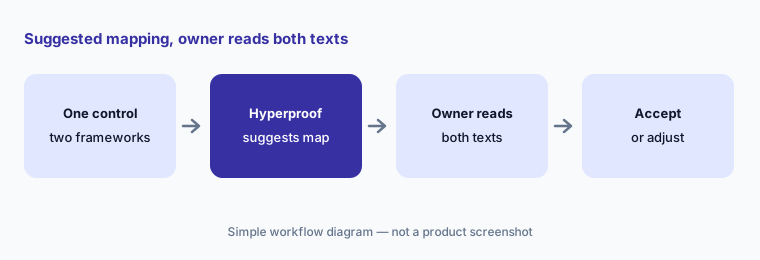
A crosswalk says two requirements are related; it doesn’t say your control satisfies both. ISO 27001 might ask for something SOC 2 doesn’t, such as a documented review frequency or a named role. Before you accept a suggested mapping, open both requirement texts side by side and check that the control’s wording and its evidence actually cover each one. If one framework asks for more, add it to the control or keep the mapping partial.
Primary workflow:
Pick one control that applies to two frameworks. Let Hyperproof suggest the mapping and check both requirement texts before you accept it.
2. The AI Assistant: Discover, Validate, Advise, Act — with confirmation cards
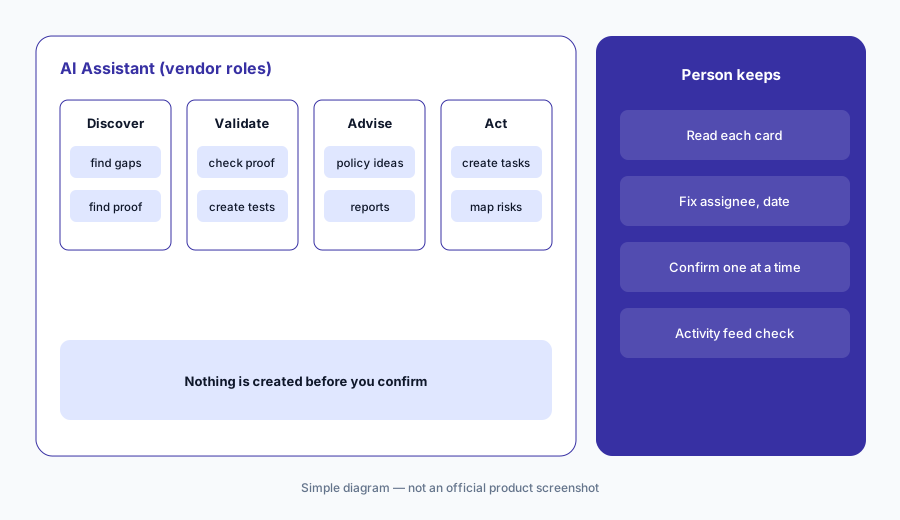
What it is: The Hyperproof AI Assistant opens from the sparkles button in the top-right corner. Behind it, Hyperproof says several agents work together: Discover finds risks, issues, and evidence; Validate checks completeness and creates or modifies tests; Advise recommends policies, frameworks, and controls and can generate reports; and Act handles follow-through such as remediation tasks and ownership changes. You can ask plain questions (“Can you help me collect evidence for controls?”) and have it create tasks, repeating tasks, and issues. Per the help center, the Assistant shows a confirmation card before it creates a work item, and Hyperproof recommends confirming or rejecting each card right away — an unresolved confirmation can be applied to the next work item by mistake.
That last detail is a good reason to work one item at a time. Read each confirmation card — assignee, due date, linked control — before you accept it, and don’t queue up several requests in one chat. Anything the agents change shows in the activity feed under your name, so the person confirming is the person accountable.
One card at a time:
Ask the AI Assistant to create one task for a control without proof. Read the confirmation card, fix the assignee and due date, then confirm.
3. Evidence Collection Agent: from manual proof to a Hypersync
What it is: Hyperproof’s integrations are called Hypersyncs. The AI Evidence Collection Agent reads a control’s or label’s name and description, works out what kind of evidence it needs, and recommends a Hypersync and proof type, preferring systems you’ve already connected. If credentials are missing, it drafts a request to your IT or security admin with links to the permissions documentation; if no connector exists, it suggests a LiveSync from cloud storage or a repeating task with manual steps. It sets up the Hypersync on a label (creating one if you started from a control) and suggests other controls that could use the same proof. Per the help center, all actions — connecting integrations, configuring automations — require explicit user confirmation, and they’re logged in the activity feed.
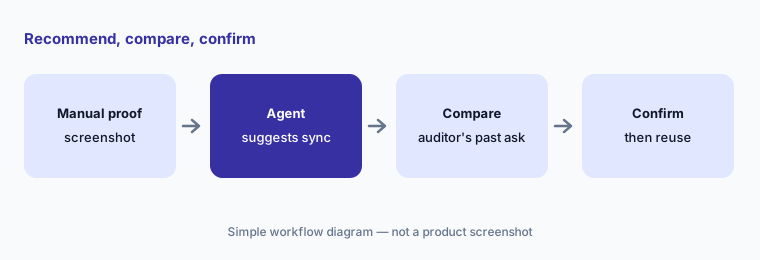
Automated proof is only better than a screenshot if it’s the proof your auditor wants. Before confirming a recommendation, check it against what your auditor accepted last time for that control, and look at the first import before you link the label to more controls.
Check before you confirm:
Start the Evidence Collection Agent on one control with manual proof. Compare the Hypersync it recommends with what your auditor accepted last year before you confirm.
4. Evidence Validation Agent: tests you set to your own thresholds
What it is: The AI Evidence Validation Agent checks whether collected proof is accurate, complete, and likely to satisfy an auditor. For Hypersync data it offers a pre-built test library matched to the service and proof type — for an Okta user list, for example, tests such as MFA Enrollment Verification and Minimum Password Length — which you add with one click and then adjust to your own thresholds. For documents and images it uses AI analysis instead. You can run it from a single control or label (“Test this control”) or across many from the Overview tab before an audit.
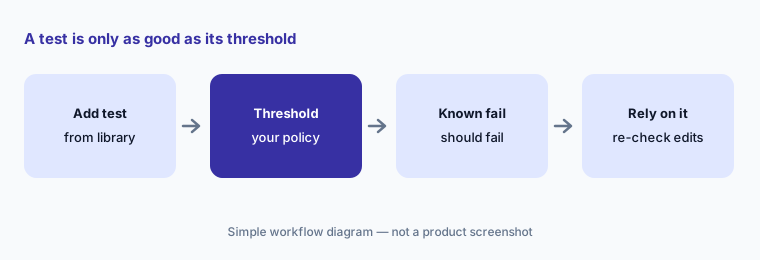
A test is only as good as its threshold. Set each one to what your own policy says, then prove it works by running it against a record you know should fail. Hyperproof’s 7 October 2026 release notes fixed an issue where editing a test reset its pass threshold to 0% — fixed now, but a good reminder to re-check thresholds after any edit.
Prove the test can fail:
Add one pre-built validation test to a control with Okta proof. Set the threshold from your own policy and check it fails on a user you know isn’t compliant.
5. Proof summaries and global AI search
What it is: Every document or image you upload as proof (.doc, .docx, .pdf, .png, .jpg — not files that come in through Hypersyncs) gets an AI proof summary, generated within about five minutes and shown in the proof viewer and in search results. Summaries take thumbs-up or thumbs-down feedback but can’t be removed. Global AI search is semantic: you can type “Find assessments about data retention,” wrap phrases in quotes, or filter by type with a prefix such as controls: GDPR. AI smart linking suggests links between policies, proof, and controls from inside the Assistant. All three respect your existing permissions — people only see summaries and results for records they can already open.
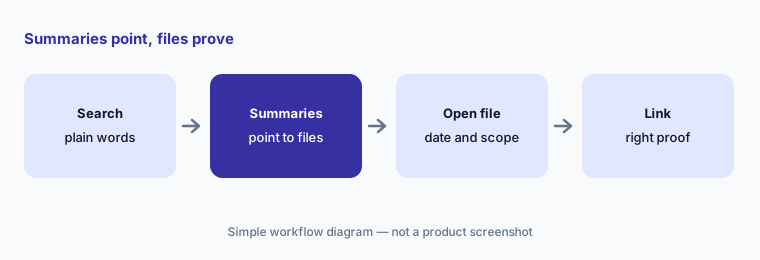
A summary is a pointer, not evidence. Before you link a file to a control because its summary sounds right, open the file and check the date, scope, and system it covers. Thumbs-down any summary that gets a fact wrong, since it will keep showing up in search.
Open before you link:
Search for one policy topic with global AI search. Open the proof behind each summary before you link anything to a control.
6. Risk registers and vendor assessments: AI suggestions, owner decisions
What it is: Hyperproof supports multiple risk registers, risk intake surveys, and links between risks and the controls that mitigate them, so control health feeds the risk view. Its AI page says Hyperproof AI can auto-populate your risk register and control labels with ready-to-use content. On the third-party side, Hyperproof’s TPRM release notes (1 July 2026) added AI-powered risk and follow-up suggestions that analyze vendor assessments, suggest follow-up questions to send, and recommend risks to track; on 23 September 2026 vendors gained a questionnaire document type so pre-filled questionnaires can feed AI-based assessments.
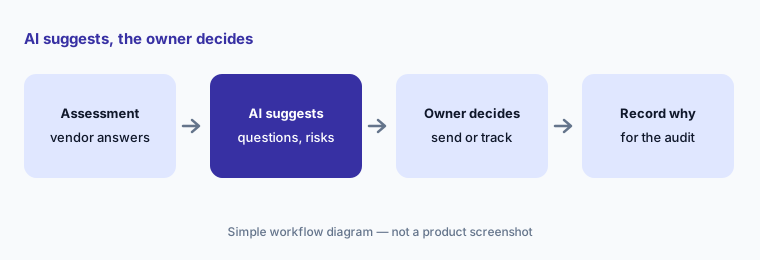
A suggested risk is a draft register entry; a suggested follow-up is a question with your company’s name on it. Have the risk owner accept, edit, or reject each risk, and have the vendor’s owner choose which follow-ups actually go out. Write down why a suggestion was rejected — that’s the context your auditor will ask about later.
The owner decides what goes out:
Take one vendor assessment. Let Hyperproof’s AI suggest follow-up questions and risks, and have the vendor’s owner decide which get sent or tracked.
Pricing context (October 2026)
Hyperproof publishes no prices for its GRC platform (checked 10 Oct 2026): its pricing address redirects to the product overview, and buying runs through a demo and quote. Hyperproof’s AI FAQ says customers get AI features through an AI Early Access Program via sales or customer success, and that features reaching general availability are enabled by default with an organization-level opt-out (there’s no per-feature opt-out).
For third-party risk only, Hyperproof’s TPRM release notes (1 July 2026) say new website sign-ups get a TPRM Core trial with five vendors and 1,000 AI credits; paid TPRM pricing isn’t published. Ask your quote to name which AI agents, Hypersyncs, and frameworks are included, and whether AI features count against credits.
Uncertainty: No published prices, so AI packaging is unconfirmed until you get a quote. Hyperproof’s own pages give different framework counts (140+ on the AI page, 160+ on the mid-market page), and which AI features are generally available versus in early access isn’t listed per feature. Hyperproof says its AI drafting features aren’t available in Hyperproof Gov, and that Microsoft may keep prompts and outputs for up to 30 days for abuse monitoring. Percentage and time-saved claims on Hyperproof’s site are vendor claims.
When it’s useful (honest take)
Useful when you run three or more frameworks against one control set, collect a lot of system evidence that could be automated, and have control owners who will read requirement texts and confirm each AI suggestion — and you want risk, vendor, and audit work in the same system.
Less useful when you have one framework and a first audit coming (a lighter tool may get you there faster), nobody owns the control set, or you expect AI mappings to replace reading the requirements. Tools don’t certify anyone; your auditor still tests the controls.
Paying for Hyperproof AI and a few other AI tools? The $9 AI toolkit spreadsheet lists every AI subscription you have, what each one costs, and how fast it pays for itself, so you can see which ones are worth the money.
Want someone to do it for you? AI toolkit audit — $19
Related options (educational)
| Need | Better home | Why |
|---|---|---|
| One control set mapped across many frameworks | Hyperproof AI (this page) | Crosswalks, agents, validation tests |
| Agentic questionnaires and vendor reviews | Drata AI | AIQA, TPRM Agent, SafeBase |
| Comparing two large GRC platforms | Vanta vs Drata | Agents, questionnaires, frameworks |
| Software and the audit from one company | Thoropass AI | In-house auditors, First Pass AI |
| Policy drafts and gap checks for a growing team | Scrut AI or Secureframe AI | Teammates; Comply AI |
| Drafting from your own sanitized notes | Claude for security ops | Projects, no vendor data |
FAQ
What AI features does Hyperproof have in October 2026?
An AI Assistant with Discover, Validate, Advise, and Act agents; an Evidence Collection Agent and an Evidence Validation Agent with a pre-built test library; AI proof summaries; global AI search; smart linking; risk register help; and AI follow-up and risk suggestions in vendor assessments.
Does Hyperproof map controls across frameworks automatically?
Hyperproof says it maps existing controls to new framework requirements using its Crosswalk dataset, and its AI can suggest further mappings. Have the control owner read both requirement texts before accepting a mapping, because related requirements don’t always ask for the same thing.
How much does Hyperproof cost?
Hyperproof publishes no prices for its GRC platform (checked 10 October 2026); it sells by demo and quote. A TPRM Core trial with five vendors and 1,000 AI credits is offered to new website sign-ups, per its July 2026 release notes.
Can Hyperproof’s AI change things without asking?
Hyperproof says AI outputs are presented for human review before they’re applied, the agents require explicit confirmation for actions such as connecting integrations, and AI-assisted actions are logged under the person who authorized them.
Does Hyperproof train AI models on our data?
Hyperproof’s AI FAQ says no: customer data is used only at inference time, processing stays in its Azure environment and region, and organizations can opt out of AI features at the tenant level.
Optional next step (if seats overlap)
If you pay for a GRC platform, a separate vendor-risk tool, and chat seats that all summarize the same evidence, that overlap is worth a look. Map the overlap with the $19 AI toolkit audit or the $9 AI toolkit spreadsheet. Email Audit $19 or Toolkit spreadsheet $9.
Checkout is live via Stripe. After you pay, we email delivery (spreadsheet) or intake next steps (audit).