Compare · Compliance & trust · Trust management AI · Oct 2026
Vanta vs Drata (Oct 2026): AI compliance automation and trust management
Vanta and Drata are the two names most teams hear first when a customer asks for a SOC 2 report. Both automate evidence collection, both run a Trust Center and answer security questionnaires with AI, both review vendors, and both now offer MCP access for AI assistants. The differences are in how the AI does the work — Vanta is leaning into agents that run on schedules and triggers, Drata into AI drafts and an agent that asks before each step — and in packaging. This page compares them by who does the work, questionnaires and Trust Center, third-party risk, and framework breadth — not as a ranking — with a Try this for each.
What this comparison covers
This page is for a security lead, compliance manager, or founder choosing a compliance automation platform — or deciding at renewal whether to switch — who wants to know how each tool’s AI handles the work that piles up after the first audit: the next framework, customer questionnaires, the Trust Center, and vendor reviews.
The short version: Vanta puts the Vanta AI Agent in every plan and, since September 2026, lets you build custom agents that run on a schedule or trigger (public preview), with sensitive actions waiting for approval. Drata builds AI into each workflow as drafts that a subject expert approves, edits, or rejects — questionnaires, policy-to-control mapping, cloud tests — plus a TPRM Agent that asks for approval before it acts, and a Trust Center from its 2025 SafeBase acquisition. Both say a person stays in charge; the question is how many approval points you want and where.
Vanta facts were read on its website on 10 October 2026; Drata facts come from its website and help center as read the same morning for our Drata AI review. Neither tool makes you compliant or certified — an independent auditor tests your controls and issues the report. Percentage and time-saving figures on either site are vendor claims and aren’t repeated here.
| Question | Vanta | Drata |
|---|---|---|
| Who does the work | Vanta AI Agent in every plan; custom agents on a schedule or trigger (public preview, sensitive actions wait for approval); agentic onboarding with a review canvas | AI drafts inside workflows with approve, edit, or reject (questionnaires, policy mapping, cloud tests); TPRM Agent that asks before acting |
| Questionnaires | Questionnaire Automation: 25 a year on Plus, 144 on Professional; 50 languages | AI Questionnaire Assistance (from SafeBase): experts approve, edit, or reject; agentic questionnaire lifecycle on pricing page |
| Trust Center | Trust Center on every plan; Advanced Trust Center on Professional; buyer chatbot | SafeBase Trust Center (acquired 2025) with AI trust item descriptions |
| Third-party risk | AI-powered security reviews as an add-on; Multiple Assessments in Advanced TPRM | TPRM Agent: drafts assessments, follow-ups, reminders every three days; you can override any status |
| Framework breadth | 35+ frameworks (homepage); one framework on Essentials | 30+ pre-built frameworks, including AIUC-1, EU CRA, and a custom framework |
| MCP and assistants | Vanta MCP read and write (public preview); Claude and ChatGPT plug-ins; CLI | Drata MCP with admin-set OAuth scopes and expiry, capped by each user’s role |
| Published prices | None; personalized pricing (Essentials, Plus, Professional, Enterprise) | None; quote by stage (Startup, Growth, Enterprise) |
Major features (with how someone uses them)
Examples at a glance: each feature has a concrete example from a real job plus a short Try this you can run this week.
1. Your next two frameworks and three biggest questionnaire customers (primary)
What it is: Feature lists for these two tools look alike; your own next year doesn’t. The fastest comparison starts from two lists: the next two frameworks you’ll add (ISO 27001, HIPAA, ISO 42001, the EU Cyber Resilience Act, a customer’s own control set) and the three customers whose questionnaires cost you the most time. For each, check whether the framework is in the tool’s library or needs a custom framework, which plan includes it, how the tool drafts that customer’s questionnaire, and who on your side signs off before it goes back.
Write the approver’s name in every cell, not just the tool’s feature. A questionnaire answer is a statement your company makes to a customer; a new framework is a set of controls someone has to own. If you can’t name the person, neither tool’s AI will fix that.
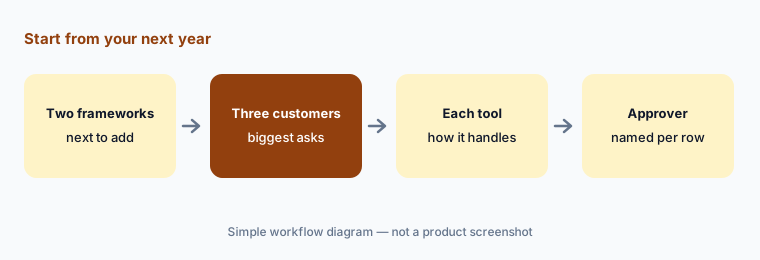
Primary workflow:
List your next two frameworks and three biggest questionnaire customers. Note how each tool would handle each and who approves.
2. Who does the work: agents on schedules vs drafts with approval
What it is: Vanta’s AI Agent is included from the Essentials plan and handles search, evidence checks, policy templates, policy-to-control mapping, and evidence collection. Vanta’s September 2026 release added custom agents (public preview, Essentials and up) that run on a schedule or trigger, keep a run history, and hold sensitive actions for approval; August 2026 added agentic onboarding, which reads up to 30 uploaded files and shows a review canvas before anything is written, without touching existing objects. Professional adds agentic issue management. Drata puts AI into specific steps — AI policy-to-control mapping, AI-generated cloud tests, test failure insights, vendor SOC 2 summaries — where a person accepts or rejects the output, and its TPRM Agent asks for approval before each action. Separately, Drata’s AI Agent Governance (limited availability, August 2026) is about governing your company’s own AI agents, not about doing compliance work.
Agents that run on their own save the most time and need the most supervision. Whichever tool you pick, name an owner for every scheduled agent or recurring AI job, read its first few runs, and decide which actions always wait for a person.
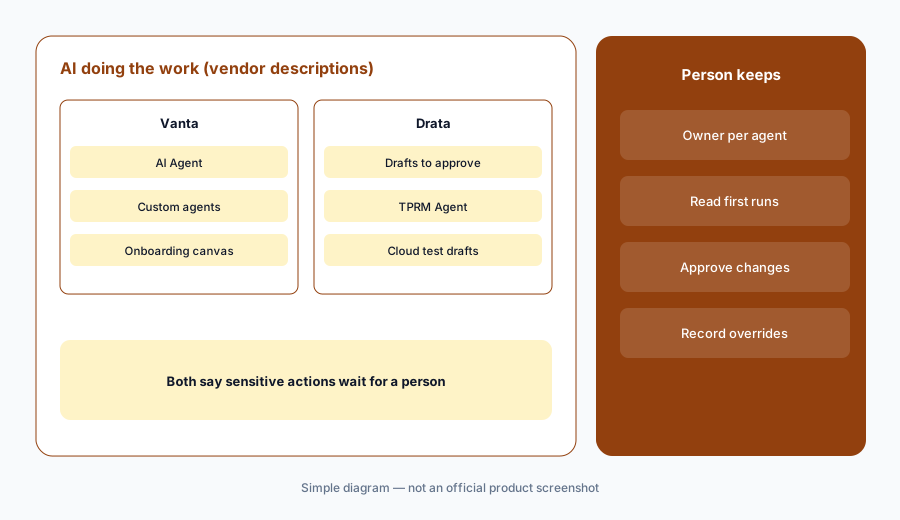
Map the approval points:
Pick one recurring compliance task. Note where each tool would do it on its own and where a named person must approve before anything changes.
3. Questionnaires and the Trust Center flow
What it is: Both tools pair AI questionnaire answers with a public Trust Center so buyers can help themselves before they send a questionnaire. Vanta includes a Trust Center on every plan, with an Advanced Trust Center on Professional and a chatbot that answers buyers’ questions; Questionnaire Automation is counted per year — 25 questionnaires on Plus and 144 on Professional — and since August 2026 handles questionnaires in 50 languages on those plans. Drata’s Trust Center and AI Questionnaire Assistance came from SafeBase, which Drata acquired in February 2025; subject experts approve, edit, or reject each AI answer, Drata says the system learns from those edits, and its pricing page now describes an agentic questionnaire lifecycle.
Check what your Trust Center already answers before buying more questionnaire capacity: every question a buyer finds answered publicly is one nobody has to approve. For the answers that do go out, keep one approved answer library and one owner per topic, whichever tool hosts it.
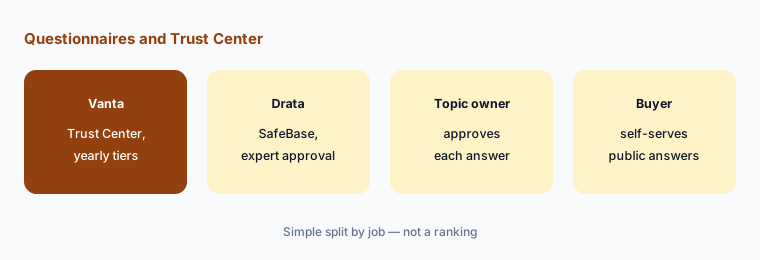
Count before you buy:
Count last year’s questionnaires and how many your Trust Center could have answered. Price each tool’s questionnaire tier against what’s left.
4. Third-party risk: add-on reviews vs a TPRM Agent
What it is: Vanta sells AI-powered security reviews for vendors as an add-on on all plans; its AI can review vendor documents when you have that product, and Advanced TPRM added Multiple Assessments in April 2026 so one vendor can have several reviews running. Drata’s TPRM Agent works from the Drata AI chat panel: Drata says it builds criteria from your existing questionnaires, collects documents from vendors’ Trust Centers, drafts the assessment, sends follow-up questionnaires, and reminds vendors every three days, asking for approval before actions — and you can override any status it proposes. Outcomes include Approved and Approved with Conditions.
A vendor review ends in a decision someone signs: approve, approve with conditions, or reject. Write down who that is for each vendor tier before either tool drafts anything, and make sure overrides are recorded with a reason.
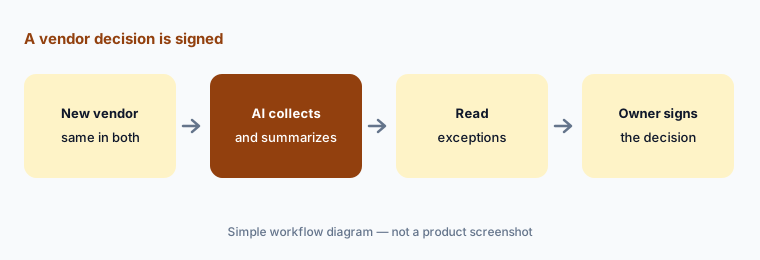
Same vendor, both tools:
Run one real vendor through both trials. Have the vendor’s owner compare each summary with the report’s exceptions before signing a decision.
5. Framework breadth: 35+ vs 30+, and custom frameworks
What it is: Vanta’s homepage lists 35+ frameworks, and it added C5:2026 in August 2026; Essentials covers one framework and higher plans more. Drata lists 30+ pre-built frameworks — among them SOC 2, ISO 27001, 27701, and 42001, HIPAA, PCI DSS, CMMC, FedRAMP, HITRUST, NIS 2, DORA, NIST AI RMF, AIUC-1, and the EU Cyber Resilience Act — plus a custom framework option. Counts like these depend on how each vendor groups versions, so a five-framework difference in either direction tells you little.
What matters is whether your specific next frameworks are in the library at the version your auditor will use, whether controls you already have map across, and which plan you need for them. Ask each vendor to show the framework in the product, not on a slide.
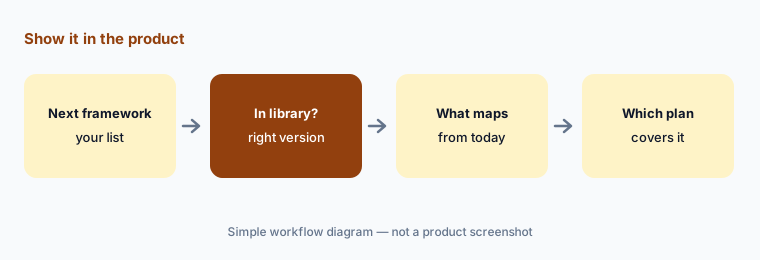
Show it in the product:
Ask each vendor to open your next framework in the product. Note how many of your current controls map across and which plan it needs.
6. MCP, assistants, and pricing transparency
What it is: Both tools let AI assistants work with your compliance data. Vanta has a remote MCP server (public preview since April 2026, read and write since September), Claude and ChatGPT plug-ins (public preview), a ChatGPT app, and a CLI. Drata MCP is hosted in the US, EU, and APAC; an admin sets OAuth scopes and an expiry, and each user’s access is the overlap of their role and those scopes, with write and delete scopes granted deliberately. On price, neither publishes one: Vanta offers personalized pricing across Essentials, Plus, Professional, and Enterprise, and Drata quotes by stage (Startup, Growth, Enterprise).
Start any MCP connection read-only and decide who may write through an assistant before anyone does. On price, ask both vendors to quote the same scope — your frameworks, questionnaire volume, vendor count, and Trust Center needs — so the numbers are comparable. Other options: Secureframe publishes a starting price, Sprinto and Scrut target growing teams, Hyperproof suits many frameworks on one control set, and Thoropass sells the audit alongside the software.
Quote the same scope:
Send both vendors the same scope: frameworks, questionnaire volume, vendor count, and Trust Center needs. Ask each which AI features are included and which are add-ons.
Pricing context (October 2026)
Vanta publishes no prices (checked 10 Oct 2026); its pricing page offers personalized pricing across Essentials, Plus, Professional, and Enterprise. Plan notes as listed: Essentials includes one framework, an agentic policy generator, the Vanta AI Agent, and a Trust Center; Plus adds Questionnaire Automation for 25 questionnaires a year; Professional raises that to 144, adds an Advanced Trust Center and agentic issue management; AI-powered security reviews for vendors are an add-on. See vanta.com/pricing.
Drata publishes no prices (checked 10 Oct 2026); it quotes by company stage — Startup, Growth, and Enterprise — through a demo. Its pricing page describes an agentic questionnaire lifecycle, agentic third-party risk management, and a Trust Center with Drata AI. See drata.com/pricing.
Uncertainty: Neither vendor publishes prices, so add-on costs (Vanta’s security reviews, questionnaire limits on both sides) only show up in a quote. Several features compared here are in preview or limited availability — Vanta’s custom agents, MCP write access, and Claude and ChatGPT plug-ins are public preview; Vanta’s Skills are listed as coming soon; Drata’s AI Agent Governance is limited availability — and both vendors ship changes often. Framework counts are each vendor’s own and group versions differently.
When it’s useful (honest take)
Vanta is useful when you want the AI Agent in every plan and are ready to run custom agents on schedules — with an owner reading their runs — and your questionnaire volume fits one of its yearly tiers.
Drata is useful when you want AI drafts that a subject expert approves step by step, a SafeBase Trust Center, and a TPRM Agent that collects vendor documents and chases follow-ups while asking before each action.
Less useful when (either one) you have one framework, little questionnaire volume, and nobody to own approvals, or you expect a platform to make you compliant — your auditor still tests the controls and issues the report.
Still choosing between Vanta and Drata? The $19 AI toolkit audit gives you a written plan for which tools to keep using and which to drop across your whole AI stack, including this pair.
Prefer to do it yourself? Spreadsheet — $9
Related options (educational)
| Need | Better home | Why |
|---|---|---|
| AI Agent in every plan, custom agents | Vanta AI | Agents, Trust Center, MCP |
| AI drafts with approval, TPRM Agent | Drata AI | AIQA, SafeBase, TPRM Agent |
| Published starting price | Secureframe AI | Comply AI, questionnaire limits |
| Software and the audit from one company | Thoropass AI | In-house auditors |
| Many frameworks on one control set | Hyperproof AI | Crosswalks, agents |
| Growing teams, policies and risk | Scrut AI or Sprinto AI | Teammates; Sprinto AI |
FAQ
Is Vanta or Drata better?
Neither in general, and this page is not a ranking. Vanta leans toward agents that run on schedules and triggers; Drata leans toward AI drafts that experts approve and a TPRM Agent that asks before acting. List your next two frameworks and three biggest questionnaire customers and see how each tool handles them.
How much do Vanta and Drata cost in October 2026?
Neither publishes prices (checked 10 October 2026). Vanta offers personalized pricing across Essentials, Plus, Professional, and Enterprise; Drata quotes by stage (Startup, Growth, Enterprise). Ask both to quote the same scope.
Which has more frameworks?
Vanta’s homepage lists 35+ and Drata lists 30+ pre-built frameworks plus a custom framework option. Counts group versions differently, so check that your specific next frameworks are in each library.
Do Vanta and Drata use AI agents?
Both do. Vanta has the Vanta AI Agent in every plan and custom agents in public preview that hold sensitive actions for approval. Drata has a TPRM Agent that asks for approval before actions, plus AI drafts across questionnaires, policy mapping, and cloud tests.
Will either tool make us SOC 2 compliant?
No tool does. Both collect evidence, monitor controls, and draft answers, but an independent auditor tests your controls and issues the report, and your team has to run the processes your policies describe.
Optional next step (if seats overlap)
If you pay for a compliance platform, a separate questionnaire tool, and a vendor-risk add-on that all read the same SOC 2 reports, that overlap is worth mapping before renewal. Map the overlap with the $19 AI toolkit audit or the $9 AI toolkit spreadsheet. Email Audit $19 or Toolkit spreadsheet $9.
Checkout is live via Stripe. After you pay, we email delivery (spreadsheet) or intake next steps (audit).