Tool · Security operations · Torq · Oct 2026
Torq AI review (Oct 2026): agentic AI for security operations automation
Torq sells the Torq AI SOC Platform: AI agents that triage alerts, investigate cases, and run response actions on top of its Hyperautomation workflow engine. The agents have names — Auto Triage sorts incoming alerts, HyperAgents do specialized investigation and response tasks, and Socrates orchestrates them and also builds new workflows from plain-language requests. A native Case Management module and a memory layer called SOC Brain sit underneath. This page explains each piece for a SOC team, where Torq says a person stays in control, and what an analyst should still approve. Each section has a Try this.
What this Torq page covers
This page is for a SOC manager, a detection and response engineer, or a security automation lead deciding how much alert handling to hand to AI agents. The question it answers: which parts of the alert-to-response work Torq’s agents do today, how you control what they may do on their own, and where an analyst still has to approve.
A note on names, as checked on Torq’s site on 10 October 2026. Socrates is the orchestrator and, since August 2026, has two modes in one interface: Investigator (the earlier Socrates experience) and Builder. HyperAgents are the specialized agents; since 16 August they live in an AI Agents hub and can be reused across workflows, Socrates, and cases. Auto Triage is the intake agent. The Context Graph and SOC Brain (Torq Recall, Reflex, and Retrospect, announced 27 July 2026) are the context and memory the agents reason over.
Ground rules: Torq describes the balance between human and AI decisions as “a dial, not a switch,” with response actions run autonomously or with “human-on-the-loop” confirmation. Where the dial sits for containment — isolating a host, disabling an account, blocking an address — is your decision and should be written down per action. Torq’s automation rates, customer quotes, and analyst-firm placements are vendor claims; we haven’t measured them.
Major features (with how someone uses them)
Examples at a glance: each feature has a concrete example from a real job plus a short Try this you can run this week.
1. Your five noisiest alert types (primary)
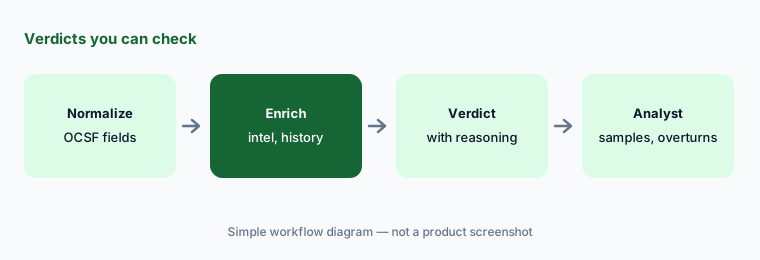
What it is: Torq’s pitch is that “every alert needs attention, not every alert needs a human.” Auto Triage connects to your tools, normalizes alerts to the Open Cybersecurity Schema Framework (OCSF), extracts observables such as IPs, domains, file hashes, and user identities, and enriches them with threat intelligence, your past cases, and business context. It then gives each alert a verdict, severity, reasoning, MITRE ATT&CK mapping, and recommended next actions. Torq says true positives escalate to cases, and non-malicious findings can trigger detection-tuning agents.
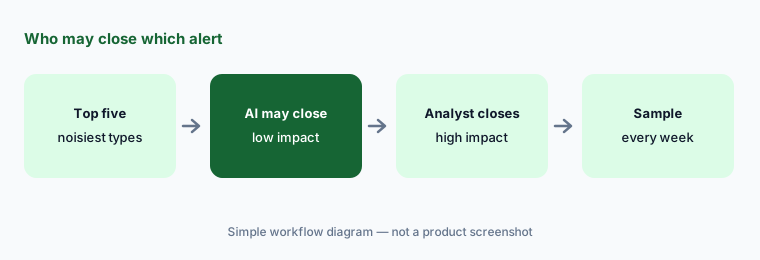
The useful first question isn’t whether AI can triage — it’s which of your alerts it should close on its own. Alert types that are high in volume, low in impact, and easy to verify after the fact are candidates; anything touching a privileged account, a crown-jewel system, or a regulator-visible process stays with an analyst until you have evidence.
Primary workflow:
List your five noisiest alert types. Mark which ones Torq’s AI could close on its own and which need an analyst.
2. Auto Triage verdicts and the feedback loop
What it is: Torq says Auto Triage treats crown-jewel data, VIP users, and risky or non-compliant assets as critical through deterministic guardrails rather than leaving them to the model, and that transparent audit logs and a manual override keep analysts in control. Every analyst confirmation or verdict change becomes a tuning signal. Torq’s Reflex capability, part of SOC Brain, is described as a per-tenant model trained on your team’s confirmed verdicts and corrections that attaches a calibrated confidence level to each verdict, built so that missing a malicious alert counts as far worse than mislabelling a benign one.
A learning system learns from whatever your analysts click. If overrides are rushed or inconsistent, the model inherits that. Sample a fixed number of AI-closed alerts every week, record each overturn with a reason, and watch whether the overturn rate goes down — that, not the vendor’s accuracy figure, is your evidence.
Sample what it closed:
Have one analyst re-check 50 AI-closed alerts a week for a month. Record every overturn with a reason and track whether the count falls.
3. HyperAgents and the AI Agents hub
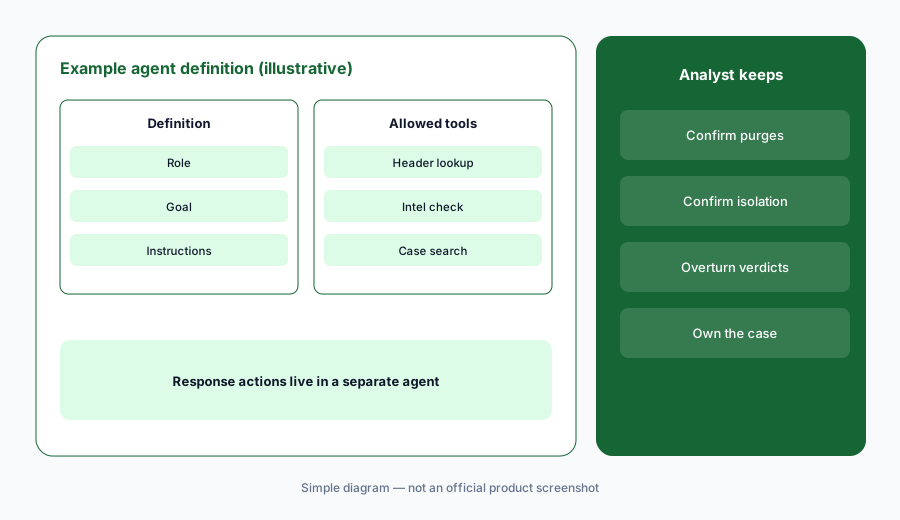
What it is: HyperAgents are Torq’s specialized AI agents for investigation and response tasks. You give each one a role, a goal, and declarative instructions, and tell it which tools it may use, what data it may access, and which decisions it may make on its own; Torq lists role-based access control, human-on-the-loop reviews, and logs of every reasoning step, verdict, and action. Torq says it offers dozens of out-of-the-box agent templates. Since 16 August 2026 agents live in an AI Agents hub, built manually or with Socrates, and once published can be reused in workflows, Socrates sessions, and Case Management.
Reuse cuts both ways: an agent published once and used in five places carries its permissions to all five. Write each agent’s allowed tools and forbidden actions on one page, give investigation agents read-only access, and give response agents their own narrow scope.
One page per agent:
For one HyperAgent, write its role, goal, allowed tools, and forbidden actions on one page. Keep investigation agents read-only and give response actions to a separate agent.
4. Socrates: Investigator and Builder
What it is: Socrates is the platform’s home screen. As Investigator, it works from the case: analysts ask in plain language for a case summary, IOC enrichment, or an event-data query, and Torq says it keeps an auditable record of the reasoning behind each decision. As Builder, launched 2 August 2026, it builds, changes, and troubleshoots workflows and agents from chat. In Plan mode it reviews the request, asks clarifying questions, and suggests a solution; in Build mode it applies changes, tests and validates as it goes, and Torq says nothing goes live without explicit approval.
“Nothing goes live without approval” only helps if the approver reads what changed. Treat a Socrates-built workflow like a pull request: one person asks, a second person reviews the plan, the test results, and the steps that can change something before publishing.
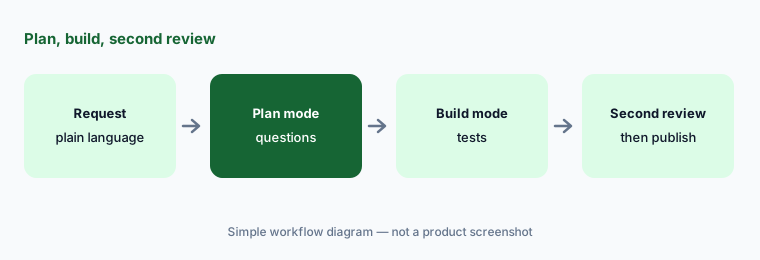
Plan, build, second review:
Ask Socrates in Plan mode for one workflow you need. Have a second engineer review the plan, the test results, and every step that can change something before it’s published.
5. Containment, human-on-the-loop, and Case Management
What it is: Torq says Socrates can carry out containment and remediation across your stack “autonomously or via human-on-the-loop confirmation,” and its governance page lists human-in-the-loop approval workflows, override mechanisms, and escalation procedures. Case Management is native: evidence from triage lands in true-positive cases, cases get AI summaries, timelines, and recommended next steps for shift handoffs, and quick-action buttons run enrichment or response on demand. Recent updates added Case Reviewer and Review Conclusion fields to Cases Dashboards (3 September 2026), scheduled reports (25 August), cross-workspace case queries (27 September), and a Notification Inbox that collects workflow failures, approval requests, and AI credit alerts (23 August).
Write a short table of containment actions — isolate a host, disable an account, revoke sessions, block an IP or domain — and mark each as autonomous, analyst-confirmed, or analyst-only, with the condition that moves it. Then use the reviewer fields to see how often analysts overturn the AI’s case conclusions.
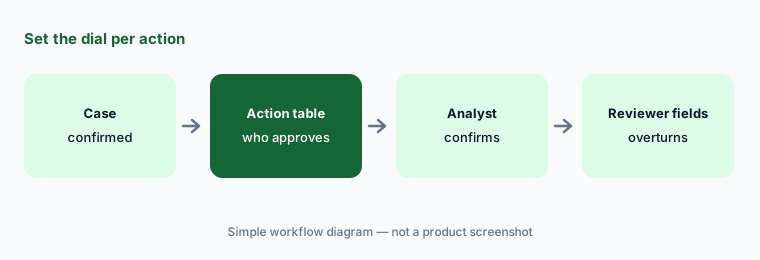
Set the dial in writing:
List your containment actions and mark each autonomous, analyst-confirmed, or analyst-only. Review overturned case conclusions monthly and move actions down the list when they go wrong.
6. Context Graph, SOC Brain, and which model runs
What it is: The Context Graph resolves identities, assets, and policies from your identity provider, EDR, SIEM, HR, and ticketing tools into one time-stamped, source-tagged view and stores decisions — verdicts, escalations, exceptions — with their rationale. SOC Brain adds memory: Recall retrieves past cases with exact matches on observables, Reflex applies your team’s judgment, and Retrospect imports and normalizes historical cases from your existing case management tool so that history is available from day one; Torq says it is private to each customer and never pools data across customers. On models, Torq offers Torq Managed AI or bring-your-own AI with Anthropic, OpenAI, AWS Bedrock, Nvidia, or GCP Vertex AI, and lists a zero customer data training policy.
Memory makes old mistakes durable too. Before you rely on it, check that a few past cases your team got wrong were corrected in the record, and get in writing which model runs your agents, where data is processed, and how long it is kept.
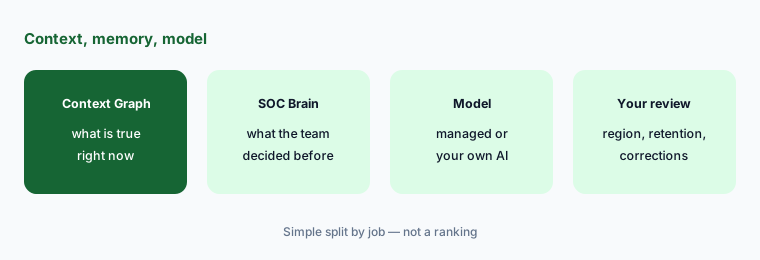
Ask in writing:
Before the pilot, get in writing which model runs your agents, where data is processed, how long case memory is kept, and how to correct a wrong past verdict.
Pricing context (October 2026)
Torq publishes no prices and has no public pricing page (checked 10 Oct 2026: torq.io/pricing returns “page not found”; the site offers demos). Pricing is quote-only — say so to your finance team before a pilot.
Torq’s product updates mention AI credit alerts, so ask how agent and model usage is metered, which agents and integrations are in the base quote, whether bring-your-own AI changes the price, and what renewal looks like. Torq lists 300 pre-built integrations and 4,000+ pre-built steps; confirm the ones you need are included.
Uncertainty: No public price or plan list. Torq’s site says “over 90% of cases are remediated completely autonomously” and quotes customers on Tier-1 alert handling — vendor claims we haven’t measured. Retrospect imports your old cases, so mistakes in that history come along too. The governance page labels Torq “ISO 42001 Compliant” rather than certified. Agent names and modes changed in mid-2026 (Socrates Builder and Investigator, the AI Agents hub); expect more renames.
When it’s useful (honest take)
Useful when a SOC with high alert volume wants AI agents to triage and investigate across the whole alert lifecycle, has engineers to scope agents and review what Socrates builds, and will write down which containment actions run on their own and which need an analyst.
Less useful when your alert volume is small enough for people to handle, you want to build every workflow yourself with AI only as a step, you need published prices, or nobody will sample AI-closed alerts and own the overturns.
Paying for Torq AI and a few other AI tools? The $9 AI toolkit spreadsheet lists every AI subscription you have, what each one costs, and how fast it pays for itself, so you can see which ones are worth the money.
Want someone to do it for you? AI toolkit audit — $19
Related options (educational)
| Need | Better home | Why |
|---|---|---|
| AI agents that triage, investigate, and respond | Torq AI (this page) | Auto Triage, HyperAgents, Socrates |
| Workflows you build with AI steps and approvals | Tines AI | Stories, AI Agent action, Workbench |
| Choosing between the two | Tines vs Torq | Builder style, AI role, cases, pricing |
| On-call paging and incident response | PagerDuty AI | Who gets woken up |
| Vendor and attack-surface signals | UpGuard AI | External risk, vendor reviews |
| Runbook and policy drafts from your own files | Claude for security ops or ChatGPT for security ops | Drafts only, no actions |
FAQ
What is Torq AI?
Torq sells the Torq AI SOC Platform: Auto Triage for incoming alerts, HyperAgents for specialized investigation and response tasks, Socrates to orchestrate agents and build workflows, native Case Management, Hyperautomation workflows, and a Context Graph and SOC Brain memory layer.
What are Socrates and HyperAgents?
Socrates is Torq’s orchestrator and home screen, with an Investigator mode for case work and a Builder mode (since August 2026) that plans, builds, and tests workflows and agents. HyperAgents are the specialized agents Socrates coordinates; you define each one’s role, goal, instructions, tools, and allowed decisions.
How much does Torq cost in October 2026?
Torq publishes no prices and has no public pricing page (checked 10 October 2026); pricing is quote-only through a demo. Ask how AI usage is metered and which agents and integrations the quote includes.
Can Torq contain threats without an analyst?
Yes, if you allow it: Torq says Socrates can carry out containment autonomously or with human-on-the-loop confirmation. Decide per action — isolating hosts, disabling accounts, blocking addresses — which run on their own and which need an analyst to approve.
Does Torq train its AI on our data?
Torq lists a zero customer data training policy and says SOC Brain memory is private to each customer and never pools data across customers. You can use Torq Managed AI or bring your own provider. Confirm data processing location and retention in writing.
Optional next step (if seats overlap)
If the SOC pays for a SIEM’s AI assistant, an automation platform, an AI SOC tool, and chat seats that all summarize the same alerts, that overlap is worth mapping. Map the overlap with the $19 AI toolkit audit or the $9 AI toolkit spreadsheet. Email Audit $19 or Toolkit spreadsheet $9.
Checkout is live via Stripe. After you pay, we email delivery (spreadsheet) or intake next steps (audit).