Tool · Security & IT automation · Tines · Oct 2026
Tines AI review (Oct 2026): AI agents and workflows for security and IT operations
Tines builds workflow automation for security and IT teams. Since 31 July 2026 it sells two products: Tines Stories, the original drag-and-drop workflow builder (its workflows are called stories), and Tines 3B, a new code-first environment for agents, apps, and automations across the whole company. AI shows up in both: an AI Agent action you drop into a story, the Workbench chat copilot, Cases and Records that hold what the workflow found, and an MCP server that lets outside AI clients read and build in Tines. This page explains each piece for a security or IT ops team and where a person still approves. Each section has a Try this.
What this Tines page covers
This page is for a security operations lead, a detection or automation engineer, or an IT ops manager who builds or owns workflows that triage alerts, look up users, open cases, or change accounts. The question it answers: what Tines’ AI can do inside those workflows today, what it costs to try, and where a person has to approve before anything changes.
A note on names. Tines announced Tines 3B on 31 July 2026 as an AI-native, code-first environment for “every team’s most important agents, apps and automations.” The existing product is now called Tines Stories; Tines says it continues in parallel as its visual builder for security and IT operations, that it is still investing in it, and that existing customers can try 3B at no additional cost. Most security teams reading this will meet Tines Stories first, so most of this page is about Stories; section 6 covers 3B.
Ground rules: an AI step that summarizes or proposes is safe to automate; an action that resets a password, disables an account, isolates a host, or blocks an address needs a named approver, whether the workflow, the agent, or a chat request triggered it. Facts come from Tines’ website, docs, and changelog as read on 10 October 2026. Growth, speed, and cost figures on Tines’ pages are vendor claims and aren’t repeated here as ours.
Major features (with how someone uses them)
Examples at a glance: each feature has a concrete example from a real job plus a short Try this you can run this week.
1. An alert-triage story with an AI summary step (primary)
What it is: On the Storyboard you drag actions into a workflow: a webhook or email receives the alert, HTTP request actions call your tools, an AI Agent action runs a language model at any point, a Condition branches, and Send to Story reuses another workflow. In task mode with no tools attached, the AI Agent action is a single prompt and response — it can summarize an alert and its enrichment, but it can’t call anything. Pages collect input from people, and Tines describes using them to pause workflows for human confirmation. Tines also lists credentials, roles, change control, and smart retries as built-in safeguards.
Start with the safest shape: the AI step writes a short summary and a suggested next step, and the workflow stops at a page where the on-call analyst approves or rejects any action that changes an account. You get faster triage without letting a model decide who gets locked out.
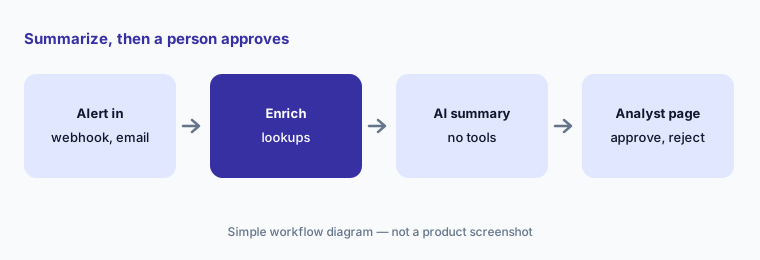
Primary workflow:
Build one alert-triage story with an AI step that only summarizes. Add a human approval before any action that changes an account.
2. The AI Agent action: task mode, chat mode, and tools
What it is: The AI Agent action has two modes. Task mode runs behind the scenes; with tools attached, the model works in a loop and decides when to call them. Chat mode hosts a conversation on a Tines page that ends when the goal in the system instructions is met. Tools can be public or private templates, other stories (Send to Story), custom tools defined in the same story, built-in tools (a Think scratchpad, code analysis, and web search that tenant owners can turn off), and tools from remote MCP servers. You can set system instructions, an output schema, the model, and token-usage alerts. Tines says each run deducts AI credits from a monthly allowance.
Every tool you attach is something the model may decide to call. Give an agent read-only lookups first, keep any tool that changes an account behind a page or a separate approved story, and write in the system instructions what the agent must never do.
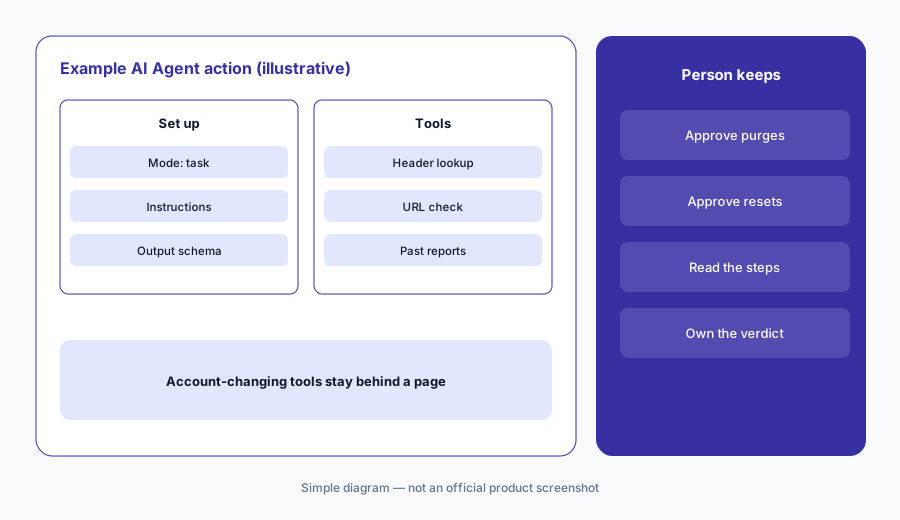
Read-only first:
Give your first agent only read-only tools and an output schema. Move any tool that changes an account into a separate story behind an approval page.
3. Workbench: a chat copilot that can run your actions
What it is: Workbench is Tines’ AI chat interface. Connected to your templates and stories, it can look things up and take actions in your tools from a chat — Tines’ own demo shows it resetting an Okta password after the user confirms. Tines’ docs say templates that may change your environment prompt the user to confirm before running, and that a story exposed to Workbench can have Require confirmation to run turned on. Workbench for Storyboard (formerly story copilot) helps build and edit stories. Tines says Workbench, the AI Agent action, and automatic Event Transform are available on the free Community Edition.
A chat that can reset passwords is a new front door to your identity provider. Decide which templates and stories Workbench may see, turn on confirmation for anything that changes state, and check the audit log for who asked for what.
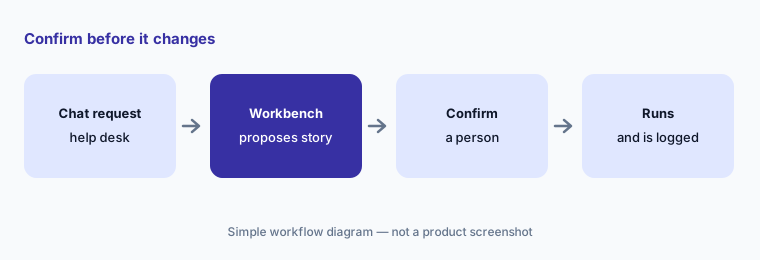
Confirm before it changes:
List every story or template your Workbench can run. Turn on confirmation for each one that changes an account, a device, or a firewall rule.
4. Cases and Records: where the work and the evidence live
What it is: Cases is Tines’ case management: a workflow can open a case with tasks, fields, runbook steps, comments, and SLA settings, and Tines’ library shows AI creating cases from CrowdStrike alerts. Records capture structured fields from stories — Tines’ docs suggest source, severity, verdict, and analyst decision for alert triage — into tables you can chart on dashboards. Tines released Records API v2 on 24 September 2026 and says regular record searches run about twice as fast. In Tines Stories packaging, Cases is an add-on on paid editions and Records and dashboards sit in the Advanced Workflows bundle.
Records are how you find out whether the AI step is any good. If each alert stores the AI’s suggestion and the analyst’s decision side by side, a month of records shows where they disagree — which is where the prompt, the enrichment, or the playbook needs work.
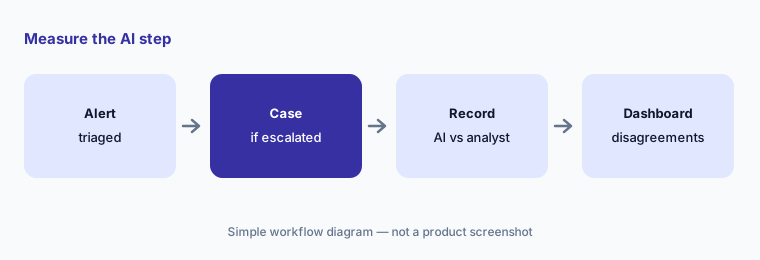
Measure the AI step:
Store the AI’s suggestion and the analyst’s decision as two record fields for every alert for a month. Review the disagreements before you automate anything further.
5. The Tines MCP server and Records through MCP
What it is: Tines Stories has two MCP surfaces. The built-in Tines Stories MCP server at your tenant’s /mcp address lets an AI client such as ChatGPT, Codex, Cursor, Claude Code, or Claude Desktop read, create, and update stories; Tines says it uses OAuth only, you approve access on a consent screen, and each tool use is recorded in the audit logs as MCP activity. Separately, you can build a custom MCP server in a story to expose your own lookups and approvals. Through MCP, AI clients gained tools to discover, read, search, and aggregate Records on 23 September 2026, and to create, update, and delete records and record types on 9 October 2026; Tines says these respect existing access permissions and that write actions are scrubbed of field values before logging.
An outside AI client that can edit stories can edit the workflow that disables accounts. Turn on Change Control for live stories so edits land in a draft that someone reviews and approves, and read the MCP entries in the audit log as part of that review.
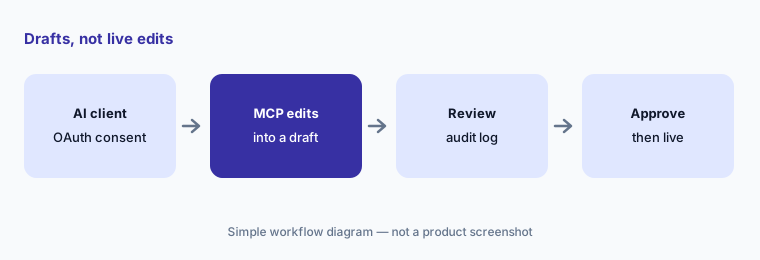
Drafts, not live edits:
Turn on Change Control before you connect an AI client to the Tines MCP server. Have a second person review every MCP edit in the audit log before the draft goes live.
6. Models, AI spend, and Tines 3B
What it is: Tines says its AI features run on AWS Bedrock by default and that you can bring your own provider and key. Recent changelog entries added GPT‑6 Astra, Sol, and Luna and Claude Opus 5.5 (24 September 2026), Claude Sonnet 5.5 and custom model settings for temperature, thinking, and reasoning effort (8 October 2026), and story, action, and user dimensions in the AI usage API (18 September 2026). Tines 3B is the separate, code-first product: workflows are code with Git integration and branching, it proposes tests and asks before using live data or apps, each step runs sandboxed, credentials are injected through a proxy so the builder and the AI never see them, and Autofix and Autotune propose fixes and improvements on a reviewable branch. 3B uses your own model provider for AI.
The cost question with any agent is which workflow burns the credits. Group AI usage by story each month; a story whose AI step nobody can explain is the first one to narrow or switch off. Whether to adopt 3B is a separate decision — ask your account team what it would replace and who would own it.
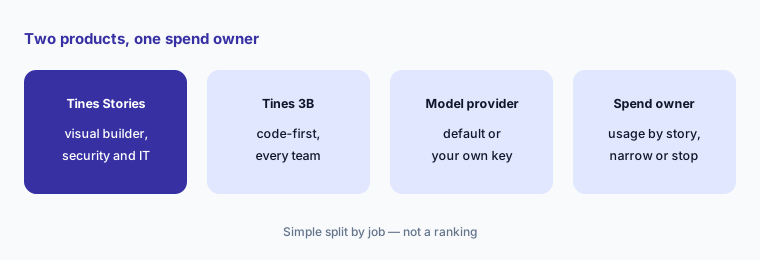
Follow the credits:
Group last month’s AI usage by story. Narrow or switch off the AI step in any story whose owner can’t say what it decides.
Pricing context (October 2026)
Tines publishes free-edition limits but no paid prices (checked 10 Oct 2026). Its pricing page lists a Free edition with unlimited users, spaces, and connectors, 3 live workflows, and a one-time $50 AI allowance, and Paid editions (unlimited workflows, flexible hosting, bring your own AI model) behind “Get pricing.” A Startup Program offers a heavily discounted Tines Stories tenant.
Tines Stories (help center, updated 5 Aug 2026): the free Community Edition allows 3 flows, 1 user, 25,000 events a month, and 50 AI run-time credits a month; Business Edition starts at 30 flows with 100 users and 1.5M daily events; Enterprise Edition adds enterprise tenant management and a dedicated tenant. Cases, AI run-time credits, apps, and extra flows are add-ons. Tines 3B (3B docs): a free Explore edition with 3 live workflows, 5,000 Tines units a month, and a one-time $50 AI allowance; paid Core, Scale, and Power plans with 100K, 300K, and 900K Tines units a month, overage charges, and your own model provider for AI. No dollar prices are published for any paid plan.
Uncertainty: No paid prices are published for Tines Stories or 3B, and AI credit allowances on paid Stories editions are “Contact Tines.” Tines’ main pricing page appears to describe 3B (its free edition lists unlimited users), while the Stories Community Edition allows one user — check which product a quote covers. One help article says Workbench doesn’t consume AI credits; another is titled “Workbench for Storyboard now uses AI credits.” Model names and changelog items move quickly. Vendor figures (customer growth, apps built, speed and cost gains) are Tines’ claims.
When it’s useful (honest take)
Useful when a security or IT ops team already automates alert triage, user lookups, or access requests and wants AI to summarize, enrich, and draft inside workflows it controls — with approval pages, change control, and records that show where the AI and the analyst disagree.
Less useful when you want a tool that triages and closes alerts on its own out of the box, nobody on the team will build and maintain workflows, you need published paid prices before a sales call, or you expect AI to take account or blocking actions without a named approver.
Paying for Tines AI and a few other AI tools? The $9 AI toolkit spreadsheet lists every AI subscription you have, what each one costs, and how fast it pays for itself, so you can see which ones are worth the money.
Want someone to do it for you? AI toolkit audit — $19
Related options (educational)
| Need | Better home | Why |
|---|---|---|
| Workflows you build, with AI steps and approval pages | Tines AI (this page) | Stories, AI Agent action, Workbench |
| An AI SOC that triages and investigates for you | Torq AI | Auto Triage, HyperAgents, Socrates |
| Choosing between the two | Tines vs Torq | Builder style, AI role, cases, pricing |
| IT tickets and workflows on one platform | ServiceNow AI | Service management with AI |
| Finding shadow SaaS and AI apps first | Nudge Security | Discovery and employee nudges |
| Drafting runbooks and notes from your own files | Claude for security ops or ChatGPT for security ops | Drafts only, no actions |
FAQ
What is Tines AI?
Tines builds workflow automation for security and IT teams. Its AI includes the AI Agent action inside workflows (task and chat mode, with tools and MCP), the Workbench chat copilot, Workbench for Storyboard for building, and an MCP server for outside AI clients. It sells two products: Tines Stories and, since July 2026, Tines 3B.
What is the difference between Tines Stories and Tines 3B?
Tines Stories is the original drag-and-drop workflow builder, now renamed, which Tines says it continues to develop for security and IT operations. Tines 3B, announced on 31 July 2026, is a code-first environment for agents, apps, and automations across the company, with Git branching, sandboxed steps, and hidden credentials.
How much does Tines cost in October 2026?
Tines publishes free editions but no paid prices (checked 10 October 2026). Tines Stories Community Edition is free with 3 flows, 1 user, and 50 AI credits a month; Tines 3B Explore is free with 3 live workflows and a one-time $50 AI allowance. Business, Enterprise, Core, Scale, and Power plans are quoted.
Can Tines AI take actions without a person approving?
It can if you build it that way: an AI agent with tools decides when to call them. Tines gives you approval pages, Require confirmation to run in Workbench, and Change Control for live stories. Keep any action that changes an account or blocks anything behind a named approver.
Does Tines support MCP?
Yes. Tines Stories has a built-in MCP server that lets clients such as ChatGPT, Codex, Cursor, and Claude Code read and build stories over OAuth, with tool use logged; you can build custom MCP servers in stories; and AI Agent actions can call tools from remote MCP servers. Records tools for MCP were added in September and October 2026.
Optional next step (if seats overlap)
If security, IT, and other teams each pay for separate automation, chat, and case tools with overlapping AI features, that overlap is worth mapping. Map the overlap with the $19 AI toolkit audit or the $9 AI toolkit spreadsheet. Email Audit $19 or Toolkit spreadsheet $9.
Checkout is live via Stripe. After you pay, we email delivery (spreadsheet) or intake next steps (audit).