Compare · Security automation · AI SOC · Oct 2026
Tines vs Torq (Oct 2026): AI workflow automation for security operations
Tines and Torq both automate security operations work — alert triage, enrichment, case handling, and response actions — and both now put AI agents at the center. They start from different places. Tines is a workflow builder: you design the steps, and AI is an action you place where you want it, plus a chat copilot. Torq is an AI SOC platform: named agents triage, investigate, and respond, with an orchestrator called Socrates that also builds workflows for you. This page compares them by builder style, how AI is used, case management, and pricing transparency — not as a ranking — with a Try this for each.
What this comparison covers
This page is for a SOC manager, a security automation engineer, or an IT security lead choosing between Tines and Torq, or replacing an older SOAR tool and shortlisting both. The question it answers: for the alerts you actually handle, which steps would each tool automate, how would AI be involved, and where does a person approve before something changes.
The short version: Tines sells Tines Stories, a drag-and-drop builder whose workflows are called stories, and since 31 July 2026 Tines 3B, a code-first environment for agents, apps, and automations across the company. In Stories, AI is an AI Agent action you place in a workflow, a Workbench chat copilot, and an MCP server for outside AI clients. Torq sells the Torq AI SOC Platform: Auto Triage gives every alert a verdict, HyperAgents do investigation and response tasks, and Socrates orchestrates them and builds workflows from chat, on a Hyperautomation engine. Tines publishes free-edition limits; Torq publishes no prices.
Facts were read on each vendor’s website and docs on 10 October 2026, the same day as our Tines AI and Torq AI reviews. Ground rules: a named analyst approves any action that changes an account, isolates a host, or blocks something, whichever tool runs it; AI verdicts are checked by sampling, not trusted by default; and automation rates or speed figures on either site are vendor claims, not repeated here.
| Question | Tines | Torq |
|---|---|---|
| What it sells | Tines Stories (visual workflow builder for security and IT) and, since 31 July 2026, Tines 3B (code-first, every team) | The Torq AI SOC Platform: Auto Triage, HyperAgents, Socrates, Case Management, Hyperautomation |
| Builder style | Drag-and-drop Storyboard; Workbench for Storyboard and the Tines MCP server build from chat; 3B builds in code with Git | Hyperautomation workflows built from plain language; Socrates Builder with Plan and Build modes |
| How AI is used | An AI Agent action you place in a workflow (task or chat mode, with tools you attach); Workbench chat copilot | Agents across the alert lifecycle: Auto Triage verdicts, HyperAgents for tasks, Socrates as the AI SOC analyst and orchestrator |
| Case management | Cases (an add-on on paid Stories editions), plus Records and dashboards | Native Case Management with AI summaries, reviewer fields, and dashboards |
| Human approval | Approval pages, Require confirmation to run in Workbench, Change Control drafts | Human-on-the-loop confirmation per action; nothing built by Socrates goes live without approval |
| Models | Default on AWS Bedrock or bring your own provider | Torq Managed AI or bring your own AI |
| Published pricing | Free editions with published limits; paid editions by quote | No public pricing page; quote only |
Major features (with how someone uses them)
Examples at a glance: each feature has a concrete example from a real job plus a short Try this you can run this week.
1. One alert you handle every week (primary)
What it is: Both tools can automate an alert end to end, so compare them on one of yours. With Tines, you or your engineer build the story step by step — receive the alert, enrich it, add an AI Agent action to summarize or decide, and add a page where an analyst approves before any action. With Torq, Auto Triage takes the alert first, gives a verdict with reasoning, opens a case for true positives, and agents investigate and propose or carry out response — with each action set to run on its own or wait for human-on-the-loop confirmation.
Write the steps of one alert your team handles weekly — a phishing report, a suspicious login, an endpoint detection. For each step, note which tool would automate it, whether AI or a fixed rule does it, and where a person approves. Ask both vendors to walk the same alert in a trial and compare what you had to build, what you had to review, and what changed without asking.
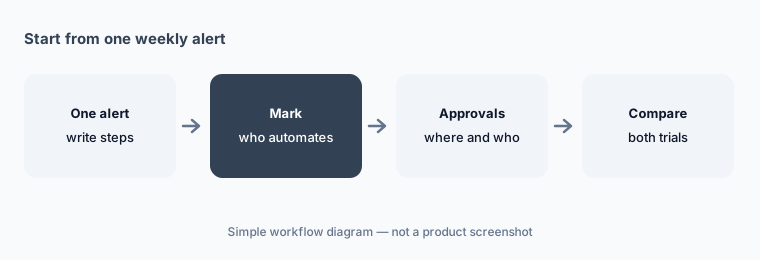
Primary workflow:
Write the steps of one alert you handle weekly. Mark which steps each tool would automate and where a person approves.
2. Builder style: Storyboard and 3B vs Hyperautomation and Socrates Builder
What it is: Tines Stories is built on a drag-and-drop Storyboard with actions such as webhooks, HTTP requests, conditions, AI agents, and Send to Story; Workbench for Storyboard helps build from chat, and the Tines Stories MCP server lets clients such as Cursor or Claude Code create and edit stories. Change Control puts edits to live stories into drafts that are reviewed and approved. Tines 3B is code-first, with Git integration and branching. Torq Hyperautomation offers agentic and deterministic workflows built from plain-language descriptions, and Torq lists 300 pre-built integrations and 4,000+ steps. Socrates Builder plans in Plan mode, applies and tests changes in Build mode, and Torq says nothing goes live without explicit approval.
Both now let AI write the workflow, so the review matters more than the builder. Whichever you pick, require a second person to read every AI-built change that can touch an account or a block list before it goes live.
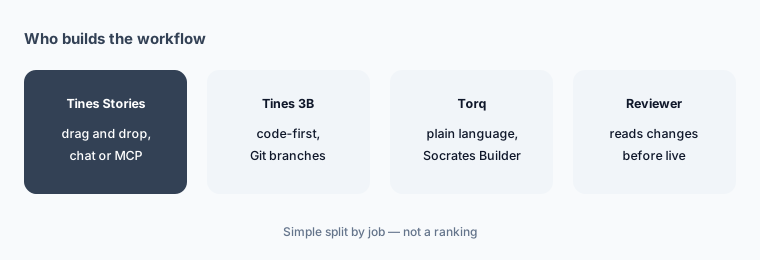
Same workflow, both builders:
Build the same workflow in both trials. Time it, then have a colleague review each version and note what they couldn’t follow.
3. How AI is used: AI actions and agents vs an AI SOC analyst
What it is: In Tines, AI does what you place it to do. The AI Agent action runs in task mode (a single prompt, or an agent that calls the tools you attach — templates, other stories, custom tools, or remote MCP servers) or chat mode on a page; Workbench is a chat copilot that can run your stories and asks for confirmation on ones that change things. In Torq, AI is the operating layer: Auto Triage gives each alert a verdict, severity, reasoning, and MITRE ATT&CK mapping; HyperAgents carry out tasks within the tools and decisions you authorize; and Socrates, which Torq calls the AI SOC analyst, orchestrates them and works with analysts from the case. Torq’s SOC Brain memory learns from your team’s confirmed verdicts.
The trade-off is control versus coverage. Tines gives you precise control over where AI acts and asks you to build it; Torq covers more of the lifecycle out of the box and asks you to set and check the dial. Either way, measure the AI against your analysts — sample its decisions weekly and track overturns.
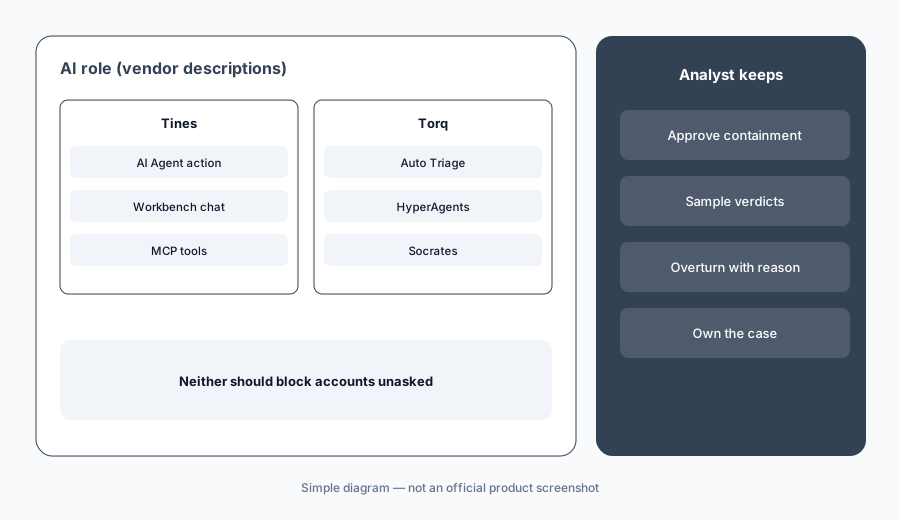
Past alerts, both tools:
Run the same set of past alerts through both trials. Compare each tool’s AI decisions with what your analysts actually decided, and read the reasoning on ten disagreements from each.
4. Case management: Cases and Records vs native Case Management
What it is: Tines Cases opens cases from workflows with tasks, fields, runbook steps, comments, and SLAs, and Records store structured fields from stories for dashboards; in Tines Stories packaging, Cases is an add-on on paid editions and Records and dashboards are in the Advanced Workflows bundle. Torq Case Management is native to the platform: triage evidence lands in true-positive cases with AI summaries, timelines, and recommended next steps, quick-action buttons run enrichment or response, and Cases Dashboards added Case Reviewer and Review Conclusion fields (3 September 2026), scheduled reports, and cross-workspace queries.
If you already run cases in a ticketing or SIEM tool, ask both vendors how they sync and which system is the record. Two case systems that disagree are worse than one.
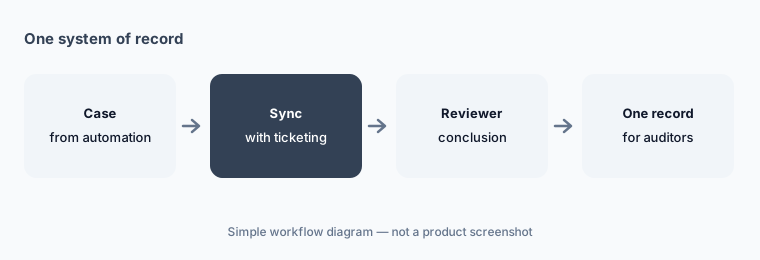
One system of record:
Decide which system holds the case of record. In both trials, check that opening, updating, and closing stay in sync and the reviewer’s conclusion is stored there.
5. Human approval and audit trails
What it is: Tines gives you approval points you build in: pages that pause a workflow for a person, Require confirmation to run for stories exposed to Workbench, and Change Control for live stories; MCP tool use is recorded in audit logs. Torq describes the human–AI balance as “a dial, not a switch”: response actions run autonomously or with human-on-the-loop confirmation, HyperAgents log every reasoning step, verdict, and action, Auto Triage has a manual override, and a Notification Inbox collects approval requests. Its governance page lists human-in-the-loop approval workflows and override mechanisms.
Write one table of response actions — reset a password, disable an account, isolate a host, block an IP or domain, purge an email — and mark each as automatic, confirmed by an analyst, or analyst-only. Then check in each trial that the tool enforces your table and records who approved.
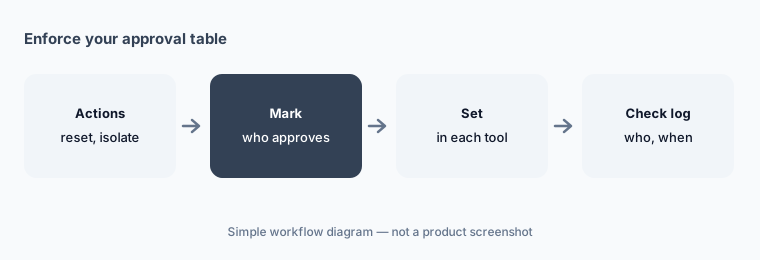
Enforce your table:
Mark each response action automatic, analyst-confirmed, or analyst-only. Trigger each once in both trials and check the log records who approved.
6. Pricing transparency: published limits vs quote only
What it is: Tines publishes free editions and packaging but not paid prices: the Tines Stories Community Edition is free with 3 flows, 1 user, 25,000 events a month, and 50 AI credits a month; Business starts at 30 flows and 100 users; Enterprise is by contact; Cases, AI credits, and extra flows are add-ons. Tines 3B Explore is free with 3 live workflows, 5,000 Tines units a month, and a one-time $50 AI allowance, and paid Core, Scale, and Power plans are sized by Tines units. Torq has no public pricing page (torq.io/pricing returned “page not found” on 10 October 2026); pricing is through a demo and quote. Its product updates mention AI credit alerts.
Send both vendors the same scope: alert sources and monthly volume, number of workflows or agents, case management needs, analysts and engineers who need seats, integrations, model choice (theirs or yours), and hosting needs. Ask how AI usage is metered and what happens when you exceed it.
Quote the same scope:
Send both vendors the same scope: alert volume, workflows or agents, case needs, seats, integrations, and model choice. Ask how AI usage is metered and what overages cost.
Pricing context (October 2026)
Tines publishes free editions but no paid prices (checked 10 Oct 2026). Free edition on its pricing page: unlimited users, spaces, and connectors, 3 live workflows, one-time $50 AI allowance. Tines Stories Community Edition: 3 flows, 1 user, 25,000 events a month, 50 AI credits a month. Paid Stories editions and 3B Core, Scale, and Power plans are quoted.
Torq publishes no prices and no pricing page (checked 10 Oct 2026); pricing is quote-only through a demo at torq.io/demo.
Uncertainty: Neither vendor publishes a paid price. Tines’ main pricing page and its Stories packaging article describe different free editions (3B and Stories), so check which product a quote covers. Torq’s automation rates and customer quotes are vendor claims. Both renamed or added products and agent modes in mid-2026 (Tines 3B in July; Torq Socrates Builder and the AI Agents hub in August). Confirm everything on your quote.
When it’s useful (honest take)
Tines is useful when your team wants to design its own workflows across security and IT, place AI exactly where it helps, keep approvals as explicit steps, and start on a free edition with published limits.
Torq is useful when a high-volume SOC wants AI agents to triage, investigate, and respond across the whole alert lifecycle out of the box, with native case management and memory of past decisions — and has people to set the dial and sample the results.
Less useful when (either one) alert volume is low enough for people to handle, nobody will own the workflows or agents, or anyone expects AI to take account or blocking actions without a named approver.
Still choosing between Tines and Torq? The $19 AI toolkit audit gives you a written plan for which tools to keep using and which to drop across your whole AI stack, including this pair.
Prefer to do it yourself? Spreadsheet — $9
Related options (educational)
| Need | Better home | Why |
|---|---|---|
| Workflows you build with AI steps and approvals | Tines AI | Stories, AI Agent action, Workbench, 3B |
| An AI SOC that triages and investigates for you | Torq AI | Auto Triage, HyperAgents, Socrates |
| IT and security tickets on one platform | ServiceNow AI | Service management with AI |
| On-call paging and incident response | PagerDuty AI | Who gets woken up |
| General automation outside security | Zapier or n8n | Business workflows |
| Drafting runbooks from your own files | ChatGPT for security ops or Claude for security ops | Drafts only, no actions |
FAQ
Is Tines or Torq better for security operations?
Neither in general, and this page is not a ranking. Tines is a workflow builder where you place AI steps and approvals yourself; Torq is an AI SOC platform where named agents triage, investigate, and respond across the lifecycle. Write the steps of one alert you handle weekly and mark which steps each would automate and where a person approves.
How much do Tines and Torq cost in October 2026?
Tines publishes free editions (Tines Stories Community Edition and Tines 3B Explore) but no paid prices; Torq publishes no prices and has no public pricing page (both checked 10 October 2026). Send both the same scope and ask how AI usage is metered.
Which one is a SOAR replacement?
Both position themselves against legacy SOAR. Tines calls itself a modern SOAR and intelligent workflow platform; Torq describes Hyperautomation as the foundation of its AI SOC Platform and publishes a guide to migrating from legacy SOAR. Compare them on your own alerts rather than the label.
Can either tool take containment actions without an analyst?
Yes, if you configure it. Tines agents can call any tool you attach, and Torq says Socrates can carry out containment autonomously or with human-on-the-loop confirmation. Write down which actions need an analyst and check each tool enforces and logs that.
Do Tines and Torq let us use our own AI model?
Yes. Tines runs AI on AWS Bedrock by default and lets you bring your own provider; Tines 3B uses your own model provider. Torq offers Torq Managed AI or bring-your-own AI with providers including Anthropic, OpenAI, AWS Bedrock, Nvidia, and GCP Vertex AI.
Optional next step (if seats overlap)
If you pay for a SOAR tool, an AI SOC tool, a SIEM assistant, and general automation that all touch the same alerts, that overlap is worth mapping. Map the overlap with the $19 AI toolkit audit or the $9 AI toolkit spreadsheet. Email Audit $19 or Toolkit spreadsheet $9.
Checkout is live via Stripe. After you pay, we email delivery (spreadsheet) or intake next steps (audit).