Tool · Feedback analytics · Enterpret · Oct 2026
Enterpret review (Oct 2026): AI feedback analytics across support, reviews, and surveys
Enterpret pulls customer feedback from support tickets, app store and review sites, surveys, sales calls, and community channels into one place, then sorts it with an AI-built Adaptive Taxonomy so you can see which themes are rising and who they affect. Its AI assistant, once called Wisdom, is now Enterpret Agent: it answers questions over all of that feedback with citations, and its Agent Automations run reports and alerts on a schedule or when a signal fires. An Enterpret MCP server brings the same data into Claude, ChatGPT, and Cursor. This page is about reading the feedback behind a rising theme before it reaches the roadmap, and keeping a named owner on every taxonomy change. Each section has a Try this.
What this Enterpret page covers
This page is for a product manager, a voice-of-customer lead, or a CX or support operations lead whose company gets thousands of tickets, reviews, and survey answers a month and can’t read them all. The question it answers: what Enterpret’s AI sorts and summarizes on its own, what it only proposes, and where a person still needs to read raw feedback or approve a change before it shapes a decision.
Enterpret has renamed and rebuilt its AI this year. Its changelog (read 9 October 2026) shows taxonomy editing by chat with draft changes (May 2026), the Wisdom MCP renamed Enterpret MCP with citations on every number (May), Agent OS launched in beta on 24 June 2026 — Enterpret Agent plus Agent Automations — an automations overhaul and TikTok as a source (July), and in August artifacts you can keep chatting with, six more connectors, and a way to stop an automation mid-run. Enterpret now calls itself “customer intelligence infrastructure.”
Ground rules: Enterpret Agent never files a ticket, posts a message, or changes the taxonomy without a named owner approving it; raw feedback stays inside Enterpret rather than general chat tools; and an AI summary of a theme is not a customer’s words — open the cited records before you quote anyone. Facts below come from Enterpret’s website, changelog, and help center as read on 9 October 2026; no third-party price estimates.
Major features (with how someone uses them)
Examples at a glance: each feature has a concrete example from a real job plus a short Try this you can run this week.
1. Rising themes: read the raw tickets first (primary)
What it is: Enterpret counts feedback by theme over time and surfaces what is growing — on dashboards, in Quantify, and through alerts. From any chart you can jump to the Feed and switch between the verbatim feedback and an AI Summary, and Enterpret says every count Enterpret Agent gives you carries a link back to the underlying records, filtered to exactly what drove the number. Enterpret also says the Agent reviews all of your feedback rather than a sample, and that themes stay stable so trends compare like with like.
A rising count can mean a real problem, a change in how one source tags tickets, a single loud account, or a theme that just started catching more records after a taxonomy change. Before a rising theme goes into planning, open the records behind it and read them yourself. Note how many are really about the same thing, which sources they came from, and whether one customer accounts for most of them.
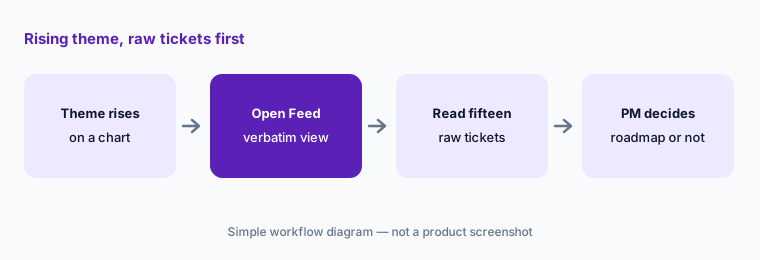
Primary workflow:
Pick one theme Enterpret says is rising. Read fifteen raw tickets behind it before it goes on the roadmap.
2. Adaptive Taxonomy and the Saturday run: who validates changes
What it is: The Adaptive Taxonomy sorts every piece of feedback into Keywords at three levels — product area, feature, sub-feature — for what it is about, plus Themes and Sub-themes for why it was given; Enterpret calls this a five-level hierarchy, built from your help docs, changelogs, and past feedback during onboarding. Workspace admins edit it in Edit Mode, by hand or by asking in plain language (“Merge all login-related sub-themes under Authentication”). Enterpret checks each proposed edit for near-duplicates, overlaps, and how many records it will move; approved edits collect as Draft Changes and nothing reaches production until you click Save Changes. Separately, Dynamic Taxonomy runs automatically every Saturday and adds new themes and sub-themes from feedback that didn’t fit anywhere.
Two details from Enterpret’s help center matter for whoever owns the taxonomy. Uncommitted drafts are discarded at every Saturday run and can’t be recovered, so save or abandon them by Friday. And there is no in-product view yet of what the Saturday run added — Enterpret says to ask your Enterpret contact for a summary. Name one owner per product area who reviews new nodes each week, because a new theme changes every trend line it touches.
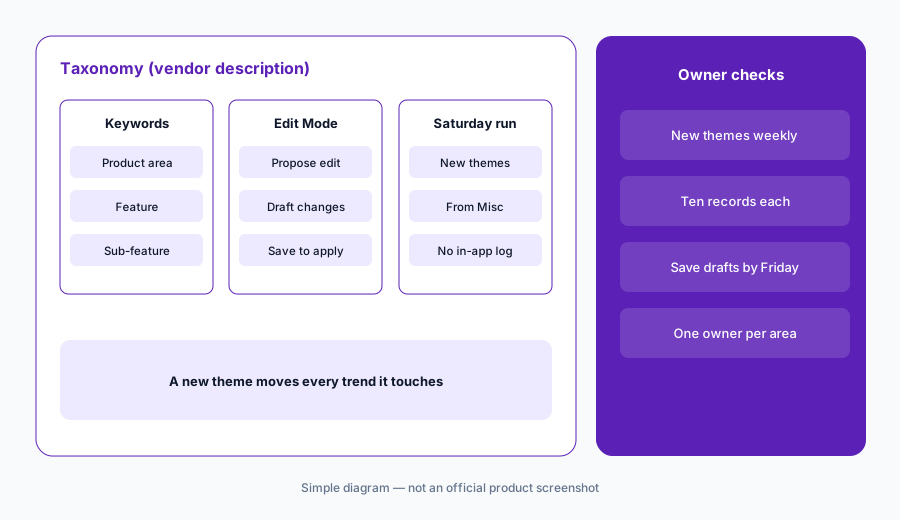
Own the weekly change:
Name one owner per product area. Each Monday, get the list of themes the Saturday run added, read ten records under each, and save or discard open drafts before Friday.
3. Enterpret Agent (formerly Wisdom): cited answers, then check the citations
What it is: Enterpret Agent is what Wisdom became. You ask in plain language — in Enterpret, in Slack, or through the MCP server — and it plans, researches across your feedback and linked account data, and answers with a visible trail of its steps, tool calls, and any sub-agents it used. Enterpret’s help center says every count and quote links to its source, quotes are verbatim with speaker attribution, and the Agent reports zero results plainly rather than inventing a number, quote, or link. A model picker trades speed for depth and locks after your first message. Workspace rules, set by admins, define terms such as what “churn” means for everyone; personal rules add your own context. The Agent can also produce files — PDF reports, slides, CSVs, ticket drafts — with the citations carried through.
Those statements are Enterpret’s; test them on a question whose answer you already know. Click two or three of the cited counts and see whether the records really support the claim. Write your team’s definitions into workspace rules so two people asking the same question don’t get answers built on different meanings.
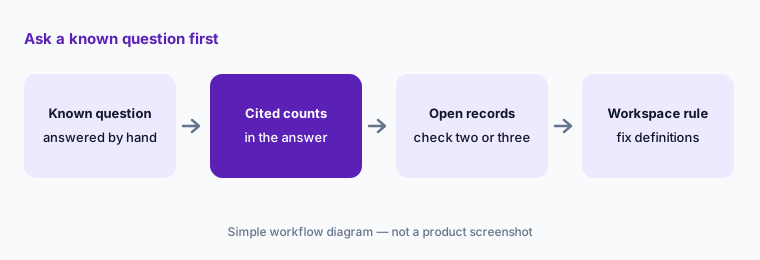
Known-answer test:
Ask Enterpret Agent a question you already answered by hand last month. Open three of its cited counts and write a workspace rule for any term it read differently.
4. Agent Automations, Quality Monitor, and what the Agent may do on its own
What it is: Agent Automations (in beta since June 2026) run Enterpret Agent in the background, on a schedule you describe in plain language or when a signal fires — a feedback spike, a sentiment shift, an urgent escalation. Templates include Quality Monitor, which watches for unusual spikes, drafts a plain-language root-cause summary, and alerts a Slack channel or email (at least one destination is required), and Escalation Shield for emotionally charged feedback from high-value accounts. Only an automation’s creator can edit it; an admin can pause, resume, or delete any of them; and since August you can stop a run mid-way. When the Agent acts through a connector — posting in Slack, filing a Linear issue, updating Salesforce — it acts as you, and by default asks before it writes to any external system. A full-access mode lets it act without pausing.
Keep the default ask-first mode for anything that reaches another team or a customer, and give each automation a named owner who reads its first runs. Enterpret’s own tip for Quality Monitor is one automation per product area with an on-call owner, which also keeps alerts from flooding a shared channel.
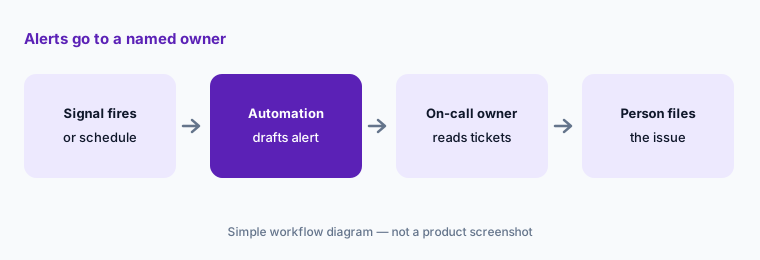
One area, one owner:
Create one Quality Monitor for a single product area with an on-call owner as the alert destination. Keep the Agent in ask-first mode and review its first five alerts together.
5. Sources, volume, and PII scrubbing before anything is stored
What it is: Enterpret lists more than 50 sources. Support: Zendesk, Intercom, Freshchat, Front, Kustomer, Salesforce Service Cloud, HubSpot, and others. Reviews: the Apple App Store, Google Play, G2, and Trustpilot. Surveys: Qualtrics, SurveyMonkey, Typeform, Delighted, and Sprig. Calls: Gong, Chorus, Fathom, and Grain. Plus Discord, Slack, social channels, data warehouses, and CSV upload. Its demo page recommends at least 1,000 combined feedback records a month. Enterpret’s privacy page says ingested data is scanned for personal information, which is removed, and that nothing is stored before that scrubbing; you can add Ingestion Blockers and scrubbing rules to keep certain feedback out entirely. A User Privacy API handles deletion requests by user ID. Enterpret says it holds a SOC 2 Type 2 report and runs on AWS in the United States.
Decide what comes in before you connect a source. Internal notes on tickets, agent-only fields, and free-text survey answers often hold names, emails, and order numbers. After the first import, read a sample of stored records from each source to see what scrubbing caught and what it didn’t.
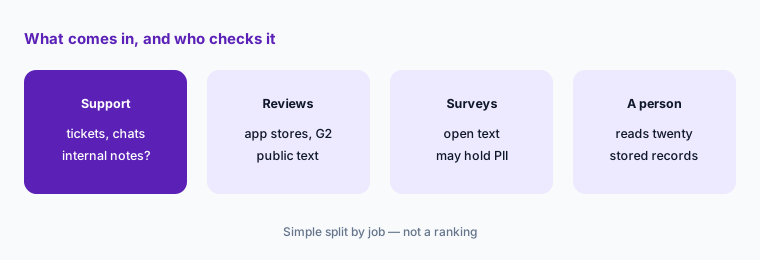
Check what was stored:
Before connecting a source, list which fields might hold personal details and block or scrub them. After the first import, read twenty stored records from that source.
6. Enterpret MCP: cited feedback in Claude, ChatGPT, and Cursor
What it is: The Enterpret MCP server (renamed from Wisdom MCP in May 2026) lets AI tools query your whole feedback dataset — themes, accounts, sentiment, and verbatim quotes with speaker attribution — with every aggregate number linking back to source records in Enterpret. Enterpret lists Claude (in Anthropic’s connector directory; on Team and Enterprise an admin adds it and each member connects with their own account), Claude Code, Cursor, ChatGPT and Codex (via the ChatGPT app store since June), Notion custom agents, Glean, n8n, and LibreChat. Enterpret’s AI credits article says MCP access does not use credits today. Skills and connectors stay inside Enterpret Agent; the MCP server serves the data.
Once feedback lands in another AI tool, it also lands in that tool’s chat history, so check its data settings first. Use the MCP for questions and drafts; keep taxonomy changes in Enterpret with their owner. For writing a roadmap note from the answers, see Claude for product ops or ChatGPT for product ops.
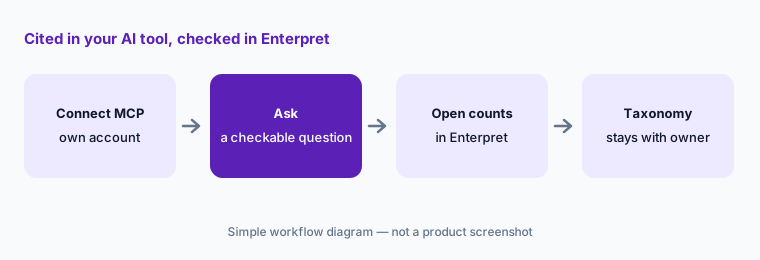
Cited, then checked:
Connect the Enterpret MCP to your AI tool and ask one question you can check. Open two cited counts in Enterpret before you share the answer.
Pricing context (October 2026)
Enterpret does not publish prices (as listed 9 Oct 2026). Its site has no pricing page — enterpret.com/pricing returns “not found” — and offers a product tour and a demo request that asks your monthly feedback volume. Treat it as quote-only: ask for a quote that separates platform access, the sources and record volume you will bring, seats, and the AI credits included.
Enterpret’s help center explains how AI credits work: credits measure Enterpret Agent work. Each user gets a monthly personal allowance, the organization has a shared pool for the subscription term (neither rolls over), and only an Owner can buy top-up credits, invoiced by calendar quarter separately from the main contract. There is no automatic top-up or overage. Enterpret’s planning estimates are 1–50 credits for a simple question and 50–250 or more for a complex multi-step one; you can’t see the cost before running. Owners and Admins can set a monthly limit per user, and MCP access doesn’t use credits today.
Uncertainty: No Enterpret price is public and the size of the included credit allowances isn’t published, so get both in writing. Agent OS — Enterpret Agent and Agent Automations — is labelled beta, and some automation templates were listed as coming soon in June. Enterpret’s help center still says “Wisdom” in places and notes it is moving to a new help center, so article links may change. Accuracy and time-saving figures on Enterpret’s site are vendor claims. Dates are as shown on Enterpret’s changelog and help center on 9 October 2026.
When it’s useful (honest take)
Useful when a product or CX team gets well over a thousand feedback records a month across support, reviews, surveys, and calls; wants one taxonomy every team shares; and has owners who will read the records behind a rising theme and review taxonomy changes every week.
Less useful when most of your evidence is interviews and usability sessions (a research repository fits better), volume is low enough to read by hand, or nobody will own the taxonomy. If you only need feature requests counted, a lighter feedback tool may be enough.
Paying for Enterpret and a few other AI tools? The $9 AI toolkit spreadsheet lists every AI subscription you have, what each one costs, and how fast it pays for itself, so you can see which ones are worth the money.
Want someone to do it for you? AI toolkit audit — $19
Related options (educational)
| Need | Better home | Why |
|---|---|---|
| High-volume feedback across support, reviews, and surveys | Enterpret (this page) | Adaptive Taxonomy, cited Agent answers |
| Interviews and research synthesis | Dovetail AI | Chat, Agents, Channels 2.0 |
| Feature requests from tickets and calls | Canny AI | Autopilot inbox, dedupe |
| Feedback tied to a product roadmap | Productboard AI | Insights linked to features |
| In-product surveys | Sprig AI | Targeted surveys, AI themes |
| Where tickets start | Zendesk AI or Intercom Fin | Support AI and ticket tags |
Related comparisons
FAQ
What AI features does Enterpret have in October 2026?
Enterpret Agent (formerly Wisdom) answers questions over your feedback with citations and verbatim quotes; Agent Automations run reports and alerts such as Quality Monitor on a schedule or signal (beta); the Adaptive Taxonomy classifies feedback and adds new themes in a weekly Dynamic Taxonomy run; and the Enterpret MCP server brings the data into Claude, ChatGPT, Cursor, and other tools.
How much does Enterpret cost?
Enterpret doesn’t publish prices; as of 9 October 2026 it has no pricing page and sells by demo and quote. Agent work is metered in AI credits — a monthly personal allowance, an organization pool, and optional top-ups an Owner buys. Ask for the included credits in the quote.
What happened to Enterpret Wisdom?
Enterpret says Enterpret Agent is what Wisdom became, launched with Agent OS in beta on 24 June 2026. The Wisdom MCP was renamed Enterpret MCP in May 2026. Some help articles still use the Wisdom name, as did the April 2026 Slack launch (@Enterpret(Wisdom)).
Does Enterpret change my taxonomy automatically?
Yes, in one way: Dynamic Taxonomy runs every Saturday and adds new themes and sub-themes from feedback that didn’t fit, without deleting yours. Manual edits go through Edit Mode as draft changes that an admin saves. Uncommitted drafts are discarded at the Saturday run, and there is no in-product view of what the run added yet.
Can Enterpret Agent post messages or file tickets on its own?
By default it asks before writing to any external system, and it acts with your own connected accounts. A full-access mode lets it act without pausing. Keep ask-first for anything another team or a customer will see.
Optional next step (if seats overlap)
If you pay for a feedback analytics platform, a research repository, a feature-request tool, and chat seats that all summarize the same tickets, that overlap is worth a look. Map the overlap with the $19 AI toolkit audit or the $9 AI toolkit spreadsheet. Email Audit $19 or Toolkit spreadsheet $9.
Checkout is live via Stripe. After you pay, we email delivery (spreadsheet) or intake next steps (audit).