Tool · Feedback management · Canny · Oct 2026
Canny AI review (Oct 2026): Autopilot for feedback capture, dedupe, and revenue-weighted roadmaps
Canny collects product feedback into ideas — internally on an Ideas dashboard and, if you choose, publicly on a feedback portal with voting, a roadmap, and a changelog. Its AI suite, Autopilot, reads closed support conversations and call transcripts, pulls out feature requests, and suggests new ideas or insights on existing ones in an Autopilot inbox, with deduplication, extracted priority, and — on Business — linked CRM opportunity revenue. A Canny MCP server lets AI tools read and edit ideas. This page is about letting Autopilot do the capture while a PM approves every merge, status change, and anything that reaches customers. Each section has a Try this.
What this Canny page covers
This page is for a B2B product manager or product ops lead who hears feature requests in support tickets, sales calls, and Slack threads and loses most of them. The question it answers: what Canny’s Autopilot captures on its own, what it only suggests, and where a PM still has to read the source, merge or reject, and decide what customers see.
Autopilot has gained call sources quickly this year. Canny’s changelog (read 9 October 2026) shows Fathom and Grain (30 July 2026), Fireflies (11 August), an @Canny mention in Slack that hands threads to Autopilot (13 August), and Google Meet (24 September), alongside the existing Gong, Zoom, Intercom, and Zendesk sources. July brought upgraded reporting with Sales Pipeline and Churned Revenue reports, and the MCP server passed 55 tools in June (Canny’s help center now says over 60). Today’s entry adds following ideas for notifications.
Ground rules: Autopilot never merges customer feedback, changes a status, or publishes to the portal without a named PM approving it; personal data from tickets and calls stays inside Canny rather than general chat tools; and an extracted insight is a summary of a conversation, not the customer’s words — open the source before you quote anyone. Facts below come from Canny’s pricing page, changelog, and help center as read on 9 October 2026; no third-party price estimates.
Major features (with how someone uses them)
Examples at a glance: each feature has a concrete example from a real job plus a short Try this you can run this week.
1. Autopilot: one source for a week, every idea reviewed (primary)
What it is: Autopilot processes conversations from connected sources once they are closed or resolved, extracts feature requests, and puts them in the Autopilot inbox as suggestions to create a new idea or attach an insight to an existing one. Each suggestion has actions — Looks good, Merge idea, Make idea, Move, and Delete — and Canny’s help center says approving a suggestion doesn’t publish anything to your portal or notify anyone. Separate tabs show items Autopilot classed as Spam or “No feedback found,” so you can override it. When you first connect a source, Canny processes the previous 30 days of closed conversations. Call sources include Gong (all plans, including Free), Zoom, Fathom, Grain, Fireflies, and Google Meet (all plans; a Google Workspace super admin installs it and you pick up to 10 Google Groups whose external calls are processed).
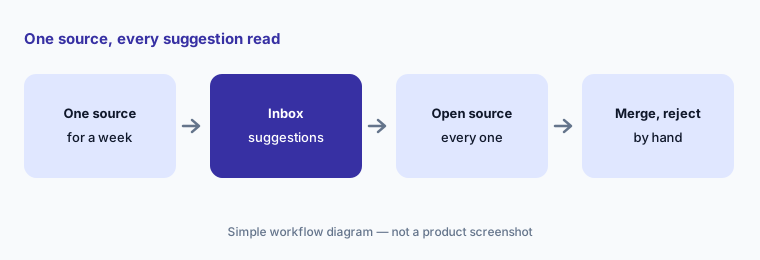
Start with one source so you can judge Autopilot’s reading before the inbox fills up. For a week, open the source conversation behind every suggestion, then approve, merge, or delete by hand. Check the “No feedback found” tab too — misses matter as much as false hits.
Primary workflow:
Connect one call or ticket source to Autopilot for a week. Review every idea it created and merge or reject by hand.
2. Deduplication and merges: who decides two requests are one
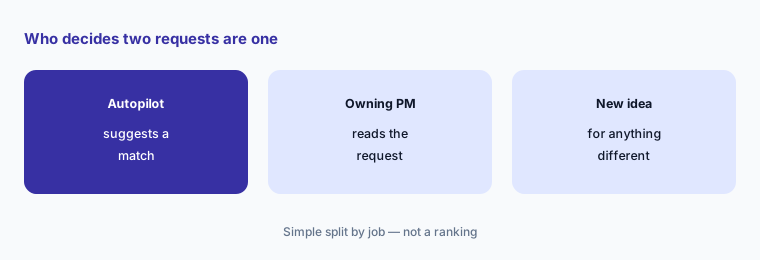
What it is: With Idea Deduplication on (Settings → Autopilot → Feedback Discovery), Autopilot checks existing ideas when new ones come in and attaches the signal as an insight to a matching idea instead of creating a duplicate. Canny’s pricing FAQ says detected duplicates are merged together, and insights are attributed to the actual end users from the source conversation, so they count toward your plan’s tracked users. Autopilot also assigns ideas to idea groups by semantic matching, can tag themes automatically, and Owners can run auto-grouping on demand once there are at least three groups.
A wrong merge hides a distinct request inside a popular one and inflates its count — exactly the number that drives roadmap debates. Have the PM who owns an area review every merge into their ideas, and split any insight that asks for something different. Remember that merged insights add tracked users, which affects your bill.
Audit the merges:
Filter one popular idea to last week’s Autopilot insights. Read each one and move any that asks for something different into its own idea.
3. Public actions, the portal, and smart replies
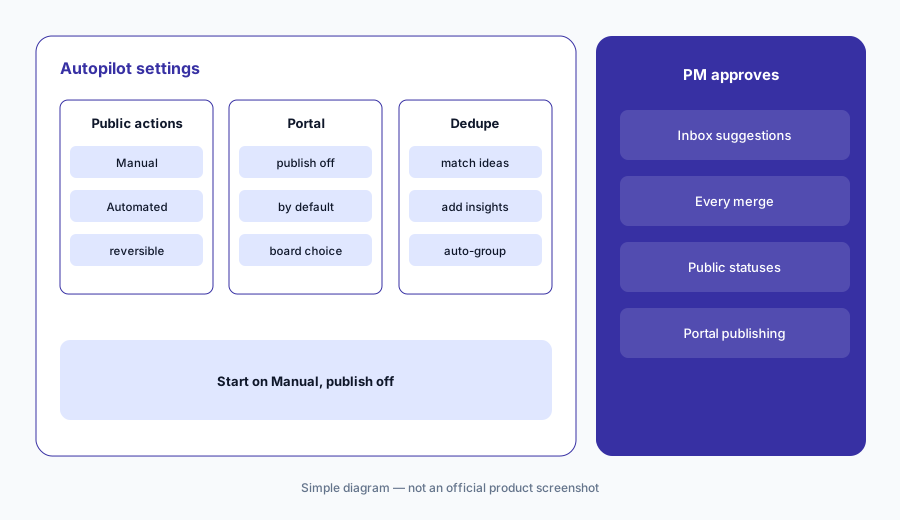
What it is: Canny separates internal ideas from what customers see. In Autopilot settings, Public Actions can be Manual (suggestions wait in the inbox for approval before any portal-visible action) or Automated (applied automatically and reversible). Publish to portal is off by default; when on, Autopilot’s ideas are also published to a board you choose. Ideas created by Autopilot are internal unless you publish them, and a published idea’s portal status doesn’t change automatically when the idea’s status does. Canny’s pricing page also lists Smart Replies, where Autopilot replies on portal posts to collect more detail.
Keep Public Actions on Manual and Publish to portal off until you trust Autopilot’s reading of your sources. A status change on a public post is a promise to customers; make the PM who owns the area the only person who changes it, and read any automated reply Canny will post under your brand before turning it on.
Manual until trusted:
Set Public Actions to Manual and leave Publish to portal off. Publish ideas and change public statuses by hand for a month before you automate anything.
4. Priority and revenue: weigh it, don’t let it decide
What it is: For each insight, Autopilot extracts a priority — Must have, Important, Nice to have, or none — from the source conversation. When the customer’s company is linked to a Salesforce account or HubSpot company, Autopilot can automatically link that company’s open opportunity to the idea so revenue shows beside the feedback. The upgraded Reporting tab (20 July 2026) includes a Customer Requests report with renewal date and risk, a Sales Pipeline report of open opportunities linked to ideas, a Churned Revenue report, and theme trends. The Salesforce integration is on the Business plan, and CRM integrations are listed as a Business feature.
Revenue-weighted lists favour your biggest accounts and your sales team’s best-documented deals. Use the numbers to ask better questions, not to rank the roadmap. Check that each linked opportunity actually depends on the request — read the call — and remember that an extracted “Must have” is the AI’s reading of tone, not the customer’s signed commitment.
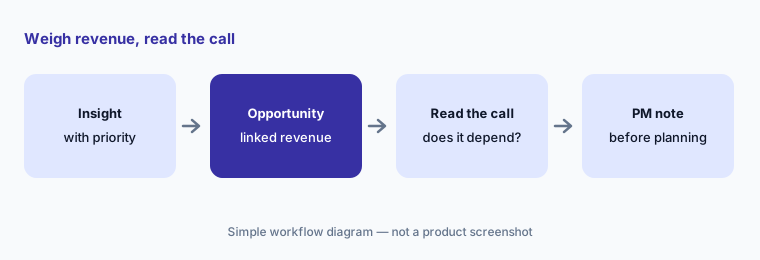
Read the deals:
Open the top three ideas in the Sales Pipeline report and read the source call or ticket for each linked opportunity. Note which deals actually depend on the request before planning.
5. Comment summaries and Send to Autopilot
What it is: Comment summaries condense long portal comment threads into their main themes; Canny’s pricing grid lists them on Pro and Business. Send to Autopilot lets an admin paste text — meeting notes, an email, an internal write-up — or upload a CSV, optionally attribute it to a user and company, and have Autopilot process it like any other source. A Knowledge Hub lets you upload help articles so Autopilot recognizes features you already have.
Summaries are good for catching up on a 200-comment post, but read the newest comments and any from your largest accounts in full before replying publicly. When you send notes to Autopilot, strip anything personal that doesn’t need to be in Canny, and attribute it to the right company so revenue context stays accurate.
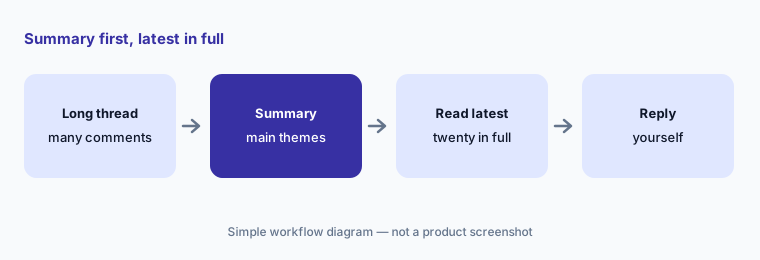
Summary, then the latest:
On your busiest feedback post, read the comment summary and then the last 20 comments in full. Reply yourself to anything the summary flattened.
6. Canny MCP server: read and write, by role
What it is: The Canny MCP server lets AI tools work with Canny data — groups, MRR, insights, opportunity values, and more — and Canny’s help center (28 August 2026) says it ships with over 60 tools. It needs the Pro or Business plan with Canny Ideas enabled; an Owner connects first, then any teammate can authorize their own connector, and each person’s tools follow their Canny role — even a Contributor can create and edit ideas. Canny lists ChatGPT (with a one-click connector in OpenAI’s marketplace), Claude, Claude Code, Codex, Cursor, GitHub Copilot, Microsoft Copilot, Devin, ClickUp, and others.
This is a read-write connection, so an AI tool can merge, move, or edit ideas within your role. Start with read-only questions whose answers you know, and keep a rule that merges and status changes happen in Canny by the owning PM. For drafting a roadmap update from Canny data, see ChatGPT for product ops or Claude for product ops.
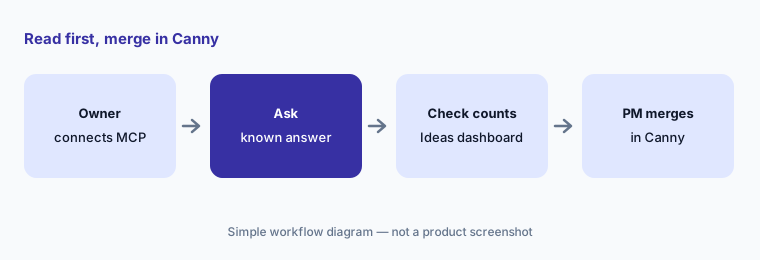
Read before write:
Connect the Canny MCP to your AI tool and ask a question you already know the answer to. Keep merges and status changes in Canny, done by the owning PM.
Pricing context (October 2026)
Canny’s pricing page (as listed 9 Oct 2026) says Autopilot is included in all plans and prices by tracked users — anyone associated with feedback, including people whose feedback Autopilot found. Free: $0 a month, 25 tracked users, automatic feedback capture and deduplication, unlimited feedback. Pro: “starts at” $79 a month billed yearly for 100 tracked users, rising as tracked users grow (the page offers 20% off for yearly billing versus monthly), adding PM integrations, advanced privacy, MCP connectors, and comment summaries. Business: custom pricing for 5,000+ tracked users, with SSO and CRM (HubSpot, Salesforce) integrations.
Canny says that without a spend limit you’re moved to the next tier automatically when you exceed your tracked users, charged pro rata; with a spend limit, it stops tracking feedback from new users instead. Set a limit before connecting high-volume sources, since every person Autopilot attributes feedback to counts.
Uncertainty: The $79 figure is the Pro entry price at 100 tracked users billed yearly; monthly billing and larger tiers cost more, so check the slider for your volume. Business pricing isn’t published. The Public Actions setting governs portal-visible actions; check in your workspace how inbox approvals apply to internal ideas before relying on Automated mode. The MCP tool count changes often (55+ in June, 60+ in August). Dates are as shown on Canny’s changelog and help center on 9 October 2026.
When it’s useful (honest take)
Useful when a B2B team gets feature requests through support tools and recorded calls, wants them counted without manual tagging, and has PMs who will clear the Autopilot inbox weekly and own merges and public statuses.
Less useful when feedback mostly arrives in research interviews (a repository fits better), nobody will review the inbox, or you expect revenue-weighted lists to make roadmap decisions. High-volume consumer products should talk to Canny about tracked-user limits first.
Paying for Canny AI and a few other AI tools? The $9 AI toolkit spreadsheet lists every AI subscription you have, what each one costs, and how fast it pays for itself, so you can see which ones are worth the money.
Want someone to do it for you? AI toolkit audit — $19
Related options (educational)
| Need | Better home | Why |
|---|---|---|
| Feature requests from tickets and calls | Canny AI (this page) | Autopilot inbox, dedupe, revenue |
| Feedback tied to a product roadmap | Productboard AI | Insights linked to features |
| Interviews and research synthesis | Dovetail AI | Chat, Channels 2.0, MCP |
| In-product surveys | Sprig AI | Targeted surveys, AI themes |
| Call recording and deal context | Gong | Source for Autopilot |
| Support conversations and AI answers | Intercom Fin or Zendesk AI | Where tickets start |
FAQ
What AI features does Canny have in October 2026?
Autopilot captures feature requests from closed support conversations and call transcripts into an inbox, deduplicates them into ideas, extracts priority, links CRM opportunities (Business), writes comment summaries and smart replies, and the Canny MCP server connects ideas to AI tools on Pro and Business.
How much does Canny cost?
As listed on 9 October 2026: Free is $0 for 25 tracked users; Pro starts at $79 a month billed yearly for 100 tracked users and rises with tracked users; Business is custom pricing. Autopilot is included on all plans. See canny.io/pricing.
Does Canny Autopilot publish ideas to my portal automatically?
Not by default. Publish to portal is off by default and ideas created by Autopilot stay internal unless you publish them. Keep Public Actions on Manual so a PM approves anything customers can see.
Which call tools work with Canny Autopilot?
Canny lists Gong, Zoom, Fathom, Grain, Fireflies, and Google Meet among Autopilot sources, plus support tools such as Intercom, Zendesk, and Freshdesk. Gong and Google Meet are available on all plans.
Can an AI tool change my Canny ideas through the MCP server?
Yes, within the connecting person’s Canny role — even Contributors can create and edit ideas. Start with read-only questions and keep merges and status changes with the owning PM in Canny.
Optional next step (if seats overlap)
If you pay for a feedback tool, a roadmap tool, call recording AI, and chat seats that all summarize the same customer requests, that overlap is worth a look. Map the overlap with the $19 AI toolkit audit or the $9 AI toolkit spreadsheet. Email Audit $19 or Toolkit spreadsheet $9.
Checkout is live via Stripe. After you pay, we email delivery (spreadsheet) or intake next steps (audit).