Tool · Surveys and feedback · Sprig · Oct 2026
Sprig AI review (Oct 2026): AI analysis for in-product surveys and feedback
Sprig runs surveys inside web and mobile products, by link and email, and to external panels, then uses AI to read the answers. Today Sprig describes itself as survey infrastructure for research teams, built around four agents: Design drafts and checks a study, Field delivers it conversationally with AI follow-ups, Synthesize groups open-text answers into themes and writes AI Study Reports, and Analyze — first shown on 8 October 2026 — will run statistical tests. A Sprig MCP server connects it all to Claude, ChatGPT, and other AI tools. This page is about trusting those themes only after you’ve read the answers behind them, with the PM owning who gets surveyed and how often. Each section has a Try this.
What this Sprig page covers
This page is for a product manager, product ops lead, or researcher who wants feedback from users at the moment they use a feature — after onboarding, after a failed search, after a cancellation click — and wants AI to sort hundreds of open-text answers. The question it answers: what Sprig’s AI does with survey responses, where it can draft or ask on your behalf, and which decisions stay with the PM: who sees a survey, how often, and what the themes are allowed to claim.
Sprig has repositioned. Its pricing page (read 9 October 2026) calls it “foundational survey infrastructure for modern research teams” and shows only an enterprise platform sold by demo. Dated changes from Sprig’s changelog: create surveys from an AI client through Sprig MCP (23 June 2026), AI translations and a richer AI file-upload builder (5 July), email distribution, conjoint questions, and Sprig Panels (4 August), excluding responses from analysis (25 August), and “Send to AI Tools” from data, responses, and reports (31 August). On 8 October Sprig published a first look at its Analyze Agent, which it says is coming soon.
Ground rules: AI never launches a survey or changes targeting without a named PM approving it; respondent personal data stays out of general chat tools; and an AI theme description is never presented as a respondent’s words — only answers you can read in the Responses tab count as quotes. Facts below come from Sprig’s pricing and product pages, blog, changelog, and documentation as read on 9 October 2026; no third-party price estimates.
Major features (with how someone uses them)
Examples at a glance: each feature has a concrete example from a real job plus a short Try this you can run this week.
1. Open-text AI themes, checked against twenty answers (primary)
What it is: Sprig’s open-text AI analysis, part of the Synthesize Agent, groups free-text answers into themes, each with a short label, a description, and the number of responses behind it. Sprig’s docs say themes are assigned in real time as answers arrive and regenerate as clusters shift, each theme links to its contributing responses, you can rename themes and descriptions to match your language, and you can export themes with responses. AI analysis runs on OpenAI’s GPT models; Sprig says it doesn’t train models on customer or user data. In-product surveys trigger on events and user attributes through Sprig’s web, iOS, Android, React Native, and Flutter SDKs.
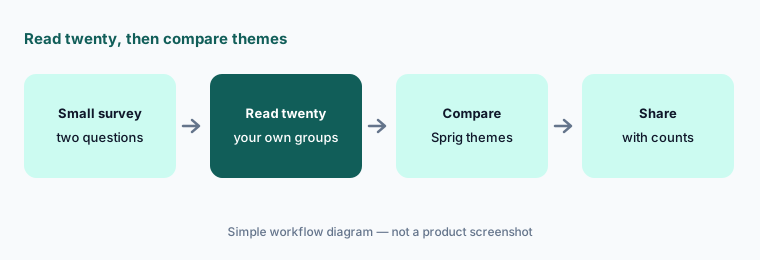
Themes from a small segment are only as good as the answers behind them. Read twenty answers yourself before you look at the themes, write your own three or four groups, then compare. Where Sprig splits something you see as one issue, or names a theme no answer quite says, trust your reading and edit the theme.
Primary workflow:
Launch one two-question in-product survey to a small segment. Compare Sprig’s AI themes to twenty answers you read yourself.
2. Targeting, sampling, and recontact: the PM’s job
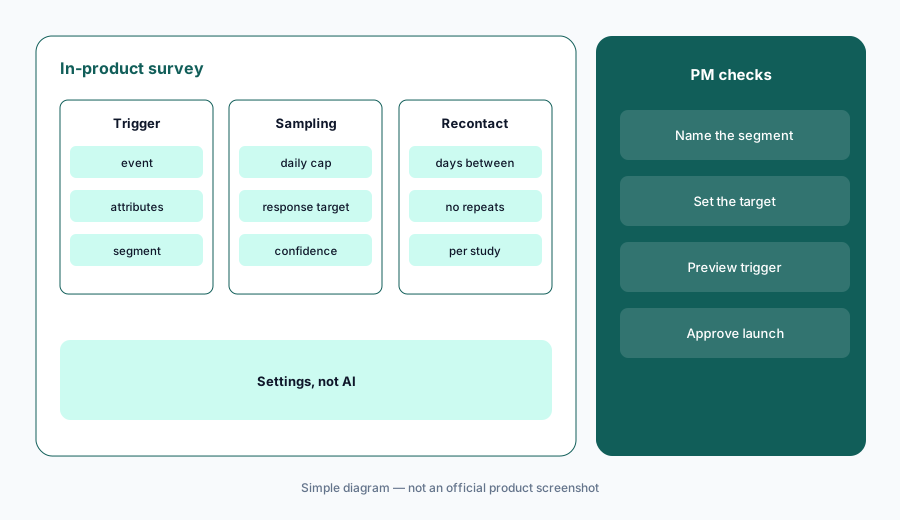
What it is: None of this is AI, which is why it matters. Sprig’s in-product surveys fire on events and attribute filters; by default Sprig throttles sends so a study runs over days, and sets a response target for a chosen confidence level (95% by default, 80–98% or custom). The Recontact Waiting Period sets the minimum days between any two studies for the same user, and by default nobody sees the same study twice. Sprig’s study testing lets you trigger a draft on your own site or app before launch (recontact and attribute settings don’t apply in preview). Replays can capture short clips before and after a response — Sprig’s site says up to five minutes either side.
Write down three numbers before launch: the segment, the daily cap or sample, and the recontact period. A survey that pops up for every user after every action trains people to close it. Preview the trigger on your own account, and if you turn on replay clips, check with whoever owns privacy before recording sessions around survey answers.
Three numbers first:
Before your next in-product survey, write the segment, the response target, and the recontact period in the study description. Preview the trigger on your own account before launch.
3. Field Agent and AI follow-ups: one probe, previewed
What it is: The Field Agent delivers surveys one question at a time in a chat-style format and can personalize wording with user attributes. AI Follow-Ups add one short, neutral open-text probe to a question, generated from the respondent’s answer, the study’s Agent Context, and your optional prompt; Sprig says the follow-up is skipped if a safe, relevant question can’t be generated quickly, and it works alongside skip logic. Supported types include open text, NPS, multiple choice, matrix, and rank order (not video or voice, MaxDiff, or consent). Sprig’s own best practice is one or two AI follow-ups per survey. Sprig also claims conversational delivery can improve completion rates; that is Sprig’s claim.
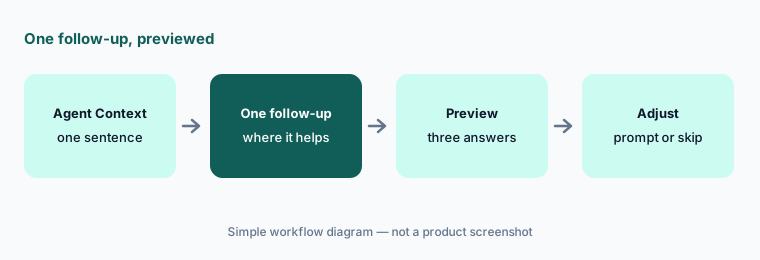
Fill in the Agent Context with the research goal in one sentence — it steers follow-ups and reports. Put a follow-up where a bare answer would leave you guessing, such as a low NPS score, and preview it with a few made-up answers to see what it asks.
One probe:
Add one AI follow-up to the question where a bare answer leaves you guessing. Preview it with three different answers and adjust the prompt or skip logic before launch.
4. Design Agent: drafts, logic checks, and simulated personas
What it is: The Design Agent builds a study from a plain-language objective, a pasted question list, or an uploaded research brief (the AI file-upload builder, expanded 5 July 2026, imports skip and display logic, randomization, voice and video questions, and AI follow-ups from a PDF or Word document). Sprig says it reviews drafts for broken logic, dead ends, and unclear questions, can simulate how your own custom personas might answer to estimate completion time and preview response shapes, and can generate AI translations (regenerating replaces manual edits). Sprig says you approve the final study before launch.
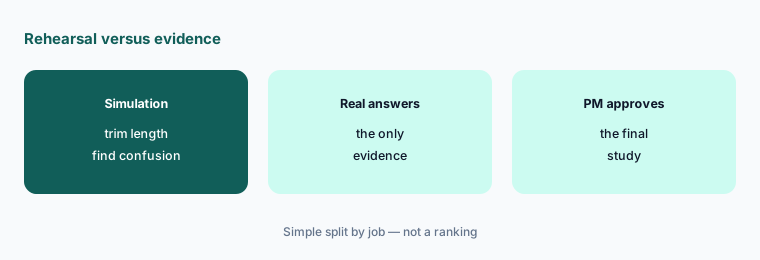
Simulated persona answers are a rehearsal for the survey, not data about your users. Use them to catch confusing questions and long completion times, never as evidence in a readout. And read every imported question against your original document; imports can misread logic notes.
Rehearse, then approve:
Upload your next survey document to the Design Agent and check every logic rule against the original. Use the persona simulation only to trim length, then get the PM’s approval.
5. AI Study Reports: edit, exclude, and watch for overwrites
What it is: AI Study Reports turn a study into an executive summary, research objective, key insights, and opportunities. Sprig’s docs list the conditions: at least 10 responses, the study’s Agent Context filled in, and an Editor or Admin to generate; reports are always in English, can take over ten minutes on very large studies, and generate automatically when a study completes if no one generated one mid-study. Editors can edit and save, with name and timestamp shown. Two cautions from the docs: updating the Agent Context or clicking Generate again overwrites previous edits, and since 25 August 2026 you can exclude a response from analysis, which hides it from the Data tab summaries and the report.
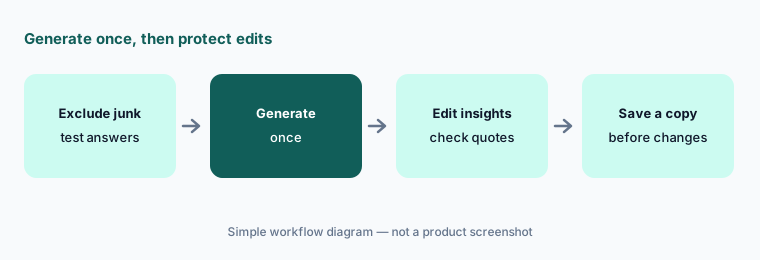
Treat “Opportunities” as suggestions for discussion, not a roadmap. Exclude junk or test responses before generating, generate once, then edit — and keep your edited version somewhere outside Sprig before anyone touches the Agent Context. Any quote in the report should be checked against the Responses tab.
Generate once:
Exclude test and junk responses, generate the AI Study Report once, and check every quoted line against the Responses tab. Save your edited copy before anyone changes the Agent Context.
6. Sprig MCP, Send to AI Tools, and the coming Analyze Agent
What it is: The Sprig MCP server (an admin switches it on under Integrations → AI & MCP) makes studies, responses, segments, and Agent Context available to AI clients — Sprig lists Claude, Claude Code, ChatGPT, Codex, Gemini CLI, GitHub Copilot, Cursor, Figma, Linear, and Notion. Since 23 June 2026 an AI client can create a survey and save it to Sprig as a draft for review; since 31 August, Send to AI Tools opens data, responses, or a report in ChatGPT, Claude, or Cursor in one click over a connection Sprig calls read-only (Enterprise). The Analyze Agent, previewed on 8 October 2026, will recommend and run crosstabs, t-tests, ANOVA, correlation, and Van Westendorp pricing analysis using pandas and SciPy; Sprig’s product page labels it “Coming soon.”
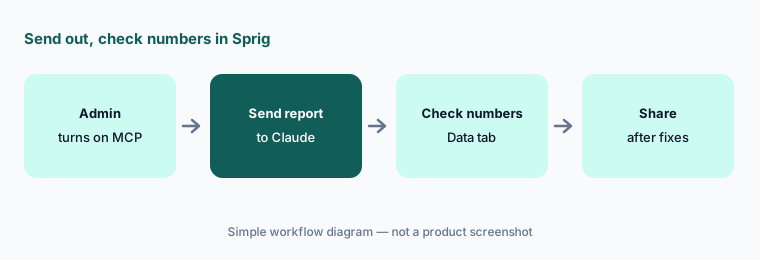
Sending responses to an AI tool puts them in that tool’s chat history, so send aggregated data or sanitized responses, not raw answers with names or emails. Ask the AI a question you already know the answer to first, and keep MCP-created surveys as drafts until a PM reviews them in Sprig. For broader product-ops use of those tools, see Claude for product ops.
Numbers back in Sprig:
Send one finished report to your AI tool with Send to AI Tools and ask for a summary. Check every number it uses against Sprig’s Data tab before you share it.
Pricing context (October 2026)
Sprig’s pricing page (as listed 9 Oct 2026) shows no prices. It describes one enterprise platform sold through a demo, with pricing that “scales with your research program” based on total response volume across studies, which research capabilities are activated, and deployment environments (link, email, web, mobile). Enterprise onboarding and support are included, and the page lists SOC 2 Type II, HIPAA, GDPR, CCPA, and the Data Privacy Framework.
Sprig’s documentation still describes Free, Starter, and Enterprise plans with monthly response limits, but sprig.com/plans now redirects to the pricing page above, and several 2026 features (Panels, email distribution, Send to AI Tools) are listed for Enterprise. Ask for a quote that separates response volume, in-product web and mobile delivery, Panels incentives, and replays.
Uncertainty: Sprig’s pricing page and its plans documentation disagree on whether Free and Starter plans are still sold, so confirm with sales. The Analyze Agent is labelled “Coming soon” on its product page and “Now in Preview” in the site banner. Sprig’s AI overview mentions a zero-data-retention agreement with OpenAI while an older open-text page says OpenAI deletes API data after 30 days; ask which applies to your contract. Dates are as shown on Sprig’s changelog and blog on 9 October 2026.
When it’s useful (honest take)
Useful when you want feedback in the moment inside a web or mobile product, get enough open-text answers that reading them all is a chore, and have a PM who owns targeting and recontact — plus a budget for an enterprise contract.
Less useful when you only need a few link surveys a quarter (a general form tool and a chat assistant may do), nobody will read answers before trusting themes, or your team can’t keep respondent data out of chat tools. Small teams should check whether any self-serve plan is still offered.
Paying for Sprig AI and a few other AI tools? The $9 AI toolkit spreadsheet lists every AI subscription you have, what each one costs, and how fast it pays for itself, so you can see which ones are worth the money.
Want someone to do it for you? AI toolkit audit — $19
Related options (educational)
| Need | Better home | Why |
|---|---|---|
| In-product surveys with AI themes | Sprig AI (this page) | Targeting, follow-ups, Synthesize |
| In-app guides plus surveys and analytics | Userpilot AI or Pendo AI | Surveys beside onboarding flows |
| Prototype tests and AI-moderated interviews | Maze AI | Study builder, AI Moderator |
| Recorded video sessions | UserTesting AI | Think-out-loud, AI summaries |
| Feature requests from calls and tickets | Canny AI | Autopilot inbox, ideas |
| Survey export already in Google Sheets | Gemini for product ops | Theme column plus a hand check |
FAQ
What AI features does Sprig have in October 2026?
Open-text AI themes and AI Study Reports (Synthesize Agent), AI follow-ups and conversational delivery (Field Agent), drafting, logic checks, persona simulation, and AI translations (Design Agent), and the Sprig MCP with Send to AI Tools. The Analyze Agent for statistical tests was previewed on 8 October 2026 and is labelled coming soon.
How much does Sprig cost?
Sprig doesn’t publish prices. As listed on 9 October 2026, its pricing page describes an enterprise platform priced by response volume, activated capabilities, and deployment environments, sold through a demo. See sprig.com/pricing.
Can I trust Sprig’s AI themes without reading the answers?
Not for decisions. Sprig links each theme to its responses and lets you rename themes; read a sample yourself — twenty answers is a good start — and edit any theme the answers don’t support.
Who should control in-product survey targeting?
A named PM or product ops owner. Targeting, sampling, and the recontact waiting period decide how often users are interrupted; set them deliberately and preview the trigger before launch. AI doesn’t change these settings for you.
Does Sprig work with Claude and ChatGPT?
Yes. The Sprig MCP connects to Claude, ChatGPT, Cursor, and other clients, can create surveys as drafts, and Send to AI Tools opens data and reports in ChatGPT, Claude, or Cursor. Keep personal data out and check numbers back in Sprig.
Optional next step (if seats overlap)
If you pay for an in-product survey tool, an in-app guidance tool with its own surveys, a research repository, and chat seats that all summarize the same feedback, that overlap is worth a look. Map the overlap with the $19 AI toolkit audit or the $9 AI toolkit spreadsheet. Email Audit $19 or Toolkit spreadsheet $9.
Checkout is live via Stripe. After you pay, we email delivery (spreadsheet) or intake next steps (audit).