How-to · Product ops · Stack inventory · Oct 2026
Stack map for product ops (Oct 2026): inventory AI seats across analytics, experiments, and CS
How-to inventory — product and CS jobs, tools, owners, and overlaps. Overlap is the point: most teams find two tools summarizing the same sessions, drafting the same release notes, or scoring the same accounts. Pair with Stack map for IT ops and Stack map for support ops.
What this how-to covers
Product ops and CS add AI one surface at a time: analytics gets a summary agent, session replay adds issue triage, flags and experiments gain AI cleanup and readouts, in-app guidance drafts flows, the CS platform drafts QBRs, and everyone already has a chat assistant. A year later, three tools draft the same release notes and two summarize the same frustrated sessions. This how-to builds one table — Job | Tool | Owner | Cost/mo | Overlap | Decision — for seven jobs where overlap is common: product analytics, session replay, feature flags, experiments, in-app guides, CS platform, and the chat assistant.
It is an inventory, not a ranking. Fill Cost/mo from your own invoices, write overlaps in plain sentences, and add who approves: flag changes, experiment launches, in-app flow publishes, and customer emails. AI suggests; a named person approves. No customer PII or raw session recordings go into a general chat tool.
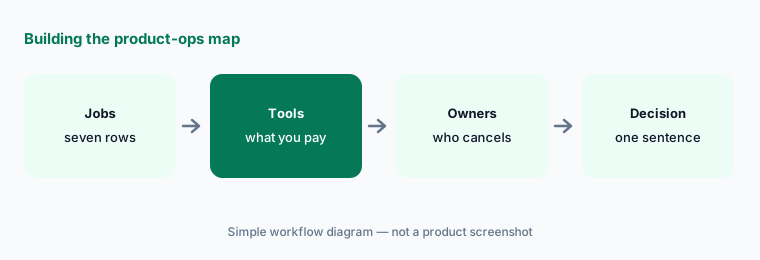
How to inventory product-ops AI seats
Examples at a glance: each feature has a concrete example from a real job plus a short Try this you can run this week.
1. Build the blank table (primary)
What it is: Start with seven rows and six columns. Leave cells blank until you have a source. The seven jobs: product analytics (Amplitude, Mixpanel, PostHog, or Statsig analytics), session replay (Fullstory, Contentsquare, or LogRocket), feature flags (LaunchDarkly, Statsig gates), experiments (LaunchDarkly, Statsig, Optimizely), in-app guides (Pendo, Userpilot, Appcues, or Whatfix), CS platform (Gainsight, ChurnZero, Vitally, Planhat, Totango/Odie), and the chat assistant (Claude, ChatGPT, or Gemini seats used for product ops drafting).
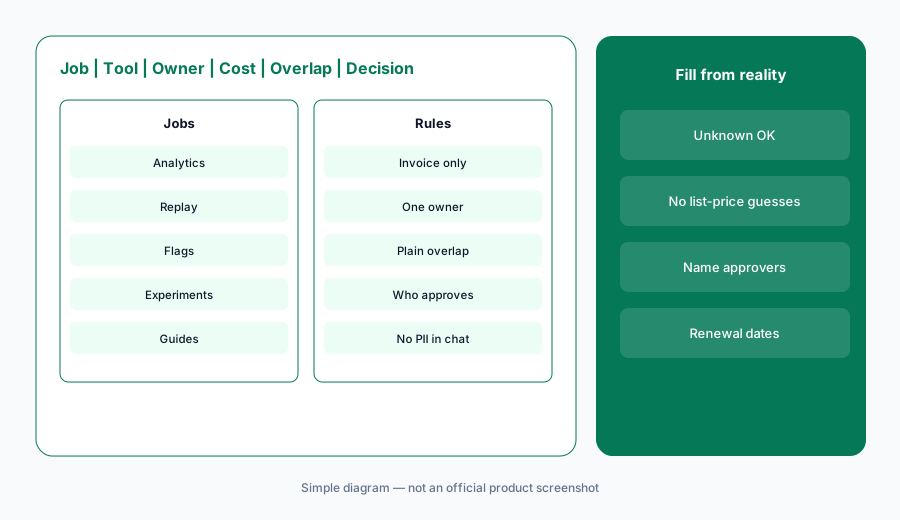
Primary workflow:
Build Job | Tool | Owner | Cost/mo | Overlap | Decision blank for: analytics, session replay, flags, experiments, in-app guides, CS platform, chat assistant.
2. Owners and Cost/mo from invoices
What it is: For each tool, write one owner — the person who can cancel it — and the monthly cost from the invoice or card statement. If you can’t find it, write "Unknown — check bill". Don’t fill costs from list prices alone: flags may bill per service connection or MAU (LaunchDarkly), experiments per events (Statsig Pro was $150/mo on 8 October 2026), and CS platforms are often quote-only (Gainsight). Contract prices differ from list prices.
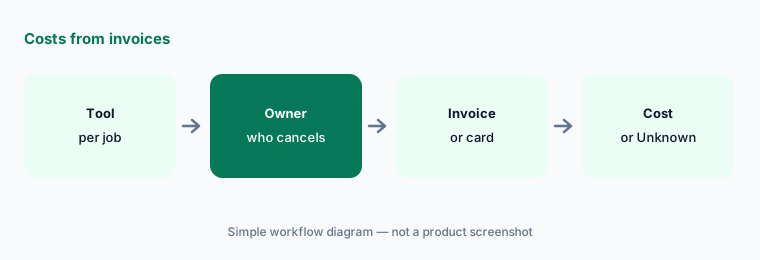
Costs from invoices only:
For each of the seven jobs, name the owner and Cost/mo from invoices only. If missing, write Unknown — check bill. Do not invent prices, MAU counts, or seat numbers.
3. Mark overlaps in plain language
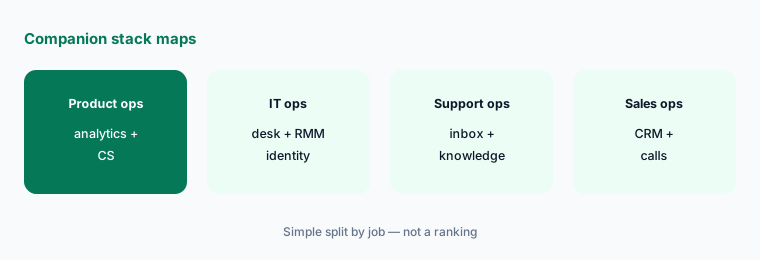
What it is: For each row with two or more tools, write one sentence about what both do — for example, "Fullstory and Contentsquare both summarize frustrated sessions on checkout." Common overlaps: analytics and session replay both explain conversion drops; flags and experiments share one vendor but two budgets; in-app guides and CS platforms both draft onboarding tips; chat assistants draft the same release notes as the experiment tool's AI summary.
One sentence per overlap:
For each row with two or more tools, write one plain sentence about what both do on that job. No scores or labels. Flag any job with no paid AI as blank.
4. Add who approves launches, flags, and outreach
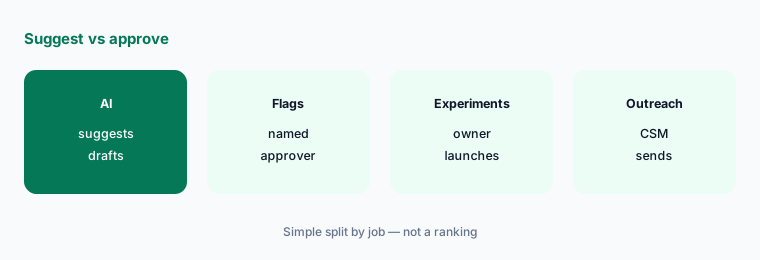
What it is: Add two short columns for tools that can act: Who approves (experiment launch, flag change, in-app flow publish, customer email or CTA) and Data rules (no raw session recordings or customer PII in general chat; session-replay privacy defaults still apply). If a tool can roll out or message on its own, write whether that setting is on, its scope, and who approved it.
Name who approves:
For every tool that can change a flag, launch an experiment, publish an in-app flow, or draft customer outreach, add Who approves and Data rules columns. Write whether any automatic action is on.
5. Write a Decision in one sentence
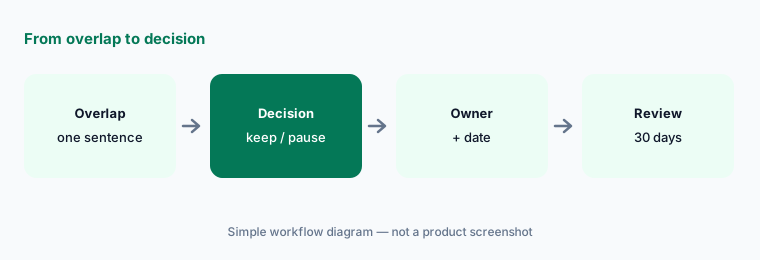
What it is: For each overlap row, write a Decision in one sentence: keep both (and why they do different jobs), consolidate onto one tool, or pause one for 30 days. Name who owns the follow-up and the date. Don’t use scores or labels. If a contract is annual, write the renewal date so the decision happens before it renews.
One sentence, one owner:
For the analytics and chat assistant rows only, write a Decision in one sentence each (keep both, consolidate, or pause). Name who owns the follow-up date and note any renewal date.
6. Run a 30-day check
What it is: After 30 days, check each paused or consolidated tool: did anyone ask for it back, did any product-ops job stop getting done, and did approvals still happen where they should? Update the table and keep it next to your product budget. For September vendor changes, see What’s new in LaunchDarkly (Sep 2026), What’s new in Statsig (Sep 2026), and What’s new in Gainsight (Sep 2026).
Check after 30 days:
Thirty days after a pause or consolidation, ask the owners three questions: did anyone ask for the tool back, did any product-ops job stop getting done, and did approvals still happen. Update the table.
Pricing context (October 2026)
This how-to is dated 8 October 2026 and is not a price sheet. Product-ops tools price per MAU, service connection, event, session, seat, or quote. Examples as of 8 October 2026 from our dated pages: LaunchDarkly publishes Developer $0 and Foundation usage prices on its pricing page (see LaunchDarkly AI); Statsig lists Developer free and Pro $150/mo (see Statsig); Gainsight remains enquire-on-pricing (see Gainsight AI). Fill Cost/mo from your invoices.
Optional structured help: $9 toolkit spreadsheet or $19 toolkit audit.
Uncertainty: Plan names, AI add-ons, credit models, and bundled pricing change often. Session-replay privacy defaults and CS AI packaging differ by vendor. Always verify on the vendor's live page and your bill before budgeting. This is product education, not security or privacy advice for your environment.
When it’s useful (honest take)
Useful when product or CS pays for more than one AI surface and you suspect two tools summarize the same sessions or draft the same release notes.
Useful when you need to show who approves every AI-suggested flag change, experiment launch, in-app flow, or customer email.
Less useful when you have one analytics tool, one flag tool, and one chat habit with clear jobs. Soft $19/$9 only if overlaps are real.
Comparing several AI tools for the same job? The $9 AI toolkit spreadsheet puts each one you pay for on one page with cost, usage, and payback, so overlaps are easy to spot.
Want someone to do it for you? AI toolkit audit — $19
Related options (educational)
| Need | Better home | Why |
|---|---|---|
| Inventory seats by product-ops job | This stack map | Jobs · tools · owners · overlaps · decision |
| IT and support inventory | IT ops · Support ops | Same table pattern, different jobs |
| September vendor notes | LaunchDarkly · Statsig · Gainsight | Dated changelogs |
| Flags and experiments deep-dives | LaunchDarkly AI · Statsig | Educational reviews |
| CS platform deep-dives | Gainsight AI · Vitally AI | Renewals and health |
FAQ
What is a product-ops stack map?
One table that lists each product-ops job (analytics, session replay, flags, experiments, in-app guides, CS platform, chat assistant), the tool that does it, its owner, its monthly cost from your invoices, overlaps with other tools, and a one-sentence decision.
Which jobs should we inventory first?
Session replay and the chat assistant, then flags/experiments. They overlap most often because both summarize what users did and both draft release notes.
Should we use list prices for Cost/mo?
No. Use invoices or card statements. Many CS and analytics tools are quote-only or usage-based, and contract prices differ. Write Unknown — check bill when you can’t find it.
Why add who approves?
Because several tools can now suggest flag changes, experiment launches, in-app flows, or customer outreach. A named person should approve those actions, and raw session or account data should stay out of general chat tools.
When do the $9 / $19 toolkit offers help?
Only when overlaps are real and you want a structured sheet ($9 spreadsheet) or a second pair of eyes on the table ($19 audit).
Optional next step (if seats overlap)
If product and CS already pay for overlapping AI seats across analytics, replay, flags, and chat, map that before you buy another assistant. Map the overlap with the $19 AI toolkit audit or the $9 AI toolkit spreadsheet. Email Audit $19 or Toolkit spreadsheet $9.
Checkout is live via Stripe. After you pay, we email delivery (spreadsheet) or intake next steps (audit).