What’s new · Experimentation · Statsig · Sep 2026
What’s new in Statsig (Sep 2026): experiment, analytics, and AI changes product teams should notice
Statsig’s public September 2026 update feed was thinner than August’s, but it still published dated notes a product lead should act on: granular edit and delete permissions by config type (1 September), self-serve RBAC for the Statsig MCP (12 September), and a 23 September blog on how Statsig will add AI for experimentation with conservative autonomy defaults. Statsig is part of Amplitude since 5 May 2026 and remains sold standalone at statsig.com. This page is not a review — for that, see our Statsig review. Every item below comes from pages we opened on 8 October 2026.
What this page covers
This page is for a product lead, experimentation lead, or platform admin who already runs Statsig and wants September’s dated public notes — especially anything that changes who can edit or delete gates and experiments, what the Statsig MCP can do per role, and how Statsig says it will add AI.
We list only September-dated public items we fetched: two product-update entries and one blog post. August MCP and review-lifecycle notes are out of scope except where September builds on them. We do not invent undated roadmap items from the blog’s "launching soon" language beyond what the post itself states about trust and autonomy.
Guardrails: AI suggests; a named experiment owner or admin approves every permission change, MCP write scope, and ship decision. No customer PII in general chat tools. Vendor claims stay attributed.
Major features (with how someone uses them)
Examples at a glance: each feature has a concrete example from a real job plus a short Try this you can run this week.
1. Five changes a product lead should act on (primary)
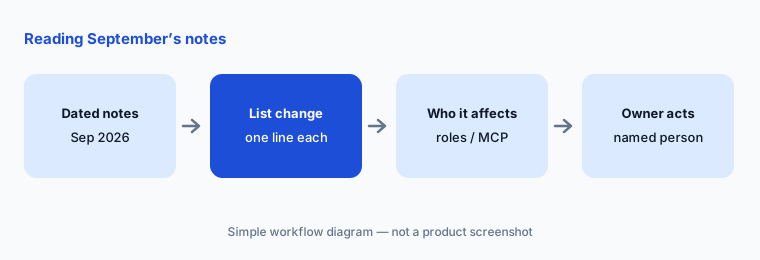
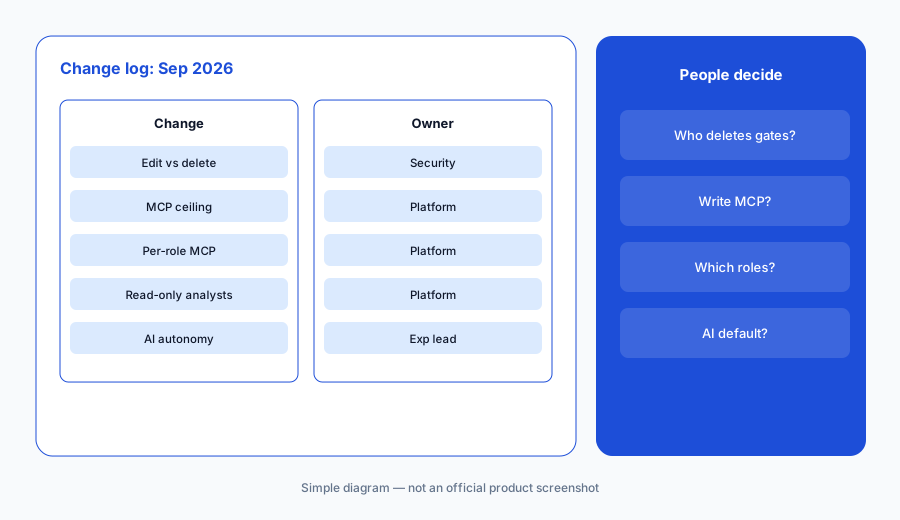
What it is: From the September notes, these five need a decision: (1) separate edit vs delete permissions per config type for Enterprise roles (1 September — update); (2) project-level MCP scope ceiling — no access, read only, or read and write (12 September); (3) per-role MCP access within that ceiling, including Member and custom roles (12 September — update); (4) giving analysts read-only MCP exploration without write tools; and (5) reading Statsig's 23 September AI approach note before turning on new console AI features — autonomy defaults stay conservative, and suggestions stay optional (blog). Cite each to its source.
Primary workflow:
From Statsig’s public Sep 2026 notes, list 5 changes a product lead should act on — cite sources.
2. Entity-level edit and delete (1 Sep)
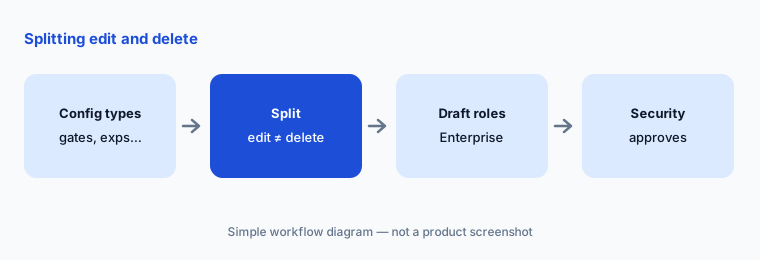
What it is: On 1 September Statsig let Enterprise roles control edit and delete separately for Gates, Holdouts, Dynamic Configs, Segments, Experiments, Layers, Autotunes, Parameter Stores, and Prompts. Before this, permissioning was broader. You can now match roles to how teams actually own each config type without over-permissioning.
Split edit from delete:
List the config types your PMs touch weekly. For each, write whether they need edit, delete, both, or neither. Have security approve before you change Enterprise roles.
3. Self-serve MCP RBAC (12 Sep)
What it is: On 12 September Statsig added self-serve MCP access controls in the console. Set a project-level MCP scope — No access, Read only, or Read and write — as the ceiling for all roles, then configure MCP access per role within that maximum. MCP only exposes tools that the project scope, role permissions, and token scope all allow. Configure under Project Settings → Roles.
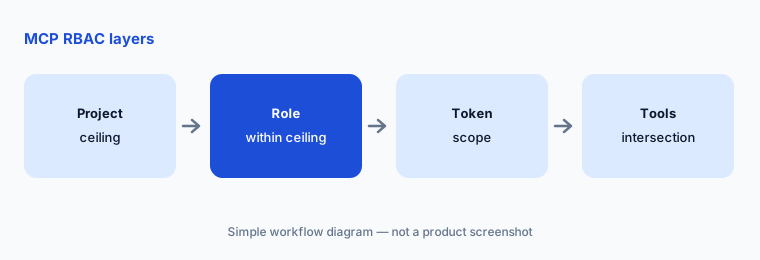
Set the ceiling first:
Open Project Settings → Roles. Write the project MCP ceiling you want (no access / read only / read and write) and which roles sit under it. Have the experiment owner approve before raising any role to write.
4. Read-only MCP for analysts
What it is: The September MCP RBAC update exists so teams can give analysts and stakeholders AI-assisted exploration without handing them write tools. Pair the project ceiling and role permissions so read-only roles can fetch experiment hypotheses and primary metrics while create/update tools stay off. Writes that change live gates or experiments still need a named human approver.
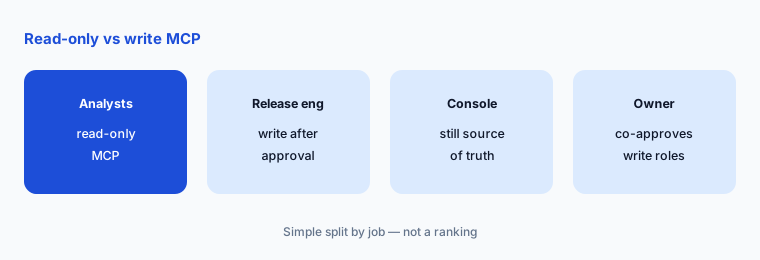
Prove read-only works:
Connect one read-only user to the Statsig MCP. Ask for an experiment hypothesis and primary metrics only. Confirm write tools are absent, then have the platform owner record the role’s MCP permissions for the change log.
5. AI for experimentation note (23 Sep)
What it is: On 23 September Statsig published "Our take on AI for experimentation," describing how it plans to add console AI with firm grounding in real data, transparent output you can verify, and customizable autonomy levels whose default stays conservative. The post says suggestions stay optional and that AI should not break existing workflows. Treat upcoming AI features as opt-in; the experimentation lead decides what is enabled for your project.
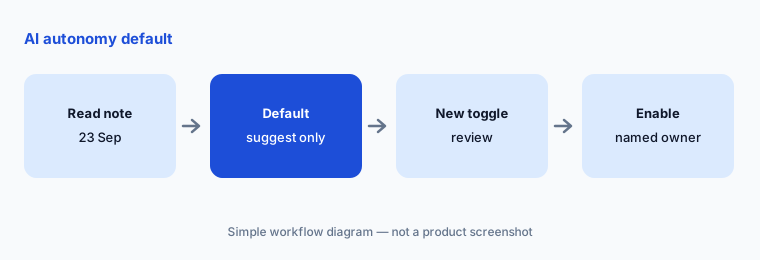
Write the autonomy default:
After reading Statsig’s 23 Sep AI note, write one sentence for your team: default autonomy (suggest only / limited actions / other) and who can raise it. Have the experimentation lead and a data scientist both sign.
6. Who approves each September change
What it is: Entity-level permissions are an Enterprise admin change — security and the platform owner approve. MCP project ceilings and role write access are platform changes — the experiment owner co-approves any write scope. Read-only MCP for analysts is still an access change — platform owns the role. AI console toggles follow the autonomy default you wrote. Amplitude ownership (since May 2026) does not change who approves inside your Statsig project.
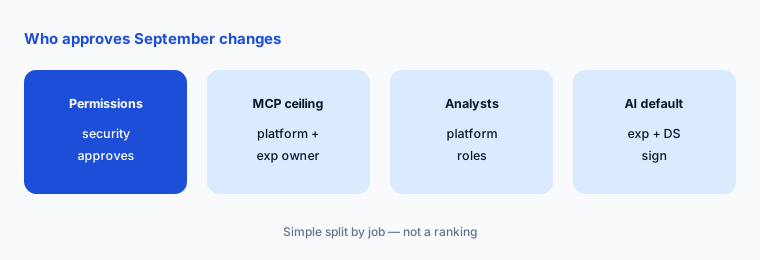
One owner per change:
For the four themes above, write one named owner and one October review date. Have the product lead approve the list before any MCP write scope goes live.
Pricing context (October 2026)
September's public updates did not mention price changes. Statsig publishes prices on its pricing page; as of 8 October 2026: Developer free; Pro $150/mo; Enterprise custom. Entity-level permissions are called out as available for Enterprise customers. MCP access controls are configured in the console; we found no separate public MCP price.
For our dated review of Statsig’s AI features, MCP v3, and Amplitude ownership note, see Statsig.
Uncertainty: We read Statsig’s September-dated update pages, the 23 Sep AI blog, and the pricing page on 8 October 2026. The public September feed had fewer entries than August; always re-check statsig.com/updates before you budget. Plan packaging and Enterprise-only features can differ by contract. This is product education, not security advice.
When it’s useful (honest take)
Useful when you administer Statsig permissions or MCP access and want September’s dated changes with owners.
Useful when you are deciding whether analysts may use the Statsig MCP read-only.
Less useful when you want a full product review — read Statsig — or you do not use MCP or Enterprise roles.
Paying for Statsig and a few other AI tools? The $9 AI toolkit spreadsheet lists every AI subscription you have, what each one costs, and how fast it pays for itself, so you can see which ones are worth the money.
Want someone to do it for you? AI toolkit audit — $19
Related options (educational)
| Need | Better home | Why |
|---|---|---|
| Full Statsig review (incl. Amplitude note) | Statsig | Not a changelog |
| Peer September notes | What’s new in LaunchDarkly (Sep 2026) | Same format |
| CS platform September notes | What’s new in Gainsight (Sep 2026) | Retention side |
| Inventory product-ops AI seats | Stack map for product ops | Jobs, tools, overlaps |
| Analytics peers already live | Amplitude AI · PostHog AI | Related analytics |
FAQ
What did Statsig change in September 2026?
Per public updates: entity-level edit/delete permissions by config type for Enterprise (1 Sep), and self-serve MCP RBAC with project and role scopes (12 Sep). On 23 Sep Statsig also published its approach to AI for experimentation (trust, transparency, conservative autonomy defaults).
Why is this page shorter than some other What’s new pages?
Statsig’s public September update feed had fewer dated entries than August when we fetched it on 8 October 2026. We only list fetched September-dated items; we did not invent filler from August.
Is Statsig still standalone?
Yes. It is part of Amplitude since 5 May 2026 and still sold at statsig.com with published prices. See our Statsig review.
Who should approve MCP write access?
The platform owner sets the project ceiling and role permissions; the experiment owner should co-approve any role that gets read-and-write MCP tools.
Did Statsig change prices in September 2026?
The September notes we read do not mention price changes. As of 8 October 2026 the pricing page listed Developer free, Pro $150/mo, and Enterprise custom.
Optional next step (if seats overlap)
If product pays for Statsig, LaunchDarkly, and chat assistants that all summarize the same experiments, fix that overlap before adding another seat. Map the overlap with the $19 AI toolkit audit or the $9 AI toolkit spreadsheet. Email Audit $19 or Toolkit spreadsheet $9.
Checkout is live via Stripe. After you pay, we email delivery (spreadsheet) or intake next steps (audit).