How-to · Surveys and feedback · Sprig · Oct 18, 2026
Run one Sprig in-product survey with AI follow-ups, and have the product manager own targeting and frequency
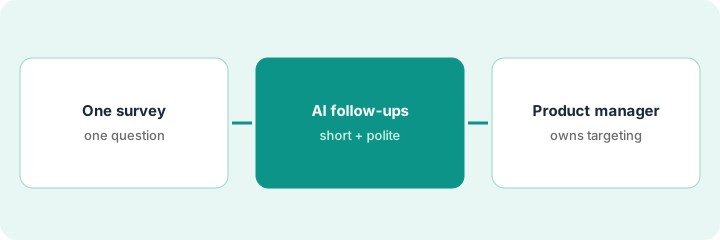
Sprig's Design agent drafts a survey, the Field agent asks AI follow-ups, and the Synthesize agent groups open-text answers into themes and writes an AI Study Report. None of that decides who gets interrupted and how often — that is the product manager's job. This page shows how to run one survey with those numbers set by a person.
Who this is for
Product managers, product ops leads, and researchers who want in-the-moment feedback inside a web or mobile product. The job here is owning targeting and frequency. For reading Dovetail Chat answers and checking every insight against its source highlight — a different job — see Dovetail Chat source check.
How to do it
This is a how-to, not a ranking of survey tools. Per the Sprig AI review, Sprig is built around Design, Field, and Synthesize agents, can capture short replay clips around a response, and Sprig publishes no prices. The Analyze Agent was announced as coming soon in our review, so this routine does not use it. The ground rule: AI never launches a survey or changes targeting without a named product manager approving it.
1. Design one survey with the Design agent
What it is: Give the Design agent one objective or an existing question list, let it draft and check the logic, and fill in the Agent Context with the research goal in one sentence.
- Keep it to two or three questions about one moment, such as after the new export feature.
- Read every imported question and logic rule against your original document.
- Use the persona simulation only to trim length — simulated answers are not data.
- Add one AI follow-up where a bare answer leaves you guessing, such as a low NPS score.
- Preview the follow-up with three made-up answers.
A product manager asks the Design agent for a two-question survey for users who just exported. She adds one AI follow-up to the NPS question and, after previewing answers of 3, 7, and 10, uses skip logic so scores of 9–10 get no follow-up.
Write the research goal in the Agent Context before you add any follow-up.
2. Product manager sets targeting and frequency
What it is: Before launch, the product manager writes down three numbers — the segment, the response target or daily sample, and the recontact waiting period — and previews the trigger on their own account.
- Pick the event and attribute filter that define the segment.
- Keep Sprig's default throttling, or set a daily sample cap.
- Set the recontact waiting period (the minimum days between any two studies for the same user).
- Preview the trigger on your own account; recontact and attribute settings do not apply in preview.
- Check with your privacy owner before turning on replay clips around answers.
A product manager wants 100% sampling for a launch. The product ops lead agrees on 20% for a week and a 30-day recontact period, and both numbers go in the study description.
Write the segment, the response target, and the recontact period in the study description before anyone presses launch.
3. Read the AI Study Report against answers and clips
What it is: Once there are enough answers, read twenty yourself, then compare with Sprig's open-text themes and the AI Study Report, and watch a few replay clips before acting.
- Exclude junk and internal test responses before generating the report.
- Generate the AI Study Report once; regenerating or editing the Agent Context overwrites your edits.
- Rename any theme that the answers do not support.
- Watch replay clips for the two biggest themes.
- Save your edited report outside Sprig before anyone changes the Agent Context.
After 60 answers she reads twenty and groups them as format missing, too slow, and couldn't find it. Sprig's themes match two of hers; she renames one theme to the team's wording and shares the report with counts.
Read twenty answers before you open the themes, and check every quoted line against the Responses tab.
Pricing context (October 2026)
This how-to isn't a price sheet. Per the Sprig AI review and Sprig's pricing page (checked Oct 18, 2026), Sprig publishes no prices; it sells one enterprise platform through a demo, priced by response volume, activated capabilities, and deployment environments. Dated October 2026.
Checked Oct 18, 2026 on the vendor’s own pricing page: Sprig shows no public list price. Sprig’s pricing page invites you to talk to sales; AI features are not priced separately. This page quotes no Sprig dollar figure; confirm what your contract includes with Sprig or your admin.
Uncertainty: The only prices this site sells here are the optional $9 AI toolkit spreadsheet and $19 AI toolkit audit.
When this helps (honest take)
Useful when you want feedback inside a web or mobile product, get more open-text answers than you can read, and have a product manager who owns targeting and recontact.
Not useful when you only need a few link surveys a quarter, nobody will read answers before trusting themes, or you can't keep respondent data out of chat tools.
Related options (educational)
| Need | Where to look | Why |
|---|---|---|
| Sprig AI features | Sprig AI | Primary path |
| Repository insights against highlights | Dovetail Chat source check | A different job |
| Feature requests from support and calls | Canny Autopilot merge approval | Requests, not surveys |
| Product ops stack map | Stack map: product ops | Where Sprig fits |
FAQ
Can Sprig's AI change who sees a survey?
Not in this routine. Per our review, targeting, sampling, and the recontact waiting period are settings a person owns; the product manager sets them and previews the trigger.
Is Sprig's Analyze Agent available?
Our review describes it as announced and coming soon. On Oct 18, 2026 Sprig's site banner called it a preview. This routine does not rely on it.
How much does Sprig cost?
Sprig publishes no prices; it is sold through a demo. See the pricing section.
Is Sprig’s Analyze Agent available?
Per our review it was announced as coming soon; Sprig’s site banner said preview on Oct 18, 2026. This routine does not rely on it.
Optional next step
If you want a one-page toolkit map for the tools you already pay for, use the optional $9 AI toolkit spreadsheet. If you want a short review of seat waste and unused tools, use the optional $19 AI toolkit audit. Neither is required to follow this how-to.