Tool · User research · Maze · Oct 2026
Maze AI review (Oct 2026): AI Moderator, AI study builder, and MCP for user research
Maze is a user research platform for prototype tests, surveys, card sorts, live website tests, and interviews. Its AI layer now covers the whole study: an AI study builder that drafts a study from a plain-language goal, bias detection and AI follow-ups on open questions, an AI Moderator that runs voice interviews, an AI Conversation block for short voice follow-ups inside unmoderated tests, automatic transcripts, themes, and reports, and a read-only Maze MCP server in beta for Enterprise. This page is about using those features without letting the AI decide what you study — a researcher approves every study before it launches. Each section has a Try this.
What this Maze page covers
This page is for a product designer, a PM who runs their own tests, or a research ops lead deciding how much of Maze’s AI to let loose. The question it answers: which Maze AI features save real time on study setup, moderation, and analysis — and where a researcher still has to read the draft, pilot the study, and check themes against what participants said.
Most of the AI sits on Maze’s Enterprise plan. Maze’s pricing data (read 9 October 2026) marks AI-moderated interviews, the AI study builder, AI survey analysis, and interview transcription with automated theme analysis as Enterprise features; the AI Moderator page calls the moderator an add-on to Enterprise plans; and Maze MCP is listed as beta access for Enterprise customers. Recent dated changes: the AI Moderator gained visual stimulus testing and flexible discussion styles (2 April 2026), Maze MCP entered beta (25 June 2026), and the AI Conversation block shipped (9 July 2026).
Ground rules for any of this: AI never launches a study, contacts participants, or publishes findings without a named researcher approving it; participant personal data stays out of general chat tools; and an AI-written summary line is never presented as a participant’s words — only a quote you can play or read in the transcript counts. Facts below come from Maze’s pricing page, feature pages, product updates, and help center as we read them on 9 October 2026; we did not use third-party price estimates.
Major features (with how someone uses them)
Examples at a glance: each feature has a concrete example from a real job plus a short Try this you can run this week.
1. AI study builder: goal first, then cut (primary)
What it is: Maze’s AI study builder turns a description of what you want to learn into a ready-to-run study. You type a goal, upload a research plan or brief, attach images, or paste a link, and it drafts the study — for an AI-moderated study, Maze’s help center says that means a name, two to five learning goals, Freeform or Structured goal types, follow-up depth, stimulus mapping, and any probing instructions you described. Maze says the builder shows the reasoning behind each block it adds, won’t invent context you haven’t provided (it asks instead), and is purpose-built for unmoderated studies, with method recommendations “coming soon.” Admins can switch it off, and Maze says an organization can add its own review step so researchers sign off before anything goes live.
The draft is a starting point, so judge it against one sentence: the goal you typed. Read every question and ask which part of the goal it answers. Questions that are interesting but off-goal make the study longer, lower completion, and muddy the themes later. Turn on Maze’s review step if your plan offers it, and name the researcher who approves launches.
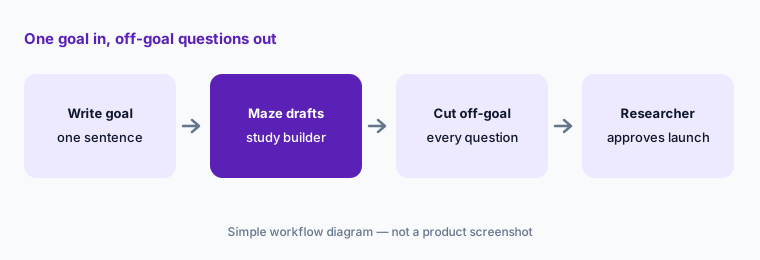
Primary workflow:
Describe one study goal in plain language and let Maze draft it. Delete every question that doesn’t map to that goal before you launch.
2. Bias detection and AI follow-ups on open questions
What it is: Two smaller AI features shape the questions themselves. Bias detection flags leading or biased wording “with AI-suggested rewrites you can take or leave,” in Maze’s words. AI follow-ups can be switched on for any Open Question so each answer gets an automatic text probe; Maze’s pricing data lists conditional logic and AI follow-ups under Enterprise “Advanced” surveys and lists “AI survey assistance” on Enterprise (and on a Starter plan Maze offers only in some regions).
Accept a rewrite only when you can say why the original was leading. Follow-ups lengthen a study, so use them on the one or two open questions where the “why” matters most, and preview them yourself before participants see them.
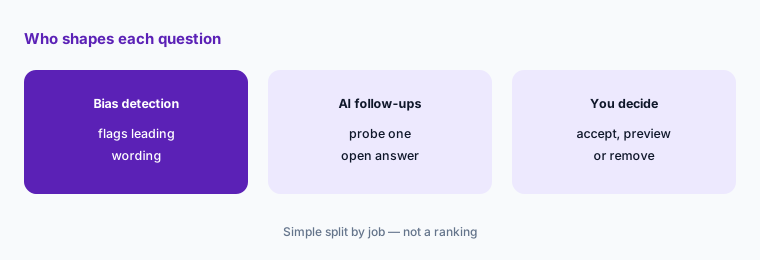
One probe, previewed:
Run bias detection on your next survey and accept only the rewrites you can explain. Turn on AI follow-ups for one open question and preview three runs before launch.
3. AI Moderator: voice interviews at scale, piloted first
What it is: The AI Moderator runs audio (and optionally video) interviews with participants on a video call, asking follow-up questions based on your learning goals. Maze’s help center lists three goal formats — Conversation only, Conversation with image, and Conversation with link (a website or prototype; screen sharing required) — and two discussion styles: Structured (questions asked as written, in order) and Freeform (the AI adapts, with a Brief 1–3 minute or Thorough 3–5 minute depth). Studies are limited to eight goals, Maze recommends keeping a study to 500 sessions, and camera access can be required, optional, or off — Maze notes off can help with privacy or personal data concerns. Maze describes the moderator as research-grade and says each conversation is evaluated against 25 quality metrics; that is Maze’s claim. AI-moderated studies are Enterprise-only.
Maze’s own best-practice advice is to share a new study with a few participants or internally first; take it. Use Structured when you need comparable answers across participants, Freeform for early discovery, and keep camera off unless you need faces. Maze’s FAQ positions AI-moderated interviews for early-stage, generative research; we would not use them in place of a human moderator on sensitive or high-stakes topics.
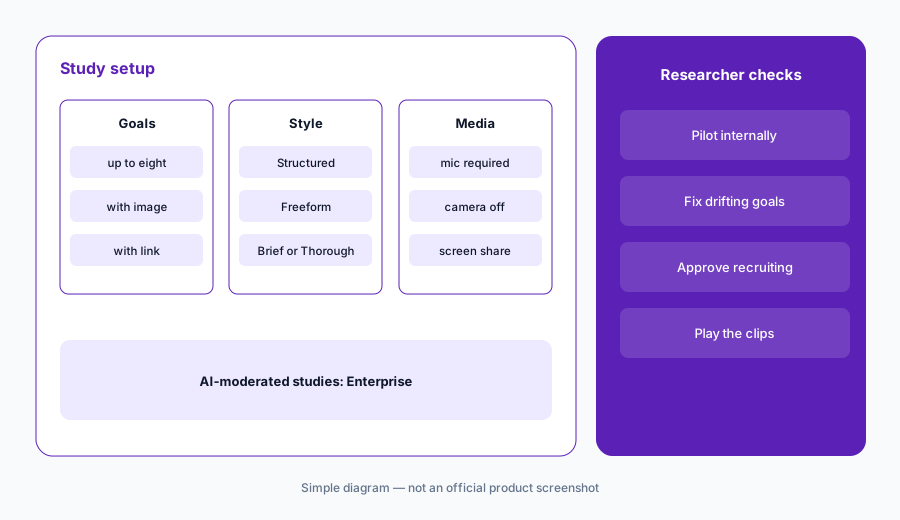
Pilot before panel:
Build one AI-moderated study with three goals and camera off. Run it with two colleagues, fix any goal where the moderator drifts, and only then recruit real participants.
4. AI Conversation block: voice follow-ups inside unmoderated tests
What it is: The AI Conversation block (product update, 9 July 2026) adds a short, voice-based AI-moderated exchange to an unmoderated study. Drop it after a score question or a prototype task and the AI can reference what the participant just did. It has the same Freeform and Structured styles; Maze’s help center allows up to five blocks per study and up to five questions per Structured block, on desktop, tablet web, and mobile web (not the mobile app), and participants need a working microphone. It is listed for Enterprise customers. Maze’s update also notes a pricing change: responses were free while the feature was new, and as of a date Maze writes as “8-12-2026,” each AI Conversation block response uses 5 credits on panel orders, shown in the order summary.
Maze is explicit that discussion instructions “can’t be guaranteed to be followed 100% of the time.” If wording matters, use Structured without follow-ups. And because panel responses now cost credits, put one block where the “why” is worth paying for — usually right after the task most people fail.
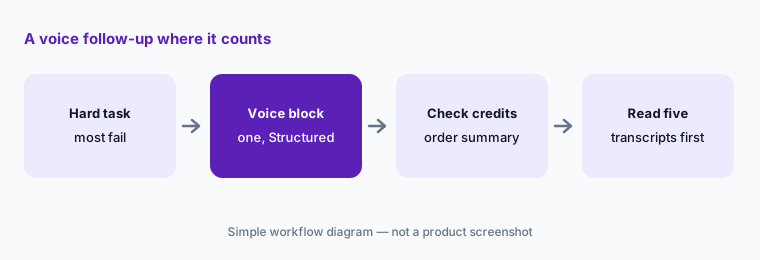
One block, where it counts:
Add one AI Conversation block after the task most participants fail. Check the credit cost in the order summary, then read five transcripts before you open any AI summary.
5. Transcripts, themes, and reports: check before sharing
What it is: For AI-moderated studies, each session comes back with an AI summary, an editable transcript with speaker separation, and timestamped highlights. Thematic analysis clusters highlights across sessions into themes with sentiment, and Maze suggests at least five sessions first. Maze generates a report for any AI-moderated study with at least one highlight; owners, admins, and editors can edit theme summaries, hide or reorder slides, and change findings before sharing. One caution from Maze’s help center: rerunning thematic analysis replaces all existing themes, including ones you sorted by hand.
Run thematic analysis once, after most sessions are in, then do your manual sorting. For every theme you plan to share, open two highlights and play them. A theme summary is Maze’s paraphrase; the participant quote in your report should be words you heard in the recording.
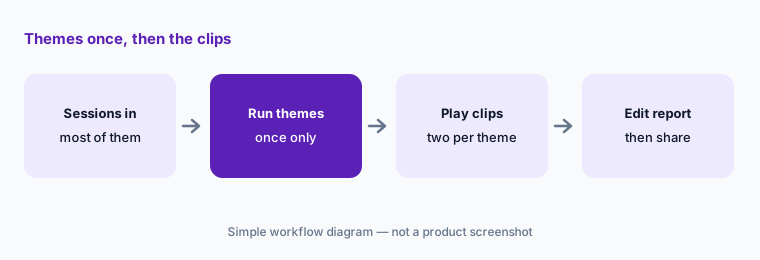
Run once, then verify:
Wait until most sessions are in, run thematic analysis once, and play two highlights for every theme you plan to share. Edit any summary that says more than the clips do.
6. Maze MCP: read-only research in Claude, ChatGPT, and Cursor
What it is: Maze MCP (beta for Enterprise teams since 25 June 2026) lets AI tools query your Maze workspace — studies, interviews, sessions, and transcripts — through a remote server with OAuth sign-in. Maze’s help center says it is read-only (it can’t create, edit, or publish studies), exposes nine tools, respects your existing Maze permissions, and that its search covers names, descriptions, quotes, and themes but not raw transcripts. Maze publishes setup guides for Claude, ChatGPT, Gemini, Cursor, GitHub Copilot, Claude Code, and Codex; an organization admin may need to enable third-party connectors first, and Maze says it doesn’t store your prompts or use MCP data to train models.
Read-only is the right default, but whatever the AI tool pulls in also lives in that tool’s chat history. Ask a question you already know the answer to first, and open the cited study in Maze before quoting it in a PRD. For teams using Claude for product ops, the connector is a cleaner way to ground drafts in research than pasting transcripts.
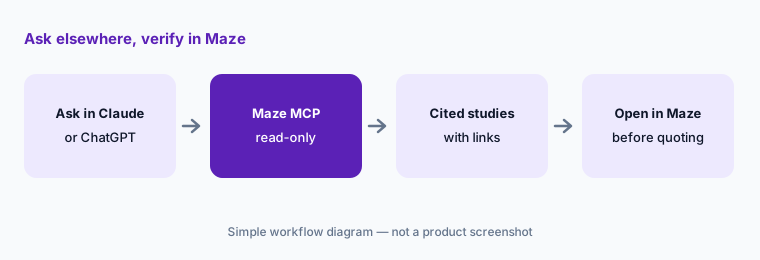
Known answer first:
Connect Maze MCP to your AI tool and ask about one study your team already reported. Compare its quotes with your readout before you trust it on a new question.
Pricing context (October 2026)
Maze’s pricing page (as listed 9 Oct 2026) shows Free — five seats and one study a month, bring your own participants, panel recruitment pay-per-use, basic surveys and usability tests — and Enterprise at custom pricing: unlimited seats, a custom number of studies, panel credits included, advanced targeting, interview scheduling, the Maze mobile app, role-based access, SSO, and customer success. The AI features in this review sit on Enterprise: AI-moderated interviews, the AI study builder, AI survey analysis, and interview transcription with automated theme analysis; the AI Moderator page calls the moderator an Enterprise add-on; Maze MCP is beta access for Enterprise.
The page’s data also includes a Starter plan for small teams running unmoderated research, but it is excluded for visitors in the US, Canada, the UK, and most of Europe, so we haven’t quoted it. Since Maze publishes no Enterprise price, ask for a quote that separates seats, studies, panel credits, the AI Moderator add-on, and AI Conversation block credits.
Uncertainty: Maze’s pages don’t say exactly which AI features come with Enterprise and which need the AI Moderator add-on, and Maze MCP is still in beta. The AI Conversation block credit change is dated “8-12-2026” in Maze’s update without saying whether that is 12 August or 8 December. Two Maze pages differ on how many images an AI-moderated study accepts, so check in the product. Feature dates are as shown on Maze’s product updates and help center on 9 October 2026.
When it’s useful (honest take)
Useful when your team already runs prototype tests or interviews, has an Enterprise budget, and wants to run more studies without more researcher hours — with a researcher who approves every launch, pilots AI-moderated studies, and checks themes against recordings.
Less useful when you run a few tests a year (Free and a general assistant may be enough), nobody will pilot studies before panel spend, or you need sensitive interviews where a human moderator should be in the room. AI-moderated sessions are audio conversations in the 20 language options Maze lists, so check your participants can take part by voice.
Paying for Maze AI and a few other AI tools? The $9 AI toolkit spreadsheet lists every AI subscription you have, what each one costs, and how fast it pays for itself, so you can see which ones are worth the money.
Want someone to do it for you? AI toolkit audit — $19
Related options (educational)
| Need | Better home | Why |
|---|---|---|
| Prototype tests and AI-moderated interviews | Maze AI (this page) | Study builder, AI Moderator, MCP |
| Recorded video sessions with a large panel | UserTesting AI | Think-out-loud video, AI summaries |
| In-product surveys with AI themes | Sprig AI | Targeted surveys, Synthesize Agent |
| Research repository across many sources | Dovetail AI | Chat, Agents, Channels |
| Feature requests from calls and tickets | Canny AI | Autopilot inbox |
| Drafting a study plan in a chat tool | Claude for product ops | Sanitized brief only |
FAQ
What AI features does Maze have in October 2026?
An AI study builder, bias detection with suggested rewrites, AI follow-ups on open questions, the AI Moderator for voice interviews, the AI Conversation block inside unmoderated studies, automatic transcripts, themes, and reports, and Maze MCP, a read-only connector in beta for Enterprise.
How much does Maze cost?
As listed on 9 October 2026, Maze shows a Free plan (five seats, one study a month) and Enterprise at custom pricing. Most AI features, including AI-moderated interviews and the AI study builder, are Enterprise features, and the AI Moderator is described as an Enterprise add-on. See maze.co/pricing.
Can Maze’s AI launch a study on its own?
No. The study builder drafts a study for you to review, and Maze says organizations can add a review step so researchers sign off before anything goes live. Name the researcher who approves launches and pilot AI-moderated studies before recruiting.
Can I quote Maze’s AI summaries as what participants said?
No. Summaries and theme descriptions are Maze’s paraphrase. Use only quotes you can play or read in the session transcript, and open two highlights per theme before you share it.
Does Maze MCP work with Claude and ChatGPT?
Yes. Maze publishes setup guides for Claude, ChatGPT, Gemini, Cursor, GitHub Copilot, Claude Code, and Codex. It is read-only, follows your Maze permissions, and is in beta for Enterprise teams.
Optional next step (if seats overlap)
If you pay for a testing platform, a research repository, survey AI, and general chat seats that all summarize the same sessions, that overlap is worth a look. Map the overlap with the $19 AI toolkit audit or the $9 AI toolkit spreadsheet. Email Audit $19 or Toolkit spreadsheet $9.
Checkout is live via Stripe. After you pay, we email delivery (spreadsheet) or intake next steps (audit).