Compare · Product adoption · In-app onboarding AI · Oct 2026
Userpilot vs Appcues (Oct 2026): AI for in-app onboarding and product adoption
Userpilot and Appcues both let product teams add onboarding flows, checklists, tooltips, and surveys inside their own product without engineering, and both now put an AI agent on top. Userpilot’s agent is Lia, which runs analyses and drafts flows; Appcues’ is Appcues AI, which builds drafts from a prompt or a mockup and suggests fixes on its Recommendations page. This page compares them by analytics depth, what each AI does, MCP access, and pricing transparency — not as a ranking — with a Try this for each.
What this comparison covers
This page is for a product manager, a growth lead, or a customer success lead at a SaaS company choosing an in-app onboarding tool — or checking whether the one they have still fits — who wants to know how much analytics each includes, what each AI agent can do without a person, and what each will cost before talking to sales.
The short version: Userpilot pairs in-app guidance with fuller product analytics — event autocapture, funnels, paths, retention, and session replay on its Growth plan — and its agent Lia is built around running those analyses and turning them into flows; it publishes two prices. Appcues centres on building and improving experiences, with analytics for trends, funnels, paths, and the impact of each experience, an AI that drafts and suggests fixes you approve, and every capability on every plan; it publishes no prices.
Prices and plan packaging were re-checked on both vendors’ pricing pages on 9 October 2026. Feature facts match our Userpilot AI and Appcues AI reviews (both read 9 October 2026). Results figures on either site are vendor claims.
| Question | Userpilot | Appcues |
|---|---|---|
| AI agent | Lia: skills for activation, retention, and adoption; drafts flows, segments, reports, survey drafts | Appcues AI: builds drafts from a prompt, mockup, or URL; Recommendations from its Insights agent |
| Going live | Help center: Lia won’t change live content on its own; Preview, Test Mode, staging domains | Nothing goes live until you explicitly approve; publisher or admin role needed |
| Analytics | Funnels, paths, trends, retention and cohorts; autocapture and session replay on Growth | Trends, funnels, paths, retention curves, segments, impact and uplift |
| MCP | Userpilot MCP on all plans: questions, segments, reports, dashboards, survey drafts | Appcues MCP, admin-enabled; Experience Builder (beta) changes land as drafts |
| Published prices | Starter $299/mo; Growth from $849/mo; Enterprise by quote | None published; Start, Grow, and Enterprise by quote |
Major features (with how someone uses them)
Examples at a glance: each feature has a concrete example from a real job plus a short Try this you can run this week.
1. Your activation event and one flow: how each builds and measures it (primary)
What it is: Both tools are only as useful as the event you are trying to move. Write down your activation event — the action that predicts a new user sticks, such as “connected a data source” or “invited a teammate” — and the one flow that should drive it. Then walk through each tool: in Userpilot, Lia can draft the flow from a goal and its Analyze activation skill can report on it; in Appcues, Appcues AI can draft the flow from a prompt or mockup, and its analytics show whether people who saw it reached the goal. In both, a person checks every step and decides when it goes live.
Measure the flow against the activation event, not against completion of the flow itself. A tour everyone finishes but that doesn’t change activation is noise in your product.
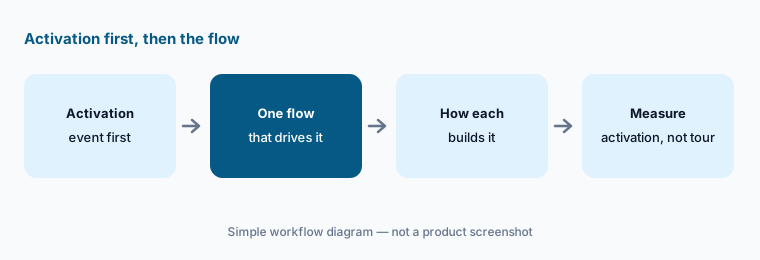
Primary workflow:
Write your activation event and the one flow that should drive it. Note how each tool would build and measure that flow.
2. Analytics depth: autocapture and replay vs experience impact
What it is: Userpilot’s product analytics page lists event autocapture, funnels, trends, paths, retention and cohorts, and session replay. Its pricing page puts advanced product analytics, autocapture, and 5,000 session replays a month on Growth, with usage trends and NPS on Starter, and data retention of one year on Starter and three on Growth. Appcues’ analytics page lists trends, funnels, paths, retention curves, segments, and dashboards, plus impact and uplift views that ask whether an experience made a difference for the people who saw it; reporting history runs 12, 24, or 36 months by plan.
If you already pay for a product analytics tool, you may not need a second one inside the onboarding tool — check what each can send to or read from the analytics you have. If you don’t, Userpilot’s broader analytics may replace a separate tool; Appcues’ impact views are aimed at proving each experience worked.
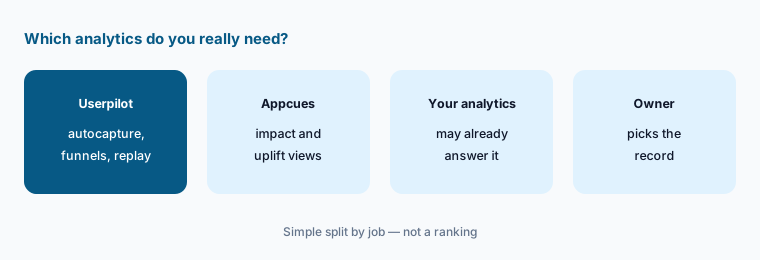
Avoid a second analytics tool:
List the analytics questions you ask every month. Mark which your current analytics tool already answers, and only count the rest when comparing the two.
3. AI agents: Lia vs Appcues AI and Recommendations
What it is: Lia, Userpilot’s agent, runs ready-made skills you trigger in plain language or with a slash command — activation, feature adoption, retention, sentiment, surveys, conversion, account health, and more — and can draft flows and checklists. Userpilot’s help center says segments, reports, and dashboards Lia creates are saved to your account right away, surveys are saved as drafts, and Lia won’t change live content on its own; Userpilot’s marketing says of flows, “You approve. She launches.” Appcues AI builds drafts from a description, a mockup or screenshot, or a public URL, and edits existing experiences in conversation; before publishing it shows the domain, page, audience, and frequency and asks you to confirm. Its Recommendations page lists Issues and Opportunities from the Insights agent, some with AI Actions you can Apply and a Smart revert that Appcues says “attempts to undo the change.”
Treat every AI-built flow as a draft from someone who has never met your users. Cut any step that doesn’t lead to your activation event, check the targeting, and preview it as a new user. For Appcues’ AI Actions, apply one at a time and watch its effect before the next.
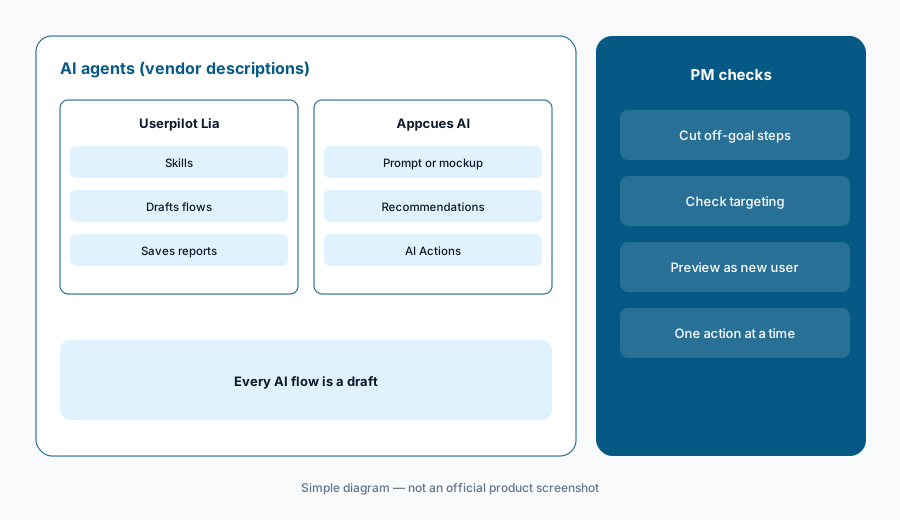
Draft, cut, preview:
Have each tool’s AI draft the same three-step flow. Cut any step that doesn’t lead to activation and preview both as a new user before either goes live.
4. Building and testing: preview, staging, and A/B splits
What it is: Userpilot flows are built in a Chrome extension on top of your product, with an AI writing assistant in every text box, Preview Mode, a Test Mode to experience a live flow as an end user, and controlled publishing to staging or testing domains or by permalink; its plan table lists A/B testing, localization, and content throttling above Starter. Appcues describes A/B testing with separate “show once” experiences and an Audience Randomizer to split an identical audience, with at least 500 users per group as a guide; its newer Flows 2.0 builder (beta) adds AI translation into your configured languages, and converting a legacy flow gives what Appcues calls “a starting point rather than a faithful copy.”
Whatever the tool, test on staging first, then a small segment, and decide in advance how long the test runs and what result would make you keep or remove the flow. Small products may not reach enough users per group for a split to mean anything.
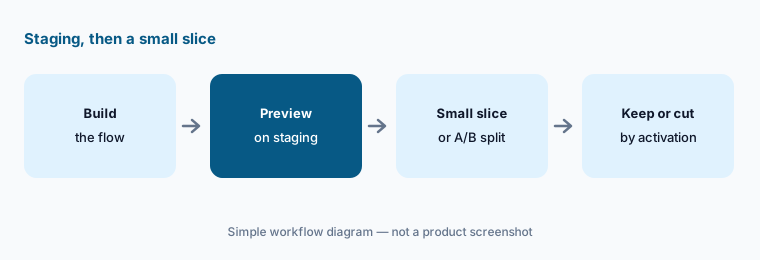
Staging, then a slice:
Preview your next flow on staging as a new user. Then show it to a small segment for a set number of weeks and write the activation result that would make you keep it.
5. MCP access: Userpilot MCP vs Appcues MCP
What it is: The Userpilot MCP server (mcp.userpilot.io/mcp) connects Claude, Claude Code, ChatGPT, Cursor, and Microsoft 365 Copilot to your account with your normal login; Userpilot says you can ask questions such as how your signup funnel performed and ask it to create segments, reports, dashboards, and survey drafts, on all plans, within your plan’s limits. The Appcues MCP server is turned on by an admin in Studio settings, and team members connect Claude, ChatGPT, or Cursor with their own login and role; Appcues lists flow completion summaries, NPS responses, audits of published experiences, and segment sizes, and its Experience Builder (beta) can build experiences, with changes always landing on a draft until you publish manually or explicitly ask your agent to.
Start with read-only questions whose answers you already know, then check them in each product. Don’t ask an agent to publish; keep that click with the PM who owns the flow. Appcues also has an admin toggle for whether team members can connect MCP clients at all.
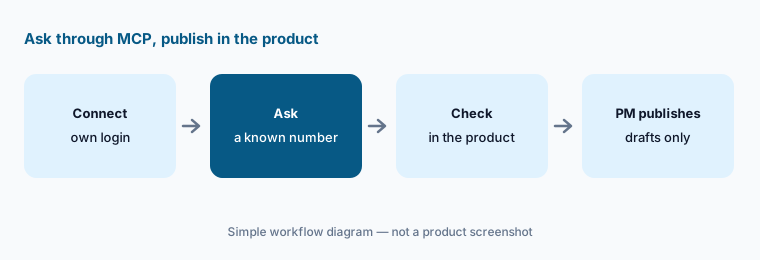
Known answer, no publish:
Connect each tool’s MCP to your AI tool and ask for one number you already know. Let it create drafts only; the PM who owns the flow publishes in the product.
6. Pricing transparency and where each fits
What it is: Userpilot publishes two prices (as listed 9 Oct 2026): Starter at $299/mo for up to 2,000 monthly active users and Growth “from $849/mo,” with Enterprise by quote; all three list “MCP and AI Agent Lia,” and there is a 14-day free trial with no card. Appcues publishes no prices: Start (up to 3,000 monthly active users, 10 published experiences), Grow (from 3,000, 25 published experiences), and Enterprise (custom, 100 published experiences), priced by monthly active users, installations, and published experiences, with a Spark program for teams under 25 people and a free trial after an intro call. Userpilot fits teams that want onboarding and product analytics in one tool; Appcues fits teams that want every capability on every plan and pay mainly for reach and experience count.
Other homes: Pendo for guides plus analytics at enterprise scale; Whatfix or WalkMe when the users are your own employees in internal apps; PostHog or Amplitude when analytics is the main job. A small product with few users may do fine with a short in-app checklist built by engineering.
Price at your volume:
Write your monthly active users and how many experiences you would publish. Ask Userpilot whether the listed price is monthly or annual billing at that volume, and Appcues for a quote at the same numbers.
Pricing context (October 2026)
Userpilot publishes two prices (as listed 9 Oct 2026): Starter $299/mo (up to 2,000 monthly active users, 3 seats) and Growth from $849/mo (15 seats, advanced product analytics, autocapture, resource center and advanced surveys, 100k emails and 5k session replays a month, 3-year retention). Enterprise has no listed price. Agent Analytics and MCP Analytics are add-ons on Growth and Enterprise. The page didn’t say on our read whether the prices are monthly or annual-billing rates. See userpilot.com/pricing.
Appcues publishes no prices (as listed 9 Oct 2026). Start covers up to 3,000 monthly active users with 10 published experiences and 12 months of reporting history; Grow starts at 3,000 with 25 and 24 months; Enterprise is custom with 100 and 36 months plus priority support. Appcues says every plan includes every capability and that if you exceed limits it keeps experiences running and contacts you about upgrading at the next billing cycle. See appcues.com/pricing.
Uncertainty: Userpilot’s Growth price is a “from” figure that rises with monthly active users, and its billing period wasn’t stated on our read. Appcues lists no prices, so any figure you see elsewhere isn’t from Appcues. Appcues’ Flows 2.0 and MCP Experience Builder are beta, and Userpilot marks some AI features coming soon. Dates and packaging are as shown on each vendor’s pricing page on 9 October 2026.
When it’s useful (honest take)
Userpilot is useful when a SaaS team wants onboarding flows and fuller product analytics in one tool, published prices to plan around, and an agent that runs analyses — with a PM who reviews every flow Lia drafts before it goes live.
Appcues is useful when a team mostly builds and improves in-app experiences, wants every capability on every plan, and likes an AI that drafts and suggests fixes — with a publisher who approves every change and watches each applied action.
Less useful when (either one) you have few active users, no clear activation event, or nobody who owns in-app messaging; more flows won’t fix an unclear product.
Still choosing between Userpilot and Appcues? The $19 AI toolkit audit gives you a written plan for which tools to keep using and which to drop across your whole AI stack, including this pair.
Prefer to do it yourself? Spreadsheet — $9
Related options (educational)
| Need | Better home | Why |
|---|---|---|
| Onboarding plus product analytics in one tool | Userpilot AI | Lia skills, autocapture, replay on Growth |
| Building and improving in-app experiences | Appcues AI | AI drafts, Recommendations, every capability |
| Guides and analytics at enterprise scale | Pendo AI | Product analytics first |
| Employees in internal apps | Whatfix AI or WalkMe AI | Digital adoption for staff |
| Analytics as the main job | PostHog AI or Amplitude AI | Funnels and retention first |
| Finding the friction first | Fullstory AI or LogRocket AI | Session replay with AI |
FAQ
Is Userpilot or Appcues better?
Neither in general, and this page is not a ranking. Userpilot pairs onboarding with fuller product analytics and publishes prices; Appcues centres on building and improving experiences, includes every capability on every plan, and is quote-only. Write your activation event and one flow, and see how each would build and measure it.
How much do Userpilot and Appcues cost in October 2026?
Userpilot lists Starter at $299/mo (up to 2,000 monthly active users) and Growth from $849/mo, with Enterprise by quote. Appcues publishes no prices; its Start, Grow, and Enterprise plans are quoted by monthly active users, installations, and published experiences. As listed on 9 October 2026.
What is the difference between Lia and Appcues AI?
Lia runs Userpilot analyses through skills, creates segments, reports, and dashboards, and drafts flows and surveys; Userpilot says it won’t change live content on its own. Appcues AI builds drafts from a prompt, mockup, or URL, and its Recommendations page suggests fixes with AI Actions you apply. Nothing goes live in Appcues until you approve.
Do both have an MCP server?
Yes. Userpilot’s MCP is on all plans and can answer questions and create segments, reports, dashboards, and survey drafts. Appcues’ MCP is turned on by an admin, and its Experience Builder (beta) puts changes on a draft until you publish. Keep publishing with the PM who owns the flow.
Can AI publish an onboarding flow by itself?
Neither vendor describes its AI publishing on its own by default: Userpilot says Lia won’t change live content on its own, and Appcues says nothing goes live until you explicitly approve. Preview every AI-drafted flow as a new user before you publish.
Optional next step (if seats overlap)
If product pays for an onboarding tool, growth pays for analytics, and CS pays for a survey tool that all track the same users, that overlap is worth mapping before renewal. Map the overlap with the $19 AI toolkit audit or the $9 AI toolkit spreadsheet. Email Audit $19 or Toolkit spreadsheet $9.
Checkout is live via Stripe. After you pay, we email delivery (spreadsheet) or intake next steps (audit).