Compare · User research · AI-moderated and video testing · Oct 2026
Maze vs UserTesting (Oct 2026): AI-moderated and video-based user testing
Maze and UserTesting both help product teams put a design or a live product in front of real people and learn what goes wrong. Maze is built for fast prototype tests, surveys, and unmoderated studies, and now runs voice interviews with an AI Moderator. UserTesting is built around recorded video of people thinking aloud, with AI insight summaries and friction markers on top. This page compares them by study type, panel access, and what each AI summarizes — not as a ranking — with a Try this for each.
What this comparison covers
This page is for a product designer, a UX researcher, or a research ops lead choosing a user testing platform — or checking whether the one they have fits the questions the team actually asks — who wants to know what each AI drafts, moderates, and summarizes, and what a researcher still has to watch.
The short version: Maze answers many questions quickly — does this prototype flow work, which label do people expect, what do users say in a short interview — and its AI drafts studies, moderates voice interviews, and clusters answers into themes; most of that AI sits on its Enterprise plan. UserTesting is strongest when you need to watch people struggle, on video, with their own words; its AI summarizes sessions and marks friction so you know which clips to watch first. Both have MCP servers in beta.
Prices were re-checked on both vendors’ pricing pages on 9 October 2026. Feature facts match our Maze AI and UserTesting AI reviews (both read 9 October 2026). Panel sizes and quality figures on either site are vendor claims.
| Question | Maze | UserTesting |
|---|---|---|
| Leans toward | Fast prototype and unmoderated tests, surveys, card sorts; AI-moderated interviews | Recorded think-out-loud video sessions, Interaction tests, live conversations |
| Drafting a study | AI study builder; bias detection on question wording | AI-powered test creation (Ultimate, Ultimate+, Unlimited) |
| AI moderation | AI Moderator: voice interviews, Enterprise add-on; AI Conversation block | AI Moderation: closed beta, up to three follow-ups per question |
| What the AI summarizes | Session summaries, transcripts, thematic analysis, automatic reports | AI insight summaries (English only, not editable); friction and sentiment markers |
| Panel | Maze Panel (Maze says over 5 million participants); pay-per-use on Free | UserTesting Network across 60+ countries; acquired User Interviews in January 2026 |
| Published prices | Free (five seats, one study a month); Enterprise custom | None published; every edition “Request pricing” |
Major features (with how someone uses them)
Examples at a glance: each feature has a concrete example from a real job plus a short Try this you can run this week.
1. Your next three research questions: video or fast test? (primary)
What it is: Start from the questions, not the features. Some questions are answered by numbers from many people quickly: which of two labels people pick, whether people complete a prototype path, how they group menu items. Others need you to see and hear a person — why they hesitate on a pricing page, what they expected a setting to do, how they describe the problem in their own words. Maze’s prototype tests, surveys, card sorts, and tree tests are built for the first kind; UserTesting’s recorded think-out-loud sessions for the second. Maze’s AI-moderated interviews sit in between: spoken answers at scale, without a researcher in the call.
Write the question first, then the decision it feeds. If nobody will change anything based on the answer, it doesn’t need a study at all.
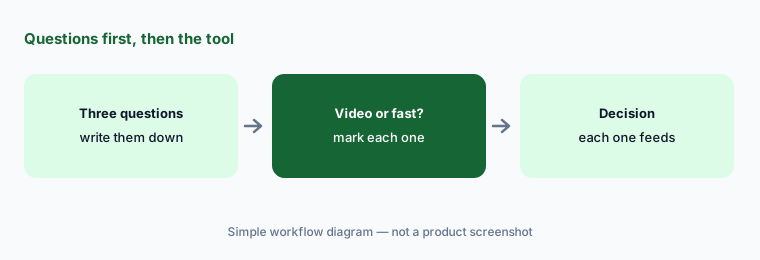
Primary workflow:
Write the next three research questions your team has. Mark which need watched video and which a fast unmoderated test answers.
2. Drafting the study: AI study builder vs AI-powered test creation
What it is: Maze’s AI study builder turns a goal, a research plan, images, or a link into a draft study; Maze says it shows the reasoning behind each block, asks rather than inventing context, and lets an organization add its own review step, and its bias detection flags leading wording with suggested rewrites. UserTesting’s AI-powered test creation drafts a test from your goal plus a Figma prototype, URL, or image and opens it in the Test Builder; its Knowledge Base says it needs Ultimate, Ultimate+, or Unlimited with generative AI on, and warns: “AI generates a starting point. Always review and refine your test before launching.”
In both, the researcher owns the launch. Delete any question that doesn’t map to your goal, read every task as a participant would, and pilot with a colleague before real participants see it.
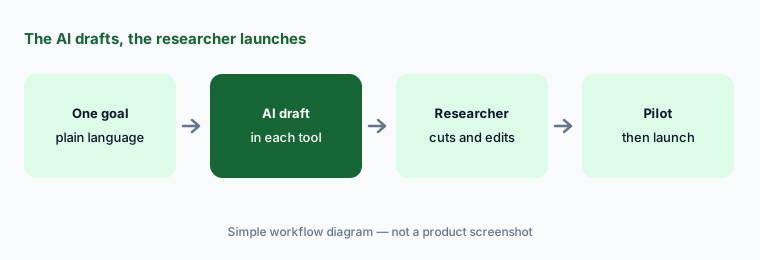
Same goal, both drafts:
Give both tools the same study goal. Delete every drafted question that doesn’t map to it and pilot each draft with one colleague before launch.
3. AI moderation: Maze AI Moderator vs UserTesting AI Moderation (beta)
What it is: Maze’s AI Moderator runs audio (and optionally video) interviews on a call, asking follow-ups from your learning goals in a Structured or Freeform style, with up to eight goals per study and camera required, optional, or off; Maze calls it an add-on with its Enterprise plans, and its AI Conversation block adds a short voice follow-up inside an unmoderated test. UserTesting’s AI Moderation is a closed beta for nominated customers (Knowledge Base article created 22 September 2026): on the new think-out-loud test, the AI asks up to three follow-up questions after each verbal-response question within a three-minute limit, English only, on desktop with the browser extension, and UserTesting says participants are told before they start that the test is AI-moderated.
An AI moderator follows your goals literally. Pilot it with two colleagues, read the first sessions’ follow-ups in full, and stop the study if it starts leading participants. Keep a person moderating anything sensitive.
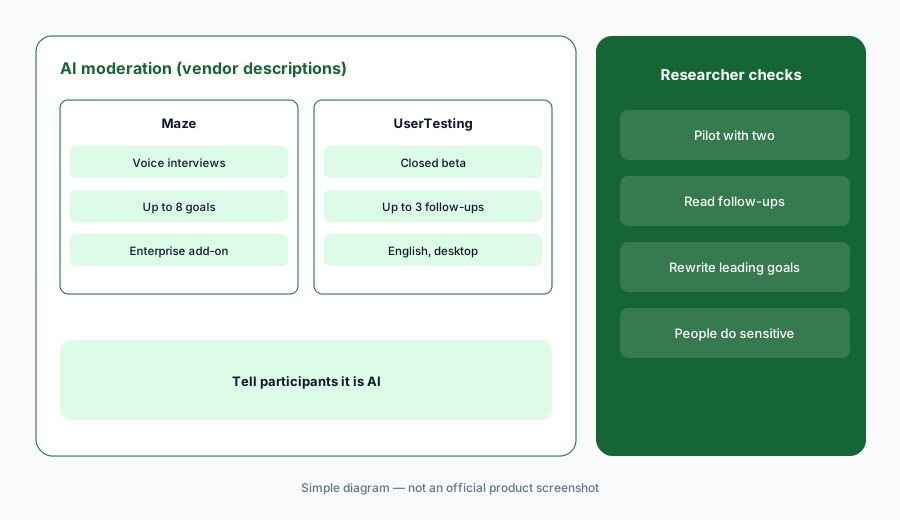
Pilot the moderator:
Run any AI-moderated study with two colleagues first. Read every follow-up from the first five real sessions and rewrite any goal that made the AI lead.
4. What the AI summarizes: themes and reports vs insight summaries and friction
What it is: Maze gives each AI-moderated session an AI summary, an editable transcript, and timestamped highlights; thematic analysis clusters highlights across sessions into themes with sentiment, and Maze builds a report that owners, admins, and editors can edit. Its help center warns that rerunning thematic analysis replaces all existing themes, including ones you sorted by hand. UserTesting shows AI-generated insight summaries — top themes, each with a session count and a Sources link — that can’t be edited and are generated in English only. Its friction detection, sentiment bands, and smart tags are non-generative machine learning that stay on even if your organization opts out of generative AI, and Insights Discovery answers questions across past studies with links to timestamps.
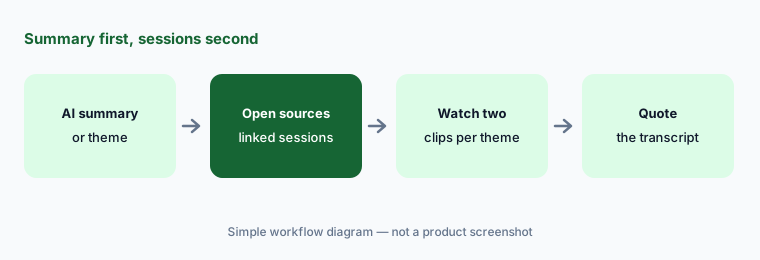
A summary tells you where to look. Before a finding goes in a readout, watch or read the sessions behind it, and never present an AI-generated line as a participant’s words — quote the transcript instead.
Two clips per theme:
For the top three AI themes from your last study, watch or read two source sessions each. Quote participants only from transcripts.
5. Panel access and recruiting
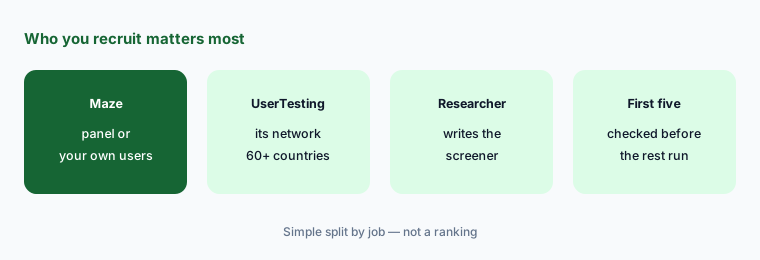
What it is: Maze lets you bring your own participants on any plan or recruit from the Maze Panel, which Maze says has over 5 million participants; on Free, panel recruitment is pay-per-use, and Enterprise includes panel credits and advanced targeting. AI-moderated studies can also be shared by link, In-Product Prompts, or a Prolific integration. UserTesting recruits from its own network — its plans page lists the panel across 60+ countries — with demographic filters and screener questions, and it acquired the participant recruitment company User Interviews (announced 7 January 2026).
Panel size matters less than whether the people match your users. Write a screener that excludes professional testers and anyone outside your audience, and check the first sessions for people who clearly aren’t your customer before the rest run.
Screen, then check:
Write one screener for your hardest-to-reach audience. Launch five sessions, check whether each participant really fits, and tighten the screener before the rest.
6. MCP, pricing transparency, and where each fits
What it is: Maze MCP (beta for Enterprise since 25 June 2026) is read-only: AI tools can query studies, sessions, and transcripts but can’t create, edit, or publish studies. The UserTesting MCP (open beta, by request) can draft tests and launch a draft as a separate step that respects your permissions and workspace approval, and returns AI summaries and timestamped transcripts. On price, Maze publishes a Free plan — five seats and one study a month (as listed 9 Oct 2026) — and Enterprise at custom pricing; most of its AI sits on Enterprise. UserTesting publishes no prices: every edition of both plan types says “Request pricing.”
Other homes: Sprig for in-product surveys aimed at people already using your product; Dovetail to keep findings from both tools in one research repository; and Figma prototypes, which both tools can test. If you run only a few studies a year, Maze’s Free plan and moderated calls you run yourself may be enough.
Price your real plan:
Count your studies per month and how many need recorded video. Ask Maze for an Enterprise quote and UserTesting for a quote that names the edition, test volume, and which AI features are included.
Pricing context (October 2026)
Maze publishes a free plan but no paid price (as listed 9 Oct 2026). Free gives five seats and one study a month, with your own participants or pay-per-use panel recruitment. Enterprise is custom pricing with unlimited seats, a custom number of studies, panel credits, and the AI features this page covers; Maze’s AI Moderator page calls the moderator an Enterprise add-on. Maze’s page data also lists a Starter plan, but it isn’t offered in the US, Canada, the UK, or most of Europe, so we haven’t quoted it. See maze.co/pricing.
UserTesting publishes no prices (as listed 9 Oct 2026). It offers Test-based Consumption and Team-based Unlimited plans, each in Advanced, Ultimate, and Ultimate+ editions, all marked “Request pricing.” Advanced lists AI-generated insight summaries and sentiment analysis; Ultimate adds AI-generated test creation, AI-powered analysis, smart tags, and Insights Hub with Insight Discovery. See usertesting.com/plans.
Uncertainty: Neither vendor publishes a paid price. Maze doesn’t say exactly which AI features come with Enterprise and which need the AI Moderator add-on; UserTesting’s friction detection article still uses older plan names, so confirm the edition. UserTesting’s AI Moderation is a closed beta, and both MCP servers are betas. Panel sizes are vendor claims. Dates are as shown on each vendor’s site and help center on 9 October 2026.
When it’s useful (honest take)
Maze is useful when a product team runs many quick prototype tests, surveys, and card sorts, wants AI to draft studies and moderate short voice interviews at scale, and has a researcher who approves every study and reads the sessions behind each theme.
UserTesting is useful when decisions need recorded video of real people thinking aloud, the team wants AI summaries and friction markers to find the right clips fast, and someone watches those clips before reporting.
Less useful when (either one) you run only a handful of studies a year, your users are a small known group you can call yourself, or the team hopes AI summaries will replace watching and reading sessions.
Still choosing between Maze and UserTesting? The $19 AI toolkit audit gives you a written plan for which tools to keep using and which to drop across your whole AI stack, including this pair.
Prefer to do it yourself? Spreadsheet — $9
Related options (educational)
| Need | Better home | Why |
|---|---|---|
| Fast prototype tests, surveys, AI-moderated interviews | Maze AI | AI study builder, AI Moderator |
| Recorded think-out-loud video | UserTesting AI | Insight summaries, friction markers |
| In-product surveys | Sprig AI | Targeted surveys, AI themes |
| Keeping findings in one repository | Dovetail AI | Chat, highlights, Docs |
| Session replay of real product use | Fullstory AI or LogRocket AI | What users did, without a study |
| Prototypes to test | Figma AI | Both can test Figma prototypes |
FAQ
Is Maze or UserTesting better?
Neither in general, and this page is not a ranking. Maze leans toward fast prototype, unmoderated, and AI-moderated studies; UserTesting leans toward recorded video of people thinking aloud. Write your next three research questions and mark which need watched video.
How much do Maze and UserTesting cost in October 2026?
Maze publishes a Free plan (five seats, one study a month) and Enterprise at custom pricing, where most of its AI sits. UserTesting publishes no prices; every edition says “Request pricing.” As listed on 9 October 2026.
Which one has AI moderation?
Both, at different stages. Maze’s AI Moderator runs voice interviews and is an Enterprise add-on. UserTesting’s AI Moderation is a closed beta that asks up to three follow-ups after each verbal-response question, in English, on desktop. Pilot either with colleagues first.
Can I edit the AI summaries?
In Maze, owners, admins, and editors can edit theme summaries and reports, but rerunning thematic analysis replaces existing themes. UserTesting’s AI-generated insight summaries can’t be edited and are English only. In both, quote participants from transcripts, not summaries.
Do their MCP servers launch studies?
Maze MCP is read-only. The UserTesting MCP can draft tests and launch a draft as a separate step that respects your permissions and workspace approval. Keep a researcher’s approval on every launch.
Optional next step (if seats overlap)
If design pays for one testing platform, research pays for another, and both overlap with your survey tool and research repository, that overlap is worth mapping before renewal. Map the overlap with the $19 AI toolkit audit or the $9 AI toolkit spreadsheet. Email Audit $19 or Toolkit spreadsheet $9.
Checkout is live via Stripe. After you pay, we email delivery (spreadsheet) or intake next steps (audit).