How-to · Feedback analytics · Enterpret · Oct 18, 2026
Let Enterpret's Adaptive Taxonomy run weekly, and have a named owner validate every taxonomy change
Enterpret's Adaptive Taxonomy sorts every ticket, review, and survey answer into themes, and the Dynamic Taxonomy run adds new themes every week from feedback that didn't fit. Each new theme changes the trend lines it touches. This page shows how a named owner reviews every weekly change before it shapes a roadmap conversation.
Who this is for
Product managers, voice-of-customer leads, and support operations leads whose company gets more feedback than anyone can read, sorted in Enterpret. The job here is weekly taxonomy validation. For asking Dovetail Chat a research question and checking every insight against its source highlight — a different job — see Dovetail Chat source check.
How to do it
This is a how-to, not a ranking of feedback tools. Per the Enterpret review, Dynamic Taxonomy runs automatically every Saturday and adds themes without deleting yours, uncommitted drafts are discarded at that run, there is no in-product view yet of what the run added (Enterpret says to ask your Enterpret contact), and Enterpret Agent (formerly Wisdom) answers with citations. Enterpret says ingested data is scanned and personal data scrubbed before storage. The ground rule: no taxonomy change stands without its owner reading the records behind it.

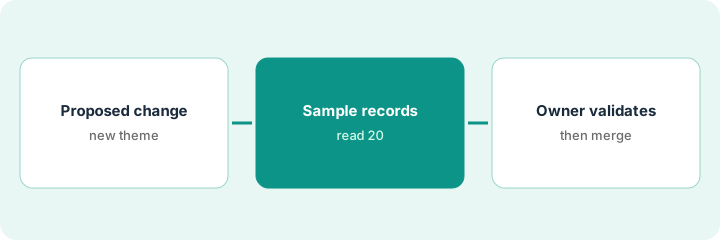
1. Read this week's taxonomy changes
What it is: Each Monday, get the list of themes and sub-themes the weekend run added, and name one owner per product area to review them.
- Ask your Enterpret contact for the summary of the latest run.
- List each new node, its parent, and how many records it pulled in.
- Assign each node to the owner of that product area.
- Save or discard your own open drafts by Friday, because the weekend run discards uncommitted drafts.
- Note any trend line that jumped because a new theme started catching records.
The weekend summary shows a new sub-theme, Calendar sync delays, that pulled 300 records out of Misc. She assigns it to the calendar product manager.
Keep a running sheet: date, new node, records moved, owner, decision.
2. Ask Enterpret Agent one cited question
What it is: Ask Enterpret Agent about the new theme and open its cited counts — test it on something you can check.
- Ask what the new theme covers and which sources it came from.
- Open two or three cited counts and read the records behind them.
- Check whether one loud account accounts for most of the records.
- Write a workspace rule for any term the Agent reads differently from your team.
- Keep the Agent in its default ask-first mode so it files nothing by itself.
The Agent says the theme is mostly mobile app users after the last release. She opens the cited count: 18 of 20 sample records are about calendar sync on mobile, two are a web billing complaint.
Ask one question you can check by hand, and open at least two cited counts before trusting the answer.
3. Owner validates or reverts each change
What it is: The named owner reads ten to twenty records under each new node, then keeps it, renames it to the team's words, merges it, or reverts it in Edit Mode — and saves the change.
- Read at least ten records under the node with the product area owner.
- Rename the node to match the team's wording if it fits.
- Merge or revert it in Edit Mode if it duplicates an existing theme.
- Edits sit as draft changes until someone clicks Save Changes — save them before Friday.
- Tell anyone tracking that theme that its trend line now starts fresh.
The owner and the calendar product manager read twenty records, confirm the fit, rename it Calendar sync delay on mobile, and save. The two billing records are moved back.
Name one owner per product area in writing and put a Monday review on their calendar.
Pricing context (October 2026)
This how-to isn't a price sheet. Per the Enterpret review, Enterpret publishes no prices, and its pricing URL still returned not found when we checked on Oct 18, 2026. Agent work is metered in AI credits; ask for the included credits in your quote. Dated October 2026.
Checked Oct 18, 2026 on the vendor’s own pricing page: Enterpret shows no public price list; its pricing address returned page not found on Oct 18, 2026, and Enterpret’s site offers demos. This page quotes no Enterpret dollar figure; confirm what your contract includes with Enterpret or your admin.
Uncertainty: The only prices this site sells here are the optional $9 AI toolkit spreadsheet and $19 AI toolkit audit.
When this helps (honest take)
Useful when you get well over a thousand feedback records a month, want one taxonomy every team shares, and have owners who will review changes weekly.
Not useful when most of your evidence is interviews (a research repository fits better), volume is low enough to read by hand, or nobody will own the taxonomy.
Related options (educational)
| Need | Where to look | Why |
|---|---|---|
| Enterpret features | Enterpret | Primary path |
| Chat insights against highlights | Dovetail Chat source check | A different job |
| Dovetail and Enterpret side by side | Dovetail vs Enterpret | Compare the two |
| Feature requests from calls and tickets | Canny Autopilot merge approval | Requests, not themes |
| Product ops stack map | Stack map: product ops | Where Enterpret fits |
FAQ
Does Enterpret change my taxonomy automatically?
In one way: per our review, Dynamic Taxonomy runs every Saturday and adds themes and sub-themes from feedback that didn't fit, without deleting yours. Manual edits are draft changes until an admin saves them.
What happened to Enterpret Wisdom?
Per our review, Enterpret Agent is what Wisdom became; some help articles still use the old name.
How much does Enterpret cost?
Enterpret publishes no prices; it sells by demo and quote. See the pricing section.
Is Enterpret Agent the same as Wisdom?
Per our review, Enterpret Agent is the new name for what Enterpret called Wisdom.
Optional next step
If you want a one-page toolkit map for the tools you already pay for, use the optional $9 AI toolkit spreadsheet. If you want a short review of seat waste and unused tools, use the optional $19 AI toolkit audit. Neither is required to follow this how-to.