What’s new · Finance · Pigment · Sep 2026
What’s new in Pigment (Sep 2026): AI and planning changes finance teams should notice
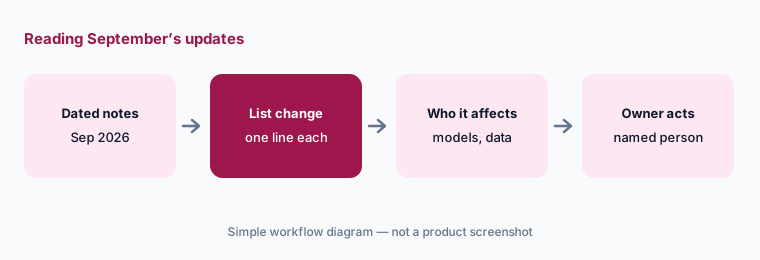
Pigment posted fifteen dated product updates between 1 and 30 September 2026. This page pulls out the ones an FP&A lead should act on — how the Modeler Agent changes models, what Frames can write back, what Agents can reach in other tools, and how AI credits and imports are controlled — and who approves each. It isn’t a review; for that, see our Pigment AI review and Pigment vs Anaplan. Every item below comes from Pigment’s public product-updates feed as we read it on 7 October 2026.
What this page covers
This page is for the FP&A lead or Pigment admin who wants September’s changes without reading every post — especially anything that changes who can change a model, what AI can read or write, or who can bring data in.
We list only updates dated September 2026 on Pigment’s product-updates feed, each linked to its own post. Some are betas; we say so. We don’t speculate about connectors Pigment calls “coming soon.”
The finance guardrails stay the same whatever the tool does: AI drafts and suggests, and a named model owner approves any change to a model, a forecast, or a budget. Vendor claims are quoted as Pigment’s words, not our measurement.

Major features (with how someone uses them)
Examples at a glance: each feature has a concrete example from a real job plus a short Try this you can run this week.
1. Five changes an FP&A lead should act on (primary)
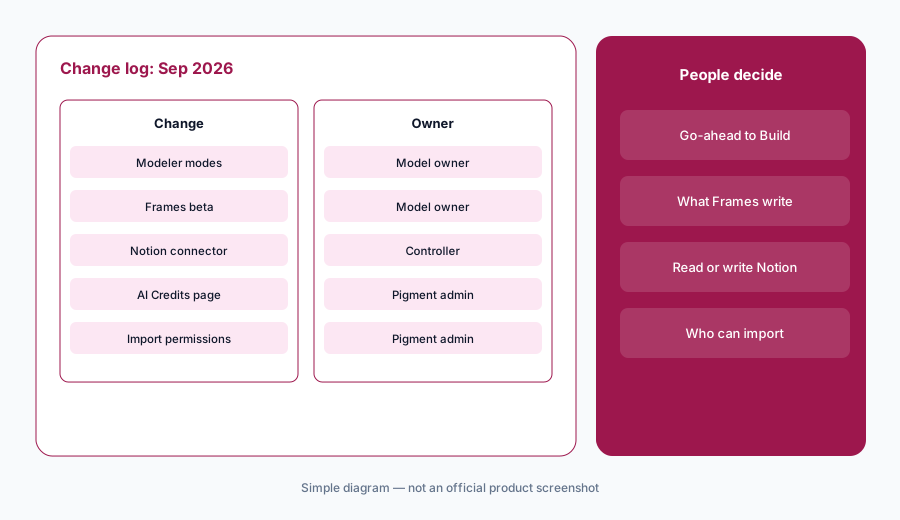
What it is: From September’s updates, these five need a decision from someone, not just awareness: (1) the Modeler Agent now picks Plan, Build, or Ask mode and asks before switching (30 September); (2) Frames in open beta, which can read and write live Pigment data, including from Claude or ChatGPT via MCP (28 September); (3) a Notion connector for Pigment Agents (22 September); (4) an AI Credits page for admins (17 September); and (5) split import permissions (16 September). The full feed is at Pigment product updates.
Primary workflow:
From Pigment’s public Sep 2026 updates, list 5 changes an FP&A lead should act on — cite sources.
2. Modeler Agent: Plan and Build are now separate
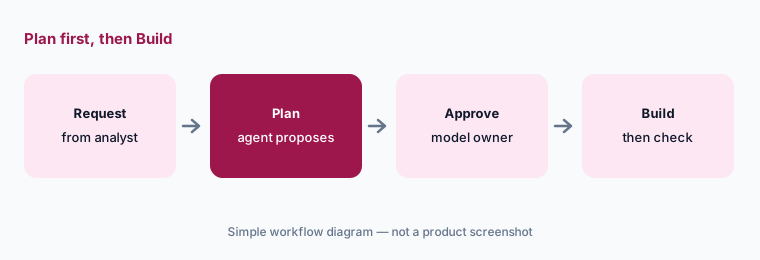
What it is: Per the 30 September update, the Modeler Agent now chooses the mode that fits a request — Plan, Build, or Ask — and asks before switching. Plan and Build are now separate modes, so Pigment says changes are only made to your model once you give your explicit go-ahead. That makes the approval step visible: someone has to say yes. Decide who that is for each model before analysts start asking the agent to build.
Name the go-ahead owner:
For each Pigment model, write who may give the Modeler Agent the go-ahead to Build. Share the list with analysts, and check the first three builds on a test version before trusting the habit.
3. Frames (open beta): read and write, also via MCP
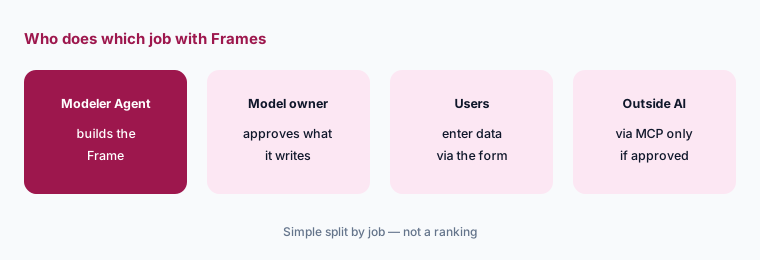
What it is: Per the 28 September update, Frames is in open beta: the Modeler Agent can build bespoke charts, guided data-entry forms, or reports directly on live Pigment data, as interactive experiences that read and write in real time — and Pigment says you can do it all from Claude or ChatGPT via MCP. A data-entry form that writes to a live plan is a change to the plan, so treat a Frame like any other input surface: name who can publish it, who can enter data through it, and which versions it may write to.
Decide what a Frame may write:
Before publishing a Frame, list which metrics and versions it writes to and who can enter data through it. Have the model owner approve, and decide separately whether Claude or ChatGPT may reach it via MCP.
4. Agents reach Notion; Files in the sidebar
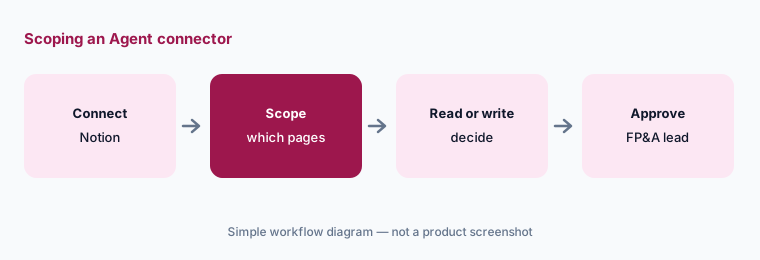
What it is: Per the 22 September update, Pigment Agents can pull in content from other tools, starting with Notion: you can ask the Modeler to retrieve a Notion page, summarize it, or create new content there. Pigment says Slack and Google Drive connectors are coming soon. On 25 September a Files panel arrived in the left sidebar, where you can view and download files stored in Pigment and send them to AI Chats without re-uploading; admins can manage files there too. Both widen what the AI can see and, with Notion, what it can write outside Pigment.
Scope the connector:
Before connecting Notion to Pigment Agents, list which Notion pages the agent should read and whether it may create pages. Have the FP&A lead approve, and review the Files panel for documents that shouldn’t go to AI Chats.
5. AI credits, import permissions, and deployment scope
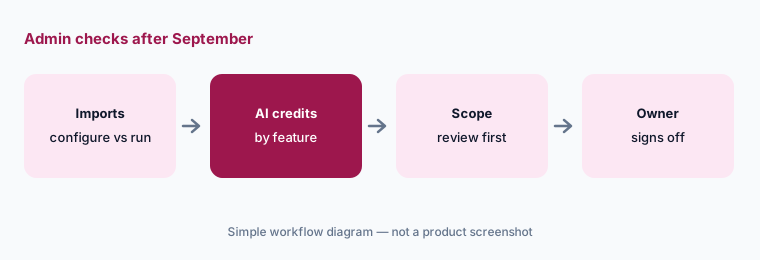
What it is: Three admin updates. On 17 September, admins got an AI Credits page showing quota and usage for the current period, daily, weekly, or monthly trends, and a breakdown by Member or AI feature. On 16 September, the old Import Data permission was replaced by two: Configure Imports (create and manage import configurations) and Run Imports (run saved configurations manually, from Action widgets, or through the API); scheduling an import needs both. On 22 September, a Deployment scope summary shows exactly what a deployment includes — its status, the Applications in it, and which Blocks or Application Settings changed, with the type and details of each change.
Re-check who can import:
List everyone who holds Configure Imports and Run Imports since the split. Keep Configure with a named admin, and look at the AI Credits page by Member and feature once a month with the FP&A lead.
6. Also in September: data flows, APIs, and boards
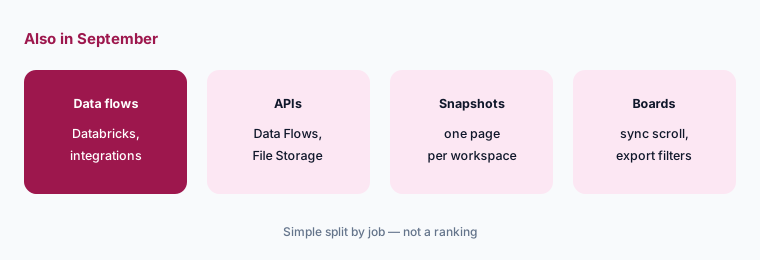
What it is: Other dated updates: a Databricks SQL connector that runs SQL against your warehouse before import (25 September); Integration imports inside Data Flows (24 September); a Data Flows API to trigger multi-step imports from outside systems (8 September) and a File Storage API for Application files (9 September); a central Snapshots page (15 September); synchronized grid scrolling on Boards (15 September); export filters for Members (28 September); and List imports from Recovered Applications to restore list data after accidental changes (1 September). The two APIs mean imports can now be started by code, so the person who owns the service account should be named.
Own the API credentials:
If you plan to use the Data Flows or File Storage API, name the owner of the credentials, keep them out of chats and documents, and have the controller approve which flows the integration may run.
Pricing context (October 2026)
September’s updates didn’t mention plan prices. Pigment doesn’t publish prices: as of 7 October 2026, pigment.com/pricing returned a not-found page, and Pigment’s free trial page describes a 14-day trial from first login with no credit card, usage limits on storage, calculation, and AI credits, and read-only access afterward. The new AI Credits page shows quota and usage, not a price.
For our dated notes on Pigment’s plans and agents, see the Pigment AI review and Pigment vs Anaplan.
Uncertainty: We read only Pigment’s public product-updates feed, pricing URL, and trial page on 7 October 2026. Frames is an open beta and the Slack and Google Drive connectors are described as coming soon, so behavior and availability may change. This is product education, not financial or audit advice.
When it’s useful (honest take)
Useful when you own a Pigment model or administer the workspace and want September’s changes with an owner and an action for each, especially the ones that let AI change models or write data.
Useful when you are deciding whether to connect Notion, open Frames to outside AI clients, or start imports through the API.
Less useful when you want a review of Pigment as a whole — read Pigment AI — or you are still choosing a planning tool; see Pigment vs Anaplan.
Paying for Pigment and a few other AI tools? The $9 AI toolkit spreadsheet lists every AI subscription you have, what each one costs, and how fast it pays for itself, so you can see which ones are worth the money.
Want someone to do it for you? AI toolkit audit — $19
Related options (educational)
| Need | Better home | Why |
|---|---|---|
| Full review of Pigment’s AI | Pigment AI | Not a changelog |
| Choosing between two planning platforms | Pigment vs Anaplan | Split by job |
| Excel-friendly FP&A tools | Datarails vs Cube | Spreadsheet-first teams |
| Inventory finance AI seats | Stack map for finance ops | Jobs, tools, overlaps |
| An IT tool’s September changes | What’s new in JumpCloud (Sep 2026) | Same format |
FAQ
What did Pigment change in September 2026?
Per Pigment’s product updates: Modeler Agent mode selection with Plan and Build separated, Frames in open beta (also via MCP), a Notion connector for Agents, a Files panel, an AI Credits page, split import permissions, a Deployment scope summary, a Databricks SQL connector, Data Flows and File Storage APIs, Snapshots management, and smaller board and import updates.
Can the Modeler Agent change a model without approval?
Pigment says Plan and Build are now separate modes and changes are only made once you give your explicit go-ahead. Name who gives that go-ahead for each model.
Can Claude or ChatGPT reach Pigment data now?
Pigment says Frames can be built and used from Claude or ChatGPT via MCP, and Frames read and write in real time. Decide who may connect outside AI clients and which versions a Frame may write to before turning that on.
Who can run imports after the September change?
Import Data was replaced by Configure Imports and Run Imports. Scheduling needs both. Re-check who holds each.
Does Pigment publish prices?
No. As of 7 October 2026 pigment.com/pricing returned a not-found page; the trial page describes a 14-day trial with usage limits including AI credits.
Optional next step (if seats overlap)
If finance pays for a planning platform’s AI, a separate FP&A add-on, and chat assistants that all build the same variance commentary, fix that overlap before adding another seat. Map the overlap with the $19 AI toolkit audit or the $9 AI toolkit spreadsheet. Email Audit $19 or Toolkit spreadsheet $9.
Checkout is live via Stripe. After you pay, we email delivery (spreadsheet) or intake next steps (audit).