What’s new · Field service ops · Jobber · Sep 2026
What’s new in Jobber (Sep 2026): Jobber Teammate, Custom Report Builder, and Projects
Jobber announced most of its September changes on one day — 23 September 2026, at Jobber Now — and the headline is Jobber Teammate, an AI agent in beta that prepares work for the owner to review. For a service-business owner, five changes need an owner: what Teammate may prepare and what it may never do alone, who builds AI reports, whether to try Projects, how crews get scheduled, and whether to hand the books to Jobber. This page is not a review — for that, see our Jobber AI review. Every item comes from Jobber’s own announcement and help center, read on 12 October 2026.
What this page covers
This page is for an owner, office manager, or Jobber admin at a home or commercial service business who wants September’s changes in one place — especially anything that changes what an AI agent prepares or does in your account, who can see AI-built reports, and what is beta or plan-limited.
We list only entries dated September 2026: Jobber’s 23 September 2026 Jobber Now press release, Jobber’s help-center articles on Custom Report Builder (published 22 September, updated 23 September) and Crew scheduling (8 September), the Jobber Now 2026 page (updated 24 September), and the pricing page (updated 23 September). Jobber has no single dated changelog like a release-notes page, so the press release is the anchor for the five-change list and the help articles fill in the details. We counted seven distinct dated items, enough to keep this page on Jobber.
Field-service guardrails stay the same: an AI agent may prepare a quote, a campaign, or a rescheduled day, but the owner or a named office lead reviews and approves it before a customer sees it or a visit moves. An AI receptionist is not a licensed technician, and customer quotes and claims in a press release are Jobber’s, not our measurement.
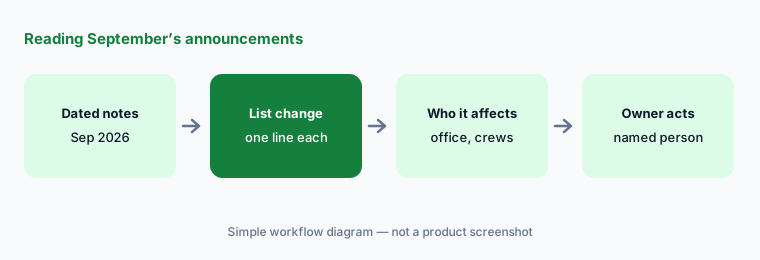

Major features (with how someone uses them)
Examples at a glance: each feature has a concrete example from a real job plus a short Try this you can run this week.
1. Five changes a service-business owner should act on (primary)
What it is: From the September announcements, these five need a decision, not just awareness: (1) Jobber Teammate, in beta with early access from 23 September, an AI agent that sends a Daily Digest, triages an Action Board where it drafts quotes and marketing campaigns for your review, and learns Customizable Routines such as rescheduling the day for weather (Jobber Now release, 23 Sep); (2) Custom Report Builder, where you describe a report and Jobber AI builds it from your live data (Jobber Now release, 23 Sep); (3) Projects, for longer, multi-stage work organized into phases, milestones, tasks, and visits (Jobber Now release, 23 Sep); (4) Crew Scheduling, which groups employees and subcontractors into crews you assign to a job in one step (Jobber Now release, 23 Sep); and (5) Jobber Bookkeeping, in which Jobber says your books are professionally managed alongside your operational data, with time, expenses, receipts, and supplier invoices captured automatically (Jobber Now release, 23 Sep).
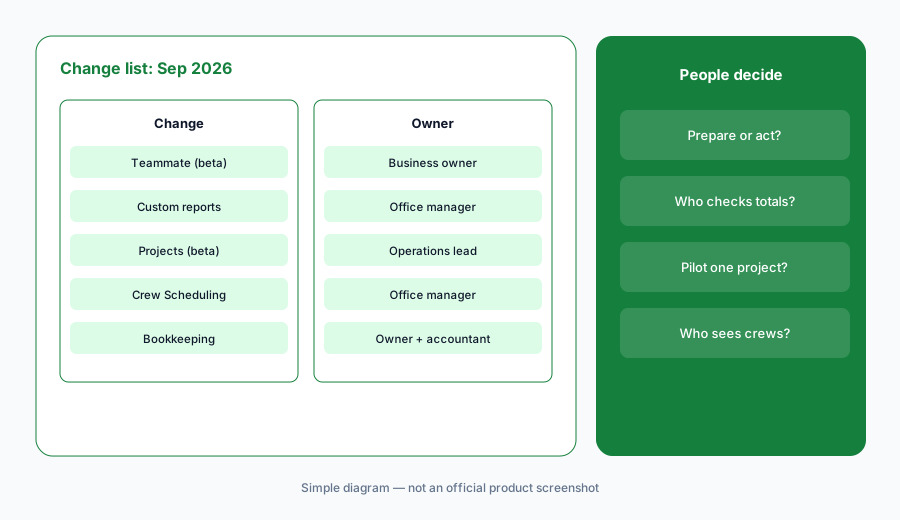
Primary workflow:
From Jobber’s Sep 2026 announcements, list 5 changes a service-business owner should act on — cite sources.
2. Jobber Teammate (beta): Digest, Action Board, Routines
What it is: Per the 23 September release, Jobber Teammate is built into Jobber and uses what Jobber already knows about the business. Its Daily Digest is a morning briefing on money collected, expected, and outstanding, jobs scheduled, and crew status. Its Action Board triages what needs attention and gets a head start — Jobber’s examples are drafting quotes and building marketing campaigns to fill gaps in the schedule — “ready and waiting for a service pro’s review.” Customizable Routines let you show Teammate once how to handle a recurring situation, such as rescheduling the day for bad weather or a sick employee, and it handles it that way going forward. Jobber says Teammate is in beta, that it learns your preferences over time, and that service pros stay in control.
Routines are where control matters most. A routine that reschedules a whole day touches every customer on it. Before you teach one, write down what it may do on its own and what must wait for you — for example, Teammate may prepare a rescheduled day, but the office manager approves the new times before customers are texted. Read the first ten things it prepares before you let it handle anything without a look.
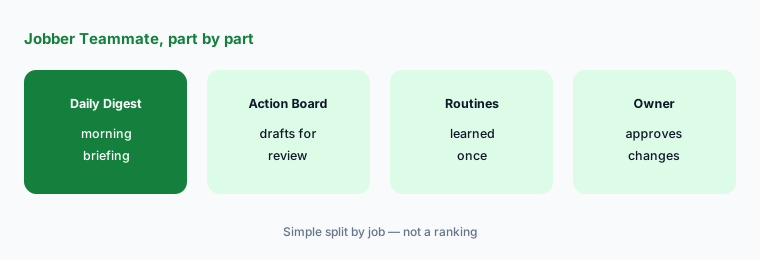
Digest first, approvals written down:
For one week, check Teammate’s Daily Digest totals against your invoices list each morning. Before teaching any routine, write what it may prepare and who approves each change before a customer is contacted.
3. Custom Report Builder on Plus
What it is: Jobber’s Custom Report Builder article (published 22 September, updated 23 September) says you describe the report you want — data, date range, grouping, filters, and charts — and Jobber AI builds it from live data across jobs, clients, quotes, invoices, and timesheets, with no exporting. It is available on the Plus plan, only Admins can create and access custom reports, and new reports start as Visible only to me; you can change that to Visible to admins. The article also says “Jobber AI can make mistakes,” to double-check report data, that large tables paginate, that a build longer than five minutes times out, and that a report shows data as of its last run until you select Refresh report.
Two practical points. Check one number in every new report against a standard report before anyone uses it for pay, pricing, or a bonus. And set shared reports to Visible to admins: the article says a Visible only to me report becomes orphaned if the admin who built it is removed from the account.
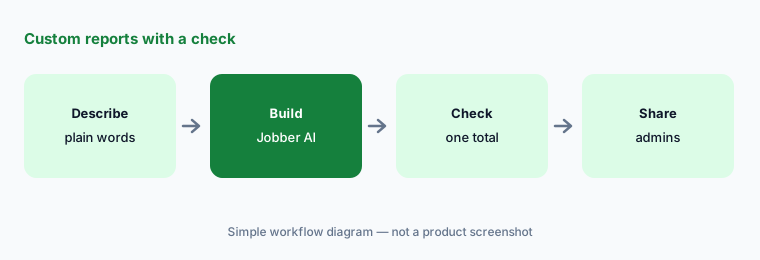
Check one number:
Build one custom report on Plus, then check one total against a standard Jobber report before anyone acts on it. Set it to Visible to admins so it survives staff changes.
4. Projects (beta) for multi-stage work
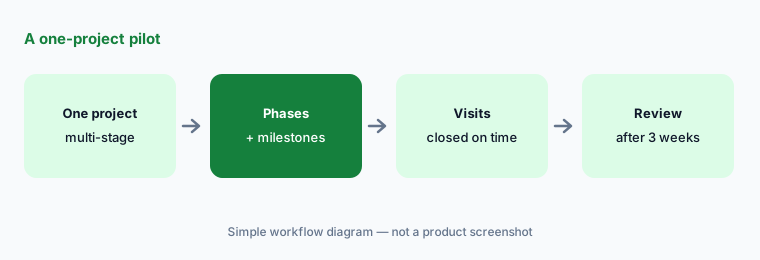
What it is: The 23 September release describes Projects as “designed for larger, longer and more complex work”: work organized into phases, milestones, tasks, and visits, so the office and field teams follow one structure for the life of a project. The Jobber Now 2026 page marks Projects as available in beta with an early-access button, and says progress updates automatically as work is done. Jobber puts it alongside other larger-business updates shipped this year — automated job costing, improved time tracking, Jobber Voice for field teams, a files and media library, and team @mentions.
If you already run multi-stage jobs in a construction tool such as Buildertrend or Procore, Projects is a possible second home for the same work. Pick one system per job type before the beta — two schedules for one remodel is how a crew turns up on the wrong day. That overlap is a row in the Stack map for field service ops.
One project pilot:
Pilot Projects on one multi-stage job only. After three weeks, have the operations lead compare it with how your other long jobs are tracked before moving any more work.
5. Crew Scheduling on Plus
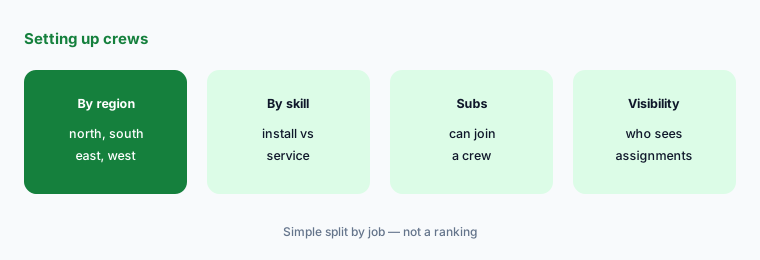
What it is: Jobber’s Crew scheduling article (8 September) says crews let you group your team, assign a whole crew to a visit or task in one action, and filter the calendar by crew in day, week, and month views. It is available on the Plus plan and in Jobber Online, not yet in the Jobber app. The article also says calendar events stay visible to the whole team by default, and that team members without permission to view the team list can still see everyone assigned to a visit they can access. The 23 September release adds that crews can include subcontractors.
Subcontractors in a crew can see who else is on a visit. That’s usually fine; check it anyway if any visit carries notes you wouldn’t share outside the company. Crew Scheduling is a scheduling change, not an AI one — but it changes what Teammate’s Daily Digest reports as crew status, so set crews up before relying on that line.
Crews, then visibility:
Set up crews in Jobber Online for one region and assign one recurring visit by crew. Check who can see each assignment, including subcontractors, before you roll crews out.
6. Bookkeeping, phone calls, marketing, and who approves each one
What it is: Also in the 23 September release: Jobber Bookkeeping, which Jobber says puts a business’s books under professional management by Jobber next to its operational data, with employee time, expenses, receipts, and supplier invoices captured automatically; Phone Calls in Jobber, described in the future tense — service pros “will be able” to make and receive calls in Jobber, with Receptionist handling follow-up actions; and Marketing Suite updates, new Marketing Plan and Brand Builder capabilities for campaigns and social content. The pricing page was updated the same day. Owners: Teammate and Bookkeeping → the owner; reports and crews → the office manager; Projects → the operations lead; Receptionist and calls → whoever owns the phones; Marketing Suite → whoever approves anything customers see.
Bookkeeping is a different kind of decision from the rest: it hands your books to Jobber’s service. Ask your accountant how it fits your current close, tax filing, and payroll before you switch, and keep one person responsible for approving the monthly numbers. Phone Calls in Jobber is an announcement, not a feature to plan around yet.
One owner per change:
For the five September themes above, write one named owner and one review date each. Have the business owner approve the list before anyone joins a beta or switches bookkeeping.
Pricing context (October 2026)
Jobber’s pricing page (updated 23 September 2026; as listed 12 October 2026, USD, billed annually, “starting at”): Core from USD 29/mo for one user, Connect from USD 99/mo, Grow from USD 149/mo, and Plus from USD 399/mo; extra users are USD 29/mo each, and Jobber says annual billing saves up to 25%. The page lists crew scheduling, custom reports, and an AI-powered Receptionist among Plus features.
The pricing page we read doesn’t list Jobber Teammate, Projects, or Bookkeeping prices; Teammate and Projects are betas. Ask Jobber before you budget for them. For our dated review of Jobber’s AI features and plans, see Jobber AI.
Uncertainty: We read Jobber’s press release, help-center articles, Jobber Now page, and pricing page on 12 October 2026. Jobber has no single dated release-notes page, so items announced on 23 September may roll out at different times; betas can change or be withdrawn. Phone Calls in Jobber is described as upcoming. Prices vary by team size and billing period, and the page shows several price points per plan depending on users. This is product education, not accounting or tax advice.
When it’s useful (honest take)
Useful when you run Jobber and want September’s Teammate, reporting, Projects, and crew changes with an owner and an action for each.
Useful when you’re deciding whether to join the Teammate or Projects betas, or whether Plus is worth it for custom reports and crews.
Less useful when you want a full product review — read Jobber AI — or you don’t use Jobber.
Paying for Jobber and a few other AI tools? The $9 AI toolkit spreadsheet lists every AI subscription you have, what each one costs, and how fast it pays for itself, so you can see which ones are worth the money.
Want someone to do it for you? AI toolkit audit — $19
Related options (educational)
| Need | Better home | Why |
|---|---|---|
| Full review of Jobber’s AI | Jobber AI | Not a changelog |
| Two home-service platforms side by side | Jobber vs Housecall Pro · ServiceTitan vs Jobber | Not a ranking |
| Another FSM’s September notes | What’s new in ServiceTitan (Sep 2026) | Same format |
| Inventory field-ops AI seats | Stack map for field service ops | Jobs, tools, overlaps |
| Multi-stage work in a construction tool | Buildertrend AI · Procore AI | If Projects overlaps |
FAQ
What did Jobber announce in September 2026?
On 23 September at Jobber Now: Jobber Teammate (beta) with Daily Digest, Action Board, and Customizable Routines; Custom Report Builder; Phone Calls in Jobber (upcoming); Marketing Suite updates; Projects; Crew Scheduling; and Jobber Bookkeeping. The Crew scheduling help article is dated 8 September, and the pricing page was updated on 23 September.
Is Jobber Teammate generally available?
Not as of the 23 September announcement, which says Teammate is in beta with early access opening to Jobber customers that day. Treat it as a pilot: start with the Daily Digest and write down who approves anything it prepares.
Which plan includes Custom Report Builder and Crew Scheduling?
Jobber’s help articles say both are on the Plus plan; only Admins can create custom reports, and Crew Scheduling works in Jobber Online but not yet in the app.
Can Teammate reschedule customers on its own?
Jobber says routines let Teammate handle recurring situations, such as rescheduling for weather, the way you showed it. Decide before you teach a routine whether it prepares the new schedule for approval or acts alone; on this site we recommend a named person approves before customers are contacted.
Did Jobber change prices in September 2026?
The pricing page was updated on 23 September 2026. As listed on 12 October 2026, plans start at USD 29 (Core), USD 99 (Connect), USD 149 (Grow), and USD 399 (Plus) per month billed annually; Teammate, Projects, and Bookkeeping prices are not listed there.
Optional next step (if seats overlap)
If the office pays for Jobber’s Receptionist and Teammate, a separate answering service, a construction tool, and a chat assistant that all draft the same quotes and schedules, fix that overlap before adding another seat. Map the overlap with the $19 AI toolkit audit or the $9 AI toolkit spreadsheet. Email Audit $19 or Toolkit spreadsheet $9.
Checkout is live via Stripe. After you pay, we email delivery (spreadsheet) or intake next steps (audit).