What’s new · Field service ops · ServiceTitan · Sep 2026
What’s new in ServiceTitan (Sep 2026): ST-81 Atlas mobile app, Virtual Agent recovery, and Voice Intelligence
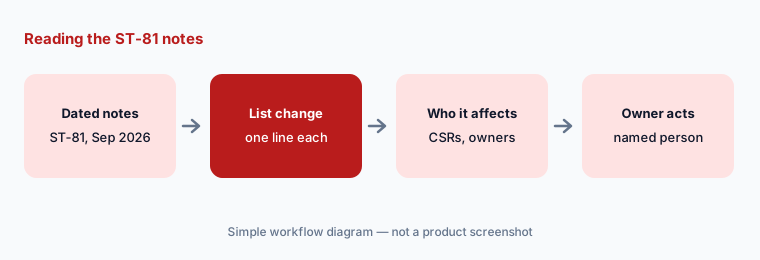
ServiceTitan’s ST-81 release reached its NEXT environment on 22 September 2026, and its release notes were last updated on 30 September. For a field-ops lead, five changes need an owner: who gets the new Atlas mobile app, whether the Virtual Agent may chase unsold estimates by text, which calls the Voice Agent must hand to a person, how call recordings get reviewed in Max, and who approves AI-suggested campaigns. This page is not a review — for that, see our ServiceTitan AI review. Every item comes from ServiceTitan’s release notes and the detail notes they link, read on 12 October 2026.
What this page covers
This page is for an operations manager, service manager, call-center lead, or ServiceTitan administrator who wants ST-81 without reading every detail note — especially anything that changes what an AI agent may do with your customers, who can see AI answers about the business, and what is still Private Preview or Early Access.
We list only entries dated September 2026 in ServiceTitan’s ST-81 Release Notes and the detail notes it links (each detail note we cite was published or updated on 22 or 23 September 2026). ServiceTitan lists ST-81 as available in the NEXT environment on 22 September 2026; several items are marked Private Preview or Early Access and are “not available for all accounts,” so a feature can appear in these notes before it reaches your tenant. ServiceTitan also edited the page after publication (its own page changelog lists 23, 24, 29, and 30 September), so re-read it before acting.
Field-service guardrails stay the same: an AI agent may draft, suggest, or text within limits you set, but a named person owns every booking rule, every reschedule or cancel permission, every campaign launch, and every coaching conversation. An AI receptionist is not a licensed technician, and vendor figures about recovered revenue or booking lift are ServiceTitan’s claims, not our measurement.
Major features (with how someone uses them)
Examples at a glance: each feature has a concrete example from a real job plus a short Try this you can run this week.
1. Five changes a field-ops lead should act on (primary)
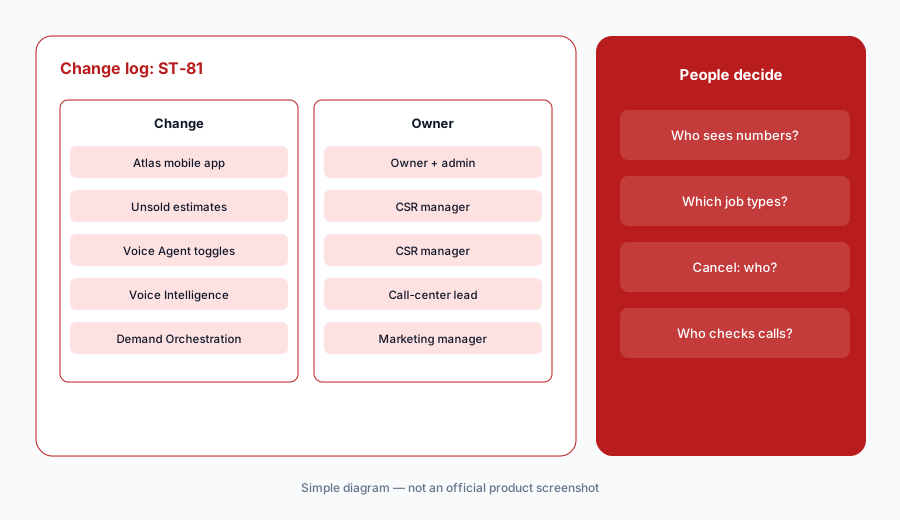
What it is: From ST-81, these five need a decision, not just awareness: (1) the Atlas mobile app, which lets owners ask about business performance in plain language from a phone, in Private Preview for Max, with Atlas access off by default and personas now assigned by administrators in Settings (detail note, 23 Sep; release notes, ST-81); (2) Virtual Agent unsold-estimate recovery, a two-way text conversation that answers questions from the estimate on file and sends a secure link to approve it, for Core, Pro, and Max (detail note, 23 Sep); (3) Voice Agent controls — an explicit Escalate call or Take a message action per trigger, new emergency triggers such as gas leak and carbon monoxide, custom triggers, and separate Can Book, Can Reschedule, and Can Cancel toggles per job type (escalation note, 22 Sep; permissions note, 23 Sep); (4) Voice Intelligence in Max, in Early Access, which reviews every recorded call and lists purpose, whether it was bookable, objections, and outcome with quotes from the transcript (detail note, 23 Sep); and (5) Demand Orchestration in Command Center, in Private Preview for Pro and Max, which forecasts two weeks of bookings against each business unit’s goal and recommends a campaign you review before launch (detail note, 22 Sep).
Primary workflow:
From ServiceTitan’s Sep 2026 ST-81 release notes, list 5 changes a field-ops lead should act on — cite sources.
2. Atlas mobile app and personas in Settings
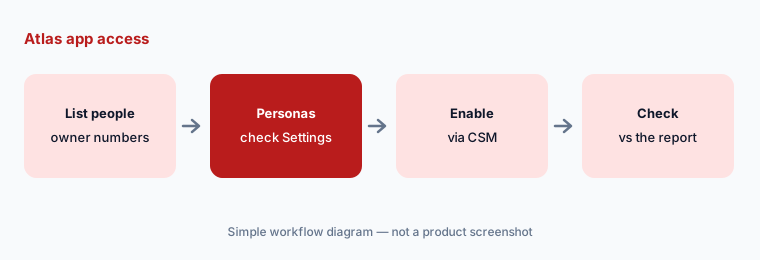
What it is: The Atlas mobile app note (23 Sep) describes a new phone app where an owner signs in with a ServiceTitan login and asks how the business is doing; Atlas answers with the number, a comparison, and a breakdown by job, technician, or business unit, plus a metric dashboard and, through Enterprise Hub, a view across several tenants. ServiceTitan says it replaces the previous office companion app and is separate from Atlas in the Field Mobile App, which answers equipment questions for technicians. It is in Private Preview for Max; an administrator asks Support or the CSM to enable it. The release notes add that administrators now assign Atlas personas in a Settings area instead of asking ServiceTitan to change internal flags.
Access is the decision. The note says Atlas access is off by default and that, in auto mode, the persona is inferred from each person’s role. Before anyone downloads the app, list who should see company-wide revenue and technician breakdowns on a phone, and check the assigned personas match. An answer from Atlas is a starting point: check it against the report it summarizes before it drives a pay or staffing decision.
Personas before the app:
List everyone who should see company-wide numbers in the Atlas mobile app. Have the administrator check each person’s Atlas persona in Settings before anyone downloads it, and check the first answer against the matching report.
3. Virtual Agent: unsold estimates and Appointment Move Up
What it is: Two ST-81 notes let the Virtual Agent text customers on your behalf. The unsold-estimate note (23 Sep) adds a goal that follows up on unsold estimates over two-way text, answers common questions using the details on file for that estimate, and sends a secure link so the customer can approve; the approved estimate moves to Sold Estimates for your team. ServiceTitan says it runs separately from Marketing Pro’s Unsold Estimates campaign, which remains the tool for older estimates. The Appointment Move Up note (22 Sep, Private Preview) lets a dispatcher on any Move Up-enabled Voice Agent account map job tags to rescheduling windows; applying a tag triggers a text offering the earliest matching opening, and ServiceTitan books the change if the customer agrees.
Both put an AI in a customer conversation about money or time. Decide the limits first: which job types and estimate sizes are in scope, what the agent may say about financing or discounts (nothing that isn’t on the estimate), and who reads the transcripts every day for the first two weeks. For Move Up, the dispatcher’s tag is the approval — keep tagging a person’s job, not a rule that runs on its own.
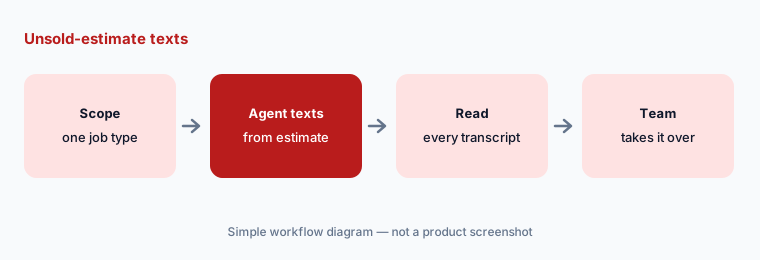
Narrow scope, read every transcript:
Turn on unsold-estimate follow-up for one job type only. Have the CSR manager read every conversation for ten days and fix the estimate template wherever the agent had to guess.
4. Voice Agent: escalation actions and reschedule/cancel toggles
What it is: The escalation note (22 Sep) replaces on/off checkboxes with an explicit action per trigger — Escalate call or Take a message — and adds built-in triggers such as Gas Leak, Fire, Smoke, and Carbon Monoxide Emergency, plus custom triggers you define. ServiceTitan says the old screen didn’t show that an unchecked trigger silently took a message. The permissions note (23 Sep) splits the single Can Book toggle into Can Book, Can Reschedule, and Can Cancel per job type; new job types start with reschedule and cancel off, while existing job types keep whatever Can Book already had.
That last line is the one to check. If a job type could be booked by the Voice Agent before ST-81, it may now also be allowed to reschedule and cancel by default. Walk the job-type list once, and set every emergency trigger to Escalate call — an AI receptionist taking a message about a gas smell is the failure nobody wants to explain.
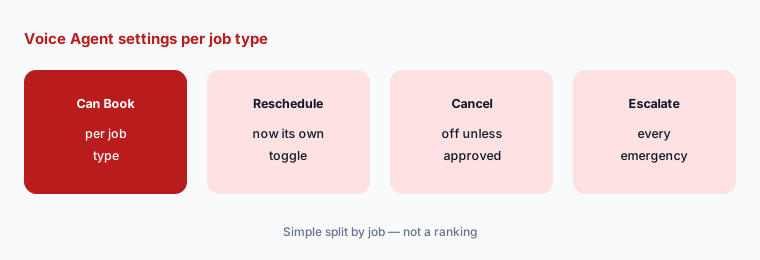
Walk the job-type list:
Export your Voice Agent job types and check Can Book, Can Reschedule, and Can Cancel for each. Set every emergency trigger to Escalate call and have the call-center lead sign off on the list.
5. Voice Intelligence in Max (Early Access)
What it is: The Voice Intelligence note (23 Sep) says Voice Intelligence is in Early Access for ServiceTitan Max: it reviews every recorded call and, about 15 minutes after a call ends, shows its purpose, whether it was a real opportunity to book, any objection, and the outcome, each with quotes from the transcript, in new Call Analysis and Insights screens. The release notes add a settings screen to exclude calls by phone number and user — technician and dispatch lines, for example — editable prompt instructions for the review criteria, and access managed in ServiceTitan Role Permissions.
ServiceTitan calls the result an objective read; treat it as a first pass that a manager checks before it reaches a coaching conversation. Exclude non-sales lines first, write the review criteria with the people whose calls are reviewed, and keep recordings and transcripts limited to the roles that need them. Fleet coaching tools raise the same question about clips and drivers — see Samsara vs Motive.
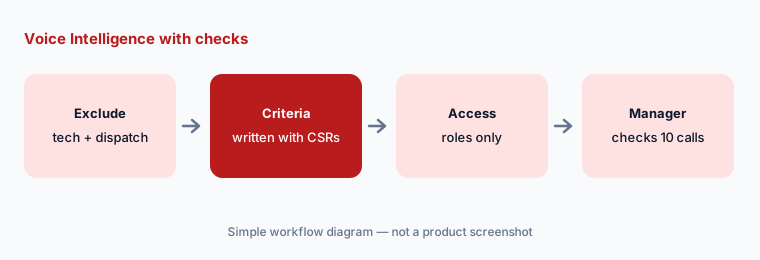
Check before coaching:
Exclude technician and dispatch lines from Voice Intelligence, then listen to ten flagged calls yourself before any finding reaches a coaching conversation. Edit the review criteria where the call and the analysis disagree.
6. Marketing Pro and smaller ST-81 changes, with owners
What it is: Also in ST-81: Demand Orchestration (22 Sep) shows which business unit is short of its two-week booking goal in job hours, the campaign chosen to close it, and Review Campaign or Discuss with Atlas before you launch; the Segment Assistant in Marketing Pro v2 (22 Sep) turns a plain-language audience description into inclusion and exclusion filters, marks any value it had to assume, and shows the reach before you save. The release notes also list locking transactions on completed and canceled projects, Service Agreement permissions for templates and statuses, Google Local Services Ads message leads in Scheduling Pro, workstreams on the new Dispatch Board, and Field Mobile App 23.0 and 24.0 updates for contract discounts and estimate deposits. Owners: Atlas → the owner and administrator; Virtual Agent and Voice Agent → the CSR manager; Voice Intelligence → the call-center lead; Marketing Pro → the marketing manager; project locks and agreement permissions → the controller.
The Segment Assistant’s marked assumptions are the part to read. If it assumed “membership expiring soon” means 90 days and your rule is 60, fix that filter before the campaign goes to customers. A campaign that Demand Orchestration recommends still goes to real people; the marketing manager reviews the audience and message before launch.
One owner per change:
For the ST-81 themes above, write one named owner and one review date each. Have the operations manager approve the list before anyone enables a Private Preview feature or launches a recommended campaign.
Pricing context (October 2026)
The ST-81 notes don’t mention price changes. ServiceTitan’s pricing page (as listed 12 October 2026) shows three packages — Starter, Essentials, and The Works — each with “Request Pricing,” and promotes Max separately; no dollar prices are published. Several ST-81 items are limited by package (Max-only, Pro and Max, or Core, Pro, and Max) and many are Private Preview or Early Access, enabled through Support or your CSM.
Whether Private Preview or Early Access features change your contract isn’t stated in the notes — ask your CSM before you plan around them. For our dated review of ServiceTitan’s AI features and packages, see ServiceTitan AI.
Uncertainty: We read ServiceTitan’s Release Notes (ST-81, last updated 30 September 2026) and the linked detail notes on 12 October 2026. ServiceTitan edits the page after publication, so items can move between tabs or be removed (its changelog shows one removal on 29 September). Private Preview and Early Access features are not available for all accounts, and availability differs by package and region (several notes say United States and Canada only). This is product education, not advice on your licensing, safety, or recording-consent obligations.
When it’s useful (honest take)
Useful when you run ServiceTitan and want September’s ST-81 changes with an owner and an action for each, especially Voice Agent and Virtual Agent permissions.
Useful when you’re deciding who should see Atlas answers on a phone, or whether to join Early Access for Voice Intelligence.
Less useful when you want a full product review — read ServiceTitan AI — or you don’t use Virtual Agent, Voice Agent, Max, or Marketing Pro.
Paying for ServiceTitan and a few other AI tools? The $9 AI toolkit spreadsheet lists every AI subscription you have, what each one costs, and how fast it pays for itself, so you can see which ones are worth the money.
Want someone to do it for you? AI toolkit audit — $19
Related options (educational)
| Need | Better home | Why |
|---|---|---|
| Full review of ServiceTitan’s AI | ServiceTitan AI | Not a changelog |
| Two FSM platforms side by side | ServiceTitan vs Jobber | Audience, AI, pricing transparency |
| Another FSM’s September notes | What’s new in Jobber (Sep 2026) | Same format |
| Inventory field-ops AI seats | Stack map for field service ops | Jobs, tools, overlaps |
| AI answering elsewhere | Housecall Pro AI · Workiz AI | CSR AI, Genius |
FAQ
What did ServiceTitan change in September 2026?
Per its ST-81 release notes (NEXT environment 22 September, updated 30 September): the Atlas mobile app and Atlas personas in Settings, Virtual Agent unsold-estimate recovery, Voice Agent escalation actions and per-job-type reschedule and cancel toggles, Appointment Move Up for any Voice Agent account, Voice Intelligence for Max, Demand Orchestration and the Segment Assistant in Marketing Pro, plus CRM, Fintech, Dispatch Board, and Field Mobile App updates.
Is the Atlas mobile app available to everyone?
No. The 23 September note says it is in Private Preview for ServiceTitan Max and not available for all accounts; an administrator asks Support or the CSM to enable it, and Atlas access is off by default.
Can the Voice Agent now cancel appointments?
Only for job types where Can Cancel is on. ST-81 split booking, rescheduling, and cancelling into separate toggles per job type; new job types start with reschedule and cancel off, but existing job types keep whatever Can Book already had, so check the list.
Does Voice Intelligence replace a manager reviewing calls?
No. ServiceTitan describes an evidence-backed read of each recorded call; a manager should still check flagged calls before coaching anyone, exclude non-sales lines, and limit who can open recordings and transcripts.
Did ServiceTitan change prices in September 2026?
The release notes we read don’t mention price changes. As of 12 October 2026, ServiceTitan’s pricing page lists Starter, Essentials, and The Works with “Request Pricing” and no published dollar prices.
Optional next step (if seats overlap)
If field ops pays for ServiceTitan’s Virtual Agent, a separate answering service, and a chat assistant that all draft the same customer follow-ups, fix that overlap before adding another seat. Map the overlap with the $19 AI toolkit audit or the $9 AI toolkit spreadsheet. Email Audit $19 or Toolkit spreadsheet $9.
Checkout is live via Stripe. After you pay, we email delivery (spreadsheet) or intake next steps (audit).